Monday, May 31, 2010

iPads are everywhere

Does it seem like everyone has an iPad? OK, maybe not everyone. But, you can be sure that if you go to a crowded place (like a bookstore, a coffee shop, or an airport), you'll definitely find people who are using iPads.  Over the weekend, I was traveling and it seemed like every other passenger on the plane had an iPad.

How about the hospital? Have iPads been showing up in your health care organization? Will the iPad be a safe and secure way for patients to manage their health information? Do you have patients waiting in the waiting room, reading a book on the iPad? Maybe they're playing Scrabble or an action game. Maybe they're actually researching their health condition and learning more about disease self management.

Physicians have a unique opportunity to leverage multimedia and teach patients by using devices like the iPad. If a patient already owns an iPad, then it may become that much easier to use the device and teach the individual about specific health condition. Make sure to be sensitive about patient privacy. You wouldn't want do direct your patient to a web page about STDs and have someone else mistakenly turn on that iPad to find a website about HIV or syphilis.

Speaking of iPads, I've been holding off on buying one because I'm waiting for the 2nd generation model. However, I'm not sure that I can wait given that we're going to see several other slate tablets this summer and fall (like the HP Slate running webOS and Android slates made by Dell, Lenovo, and others).

Wednesday, May 26, 2010

Mobile Learning: Ensuring Implementation Success

There's a free webinar coming up that looks like it's going to be very relevant to mobile technology and education.

Mobile Learning: Ensuring Implementation Success

The success of your mobile learning programs requires more than just having the right technology, great content, and effective design. To be successful you need a well thought out implementation plan that ensures your learners are engaged, your managers are motivated, and your organization is energized. By integrating proven techniques and approaches from change management, communications, and consumer marketing you can increase awareness, involvement, and acceptance - at all levels of your organization. The proven I-3 Change Implementation Model provides the blueprint for an effective plan. In this webinar, Lance Dublin, co-author of the ASTD capstone book, “Implementing e-Learning” and the Chief Solution Architect of Dublin Consulting, will present the model and share with you what works and what doesn’t – and why.

In addition, Supra Manohar, VP Emantras, will lay the groundwork to get a mobile initiative started, implemented, and successful (using Mobl21), specifically addressing some of the requirements for target segments, K-12, Higher Ed, and Enterprise. Definition of basic functions like educational requirements, device specific strategies, content strategies, and most importantly becoming a part of an ever growing community of mobile adopters - sharing stories and best practices. How to use the Mobl21 community and team to receive information from other adopters and gain expertise from a collective intelligence.

Learn more and register for this event here.

Tuesday, May 25, 2010

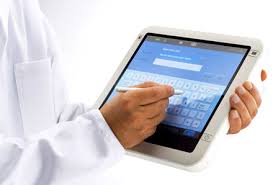
Will doctors embrace the slate tablet as EHRs penetrate the marketplace?

We all know that electronic health records or EHRs are actively penetrating the market because of the HITECH Act. Will doctors embrace the slate tablet? Or will they stick with the old keyboard and mouse?

We're seeing more slate devices like the Apple iPad, Amazon Kindle, and even some Android and webOS powered slates gaining popularity this year. How will this trend influence busy practitioners who need to enter information and look up data at the point of care? Whether you're in a hospital or in a private office, you want to access data quickly and you want to minimize the steps and clicks to perform essential tasks within your EHR.

What I'm finding is that more and more medical students are residents are eagerly adopting new technology like the iPad and they are also relying more heavily on their smartphones to look up medical information. In the past, many of us used standalone PDAs that were not constantly connected to the Internet. Now, you can carry the entire web in your coat pocket. By using a slightly larger device that has a big screen, you can quickly access vital information on the Internet and also navigate through your EHR on a mobile device like the iPad.

So, will doctors soon embrace slate tablets? The nice thing about a slate is that you can use them while you're standing. No need to find a desk or table. You can also draw and mark things quickly and efficiently on a slate computer. My hope is that we'll soon see more thin and light slates that also offer pen-based input.

Monday, May 24, 2010

BusinessWeek on the Entourage eDGe

Are you seeing double? Why buy a Kindle and an iPad if you can get both systems in a single device? This week's BusinessWeek magazine has a story about the eDGe made by Entourage Systems. This has a digital-ink side and a color screen side. So, you get the best of both words: ebooks and multimedia.

You can read the story here.

Friday, May 21, 2010

HP Notebook PC Battery Pack Replacement Program

On May 19, 2010, HP expanded a worldwide voluntary recall and replacement program in cooperation with various government agencies, adding battery packs to the replacement program announced on May 14, 2009 and revised on October 15, 2009. Product model series were also added to the list of products that may have been sold with affected batteries. HP customers affected by this program will be eligible to receive a replacement battery pack for each verified, recalled battery pack at no cost.

Get more details here: http://bpr.hpordercenter.com/hbpr/M14.aspx

Thursday, May 20, 2010

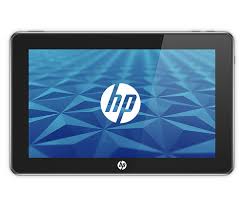
HP slate tablet running webOS (coming soon)

As we expected, it appears that HP will be releasing a slate tablet running webOS. That probably makes more sense than coming out with a slate tablet running Windows 7. Perhaps the acquisition of Palm will put HP in a new position to market novel slate tablets that will effectively compete against the Apple iPad.

I also hope that HP will create some tablets running Google Android. We know that Dell and several other companies are coming up with slates running Android, but I'd like to see more players jump into this market.

I'm really hoping that medical students and residents will have more low-cost options for slim slate tablets they can use in the hospital setting. After all, the iPad is a great device but it's priced higher than most netbooks. Medical students who are living on tight budgets may have difficulty affording premium devices like the iPad, but let's hope that Android pads and webOS pads will put enough pressure on Apple that overall prices will eventually come down.

Wednesday, May 19, 2010

Some of my favorite laptop accessories

At home, we have several computers. We have a desktop for the family and kids. I have my own laptop, my wife has her laptop, and then we have a few mini computers, ultra-mobile PCs, etc. Since I do most of my blogging at night, I’m often relying on a variety of laptop accessories while I’m working.

Let me tell you what my typical “home office” consists of:
1. Wireless Bluetooth Mouse. I use a laser Bluetooth mouse so that I can work efficiently on almost any surface. I got my mouse on eBay.
2. Cooling pad. Whether my laptop is on my desk or on my lap, I use a cooling pad to keep the hard drive as cool as possible. I want to minimize the risk of any data loss from a failed hard drive (I’ve been there too many times).
3. Backup hard drive. I’m not always connected to my external backup hard drive, but it’s there and I perform enough routine backups.
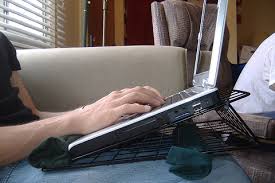
4. Laptop stand. If I’m typing in bed, then I like to use a stand. A laptop stand does two things: it allows you to use a mouse anywhere (even if you’re working in bed) and it also allows you to keep the laptop off your body.
5. LED light. Since I blog at night, I use a USB-powered LED light so that I can see my keyboard.

Lenovo coupon codes for ThinkPad X, W, and Tablet Series

Thinking about buying a ThinkPad? Make sure to leverage this coupon code to save:

Save 20% more on Lenovo ThinkPad X, W, and Tablet Series laptops! eCoupon: USPBIGSAVINGS

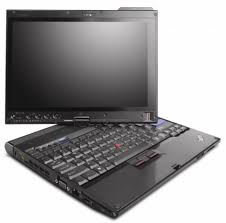
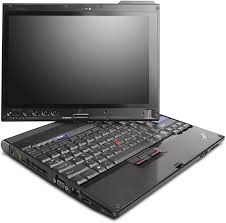
I find that many medical students are currently using the ThinkPad X200 tablet series. Some medical schools will also issue these machines to medical students because they want all their students to get comfortable with pen-based tablet computing platforms. The nice thing about the ThinkPad tablet is that it's a convertible tablet. So, you can use it like an ultraportable laptop (that has a full-sized keyboard), and within a few seconds you can flip the screen around to make a slate tablet PC.

Tuesday, May 18, 2010

Panasonic upgrades ToughBooks 52 and T8

Panasonic Solutions Company (PSC) recently announced the newly upgraded Toughbook 52 semi-rugged notebook and Toughbook T8 business-rugged tablet-alternative notebook for the healthcare market.

The Toughbook 52, which is often deployed on carts in healthcare environments, now runs on the Intel® Core i5 (up to 2.53GHz) processor and includes 2GB RAM (expandable up to 8GB) and up to a 250GB shock-mounted hard drive. The upgraded Toughbook 52 also includes a range of new embedded wireless options, including Gobi2000™ mobile broadband, Wi-Fi and Bluetooth – all of which can be embedded in the same unit, permitting a high level of flexibility for mobile data access.

The updated Toughbook T8, a popular device with physicians and home health clinicians, now features a 1.6GHz Intel® Core™2 Processor with vPro™ technology (3MB L2 cache and 800MHz FSB) and a removable 250GB hard drive. Other improvements include the use of Windows® 7 Professional (with XP downgrade option) and Bluetooth® 2.1. The 3.3 pound device delivers up to 8 hours of battery life and is ideal for highly mobile professionals in markets like healthcare.

Monday, May 17, 2010

Mobile Health 2010 at Stanford University

Mobile Health 2010 at Stanford University is coming up: May 24-25, 2010. I'm dying to go, but there's no way I can afford to travel for this meeting. You can learn more here: http://www.mobilehealth2010.org/
Mobile Health 2010 has a precise and practical focus: We will highlight how today's mobile technology can improve the health of everyday people. The emphasis is on what's working to change behavior, right now.
Speaking of Mobile Health, there's another conference coming up in September called the 2nd International mHealth Networking Conference. September 8-9, 2010 Town & Country Resort Hotel, San Diego CA. Learn more here: http://www.mobih.org/
The 2nd mHealth Networking Conference will build on the first such conference (February 2010 Washington DC), which showed that mHealth is a complex field that will have a major impact on all stakeholders in healthcare. More medical apps for smart phones are being developed every day. New communication systems are being tested and ready to change clinician to patient relationships. Providers are challenged to integrate such systems into their legacy systems. New policies need to be implemented to manage this exploding field.
I will be presenting at the mHealth Networking Conference and talking about physician use of mobile devices, so stay tuned for details.

Sunday, May 16, 2010

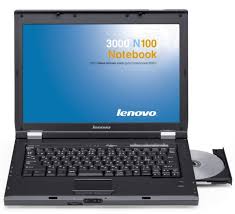
Lenovo ThinkPad X200 vs. HP EliteBook 2730p

I've been an IBM/Lenovo ThinkPad user for many years. Decades. It's time for a change, so I'm going to be switching to the HP EliteBook 2700p tablet PC series. The current models include 2730p and the 2740p tablet PC series. These devices are similar to the ThinkPad x200 tablet series in that they're both thin and light with 12" screens.

Both computers are really great machines. However, my computing needs have evolved over the past 2 years and so it may be time for a change. The HP EliteBook has a quieter keyboard (important when you're attending a meeting and typing quickly). The EliteBook also has a pop-out LED light (for those who work in the dark, this is indispensable).

The ThinkPad is built like a tank and you get a full-size keyboard. It's really great for business users who don't mind typing on a keyboard that makes a bit more noise. Believe me, I'm not getting rid of my ThinkPad. It's currently my office laptop and I bring it home so that I can blog at night. Now, I'll leave my ThinkPad at work and I won't bring that home every night. The EliteBook will become my dedicated laptop for my home office. This should lighten up my briefcase. When I travel, I'll carry the EliteBook since it's slightly smaller and lighter.

Friday, May 14, 2010

Microsoft Office Live Workspace

Have you been computing on the cloud using Microsoft Office Live Workspace? Well, I just got this e-mail the other day and it sounds like Microsoft is getting ready to offer some great cloud computing services.
Your Microsoft Office Live Workspace beta account is about to become even better. You already know it’s a great way to store and share documents, and soon it will come together with Windows Live SkyDrive to become a great way to view, create, and edit documents from virtually anywhere.

In the coming months, you’ll receive notification when your Office Live Workspace account will be upgraded, along with further details. Until then, there’s no need for you to do anything.

With your SkyDrive account, you’ll get 25 GB of online storage for sharing both documents and photos. Your SkyDrive account is designed to work smoothly with other Windows Live services like Hotmail and Messenger. And you’ll be able to view and edit documents from virtually anywhere* using new Microsoft Office Web Apps.
Not familiar with Microsoft Office Web Apps?
Microsoft Office Web Apps are convenient online companions to Word, Excel, PowerPoint, and OneNote that give you the freedom to work with your Office documents from virtually anywhere with a supported browser.
I currently use Windows Live Sync, so I could definitely use 25 GB of online storage to backup my critical files. As cloud computing continues to gain more traction in the world of health care, I'm sure we'll see more health care professionals using services like Google Docs and Microsoft Office Web Apps. Do you compute on the cloud and are you backing up your files remotely?

Wednesday, May 12, 2010

HP Enhances Client Virtualization Offerings

HP Enhances Client Virtualization Offerings to Improve Security and Usability, Reduce Complexity

SAN FRANCISCO, May 12, 2010 (BUSINESS WIRE) -- HP today expanded its client virtualization offerings for businesses to help reduce the costs and complexity of client virtualization while improving the user experience.

The new offerings, announced at Citrix Synergy 2010, include:

-- The HP 4320t Mobile Thin Client is designed to meet the security and reliability needs of remote and mobile workers.

-- HP's desk-based thin client line now features expanded multimedia capabilities.

-- HP has worked with Citrix to develop new virtual desktop infrastructure (VDI) reference architectures for XenDesktop and XenServer that help reduce the threat of potential data loss or theft, lower the complexity and cost of desktop management, and provide end-users with the functionality of a stand-alone desktop.

-- The HP Compaq Elite 8000 Business Desktop and HP EliteBook 8440p Notebook PC are the first Citrix Ready platforms expected to support the recently announced Citrix XenClient hypervisor technology. Citrix XenClient support provides the power to deliver the most demanding business applications, while offering the protection of a secure, centrally managed virtual machine for business customers.

Monday, May 10, 2010

Sony updates the Vaio P Series (tiny notebook)

Sony has updated the Vaio P Series of mini notebooks. Starting at $799, these slim little computers can probably fit in your white coat pocket. The new features include a touch pad (it's really a thumb pad) and a built-in accelerometer. In addition to rotating the screen, tilting the device will also move web pages forwards or backwards (tilt and navigate). I think a "tilt and pan" would be an interesting feature to build into mobile computers. You can read more about the updated Sony Vaio P on Engadget.

Saturday, May 8, 2010

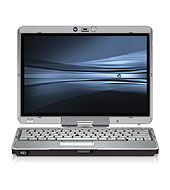
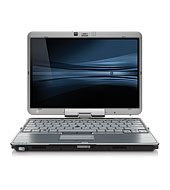
HP EliteBook 2740p Tablet PC

If I had to recommend a tablet PC today, the HP EliteBook 2740p Tablet PC would be one that I would highly recommend. Even though I currently use a Lenovo ThinkPad X200 Tablet PC, there are some features found on the HP 2740p that I'd really like to have. You see, I do a lot of typing at night and I need to use a USB-powered LED light so that I can see my keyboard. I keep my screen brightness on low so that I don't disrupt my wife.

The HP 2740p has a really nice little pop-out LED light at the top of the screen. This light effectively illuminates the keyboard and works really well. So, whether you're on a plane or in a dark radiology suite, you won't have any problems seeing your keyboard.

The other nice feature about the 2740p is that the keyboard isn't so loud. This year, I did a bit of traveling to attend some national meetings like HIMSS, the Association of MD/MBA Programs, and the American College of Physician Executives (ACPE). When I'm in the room typing away, it's disruptive because they keyboard on my ThinkPad is rather loud (I don't like to be obnoxious). I think I need a travel notebook that has a softer keyboard. Maybe I should just get a MacBook Air. That will solve both of my issues: illuminated keyboard and soft keyboard.

Friday, May 7, 2010

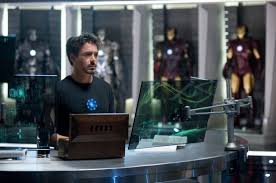
Computers in Iron Man 2

I think some people out there think that every MIT grad has home computers like Tony Stark in Iron Man.

So, do most people use touch-screen computers at home? Some do. How about talking computers? Maybe. Computers where you can navigate in the air using 3D gestures? Probably not.

Many people think of the movie Minority Report when they think about virtual navigation on-screen computing. I really don't think we're that far away when we see technology like Microsoft Surface and novel computing platforms on the horizon. They keyboard and mouse will soon become a thing of the past. Future computing platforms will rely primarily on voice recognition, touch, and multi-touch gestures. Those are my predictions.

HP Minis (netbook), from $249

If you're looking for an incredible computer deal, take a look at the HP Business Outlet. Once you're there, scroll down to the "Home & Home Office" section to see HP netbooks starting at $259 (you may even find some as low as $249). Most of these are refurbished. You'll also see some great prices on the HP EliteBook 2730p convertible tablet PC. I'm waiting to get a killer deal on the 2740p tablet.

Visit the HP Business Outlet.

Thursday, May 6, 2010

Pause on your computer to pray today

When I'm working on the computer, it can be difficult to pause. Today is the National Day of Prayer. Pause and pray for this country and pray for our world.

http://nationaldayofprayer.org/

Wednesday, May 5, 2010

The Benefits of Client Virtualization in Healthcare

Here's some information about a complimentary podcast series titled, "The Benefits of Client Virtualization in Healthcare"


Clinicians need immediate access to desktops, applications, information and data. Desktop administrators need to be able to meet privacy and information regulations without inhibiting productivity.

Listen to this three-episode podcast series to learn how you can provide instant access to medical applications and patient information using a secure virtual desktop solution. You'll also learn how a virtual "follow-me" desktop is able to meet the requirements of both healthcare IT and the caregiver.

Listen to this podcast series and you will learn more about the following:
  • How client virtualization enables HIPAA compliances and keeps sensitive data secure.
  • How a virtual follow-me desktop is able to meet the requirements of both caregivers and IT.
  • The benefits of centrally managing and updating applications and desktops.
  • Why easy access to critical applications and data from any location or device leads to improved clinician workflows and caregiver satisfaction.
Click here for more information.

More slate tablets coming this year

There are so many rumors circulating on the Internet about upcoming slate tablets. Right now, the Apple iPad is leading the pack. Over 1 million sold!

A few companies are making tablets running Google Android. Not sure which one will be the most popular Android Pad at this point. Will it be made by Dell? It probably won't be HP.

How about the Lenovo IdeaPad U1 Hybrid? That could be the "idea" tablet for those who're looking to use a keyboard. Skip the netbook and go right for the hybrid.

I think it's fair to say that we can expect HP to release a webOS tablet. I'm wondering if they'll allow other manufacturers (like Sony) to run webOS.

Tuesday, May 4, 2010

Sony atracTable Interactive Surface Table Computer

Have you tried Microsoft Surface? It's quite an amazing experience. I had the chance to sit down and play with a Microsoft Surface table when I was at HIMSS (Healthcare Information and Management Systems Society).

Well, Sony is jumping into the table computing industry with their atracTable Interactive Surface. I can't wait to see how this device compares to Microsoft Surface. 

Monday, May 3, 2010

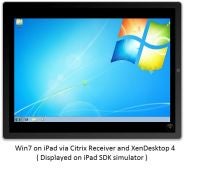
Citrix and Wyse allow you to run Windows on your iPad

If you're familiar with the concept of virtual computing, then you'll appreciate this snippet from ZDNet:
Citrix and Wyse have both released virtual desktop applications for the iPad that let people run Windows applications on Apple's tablet. On Friday, Citrix announced the immediate availability of its Receiver virtual office client and GoToMeeting web conferencing client for the iPad. On the same day, thin-client specialist Wyse separately introduced a version of its PocketCloud app for the same device.
Now, what does this mean? It means that you don't need to wait for a Windows-based tablet as long as you know how to set up a remote PC so that you can run a Windows virtual machine on your iPad.  I'm waiting for Citrix to release GoToMyPC for iPad.

Sunday, May 2, 2010

Physician executives and netbooks at ACPE 2010

I'm in Washington D.C. attending the 2010 ACPE (American College of Physician Executives) Annual CME Conference. Physicians attending the Physician in Management Seminar all have laptops in the room because they're taking notes, working on assignments, and preparing for online exams. What's interesting is to note how many physician executives are using netbooks instead of standard laptops. What's your guess?

Surprisingly, I saw more netbooks than expected. I think the netbook phenomenon has caught up to these physician executives. Equipped with reading glasses, they were working on small screens instead of using monster laptops that had 17" screens. Several physicians also had Apple notebooks (mainly MacBook Pro models), but I didn't see many MacBook Air laptops in the room. I guess physician executives aren't willing to pay a premium to have the thinnest, coolest laptop on the market. I saw a few physicians with iPads, so that was refreshing. Who said physicians were late technology adopters?

Click here for highlights from ACPE 2010 published on NonClinicalJobs.com

This coverage of ACPE is sponsored by Practice Fusion EMR. Practice Fusion’s Electronic Medical Record system includes charting, scheduling, e-prescribing, secure messaging and lab connections – all at no cost. Join the fastest growing EMR community today!