Saturday, July 31, 2010

Removing rogueware on an infected PC

Over the weekend, I had to remove some rogueware on someone's infected PC.  What exactly is rogueware? Is it a virus? Spyware?

Rogueware is also called rogue security software. You may think that your PC is infected, but it's not. You're being told that you need to purchase an anti-virus solution so that you can fix your PC. The truth is that your PC has been infected by rogue security software. Here's what Wikipedia has to say about rogueware:
Rogue security software is a form of computer malware that deceives or misleads users into paying for the fake or simulated removal of malware, or that installs other malware. Rogue security software, in recent years, has become a growing and serious security threat in desktop computing.
So, how do you get rid of rogueware?  First, it's important to recognize that rogueware isn't a virus. Therefore, you can't just "clean" your computer with an anti-virus solution and get rid of the rogueware.

Rogueware is often installed like any other software. The problem is that you probably won't recognize it as rogueware. Therefore, you won't know which application to uninstall. Plus, you may have problems opening the Control Panel if your PC is infected with rogue software.

Over the weekend, I had to boot up in Safe Mode (Windows XP). Then, I uninstalled the rogueware and I rebooted the PC.

I've also gotten rid of rogueware by restoring a PC using an old backup. There are several other ways of removing rogue security software and most of these methods require you to be familiar with Safe Mode, System Restore, or modifying the list of programs that start in the background.

Click here to view a partial list of rogue security software.

Friday, July 30, 2010

Gmail vs. Yahoo Mail

I think most people know that Gmail is Google Mail. On the other hand, I don't know how many people know that Ymail is Yahoo Mail. After all, who calls it Ymail when your email address has "yahoo.com" instead of "ymail.com?" Ymail.com simply redirects to mail.yahoo.com.

Both Gmail and Yahoo Mail are free services. In fact, I have active accounts on both Gmail and Yahoo Mail. If I had to make a recommendation, I would recommend Gmail over Yahoo Mail in a heartbeat. You don't see nearly as many advertisements when you're using Gmail. Also, the SPAM filtering technology is better in Gmail. Notice the embedded text link advertisements within the body of the email messages when you're using Yahoo Mail?

Also, if you end up getting an Android smartphone someday, you'll be glad that you have an active Google Account. Android smartphones depend on your Google Account information for things like Contacts, Calendar, Email, etc. If you use Android, you'll get a taste of some of the cloud computing benefits. Speaking of Android, this operating system isn't limited to smartphones. We're already seeing netbooks and slate tablets running Android.

Is this the future of mobile computing?

Here's a great photo of an Apple iPad on a stand with a keyboard on the desk. Is this the future of mobile computing? Will we all end up using thin slate tablet computers that are held up on stands? While we're sitting on a desk, we may use the keyboard. When it's time to go, we grab the slate and we run off. No keyboard needed since we're probably going to be computing on-the-go.

Thursday, July 29, 2010

New Amazon Kindle: smaller, thinner, lighter, cheaper (free 3G web browsing)

Amazon has launched a new Kindle.  This device is smaller, thinner, lighter, and cheaper. How cheap? $189. That's a good price. Here's what you get:
• All-New, High-Contrast E-Ink Screen – 50% better contrast than any other e-reader
• Read in Bright Sunlight – No glare
• New and Improved Fonts – New crisper, darker fonts
• New Sleek Design – 21% smaller body while keeping the same 6" size reading area
• 15% Lighter – Only 8.7 ounces, weighs less than a paperback
• Battery Life of One Month – A single charge lasts up to one month with wireless off
• Double the Storage – Up to 3,500 Books
• Books in 60 Seconds – Download books anytime, anywhere
• Free 3G Wireless – No monthly payments, no annual contracts
• Built-In Wi-Fi – In addition to the 3G wireless, you can connect to Wi-Fi hotspots
• 20% Faster Page Turns – Seamless reading
• Enhanced PDF Reader – With dictionary lookup, notes, and highlights
• New WebKit-Based Browser – Free 3G web browsing (experimental)
The experimental 3G web browsing sounds like a very interesting feature. If you spend a lot of time reading in bright sunlight, the Kindle could be a great gadget for you.

Wednesday, July 28, 2010

McKesson Foundation providing grants for mHealth

McKesson Foundation Launches Mobilizing for Health

McKesson Foundation Spotlights Role of Mobile Technology in Chronic Disease Management Through Unique Grant Program

Call for Letters of Intent for Grant Consideration
Due August 13, 2010

San Francisco, CA – July 28, 2010 – The McKesson Foundation today announces Mobilizing for Health,  an initiative which will play a critical role in disseminating knowledge and understanding of mobile health (mHealth), with its first area of focus spotlighting the growing diabetes epidemic in the United States among low income and minority populations.

At the core of the initiative is the Mobilizing for Health grant program that will fund U.S. based pilot research projects and ongoing studies in need of additional funding focused on mobile phone-based interventions for low-income patients with chronic diseases. The first grant program aims to build the evidence base for using mobile phones to improve chronic disease management in the nation’s healthcare system. 

Interested applicants have until August 13, 2010 to submit a Letter of Intent and can do so via the grant program’s web site. As part of the Mobilizing for Health program, the McKesson Foundation will seek to unearth effective mHealth technologies and advocate for policies and practices that enable the adoption of scalable mHealth interventions as a component of chronic care management for under-served populations.

Point of Care Communications for Physicians

Spyglass Consulting Group has published a report titled, "Point of Care Communications for Physicians." Here are some interesting snippets from the abstract:

Mobile communications are poised to revolutionize the way physicians can communicate with colleagues, care team members, and patients to improve collaboration, streamline productivity, and enhance patient care
and safety. With these mobile solutions, physicians can:

• communicate via voice, text messaging and e-mail,
• determine care team member availability and status,
• access hospital directory services, and
• review patient information

There are more than 650,000 physicians in the United States. Many of them are mobile professionals who are constantly on the go as they travel between their offices, clinics, exam rooms, and corridors of affiliated hospitals. They work in high-stress data intensive environments dominated by inefficient paper-based workflow processes where they have a constant need to communicate with colleagues and to access relevant patient information regardless of their physical location. As physicians are taking care of more patients with higher acuity levels, it is becoming increasingly difficult to communicate with them in a timely manner.

Point of Care Communications for Physicians presents the findings of an end-user market study focused on how physicians across the United States are rapidly adopting mobile communications at point of care to improve communications and collaboration, streamline productivity, and enhance patient care and safety.

http://www.spyglass-consulting.com

Tuesday, July 27, 2010

Save $500 on Fujitsu tablet PCs

LIFEBOOK® T5010 Tablet PC

The comfort and ease of a traditional notebook combined with the versatility of a tablet, the LIFEBOOK T5010 Tablet PC features a brilliant 13.3-inch widescreen display, built-in modular bay, and integrated wireless access.
Purchase any of the three T5010 Tablet PCs listed below and receive:
  • FREE Convertible Bump Case ($99 value)
  • FREE Shipping
  • $500 off select T5010 Tablet PCs (use coupon code FASALE500 at checkout to redeem discount)

Comparing keyboards on the HP EliteBook tablet series (2740p vs. 2730p)

I've been reviewing the HP EliteBook 2740p and I really like this convertible tablet PC.  Several people have been asking me to compare the 2740p to the older 2730p, so here's a short blog post describing some of the differences between the 2 keyboards.

Here's a photo I took comparing the keyboards on the HP EliteBook 2740p (left) and the 2730p (right). You'll see that the keyboard on the 2730p has the traditional scalloped keys.

The new 2740p has a keyboard that somewhat resembles the chiclet-style keyboard (but it's not a true chiclet keyboard). The top of the keys are flat and they are not scalloped. In recent years, we've seen a resurgence of the chiclet keyboard design. You'll find chiclet keys on Sony Vaio laptops, Apple MacBooks, and even on the Lenovo ThinkPad Edge.

Which is better? Scalloped or chiclet? I'm not particularly picky when it comes to these types of things, but you may have a preference.

Monday, July 26, 2010

Will every doctor carry an iPad in the hospital?

Imagine a medical television show where every doctor carries an Apple iPad around the hospital. When Apple launched the Newton MessagePad many years ago, that's probably the image they were dreaming about. However, the MessagePad was too expensive and there weren't enough doctors who were willing to adopt that type of advanced technology in the clinical setting.

Times have changed. Many doctors are now using devices like the iPhone or iPod touch. Soon, we'll see them carrying iPads everywhere so that they can access all the digital information in the hospital. I'm talking about telemetry reports, electronic health records, computerized physician order entry, and more.

The Apple iPad isn't the only slate computing device that's out there, but it's emerged as one of the first. So, if the iPad sees the type of success that the iPod has seen in the MP3 market, then I can easily envision that every doctor out there may be walking around the hospital with an iPad (or a similar device) in the white coat pocket. 

By the way, that photo isn't an iPad. 

Sunday, July 25, 2010

HP Slate rumors

There are more rumors circulating about the HP Slate. I'm not sure what to believe, given that it seems to make sense that HP would want to create a slate that runs webOS instead of Windows 7. However, will HP create a device that runs both operating systems? Will they release different models, each running a different OS? Or, are these rumors simply the results of creative imaginations?

Is the Windows 7 HP Slate dead?

I'm looking forward to seeing the HP Slate when it finally comes out, but I want to know which OS it's going to run.

Thursday, July 22, 2010

Great laptop deals for under $400

I recently purchased several great laptops for under $400. I'm not talking about tiny netbooks that lack built-in optical drives. I'm also not referring to refurbished or recertified products.

If you're shopping for a new laptop and you want a regular screen (14 or 15" screen), plus you also want a built-in DVD-RW drive, then you can probably find a nice deal on a brand new laptop for under $400. You'll save more if you purchase a refurbished computer, but why buy refurbished when you can buy something new for a similar price?

There are some great deals out there on products made by Lenovo, HP/Compaq, Acer, and many other brands. Here's a tip: don't shop on the manufacturer's website. Look for these deals from online retailers like Amazon.com, Newegg.com, and others. You won't even need a coupon code to find these great deals.

As the fall approaches, you can also expect to see some great "back to school" savings.

Wednesday, July 21, 2010

Sharepoint in Healthcare: Collaboration and Information Sharing in a Secure Environment

I wanted to share a paper titled, "Sharepoint in Healthcare: Collaboration and Information Sharing in a Secure Environment."
by Trend Micro, Inc.
Trend Micro’s PortalProtect helps healthcare organizations implement the necessary industry best practices to achieve regulatory compliance and protect against the changing threats in today’s quickly evolving security landscape. Read this paper for more.
I've used Microsoft SharePoint and I've found that this Microsoft solution is a great resource for health care professionals who wish to: "set up Web sites share information with others, manage documents from start to finish, and publish reports to help everyone make better decisions."

You can read the paper here (PDF).

Tuesday, July 20, 2010

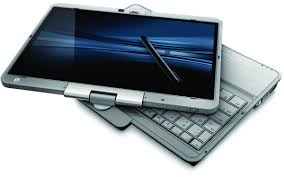
After a few days with the HP EliteBook 2740p

After using the HP EliteBook 2740p for a few days, I've come to conclude that this is a really great option for physicians and other health care professionals who want a light, but robust convertible tablet PC. I really appreciate the size and weight of the EliteBook. Although the ThinkPad X200 tablet PC is a popular choice among many professionals, I still find that the ThinkPad is too bulky and heavy (especially when you use the extended battery). The HP 2740p is refreshingly lighter and thinner. For me, the pop-out LED light found on the 2740p is a life-saving feature since I often work at night.

So, if you're looking for something that is powerful, versatile, thin, and light, then you should explore the HP EliteBook 2740p tablet PC. I prefer the keyboard on the ThinkPad over the keyboard found on the HP, but I'd rather have the weight and the size found on the 2740p. If you want something thinner and lighter, then you'll need to settle for a device like the Apple iPad.

Monday, July 19, 2010

Windows Live Sync may require Windows 7 or Vista

If you're using Windows Live Sync (or any other Windows Live feature), you may need to get ready to upgrade your PC to either Windows Vista or Windows 7.

I use Windows Live Sync (formerly known as FolderShare) to synchronize my files on several computers. This way, the changes I make on one machine are reflected on all my computers. Windows Live Sync is a great free application for mobile road warriors and others who use multiple computers. Well, here's a notice that I saw on the Windows Live Sync website:
Check out the new version of Windows Live Sync, now available in beta! Note that Sync beta doesn’t work with the previous version of Sync—if you upgrade, you’ll need to do so on all your computers. Sync beta is available for Mac, but can't be installed on computers running Windows XP or Windows Server 2003.
Upon visiting that new Windows Live Essentials beta page, I was disappointed to read that all these new features would only work on computers running Vista or Windows 7. Here's what it says:
Windows Live Essentials beta includes free programs from Microsoft for photos, movies, instant messaging, e‑mail, blogging, and more. Get them all in one download and get more done with Windows.

Windows Live Essentials beta requires Windows 7 or Windows Vista. Learn how to upgrade from Windows XP. It includes beta versions of Messenger, Photo Gallery, Mail, Movie Maker, Writer, Family Safety, and Sync, plus Bing Bar and Messenger Companion. You also get Microsoft Office Outlook Connector Pack and Microsoft Silverlight.
Maybe it's time to upgrade some of my old computers. I'm using one old PC as my Windows Live Sync personal servers. That machine is running Windows XP, so it may be time to switch to Vista.

Thursday, July 15, 2010

A great (and cheap) way to organize your gadget cables (USB, power, etc.): binder clips

Are you tired of picking up your gadget charging cable off the ground? Do you need a quick and effective solution? Try large binder clips.

If you're like me, then you may have several different gadgets on your desk. Some are plugged in, others are not. Some may have a docking station or cradle. Others rely on loose USB or charging cables. Don't you hate it when the cable falls to the floor?

In this photo, you'll see that I've taken very large binder clips and I've attached them to the edge of a cabinet that is roughly 1" thick. Then, I've taken each USB cable or charging cable and I've simply passed them through the handle on each binder clip.

The cables stay off the ground. I can easily put the cables on the "hanger" after I'm done charging my device and I can add more clips if I get more cables. It's too bad that I can't apply for a patent for this little invention.

What other practical tips or tricks would you like to share?

74% Of Business Computers Still Running Windows XP

According to this report from the Business Insider, "Microsoft Says 74% Of Business Computers Still Running On Windows XP." In the world of health care, that percentage is probably much higher. How many hospitals are running Vista or Windows 7?  Given that Windows XP was released in 2001, it's quite an amazing story of a computer operating system that just won't die.

I wonder if Microsoft will need to extend their support on Windows XP (Service Pack 3 or SP3) beyond April 8, 2014. That's when support for Windows XP is supposed to officially end, and 2014 will be here before we know it.  If you're still running Windows XP Service Pack 2 (and you haven't updated to SP3), then your support just ended a few days ago on July 13, 2010.  Make sure to update to SP3.

Speaking of Service Packs, the public beta of Windows 7 SP1 is now out for public consumption. If you have a PC running Windows 7 and it's not a mission-critical PC, then maybe you'll want to play around with SP1 to see if you notice any improvements.

Extended support for Windows Vista will end on April 11, 2017. Given that Vista was released in 2007, does it seem fair that Microsoft will only support it for 10 years?

I think Microsoft will be forced to extend support for XP beyond 2014. That's my prediction and you can quote me on it when it happens. 

Wednesday, July 14, 2010

eMPR app for the Apple iPad

MPR – the most widely used drug reference by clinicians – is available as a free App for the iPad, iPhone and iPod Touch. Over 75,000 of your colleagues have installed MPR. Try it now and find out why!

The MPR drug database is also available for BlackBerry, Palm, and Microsoft Mobile devices, as well as desktop and laptop computers running Microsoft XP and Microsoft Vista (www.empr.com/download).

For 25 years, you and your peers have relied on the print editions of MPR to deliver up-to-date, concise drug information at the point-of-care. Now the exact same drug information is available for the iPad, iPhone and iPod Touch.

The MPR App delivers:

* Over 4,000 up-to-date drug monographs accessible by therapeutic category, brand name, generic name, disease, or manufacturer
* Monographs for both prescription and OTC drugs
* Continuously updated Drug News, Alerts, and Pipeline
* Prescribing Notes for each disease state
* Over 30 clinical calculators
* … And many more clinical tools!

To download MPR, visit the MPR App at the iTunes store now.

Friday, July 9, 2010

HP QuickWeb

One of the best features found on the HP EliteBook 2740p is the HP QuickWeb button. (The older 2730p doesn't have this). This feature is great for travelers or other busy business professionals who simply need to open a web browser when their laptop is turned off. Why wait for your computer to boot up?

Pushing the QuickWeb button opens up a web browser almost instantly. It's really a great feature and I find myself using it more than I originally expected on the 2740p tablet PC. I can leave the 2740p off, and when I need to check a few things online, I simply push the QuickWeb button and a web browser opens right up.  After you're done, closing and shutting down the browser takes approximately 5 seconds.

You can learn more about the HP QuickWeb feature here.  The HP QuickWeb feature can be found on HP Business Notebooks like the EliteBook series.  When every second counts, you'll be glad to have access to the QuickWeb feature.

Thursday, July 8, 2010

How to use Gmail as a SPAM filter for your corporate email account

As a consultant, I often work with physicians and other professionals who are looking for easy technology solutions that won't break the bank. This week, I configured a corporate email account to leverage Gmail's SPAM filter. Why? Because Google has a great SPAM filter built into Gmail and this ends up being a free way to add a SPAM filter to a corporate email account.

So, how did I do it? Here's the simple explanation for those who are tech-savvy: forward your corporate email to Gmail, then retrieve your emails using the Gmail incoming mail server. To send emails, use your corporate outgoing mail server. Got it?

Need detailed instructions? Here's how you can use Gmail as a SPAM filter for your corporate email account, and this should work whether you're using IMAP or POP:

1. Set up a Gmail account and make sure that POP or IMAP is enabled (depending on which you prefer).
2. Forward your corporate e-mail directly to your new Gmail account.
3. Assuming that you're using Microsoft Outlook (or a similar email client), configure the incoming mail server using the Gmail information. You'll need to use your Gmail username/password to retrieve your emails. Make sure to type your complete Gmail email address as your username.
4. You'll be using your corporate outgoing mail server to send e-mails. So, in your email client, configure the outgoing mail server with your corporate information and uncheck the box that says "Use the same settings as the incoming mail server." This is where you will enter your complete corporate email address as your username.

At the end, you're using Gmail's incoming mail server (plus SPAM filter) to retrieve emails and you're using your corporate outgoing mail server to send emails.

Wednesday, July 7, 2010

GlaxoSmithKline and MedTrust Online launch an oncology clinical trials iPhone app

This is being republished from MedicalSmartphones.com

GlaxoSmithKline (GSK) and MedTrust Online (an online physician portal) have launched a geolocating iPhone app that lets docs look up cancer clinical trials for their patients. Here are a few snippets from a June 4 press release:
With CancerTrials App, cancer doctors can easily find and share information about experimental therapies in clinical trials with their patients.  CancerTrials App provides a quick search menu based on 12 common cancers and more advanced features that refine searches based on criteria such as gender, age, trial status and more.  Once relevant trials are found, results can be mapped relative to the location of the iPhone or iPad running the application.
"GSK Oncology has always been interested in providing doctors and their patients with the access to the right information about the best therapies that improve patient outcomes," stated Jeffrey Bloss, M.D., Vice President, Medicine Development Leader for GSK Oncology.  "We are pleased to work with MedTrust Online to bring simple yet highly effective information-based solutions to the cancer community."
CancerTrials App is the first release of a mobile application for several platforms that connects to MedTrust Online's proprietary databases of oncology information at www.oncocentric.com.  Solutions for RIM's BlackBerry and Google's Android operating systems will be released over the next several months.  Oncologists using mobile communication devices will be able to share more with their patients as they search for the best therapies available in their communities.
About MedTrust Online, LLC
MedTrust Online LLC, www.medtrust-online.com, provides oncologists with clinically useful technology applications and solutions. MedTrust Online brings together experts in oncology, information technology, computational biology, pharmaceutical drug development, and personalized medicine to capture, organize, analyze, integrate and present the most up-to-date medical facts from a vast array of sources. This data is provided to doctors in a comprehensive yet concise way at www.oncocentric.com.

Tuesday, July 6, 2010

Comparing the HP EliteBook 2730p vs. the 2740p convertible tablet PC

If you're thinking about buying the HP EliteBook 2740p convertible tablet PC, go for it! This is a great little tablet that takes all the features from the 2730p and makes it better. What's changed from the 2730p to the 2740p?  HP has made some significant improvements to both the inside and outside of this convertible tablet PC. Here are a few things that I've noticed so far:
  • Multi-touch screen (capacitive) to support Windows 7 gestures.
  • 3 USB ports on the 2740p instead of only 2 that's found on the 2730p.
  • Louder speakers that face the front on the 2740p, not the single speaker facing the bottom on the 2730p.
  • Nicer raised mouse buttons for the trackpad on the 2740p. The flat buttons on the 2730p are difficult to use.
  • The keyboard buttons are shaped slightly differently. They're approximately the same size on both the 2730p and the 2740p.
  • The camera and pop-out LED light on the display bezel are square on the 2740p instead of round on the 2730p.
  • The 2740p is slightly thicker than the 2730p, but you'll barely notice the difference.
  • The 2740p comes with faster processor options (Intel Core i7 or i5).
Like the 2730p, the 2740p uses a 1.8" SATA hard drive, so this makes the device very thin and light. That's one of the main reasons why I like the HP EliteBook over the ThinkPad tablet. The EliteBook is much smaller compared to my Lenovo ThinkPad X200 tablet PC.  Plus, the HP includes the LED light to illuminate the keyboard so that I can see what I'm typing when I'm composing my blog posts.

The ThinkPad still has a nicer keyboard because it includes full-size buttons and a standard layout, but typing on the ThinkPad is louder than typing on the keyboard found on the EliteBook.

You can expect several additional posts about this tablet as I spend more time with the HP EliteBook 2740p convertible tablet PC. My first impressions are very positive and the only major drawback that I'm finding at this point is the fact that the keyboard is not as nice as the keyboard found on the ThinkPad.

Monday, July 5, 2010

Skype to join the mHealth market

It appears that Skype will be jumping into the mHealth or mobile health market. According to several sources, Skype is a sponsor for the upcoming mHealth Summit in November. That meeting will be held in Washington D.C. 

I use Skype all the time and I think it would be a great way to tap into the consumer health market. After all, think about how many people you could reach by leveraging PayPal and other eBay businesses. Mobile devices are becoming more sophisticated with video conferencing capabilities. I still remember when the concept of a video phone call was truly a "dream."

Saturday, July 3, 2010

Lenovo IdeaPad coupon codes

Lenovo is having a sale and you can save even more with these coupon codes for the Lenovo IdeaPad S10-3 and the IdeaPad Y460: