Tuesday, August 31, 2010

Samsung Galaxy Tab coming to Verizon

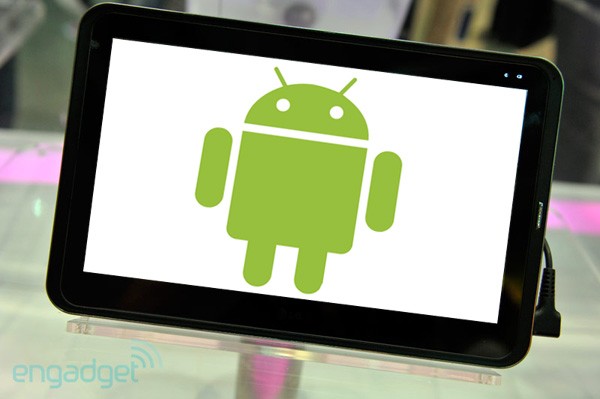
I love to spread rumors. Right now, the biggest rumor about the Samsung Galaxy Tab (Android tablet) is that it's coming to Verizon Wireless. I don't know what's happening with the Verizon iPhone rumor, but if you're also waiting for a Verizon iPad, then you may be waiting a while.

The Samsung Galaxy Tab is a 7" Android tablet. Will 7" be enough? Maybe it's the ideal size for a mobile device that isn't a smartphone or a tablet PC. I think it's time to replace my Samsung Q1 Ultra (ultra-mobile PC). The Q1 Ultra has a 7" screen and it's currently running Windows 7. I'll have to compare these 2 devices side-by-side.

Monday, August 30, 2010

Lightest convertible tablet PC?

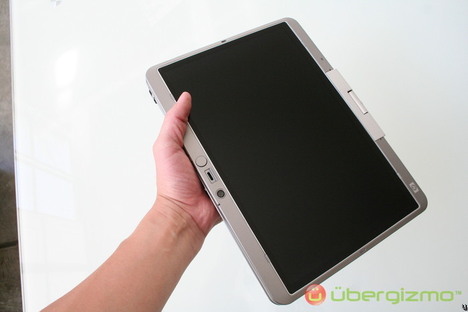
What's the lightest convertible tablet PC on the market right now? The Panasonic Toughbook C1. This is currently the lightest 12.1" convertible tablet PC.

Who would have thought that the lightest convertible tablet is a rugged Toughbook that can withstand a 30" drop?

How long will the C1 hold the champion title of "lightest convertible tablet PC?"  Maybe Apple will release a MacBook Air tablet PC.

A review of 3 tablet PCs and notebooks - Part 1

I'm posting Part 1 of my ongoing review of 3 different tablet PCs/notebooks. In this review, we'll look at some of my initial impressions as I test these 3 computers.

  • The first computer on the far left is a Panasonic Toughbook CF-T8
  • The second computer in the middle is an HP EliteBook 2740p convertible tablet PC
  • The third computer on the far right is a Lenovo ThinkPad X200 convertible tablet PC
I've been using the ThinkPad for over a year and it's a solid machine. It's also the heaviest one in the group and it has the largest footprint, especially when you're using the extended battery. I've also had the HP EliteBook for quite some time and I've thoroughly tested the 2730p and the 2740p.

The Panasonic Toughbook T8 has the smallest footprint (and the smallest keyboard) and it's the lightest at 3.3 lbs. However, this notebook is actually the thickest one. You'll see that by looking at the photo above. The T8 is the one of the bottom. For a notebook that's only 3.3 lbs, the T8 is surprisingly thick. Then again, it's the only rugged PC out of the 3, so it's expected to be thicker if it's going to have that 1 foot drop rating.


The Panasonic T8 has a nice rubber hand grip that allows you to securely hold the laptop in one hand while you're typing or tapping on the screen with another.  This hand grip is designed really well and it turns flat when you place the laptop on a desk. The rubber hand grip is sanitizable (great for health care professionals). In fact, a number of disinfectant solutions have been tested on the entire line of Toughbook mobile computers. 

The keyboard on the T8 is a bit smaller compared to all the others. I was able to get used to it quickly, but it's an adjustment if you're not accustomed to typing on a smaller keyboard.

All 3 laptops have 12" screens, but the Toughbook does not have a widescreen display. Instead, it uses the standard 1024 x 768 XGA resolution. Even though the T8 is not a convertible tablet, it has a passive touch-screen, which is a great feature if you're using an electronic health record (EHR) that's optimized for touch. If you need a Toughbook tablet PC, then take a look at the Toughbook C1.

The ThinkPad is 3.88 lbs when you're using the 8-cell extended battery. It also has the largest footprint, but it includes a full-size QWERTY keyboard. Many will argue that the keyboard on the ThinkPad is one of the best laptop keyboards in the industry. I just wish Lenovo would add an LED light to the keyboard on the tablet. The HP EliteBook has a pop-out LED light that I use all the time. The HP EliteBook 2740p is the thinnest convertible tablet out of the bunch. It starts at 3.8 lbs, so it's slightly lighter than the ThinkPad.
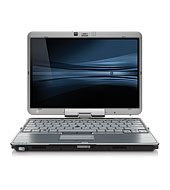
The 2740p is still thin after you add the docking station to the laptop. You can also get a thin "slice" battery for the 2740p and stay mobile all day (up to 10 hours) while you're using your laptop. The 2740p blends a capacitive multi-touch screen with an active digitizer. The newer ThinkPad X201 tablet also comes with this dual-input option.

The T8 comes with a round touchpad mouse. The 2740p and the X201 come with dual pointing options: a point stick and a touchpad. The older X200 tablet only comes with a point stick (TrackPoint).

This concludes Part 1 of my review. Stay tuned as I continue to write about these 3 different mobile computers.

VisualDx Mobile app for the iPad

Logical Images Joins mHealth Revolution

Clinical Decision Support Developer Releases VisualDx for the iPad including Free Drug Content

ROCHESTER, NY, August 16, 2010 – Logical Images, Inc., leaders in diagnostic clinical decision support and experts in dermatology and consumer skin health, has launched an mHealth initiative to deliver a series of dermatology medical mobile apps that improve diagnostic accuracy, enhance medical education, and heighten consumer skin health awareness. To kick off the mHealth product introductions, the company debuted its VisualDx Mobile app for the iPad last week that includes free access to its Drug Eruptions content.

Following a successful launch of their first medical mobile app at HIMSS10, the company is focusing significant resources on the development of mHealth apps that perform across top mobile platforms including Apple, Android, and the current leader for health professionals, RIM. VisualDx Mobile was named by iMedicalApps as one of the top 5 medical apps for the iPad in March of this year.


Sunday, August 29, 2010

Installing the wall mount on the Lenovo ThinkCentre M90z

I've been thinking about mounting the Lenovo ThinkCentre M90z on the wall. This all-in-one PC comes with the option of a multi-touch screen that works so well that you don't need a mouse or a keyboard to use this computer. Imagine having a huge iPad mounted on your wall. That's what I want. That's why I've been looking into the wall mounting option.

I'll need this part: Ergotron 60-239-007 FX30 Wall Mount (part # 78Y2316).

Once I get that part, I'll need to remove the back cover and follow the instructions outlined here.

Friday, August 27, 2010

Lenovo ThinkPad coupon codes

If you're planning on returning back to school, maybe it's time for a new laptop. If you'd like a ThinkPad, leverage these coupon codes to find the best deals:
These offers end Sept 3.

Thursday, August 26, 2010

Panasonic Toughbook CF-C1 and Community Healthcare Workers and Patients

There's a story on eHealthNews.eu titled, "Community Healthcare Workers and Patients Benefit From the Panasonic Toughbook CF-C1." The CF-C1 is a super-light convertible tablet PC. I saw it at HIMSS this year and was quite impressed by its design.

Here are a few snippets from the story:

Panasonic CorporationThe Panasonic Toughbook CF-C1 will bring major benefits to community healthcare workers and patients alike, claimed NHS leaders speaking at BT's unveiling of the Toughbook as a key component of its Mobile Health Worker solution.

The CF-C1, a rugged yet lightweight notebook that can be used in clamshell or tablet form, was designed with the healthcare worker in mind, using specific feedback from the NHS.

Along with a hand-free ergonomic strap that enables users to enter information with one hand, the CF-C1 features a multi-touch screen that can even be used whilst wearing gloves. The touchscreen works in clamshell as well as in tablet mode and the toughened triple hinge keeps the screen rigid while the user types.

Trevor Wright, Deputy Chief Information Officer at Yorkshire and the Humber Strategic Health Authority said the introduction of the CF-C1 would be another major step forward in using "technology effectively to transform quality and performance in the NHS."

Kirklees CHS has seen that by using the Toughbooks, as an integral part BT's Mobile Health Worker solution, staff can now spend more time with patients and less time in the office - making an additional one or two patient visits a day. The quality of information recorded in patient records has also improved because the healthcare worker can input information alongside the patient and travel costs have been cut, saving an estimated £600,000 a year.

Wednesday, August 25, 2010

Preview the Samsung Galaxy Tab (Slate Tablet)

Here's a video of the upcoming 7" Samsung Galaxy Tab slate tablet. This device runs Google Android 2.2 (Froyo). I can't wait to try it out.

You can learn about this device here:
http://galaxytab.samsungmobile.com/

The best iPad case?

This KeyCase iPad Folio may convert your Apple iPad into a laptop.  Is this the "best" case for the iPad? The case has a Bluetooth keyboard, so you don't need any wires or cables if you're  planning on using this case.

According to SlashGear, this keyboard is available for sale in the UK. GearZap sell it for £59.95 ($92) though it’s currently listed as out of stock.

Tuesday, August 24, 2010

Testing the Panasonic Toughbook® T8

I received a Panasonic Toughbook® T8 today and I'll be testing this rugged laptop for the next few weeks. The T8 is a super-light notebook that also includes a touch screen. Here's a brief description of this light, durable notebook:
Weighing in at 3.3 lbs., the Toughbook® T8 business-rugged laptop combines light weight and durability, with a built-in magnesium alloy case, sanitizable rubber hand strap, embedded wireless, and added security and remote management with Intel® Core™2 processor with vPro™ technology*. Built with legendary Toughbook reliability and unparalleled portability, the drop- and spill-resistant Toughbook T8 keeps up with today's busy mobile professionals.
You'll see that the T8 has a hand-strap that allows you to securely hold the laptop while you're moving around. The T8 is so light that it's actually quite easy to hold this computer in one hand and type with the other hand. You'll be plucking at the keys, but you may prefer that method over using a stylus on a tablet PC. You can also easily tap on the screen using your finger or the built-in stylus pen.

Stay tuned as I test the T8 and publish blog posts related to this laptop.

Sunday, August 22, 2010

Will the all-in-one PC become the new standard?

The all-in-one PC could become the new standard if it became super-easy to replace the CPU. After all, if you purchase an all-in-one that has a large screen (say 23 or 27") and you have plenty of hard drive space and memory, then the only thing you're likely to upgrade in the future is the CPU.

Will desktop PCs evolve in such a way that the all-in-one becomes the new standard? That would certainly eliminate a ton of waste, wouldn't it? It would be much better for the environment if we weren't throwing away so many CPUs, motherboards, and old hard drives.

I've had the opportunity to test the Lenovo ThinkCentre M90z and I've been impressed by way that you can easily open the case to upgrade and replace parts. You don't need any tools to open the back and the components are easy to reach.

I wouldn't be surprised if the future of home and business computing revolved around all-in-one PCs. More and more people are buying laptops over desktops. They don't need the portability, but the like the space-saving design and the convenience factor. For those who need a larger screen for better productivity, the all-in-one will be a better choice than the traditional desktop tower.

Saturday, August 21, 2010

Toktumi (talk to me)

We're seeing companies develop some clever names these days. Have you heard of Toktumi? The name is pronounced, "talk to me." Do you get it? It's too bad that VOIP doesn't have such a creative sound to it when you try to read the letters VOIP. 

What is Toktumi? Here's some information from their corporate site:
Founded in 2006, San Francisco-based toktumi has created the most affordable, full-featured virtual home office phone service available to help mobile entrepreneurs retain the flexibility, professional image, and proper home/work balance they need to lead successful lives. Toktumi is distributed nationally by Dell and Staples.com.
Toktumi provides a nice VOIP phone service on your mobile device so that you can leverage the power of the Internet for your clinical practice or small business. You can easily set up a second line and use a single phone or smartphone to receive calls from several different numbers. The virtual office can become a reality through the use of a service like Toktumi. How would you compare different VOIP services? Vonage, Ringbox, and even Google Voice all offer a variety of services and packages that may help you operate more efficiently. However, only a few providers (like Toktumi and Google Voice) allow you to come up with a second phone number that also includes a voice mail box for that number. You can read some Toktumi reviews to get a better idea about how this type of VOIP may benefit your business.

So, what's the benefit of having a second mobile phone number? If you're running an outpatient practice, you can set up a separate number instead of using an answering service so that your patients have a number that they can always call, 24 hrs a day, 7 days a week. This number can be configured so that different physicians can answer this number at night and on the weekends. This avoids any confusion as to "who's on call tonight?" Your patients can have a number that they can always dial and this would significantly simplify the management of your practice.

Toshiba, Samsung, and others launching Android tablets

Toshiba has recently announced that they will be launching an Android-based slate tablet. We know that Samsung is working on a Galaxy tablet (running Android) that will come with the option of a 7" or 10" screen.

HP is working on a webOS slate tablet. BlackBerry will be launching their BlackPad. The Apple iPad won't be the only hot item this holiday season. Many have predicted that Black Friday will be a very busy day for shoppers who are interested in purchasing some type of slate device.
So, the smartphone wars is moving to the slate tablet world and we're going to see a variety of manufacturers making slate tablets that are all running smartphone operating systems. When will we see the convergence of a desktop operating system collide with a smartphone OS? At some point, we're bound to end up with a single OS that is so efficient that it can run effectively on either a mobile device or a large desktop monitor. Why do we have so many different operating systems anyways? Do we really need iPhone, Windows Mobile, Android, BlackBerry, webOS, and Symbian?

Friday, August 20, 2010

My HP EliteBook 2740p tablet PC mistaken as an Apple iPad

The other day, I was reading a PDF on my HP EliteBook 2740p tablet PC. I was using the tablet in slate mode and I was navigating the PDF with my finger.

Someone walked up to me and asked, "is that an iPad?"

I didn't say anything. I opened up the screen, twisted it, revealing the keyboard that made this slate tablet convert to a laptop. I asked, "does an iPad do this?" When I showed that my slate was actually a tablet PC that converted to a laptop, the person was quite impressed.

If I paint the rest of the gray screen bezel glossy black, my HP 2740p would look more like an iPad.  Then again, do I want my EliteBook to resemble an iPad? Most convertible tablet PCs are rather bulky and they're not built in any way to resemble the Apple iPad. HP came out with the EliteBook 2700p series before Apple announced the iPad, so who copied who?

2010 is the year of the slate tablet. Who's going to develop a super-slim convertible tablet for those who want to blend the slate tablet experience with the laptop/keyboard? If Apple made a tablet version of the MacBook Air, that would be a super-slim convertible tablet. I just don't see them going in that direction anytime soon.

Wednesday, August 18, 2010

Multitouch coming to Ubuntu 10.10

If you're a Linux fan, you're probably familiar with Ubuntu. This free operating system will run on almost any system. The next release of Ubuntu is 10.10 and it will be supporting multitouch gestures. That's great if you have a multitouch screen or a touch/track pad like Apple's Magic Trackpad.

Do you have an older PC that's just sitting around? Try installing Ubuntu and experience the world of Linux. You might actually like it.

Tuesday, August 17, 2010

A growing interest in all-in-one PCs

I've noticed a recent trend in the growing availability of all-in-one PCs. I'm currently testing the Lenovo ThinkCentre M90z and I can see why more people would want an all-in-one. Consumers (and many medical professionals) are jumping on the all-in-one PC bandwagon by purchasing the popular Apple iMac. Here are several examples of Windows PCs that are all-in-one:
  • HP TouchSmart
  • HP Compaq 6000 Pro
  • Lenovo IdeaCentre or ThinkCentre
  • Apple iMac
  • Sony VAIO VGC-LV180J
  • Dell Studio One
So, why all this interest in all-in-ones? For one thing, they take up less space compared to a conventional desktop.  Plus, it's great to have the flexibility to mount the entire PC on your wall. Some of the all-in-one PCs give you that flexibility and also include a touch screen (generally a multi-touch screen) so that you can compute at the point of care without pulling out a mouse or keyboard. What's also nice is that these touch screens often allow you to compute when you have gloved hands. So, you're no longer limited to small monitors in the operating room or emergency room if you want to touch the computer screen. With these all-in-one PCs, you can keep your gloves on and tap on large screens.

Monday, August 16, 2010

Optical touch screen

Most of you are probably familiar with capacitive and passive touch screens. How about optical touch?

The beauty of the optical touch screen is that it can handle input from passive objects (like a plastic pointer or even gloved hands) and it supports multitouch input. So, if you're working in the operating room and you need a multitouch touch screen, then you're probably looking at an optical touch screen device.

I've been testing the Lenovo ThinkCentre M90z that has an optical touch screen. The touch screen is very easy to use, it's responsive (does not require any pressure), and I can use it even if I'm wearing surgical gloves. I'm not a surgeon, but it's nice to know that this is the type of device that could work nicely in an emergency room or a surgical suite.

How does optical touch work? Here's a brief description from NextWindow:
Working together, two optical sensors track the movement of any object close to the surface by detecting the interruption of an infra-red light source. The light is emitted in a plane across the surface of the screen and can be either active (infra-red LED) or passive (special reflective surfaces).

At the heart of the system is a printed circuit controller board that receives signals from the optical sensors. Its software then compensates for optical distortions and triangulates the position of the touching object with extreme accuracy.

Some of NextWindow's products, such as the 1900 series, use low-profile optical sensors mounted on the surface of the glass. Other products use different configurations. In all models, the infrared light source and optical sensors are synchronized using a sophisticated algorithm that also reduces the effect of ambient light, creating an very clear, accurate screen.

Friday, August 13, 2010

Dell Streak: Smartphone or Slate Tablet?

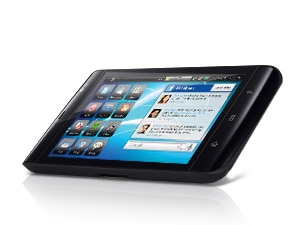
You've probably seen pictures of the Dell Slate. Is this a smartphone or a slate tablet?

Here are some details:

* Widescreen display optimally designed for mobile web, video and movies
* Integrated social networking widgets and apps, plus tons of apps through the Android Marketplace
* Crystal-clear damage-resistant Gorilla® glass screen
* Google MapsTM with navigation and text-to-voice, turn-by-turn directions with Street View
* Multitasking Google Android OS that gives you the freedom to do what you want

I'm eager to get my hands on one of these devices so that I can judge for myself: smartphone or slate?

Thursday, August 12, 2010

I'll be testing the Lenovo ThinkCentre M90z

I'm receiving a test unit this week. Over the next few weeks, I'll be testing the Lenovo ThinkCentre M90z.

The ThinkCentre M90z is Lenovo's first all-in-one desktop for large enterprises, featuring professional-grade performance in a space-saving package.

The M90z also takes web conferencing to a higher level with a number of optional features that give it both style and substance:

* Optical touchscreen that can be easily cleaned/Lenovo SimpleTap interface included
* Unique web camera on/off switch for physical control of the camera
* Autobrightness control to intelligently save energy
* Array microphone for clear audio with mute button
* Touch capacitive monitor buttons for elegant convenience

I'm looking forward to using this touch-screen PC over the next few weeks. Computing will evolve to incorporate more touch input and voice recognition. The keyboard and mouse will become relics. So, if you want to leverage the benefits associated with multi-touch computing, then the M90z could be a nice machine to have in your office. Stay tuned...

Wednesday, August 11, 2010

IBM Bolsters Scientific Research to Improve Healthcare Quality and Costs

Here's a video that was published back in July titled, "IBM Bolsters Scientific Research to Improve Healthcare Quality and Costs"


IBM is enlisting some of the company's leading scientists and technologists to help medical practitioners and insurance companies provide high-quality, evidence-based care to patients. As part of this initiative, IBM is collaborating with clinicians in numerous medical institutions and hiring medical doctors to work alongside its researchers to develop new technologies, scientific advancements, and business processes for healthcare and insurance providers.

Dedicating $100 million over the next three years, the initiative will draw on IBM's leadership in systems integration, services research, cloud computing, analytics and emerging scientific areas -- such as nanomedicine and computational biology -- to drive innovations that empower practitioners to focus their efforts on patient care.

Tuesday, August 10, 2010

Incoming Stanford medical students each get an Apple iPad

Stanford is leading the e-learning movement among medical students by providing each of their incoming medical students with an Apple iPad. This announcement came out last week and I'm eager to see what type of outcomes they'll get from this experiment.

Here are some snippets from the news release:
The core goal of the iPad initiative is to improve the student learning experience. The decision to provide the devices was prompted by a desire to give students flexible access to the content that they need whether it is a virtual cadaver in dissection lab, annotated lecture slides and videos in the classroom, or journal articles for evidence-based practice in clinic.

“We want to explore the use of iPads and other technologies to help students access the enormous amount of medical knowledge that is being produced constantly,” said Charles Prober, MD, the school’s senior associate dean for medical education. “Part of the challenge facing medical students, and all doctors, is the overwhelming amount of information. Devices like the iPad may be able to help users access that pool of knowledge.”
You can read the full news release here.

Learn about desktop virtualization

Here's an interesting opportunity to learn about desktop virtualization from Citrix and Microsoft.

Citrix and Microsoft are coming to Philadelphia and Boston to give you all the answers you need on desktop virtualization.

In this half-day seminar you will learn how to:
• Simplify your Windows 7 migration
• Save time and cost in desktop refresh
• Streamline desktop support
• Improve data security
Register here:

Philadelphia, PA
8/24/2010
Boston, MA
8/26/2010

*Attend and win... 
HP Mini 210 Netbook
* 1 netbook will be raffled in each city

Monday, August 9, 2010

What is mHealth?

Here's how mHealth is defined by the mHealth Initiative:
mHealth, enabled by mobile phones and other wireless computing devices (mDevices), is the revolutionary adoption of new communication patterns in healthcare that is stimulating the introduction of Participatory Health. Enabled by mHealth, Participatory Health is transforming healthcare from a physician- and hospital-centric system to one that seeks to connect and coordinate the roles of all health participants, including patients, the wide range of healthcare providers, payers, pharma, wellness providers, and more.

mDevices enable healthcare professionals to communicate better with their colleagues, patients, and others such as payers.
Learn more about mHealth here: http://www.mobih.org

Friday, August 6, 2010

Windows 7 slate tablet vs. Apple iPad (video)

Here's an interesting little video that compares a Windows 7 slate tablet PC vs. the Apple iPad.

Thursday, August 5, 2010

Android TV Tablet from Motorola coming to Verizon

Motorola is jumping into the slate tablet business. According to the Financial Times:
Motorola is developing a digital tablet device that will allow users to watch television on it, as the US mobile phone group attempts to chip away at a market established by Apple’s popular iPad.

The device, which will have a 10-inch screen and operate on Google’s Android software, could launch as early as this autumn in the US.

It was expected to tie closely to Verizon’s FiOS digital pay-television service, people briefed on the plans said. Motorola also manufactures the TV set-top boxes for the FiOS television service.
So, should we forget about e-books and jump right to TV? I don't have time to watch TV these days. I suppose if I had a mobile tablet, then I could catch up on my TV shows. This device could be great for people who like to watch TV as they're exercising at the gym.

Wednesday, August 4, 2010

Mobile Health Expo

Mobile Health Expo Launches Event to Focus on Convergence of the Mobile Technology and Healthcare Industries

Inaugural event brings entire mobile health ecosystem to Las Vegas

AUSTIN, Tex. – July 29, 2010 – Mobility and healthcare are converging in new and unprecedented ways. In fact, the mobile health technology market is expected to grow 25% annually from a current $1.5 billion to $4.6 billion by 2014.[1] Mobile Health Expo™ will convene this October to discuss the burgeoning business opportunities, as well as the impact on the delivery of global healthcare as a result of the converging mobile health industries.

What: Mobile Health Expo
Where: Las Vegas Convention Center
When: October 19-21, 2010
Registration Information: The early-bird registration rate of $1,178 for VIP ticket expires on July 31, 2010. To register, visit: http://www.mobilehealthexpo.com/index.htm

Mobile Health Expo brings together all constituents interested in advancing the technology, business, policy and medical landscape of the entire mobile health ecosystem, including mhealth (cellular phones and applications), telemedicine, wireless and connected health. In addition to exhibits showcasing cutting-edge technology and applications, and expert analysis in the keynotes and sessions, Mobile Health Expo includes an innovative event feature called The Scenarios. Technology providers will demonstrate mobile health solutions in real-life situations tied to the eight market-driving themes that are influencing mobile health.

Tuesday, August 3, 2010

iPad on the beach and overheating problems

There are circulating reports that some Apple iPads are overheating at the beach. Would you want to take your iPad to the beach? If you're a bookworm, then maybe you can't help yourself. However, if you're sitting on a hot beach and your iPad is in direct sunlight, then the unit may power off to avoid heat damage. After all, the device doesn't have any fans that run to keep the device cool. It's not like your laptop that has a spinning fan to get rid of some of the hot air. Maybe someone needs to develop an iPad cooling system.

According to several reports, there's a lawsuit claiming that the iPad overheats in warm conditions (like the beach). The case is Baltazar v. Apple Inc., 10-03231, U.S. District Court, Northern District of California (Oakland).

Monday, August 2, 2010

BlackPad, the BlackBerry tablet is coming

Get ready for BlackPad, the slate tablet from RIM/BlackBerry. This device will have a 9.7" screen and I imagine it will be out there to compete against the iPad and all the other slate devices ranging from the Amazon Kindle to the various Android slate tablets that are being developed by various manufacturers such as Dell, Asus, and others. Plus, we can't forget about the HP Slate (will this run webOS and Windows 7, or will we be choosing different models that run different operating systems?).

Can't wait to see what the BlackPad looks like. Maybe this enterprise gadget will work well in the hospital setting.