Thinking about buying a tablet this Black Friday? NewEgg.com has some refurbished Android tablets that are a great deal!
These are each $369.99
SAMSUNG Galaxy Tab 10.1 Refurbished Tablet - Metallic Gray NVIDIA Tegra 2 1.00GHz 10.1" Wide XGA 1GB Memory 16GB Storage HDD NVIDIA ULP GeForce
MOTOROLA XOOM with Wi-Fi Refurbished Tablet NVIDIA Tegra 2 1.00GHz 10.1" Wide XGA 1GB DDR2 Memory 32GB Flash HDD NVIDIA ULP GeForce
You can also get a Refurbished iPad 2 with Wi-Fi 16GB for $449.00 from the online Apple Store.

Showing posts with label iPad 2. Show all posts
Showing posts with label iPad 2. Show all posts
Thursday, November 24, 2011


Wednesday, July 13, 2011
ZAGGfolio iPad 2 Folio


Are you looking for a keyboard/case combo for your iPad 2? The ZAGGfolio iPad 2 Folio could be what you need. I've used a number of different ZAGG products in the past and this thin multi-function iPad folio case looks very impressive. I currently use the ZAGGmate with keyboard for my original iPad.
The removeable iPad keyboard works in combination with the built-in stand to give you the most flexibility of use.
You can learn more about the ZAGGfolio iPad 2 Folio here.
Tuesday, April 12, 2011
iOS 4.3.2 update will fix connection problems on the Verizon iPad 2
There are some iPad 2 users on the Verizon Wireless network who have been experiencing connection problems. Apple will soon release the iOS 4.3.2 update that should fix those problems, so stay tuned!
Friday, March 11, 2011
The iPad 2 dissected
View the "iPad 2 Wi-Fi Teardown" (I think I'd rather call it a dissection).
Tuesday, March 8, 2011
Further thoughts about the iPad 2 and the rest of the competition
Author: Riley Alexander, MD, MBA
Well, this is the week of the iPad so I had to get a post in of my own to talk about it a little bit and try not to cover what's already been covered on our blog here and here. I know that we have discussed in depth the upcoming competitors to the iPad, but now that the iPad 2 is official, it seems fitting that we give it a real comparison. Personally, I think the iPad 2 looks great, but will probably not change the mind of those who are against certain things it lacks (click the third "here" above)--it really didn't pick up any of those. And for those of you with iPad 1's, unless you plan on doing a lot of video editing or video outputting via the new HDMI accessory, you may just want to wait until the iPad 3 or 2.5--it might be here sooner than you think.
But, to that comparison I was talking about. Lifehacker put up a great table today comparing all the major players. Take a look here and judge them for yourself.
Well, this is the week of the iPad so I had to get a post in of my own to talk about it a little bit and try not to cover what's already been covered on our blog here and here. I know that we have discussed in depth the upcoming competitors to the iPad, but now that the iPad 2 is official, it seems fitting that we give it a real comparison. Personally, I think the iPad 2 looks great, but will probably not change the mind of those who are against certain things it lacks (click the third "here" above)--it really didn't pick up any of those. And for those of you with iPad 1's, unless you plan on doing a lot of video editing or video outputting via the new HDMI accessory, you may just want to wait until the iPad 3 or 2.5--it might be here sooner than you think.
But, to that comparison I was talking about. Lifehacker put up a great table today comparing all the major players. Take a look here and judge them for yourself.
Thursday, March 3, 2011
Here's what the iPad 2 is still missing
There's no doubt that the iPad 2 is a significant upgrade from the original iPad. However, there are several features I would have really liked to see (and that will probably be found on the iPad 3):
By the way, you can now get the original iPad for a great deal!
- LED flash for the rear camera. You don't really need this on the front-facing camera, but this is almost a standard feature on most devices now.
- 4G wireless. 3G is so 2010...
- USB port
- SD card slot (or at least a microSD card slot)
By the way, you can now get the original iPad for a great deal!
Will the iPad 2 charge via standard USB?
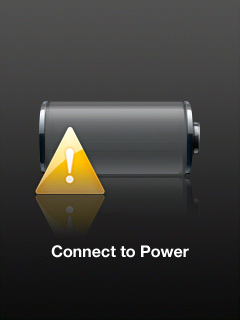 If you have an existing iPad, you may have noticed that the iPad indicates that it doesn't charge when it's plugged into a standard USB port. In reality, it's receiving a low, trickle charge that slowly charges the iPad when the screen's off (but you would have no way of knowing that it's charging).
The specs on the iPad 2 indicate:
Charging via power adapter or USB to computer system.
It doesn't specify high-output USB ports, so does this mean that the new iPad 2 will actually charge on a standard USB port - even when you're using the iPad 2?
Subscribe to:
Posts (Atom)