It seems like every month (or week) there is another story about a lost or stolen healthcare laptop containing patient data. The latest one that caught my attention was this one from Burlington NC where: Staff at Hospice Palliative Care of Alamance Caswell and LifePath Home Health notified around 5,370 current and past patients, or their next of kin, about a possible information breach stemming from a Feb. 24 break-in.
What's interesting is that the story reports that "most" of the data on the laptops were encrypted, but emails containing certain elements of patient health data (personal health information) were not encrypted, so some level of patient data was potentially compromised.
So, what's the answer to these health data breach challenges stemming from laptop theft or loss? Encrypt everything? Don't store any PHI on a mobile computer? Lock down every device? Virtualization? All of the above?

Showing posts with label data security. Show all posts
Showing posts with label data security. Show all posts
Wednesday, April 10, 2013


Wednesday, January 2, 2013
Another unencrypted hospital laptop gets stolen (and compromises information on 29,000 patients)
Isn't it hard to believe that hospitals are still using unencrypted laptops that contain personal health information (PHI). Most enterprise-level laptops come with fairly robust encryption solutions these days. But, if you're still using an older laptop running Windows XP, your data may not be encrypted.
According to this story on Healthcare IT News, Gibson General Hospital in southwest Indiana reported a data breach that affected 29,000 patients when a hospital laptop was stolen from an employee's home.
According to this story on Healthcare IT News, Gibson General Hospital in southwest Indiana reported a data breach that affected 29,000 patients when a hospital laptop was stolen from an employee's home.
Tuesday, July 24, 2012
Potential Laptop Computer Data Breach at Beth Israel Deaconess Medical Center
It's great to use mobile computers like laptops in the hospital setting - until they get stolen.
Beth Israel Deaconess Medical Center is in the process of notifying approximately 3,900 patients of a potential breach of protected health information (PHI) as a result of a physician's stolen personal laptop computer.
The computer was stolen from the office of a BIDMC physician on May 22. The computer, which contained a tracking device, has not been recovered nor has the tracking device been activated.
BIDMC has enhanced physical security in office buildings and mounted a campaign to raise awareness about data security issues within the organization at all levels.
Learn more here.
Beth Israel Deaconess Medical Center is in the process of notifying approximately 3,900 patients of a potential breach of protected health information (PHI) as a result of a physician's stolen personal laptop computer.
The computer was stolen from the office of a BIDMC physician on May 22. The computer, which contained a tracking device, has not been recovered nor has the tracking device been activated.
BIDMC has enhanced physical security in office buildings and mounted a campaign to raise awareness about data security issues within the organization at all levels.
Learn more here.
Thursday, February 23, 2012
Mobile Devices Roundtable: Safeguarding Health Information
Mobile Devices Roundtable: Safeguarding Health Information
Real World Usages and Real World Privacy & Security Practices
Friday, March 16, 2012, 8:30 a.m. – 12:30 p.m. EDT
Location
Hubert H. Humphrey Building
U.S. Department of Health and Human Services – Great Hall
200 Independence Avenue, S.W., Washington, DC
Or via webcast: http://www.healthit.gov/mobiledevicesroundtable
The Roundtable will include three panels comprised of federal agency representatives, practicing providers, and representatives of research, provider and industry organizations. The event will be an interactive discussion with moderators encouraging interaction between the panelists and the audience. Questions will be accepted in person, through email, and via Twitter.
The Roundtable event is free and open to the public, through in-person or webcast participation, but you need to register online.
Registration for in-person attendance is limited. Upon entering the Hubert H. Humphrey Building, attendees are required to provide valid form of government-issued identification with a photo (e.g., current driver’s license or passport) to attend the event.
Visit www.healthit.gov/mobiledevicesroundtable for additional information.
Real World Usages and Real World Privacy & Security Practices
Friday, March 16, 2012, 8:30 a.m. – 12:30 p.m. EDT
Location
Hubert H. Humphrey Building
U.S. Department of Health and Human Services – Great Hall
200 Independence Avenue, S.W., Washington, DC
Or via webcast: http://www.healthit.gov/mobiledevicesroundtable
The Roundtable will include three panels comprised of federal agency representatives, practicing providers, and representatives of research, provider and industry organizations. The event will be an interactive discussion with moderators encouraging interaction between the panelists and the audience. Questions will be accepted in person, through email, and via Twitter.
The Roundtable event is free and open to the public, through in-person or webcast participation, but you need to register online.
Registration for in-person attendance is limited. Upon entering the Hubert H. Humphrey Building, attendees are required to provide valid form of government-issued identification with a photo (e.g., current driver’s license or passport) to attend the event.
Visit www.healthit.gov/mobiledevicesroundtable for additional information.
Tuesday, September 27, 2011
MIT Security Expert Shares Cloud & Virtualization Solutions
Here is a Free, Interactive Webinar about Cloud & Virtualization:
From Desktops to Devices: Securely Navigating Through the Cloud
Digital security expert and MIT research fellow Michael Schrage shares solutions to increase security leveraging virtualization and the cloud
Thursday, September 29, 2011
12:00 - 1:00 PM U.S./Canadian Eastern
The tension between information security and productivity has never been greater. To operate at peak performance and competitiveness, organizations need workers to be able to access resources in more places and ways than ever before. Traditional security strategies are being pushed to their breaking point by today's proliferation of work locations, types of workers, devices, and access methods.
From Desktops to Devices: Securely Navigating Through the Cloud
Digital security expert and MIT research fellow Michael Schrage shares solutions to increase security leveraging virtualization and the cloud
Thursday, September 29, 2011
12:00 - 1:00 PM U.S./Canadian Eastern
The tension between information security and productivity has never been greater. To operate at peak performance and competitiveness, organizations need workers to be able to access resources in more places and ways than ever before. Traditional security strategies are being pushed to their breaking point by today's proliferation of work locations, types of workers, devices, and access methods.
Monday, November 15, 2010
Laptop theft is a leading cause of health data breaches
 Here are more reasons why we should be using Cloud Computing in health care. According to this story on Government Health IT, laptop theft is a top cause of health data breaches:
Laptop theft is the most prevalent cause of the breach of health information affecting more than 500 people, according to the Health & Human Services Department, which last year began tracking data breaches by public and private healthcare organizations.
The fact that laptops are so easily stolen underscores the importance of physical security in the protection of health information, according to Adam Greene, senior health IT and privacy specialist in HHS’ Office for Civil Rights, which enforces the privacy and security rules under the Health Insurance Portability and Accountability Act (HIPAA).
Read the full story on Government Health IT.
Monday, May 31, 2010
iPads are everywhere
 Does it seem like everyone has an iPad? OK, maybe not everyone. But, you can be sure that if you go to a crowded place (like a bookstore, a coffee shop, or an airport), you'll definitely find people who are using iPads. Over the weekend, I was traveling and it seemed like every other passenger on the plane had an iPad.
 How about the hospital? Have iPads been showing up in your health care organization? Will the iPad be a safe and secure way for patients to manage their health information? Do you have patients waiting in the waiting room, reading a book on the iPad? Maybe they're playing Scrabble or an action game. Maybe they're actually researching their health condition and learning more about disease self management.
Physicians have a unique opportunity to leverage multimedia and teach patients by using devices like the iPad. If a patient already owns an iPad, then it may become that much easier to use the device and teach the individual about specific health condition. Make sure to be sensitive about patient privacy. You wouldn't want do direct your patient to a web page about STDs and have someone else mistakenly turn on that iPad to find a website about HIV or syphilis.
Speaking of iPads, I've been holding off on buying one because I'm waiting for the 2nd generation model. However, I'm not sure that I can wait given that we're going to see several other slate tablets this summer and fall (like the HP Slate running webOS and Android slates made by Dell, Lenovo, and others).
Wednesday, March 17, 2010
Can you afford a $49,246 laptop?
 I received this e-mail from Intel and I thought I'd share it since it really communicates an important message:
Over 12,000 laptops are stolen every week from airports alone. In 2009, the average cost of a missing laptop was $49,246. What if one of those was from your organization? Would your patient data be safe?
Laptop computers are essential to mobile healthcare, but their mobility and convenience put organizations at heightened risk of a data breach. With increasingly stringent HIPAA regulations and stiffer penalties resulting from the HITECH Act, keeping patient data secure is a business necessity. Unauthorized access to patient data or hospital systems resulting from a stolen or lost laptop could cause severe economic and legal consequences — in 2009, the total average cost of a data breach was a sobering $6.75 million. And the rate at which customers "jump ship" after a data breach is significantly higher for healthcare organizations — even higher than for financial organizations.
Attend an upcoming Intel Webinar (co-sponsored by Frost & Sullivan) to learn these key trends and solutions:
* The challenges in protecting healthcare data
* The rules governing the protection of healthcare data and the consequences of noncompliance
* Keeping sensitive healthcare data out of the wrong hands
* Employing new technology that offers rapid lockdown and rapid recovery to keep you in compliance with healthcare data security laws
To sign up for a free webinar discussing healthcare data protection, click here.
Attend the live event and be entered to win an Intel® Anti-Theft enabled mobile device.
Tuesday, November 10, 2009
Tuesday is Microsoft Updating Day

Microsoft traditionally releases updates on Tuesdays. Specifically, the second Tuesday of every month. This day is often called "Patch Tuesday." Today is no exception. Microsoft released several updates for Windows 7. One of them was a tool to remove malicious software on your PC.
Are you keeping your computers updated? I know many people who are still running systems that lack the latest service packs and important security updates.
- If you're running Windows XP, you should have Service Pack 3.
- If you're running Vista, you should have Service Pack 2.
- Monitor your hard drives.
- Run security software.
- Back up everything on a regular basis.
Sunday, October 25, 2009
What makes a computer a "business" laptop?
 Most major PC manufacturers have a line of computers that they will label as "business" machines. What makes a notebook a business notebook? Special hardware? Software? Both of the above?
I've found that it's really a combination of both unique hardware and software features that make a computer a "business" machine. Compared to consumer products, business products may go through more use, misuse, and abuse (spill-resistant keyboards, shock-mounted hard drives, etc.). Business products also need to have the highest type of security protection (disk encryption, fingerprint readers, etc.). Business machines don't need all the "bloatware" that's commonly found on new PCs. Business computers are also often built to look less "flashy" than your average consumer-centric machines.
At the end of the day, you may still find all the features you need on a computer that's really meant for consumers. You can always install a new operating system on any machine. You can always increase some of the security features by using 3rd part software. You can remove the bloatware. However, it's not easy to add a fingerprint reader to a laptop, so if you need the highest level of data protection, then I suggest that you get a machine that includes a built-in fingerprint reader. Also, some mobile computers have special hard drive protection that is built into the BIOS. You can't add that with any 3rd party software.
Sunday, September 6, 2009
Is your PC really infected? Don't get tricked!

I've recently noticed that many people are starting to get tricked by web pages that resemble their desktop. They see a window that pops open that says "your PC is infected" and then it appears that something is scanning their computer. The web page that is open looks like your desktop and doesn't look like a standard web page. Before you know it, you're downloading software (that may even be dangerous) and you're either infecting your computer or buying something that you really don't need.
The next time you see something that makes you think that your computer might be infected with a virus or some type of spyware, stop and look at the windows very carefully. You'll probably notice that the screen is actually a web page, not your desktop.
Make sure that you're running reliable (and updated) anti-virus software on your computer. You can get some free options through AVG, Avast, and Avira (among others). Free software continues to remain popular among medical students and residents.
Wednesday, August 12, 2009
PC World Ranks Internet Security Suites

So, I was browsing through PC World and I noticed that they had ranked Internet Security Suites. A significant portion of the August issue focuses on security-related topics.
So how were security suites rated? I'll list the top 3 first:
- G Data Internet Security 2010 recieved a score of 91 (superior) and a "Best Buy" stamp
- Symantec Norton Internet Security 2009 got a score of 90 (superior)
- BitDefender Internet Security 2008 received 87 (very good)
- Comodo Internet Security Pro 3.8 which got a score of 57 (poor)
Tuesday, June 16, 2009
Should Anti-Virus Protection be Built Into EHRs?
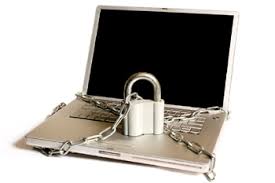
There are so many different anti-virus solutions that my head spins when I stop to compare and contrast each one. We have Norton (Symantec), AVG, McAfee, Trend Micro, Avast, Kaspersky, CA, and many more. When you start installing some of these security solutions on your PC, you can run into compatibility issues with some software. This can even happen when you install an Electronic Health Record (EHR) solution.
So, shouldn't EHR vendors simply integrate an anti-virus solution into their EHR? This way, every computer that runs that specific EHR will be protected, and this would also reduce the possibility of running into some compatibility problems. With growing concerns about data security, encryption, identity theft, and virus intrusions, EHR vendors should be partnering with anti-virus vendors to create a turn-key solution.
Monday, June 15, 2009
Will Cloud Computing Improve EHR Data Security?

As the government pushes for electronic health records (EHRs), many people remain concerned about data security. There have been many reports over the last year about stolen laptops and compromised patient data. Should such critical data reside on a portable machine like a laptop, tablet, or ultra-mobile PC?
Will cloud computing improve EHR data security? If sensitive data is never stored on a laptop, then if the laptop gets stolen, that patient information should be safe as long the person who stole the laptop isn't able to connect with to the health record database. I suppose that if a theif (or hacker) really wanted to get access ot the health record database, he (or she) would not necessarily need a stolen laptop (unless the laptop contains some critical security information, access codes, etc.).
So what's the solution? How can we ensure that electronic healthcare data is secure? Will all hospitals eventually rely on cloud computing? Is cloud computing the answer? Or, do many of the same risks and limitations apply? Maybe the answer is to focus on better data encryption.
Wednesday, May 6, 2009
Configuring a Server in a Medical Office

How large is your physician office? Do you have more than 10 computers? I've been asked by several people about the viability of running either XP or Vista on a "server" (I'm going to be using the term server loosely here). What about Windows Home Server? How secure are these operating systems?
XP, Vista, and Windows Home Server has a limit on how many computers can connect with your designated "server." The limit is 10. Only 10 PCs can connect to that shared folder on your server. Will that meet your needs? Also, consider the data security issues associated with running a server.
If you have more than 10 computers, then you'll have to either run Windows Server 2003 (good luck finding that now) or Windows Server 2008. These operating systems are much more expensive, so consider your needs before you immediately jump to Windows Server 2008. These sever operating systems are much more robust in terms of data security.
What many people may not realize is that Windows 7 allows you to connect up to 20 computers to that shared folder. Nice! Will Windows 7 offer the same level of data security as Windows Server 2008?
I think it's time for me to play around with Ubuntu Server Edition.
Subscribe to:
Posts (Atom)