Showing posts with label traveling. Show all posts

Monday, March 18, 2013

Why doesn't Apple make an external MacBook battery?

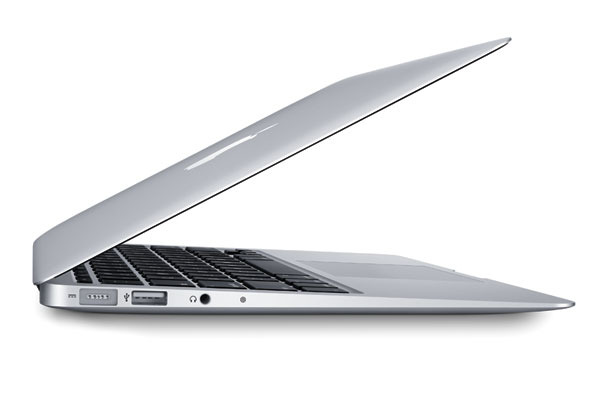
In our household, you'll find a MacBook Pro, a MacBook Air, and a few older Macs. The newer Macs have a built-in battery, so there is no way to carry a spare if you're traveling. Sometimes, my flights are longer than the battery life of a notebook, so I'll carry a spare or even an external battery pack.

Why doesn't Apple make an external battery pack for their MacBook Pro and Air laptops? I realize there are 3rd party vendors that sell these things, but I just don't get it. After all, most people would feel more comfortable using a Lithium Ion battery pack that's made by the manufacturer vs. a 3rd party vendor. We don't want to see exploding batteries, especially on a flight.

Perhaps the need simply isn't there. I suppose the vast majority of MacBook users don't need super-long battery life. I hope that trend changes and that we either start seeing devices that have super-long battery life (at the expense of performance), or we start seeing some OEM (Original Equipment Manufacturers) options for external battery packs.

For now, I'll continue to use external battery packs made from HyperJuice.

Sunday, March 3, 2013

TSA Airport Security: Windows 8 slate tablets can stay in your bag

Did you recently get a Windows 8 slate tablet PC? Did you know that you can keep this device in your bag when you get to the TSA airport security checkpoint? Electronic devices that are smaller than a standard laptop can stay in your bag. There is no need to pull them out. The TSA told us this back in 2010.

On a recent trip, I had my ultrabook, a Windows 8 slate, and an iPad mini. In the future, I'd like to leave the ultrabook at home and travel with a Win8 slate and a detachable keyboard.

Eventually, the TSA may change their policies, but I hope that doesn't happen anytime soon.

Win 8 tablets are fully functional Windows PCs that can run enterprise-level applications. Don't get these confused with Windows RT tablets.

Friday, November 4, 2011

Thank You Gogo Inflight Internet

I'm traveling and it's great to have Gogo Inflight Internet service. I can write this blog post, keep up with my emails, and stay productive when I'm in the air! I've used Gogo several times in the past and I hope we see inflight Internet in all planes in the near future. Prices for Gogo have come down since the last time I used it and they now offer several connection packages.

Tuesday, December 21, 2010

The iPad vs the 13 inch MacBook Air as a travel companion

Author: Thuc Huynh, MD

I’m the kind of person that needs to be connected to the internet at all times, even on vacation. So it behooved me to buy the iPad as soon as it came out. It’s extremely light, looks beautiful, and has the same, if not, more apps than my iPhone. I was able to watch movies on airplanes with excellent battery life. But it felt a little lacking compared to my usual laptop, the 13 inch Macbook Pro.


Thursday, March 18, 2010

Working on the train today

I'm traveling for work today, so I'm working on a train. That's mobile computing, isn't it? Some trains have really nice tables and plenty of power outlets.  I remember when airplanes used to have working power outlets on the seats. Now, those green lights are never on.

So,  have you ever computed on a train? It can be a bit bumpy at times, so I often wonder what my laptop hard drive is going through. If you do a lot of computing on the train, you should probably get an SSD (solid state disk) in your mobile computer. SSDs are dropping in price (they're still expensive), but it's a worthwhile investment if you're constantly working on trains.

Saturday, December 26, 2009

Belkin F5L001 Laptop Cooling Pad (2 different versions)


I'm currently using the Belkin F5L001-BLK Laptop Cooling Pad (Black). The Belkin laptop cooling pad used to be called the F5L025. Then, Belkin renamed it the F5L001 and it comes in black or white. However, if you go online to order an F5L001, you may get an "older" version or a "newer" version. There's really no way to know which version you'll get. I ordered 2 from Amazon and I got 2 different items.

Overall, the Belkin cooling pad is nice, but since it curves, it doesn't fit very easily in a briefcase. So, this is a great cooling pad if you're using it at home or keeping it in the office. If you're looking for a cooling pad that you'll take with you when you're packing your notebook in your briefcase, then I suggest finding a different model (like a flat one that will pack away easily).

Wednesday, September 23, 2009

Computing on the plane

I've used just about all my mobile computers on the plane:
  • Laptop (all sorts of screen sizes)
  • Convertible tablet PC
  • Ultra-mobile PC (Samsung Q1 Ultra)
  • OQO handheld computer
  • Smartphone
  • iPod touch (do you consider this a mobile computer?)
My conclusion is that laptop manufacturers should make a business computer that's just for the frequent flier.
  • This device would have a really wide, but very short screen. This way, when the person in front of you reclines back, you're still able to see your screen and type away. 
  • Speaking of the screen, it should have a security screen so that your neighbors can't see what's on your screen (you can buy these filters, but why not build it into your notebook?)
  • It should have a full keyboard so that you can type easily. 
  • It should have a built-in cup holder so that you can drink and work at the same time. 
  • It also needs a spill-proof keyboard.  (crumb proof would also be nice)
  • It should have an illuminating keyboard. (it's so hard to find laptops that have this - unless you get a Mac)
  • Battery life should exceed 8 hours. (and yes, it should be a user-changeable battery Apple!)

Friday, May 29, 2009

Working on a Plane


Many of us have used a laptop or notebook on an airplane. Back in the “old days,” I could use my airplane power adapter to keep my notebook charged during my long flights. Now, most airplanes have disabled the in-chair power ports in the coach section of the aircraft. So, I usually travel with two extended batteries for my Lenovo Thinkpad X200 Tablet PC and that easily gives me roughly 15 hours of work time. I obviously don’t need both batteries, but I travel with both since you just never know how long you might be stuck at the airport.

I love traveling with my tablet PC because I can fold the screen back and switch to pen-based computing when the turbulence gets rough (or if the person in front of me reclines and crushes my workspace). On my flight to Chicago, I was able to work for several hours on the plane and I got so much done. It’s amazing how productive you can be when you’re uninterrupted.

I’m waiting for day when Wi-Fi is universally available on all flights. I don’t think that day is too far away.

Saturday, May 9, 2009

Traveling with my UMPC


Whenever I travel with my ultra-mobile PC (UMPC), I'm often using it in the car (when I'm not driving, of course). The UMPC is a great travel tool because you can use it as a GPS, an Internet device, and work on your Microsoft Office documents. I don't travel much, but when I do, I always take my UMPC with me. I have to admit that I've even gotten into the habit of taking my UMPC with me when I go out to the mall. I'm always connected!