Showing posts with label Windows 8. Show all posts

Thursday, May 22, 2014

Surface Pro 3 vs. ThinkPad Tablet 10

By now, you've heard of the new Microsoft Surface Pro 3 that's replacing the current Surface Pro 2. The Surface Pro 3 is larger, thinner, and lighter than the Pro 2. It even has a redesigned hinge that makes the tablet much more functional and 9 hrs of battery life sounds very compelling given that this device is powered by an Intel Haswell processor. However, the switch away from Wacom and to an N-Trig pen has me wondering if the new tablet will suffer from digitizer and inking issues. I'm sure that N-Trig has come a long way since their earlier generation pens and technology, but I do not like the fact that the pen requires batteries (especially since AAAA batteries don't last very long and can be a bit more difficult to find).

Although the Surface Pro 3 is improved in so many ways, the main drawbacks for me are: the N-Trig pen and the larger size. If they had stayed with Wacom, then I think it would have been a true winner. But, I don't know that they would have been able to keep the device so think and light if they had stayed with Wacom digitizer technology. The larger size is great if you need a laptop, but if you plan to carry this device around all day and use it while you're standing, then a 10" screen is sufficient and a 12" screen is too much.

One of the other newly announced Windows 8 tablet PCs is the Lenovo ThinkPad Tablet 10. This is the successor to the thin, light ThinkPad Tablet 2. This time, Lenovo has created what they're calling an "Ultrabook Keyboard" that will deliver a true laptop-like experience when you're typing. One of the major drawbacks of this keyboard: the tablet sits at a single, fixed angle. At least the angle is steeper (and more functional) than the keyboard angle that we saw with its successor: the ThinkPad Tablet 2 and its Bluetooth keyboard. Lenovo has decided to stay with a 3rd generation, low-power Intel Atom processor that delivers plenty of processing capabilities while keeping the device thin and light. Lenovo has stayed with a Wacom pen for this new ThinkPad.

There's no doubt that the ThinkPad Tablet 10 has major improvements over the ThinkPad Tablet 2. However, the major drawbacks for me include: the keyboard is not backlit and the tablet only sits on the keyboard at a fixed angle.

Both the Surface Pro 3 and the ThinkPad Tablet 10 offer major upgrades from previous versions. Let's see what types of "real world" reviews start showing up over the next few months. By then, I'm sure that Dell, HP, Asus, and others will have some new models as well.


Saturday, January 25, 2014

You can still purchase brand new PCs running Windows 7

Many hospitals are upgrading from Windows XP to Windows 7 this year given that Microsoft support for Windows XP is ending in April. Instead of upgrading to the latest version of Windows (which is Windows 8.1), hospitals and many corporations are making the switch to Windows 7.

Major PC manufacturers such as HP, Dell, and Lenovo are still selling brand new PCs running Windows 7. It's not clear to me how long this will continue, so if you need to get some new PCs, you may not want to wait.

Thursday, December 26, 2013

The Dell Venue 8 Pro has replaced my iPad mini

Here in the Kim household, we see a lot of gadgets during Christmas. We give and receive brand new gadgets. We donate or recirculate gently used gadgets that are in good shape. We'll even collect some together and put them on eBay.

This year, I got a Dell Venue 8 Pro to replace my iPad mini and my iPad mini went to someone else (although the kids will probably still be the ones mainly using it during long car rides).

The Venue 8 Pro is a Windows 8.1 tablet PC that is very thin and light. At a glance, it resembles an iPad mini because it has an 8" display. However, this is a full Windows PC that runs all my enterprise applications. Plus, the microSD expansion slot gives me plenty of storage space so that I can carry all my critical work files and remain productive when I'm on the road.

The iPad mini is a great device for email, web browsing, and apps. But, if you're trying to maintain productivity, it has its limitations. On my iPad mini, my most commonly used apps were Evernote and Penultimate. I'd jot down notes by writing directly on the screen and I'd retrieve my hand-written notes from my PC.

With the Dell Venue 8 Pro, I can write an Ink Note directly on the Evernote application and retrieve and edit it easily from a PC. I can also switch to OneNote or another pen-based application. Medical students who like to hand-write notes will appreciate the features that OneNote offers. The stylus pen on the Venue 8 Pro is sold separately and has been updated to improve performance compared to earlier pens.

So for 2014, the Dell Venue 8 Pro will be my main mobile tablet. I'll continue to carry a Bluetooth keyboard and use a stylus pen to jot notes. The best thing about the Venue 8 Pro is that it will be set up to be identical to my desktop workstation. This means that all my Windows-based desktop applications and files will be at my fingertips. I will run a full version of Microsoft Office, but a "limited-feature" version that's designed for iOS. I'll have all my Outlook data with me. Dell has bundled the full version of Microsoft Office Home and Student 2013 (normally priced at $139.99) into the price of the Dell Venue 8 Pro.

You'll have to be comfortable reading off a smaller 8" screen if you plan to use the Dell Venue 8 Pro or any other high-definition 8" tablet. You also need to get accustomed to the Windows 8 experience if you've never used Windows 8. The interface is quite different, but after you use it for a while, you'll quickly get the hang of it. You may want to change your Windows settings to increase font size, the size of your scroll bars, and other visual elements to minimize pinch-to-zoom since the traditional Windows desktop is not optimized for touch.

Don't get the Venue 8 Pro with the Venue 8.
  • The Venue 8 Pro runs Windows 8.1. 
  • The Venue 8 runs Android. 
I find the naming convention a bit confusing since they are both called Venue 8, but one runs an enterprise operating system and the other runs Android.

The question that I get most is this: is the 3rd generation Atom processor (Z3740D) powerful enough to provide a good Windows 8.1 experience? My answer is: Yes. Compared to the 2nd generation Atom processors that we saw in earlier Windows 8 tablets, the Quad-Core Z3740D performs very nicely for business applications plus you still get all-day battery life.

Here's my personal tip if you plan to get the Venue 8 Pro: go with the 64 GB model, not the 32 GB model. You'll want that space to load business applications. If you're buying the device purely as an entertainment tablet, then 32 GB should be fine. However, if you plan to use it professionally, you'll want more space.

Finally, keep in mind that mobile apps for Windows 8 still remain somewhat limited. So, if you're a big fan of certain mobile apps that are found on iOS or Android, you'll want to check to see if those apps are also available for Windows 8. If you can't live without your popular gaming app, then you won't be happy with Windows 8.

Friday, November 8, 2013

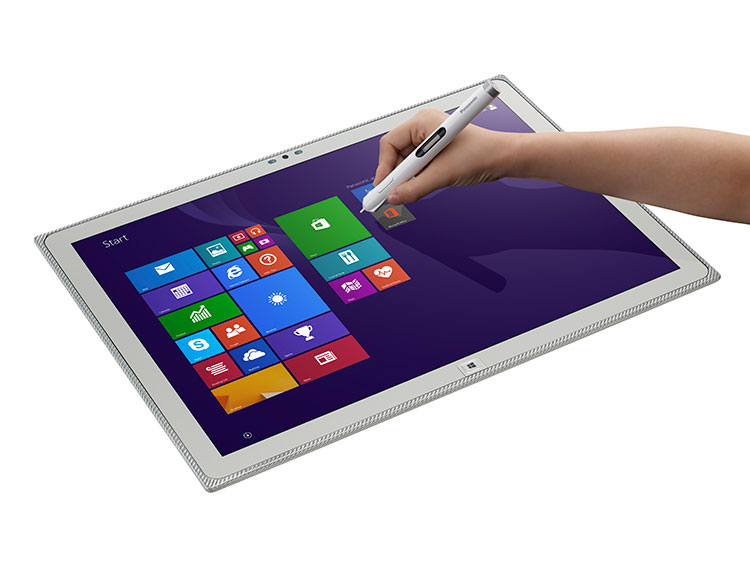
20-inch Panasonic Toughbook 4K Tablet

You may soon see doctors and nurses holding a large 20" tablet PC when they make their rounds or view medical images. Panasonic recently announced their 20-inch Toughpad 4K UT-MB5, the world’s only tablet PC with an amazing 4K resolution display. With its crystal clear Ultra HD display, processing power and portability, the Toughpad 4K offers healthcare providers and medical facilities the highest resolution display available on a mobile tablet computer for viewing medical images, training, modeling and analysis.

Monday, September 23, 2013

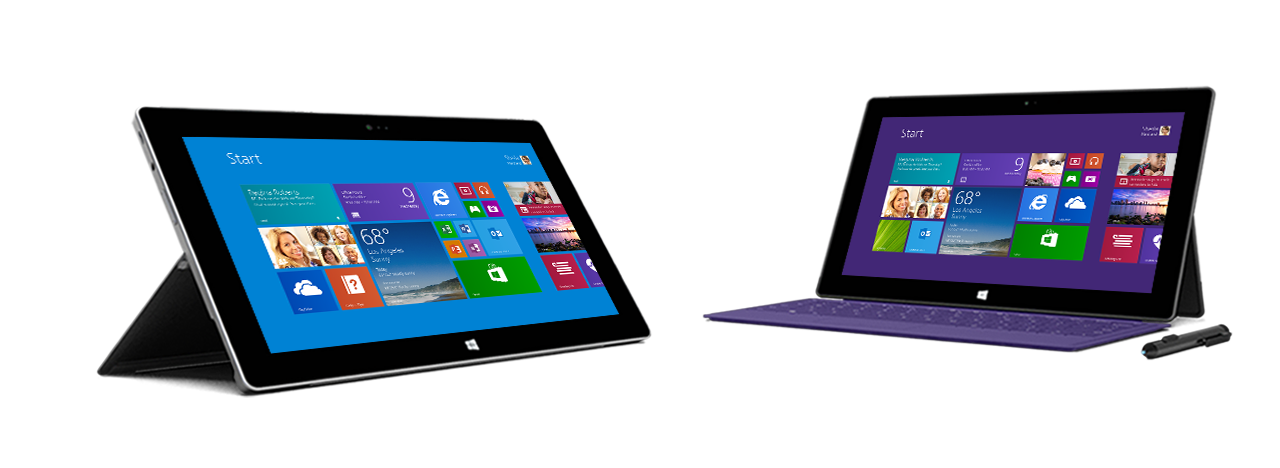
Microsoft introduces the Surface Pro 2

Today, Microsoft announced their updated Surface RT and Surface Pro tablet PCs.

The Surface 2 runs Windows RT, so it's a great little mobile tablet for running basic tasks and mobile apps. The Surface Pro 2 runs Windows 8.1 Pro and comes with the latest Intel Haswell processor so that it's very fast and has 75% longer battery life than the original Surface Pro. One of the key problems with the original Surface Pro was the fact that its battery life was fairly limited.

The updated models also include 2 settings on the flip-out kickstand so that you can adjust the viewing angle on the tablet.

Microsoft also announced updated keyboards that click to these slate tablets. The new Touch Cover 2 and Type Cover 2 keyboards come with a backlight and they're thinner than their first-generation predecessors. Microsoft is even providing a keyboard called a Power Cover that has a built-in battery to help power the tablet.

They are aggressively positioning the Surface Pro 2 as a laptop replacement. Of course, if you do a lot of typing with your laptop literally on your lap, then the Surface Pro 2 may not be the ideal form factor for sitting propped up on your legs.

Most of the slate tablet PCs running Windows 8 are powered by Atom processors so that they can have 10+ hrs of battery life. I don't think the Surface Pro 2 will have 10 hrs, but even 7 or 9 hrs may be enough for your average business user. Will that be enough for your health care worker? In the health care environment, nurses generally need devices that have a minimum of 12+ hour battery life or removable batteries since they work 12-hr shifts. Doctors can settle for shorter battery life since they have more opportunities to plug and charge (or plug into a docking station) throughout their clinical workflow.

Saturday, September 7, 2013

Toshiba Encore - an 8" tablet running Windows 8.1 powered by Intel Bay Trail

If you've been following the Windows 8 tablet PC market, you'll know that most of the current Windows 8 slate tablet PCs have a 10" screen size. Then Acer announced the Iconia W3, an 8" Windows 8 tablet to compete against smaller mobile tablets like the iPad mini and the Google Nexus 7 (by Asus) running Android. It's nice to be able to hold a smaller, thinner tablet in one hand.

Toshiba has announced the Encore - an 8" tablet running Windows 8.1 powered by Intel's Bay Trail processor (the latest generation Atom processor featuring quad-core performance and even longer battery life).

Intel Bay Trail is the successor of the Intel Atom processors named Clover Trail which are powering some of the current Windows 8 tablet PCs. Clover Trail has very long battery life, but overall system performance is slow compared to the ultra-fast (but more battery-draining) Intel i3, i5, i7 Core processors. The next generation of the Intel Core processor is called Haswell and it's supposed to delivery very fast performance along with very long battery life. Intel Bay Trail is supposed to deliver the same: fast performance with even longer battery life.

So, it sounds like the performance/battery life lines separating the performance between Bay Trail (Atom) vs. Haswell (Core) may be getting blurred. But, the key distinction here is that tablet PCs powered by Bay Trail will also have the ability to run the Android OS if the manufacturer chooses that capability. So, perhaps the future of many Windows 8.1 tablets will also include a dual-booting option with Google Android.

Speaking of Windows 8.1, you can preview an early version of Windows 8.1 (not the final version) by downloading and installing Windows 8.1 Preview (windows.microsoft.com/en-us/windows-8/preview‎). Or, you can wait for the final version of Windows 8.1 which is getting released on October 17.

Thursday, July 25, 2013

The Future of Healthcare Mobility by @DrJosephKim

Here's a short little video that was recorded at HIMSS13 where I had the opportunity to discuss how the future of healthcare mobile computing will evolve as hospital devices leverage enterprise operating systems and leverage cloud computing to improve clinical workflow and patient care.

Monday, July 22, 2013

HP Split x2 - Windows 8 tablet

The HP Split x2 may be the Windows 8 tablet/laptop that you've been waiting for if you've been waiting for a 13" high-powered Windows 8 tablet PC that attaches to a removable keyboard base.

Don't get the HP Split x2 confused with the HP Envy x2 which is a smaller 11.6" tablet that's powered by an Intel Atom processor.

You can use the Split x2 as a slate tablet PC. Or, attach the keyboard base that includes a built-in battery and you have a high-powered laptop that has very long battery life.

The Split x2 has a 13.3" screen and is powered by a 3rd generation Intel Core processor. So, if you've been looking for something faster than Atom, the Split x2 gives you that power.

The tablet has a front webcam but lacks a rear webcam. Also, it's not clear to me if the tablet supports pen input. It doesn't appear to have a built-in silo for a pen.

The keyboard base appears to have space to support an optional spinning hard drive which means you could carry an extra 500 GB of storage in the keyboard base.

Thursday, June 20, 2013

Feeling schizophrenic? Samsung ATIV Q comes with both Windows 8 and Android

Schizophrenia is not the same as a dual identify disorder (or multiple personality disorder). However, I like the word, so that's why I threw it in there. The Samsung ATIV Q will make you feel like you have two devices built-into one. It runs both Windows 8 or Android. So, if you love certain Android apps, you can run them on this large device.

The ATIV Q uses an interesting hinge to convert the device from a slate tablet to a laptop. Will this type of hinge design catch on and gain popularity in the convertible tablet PC space? The Acer Aspire R7 uses a similar hinge design. With this design, you sacrifice the space you'd normally have to rest your wrists and for a trackpad pointer.

The ATIV Q is a 13.3" device that comes with a keyboard with a built-in mouse pointer. The device also houses the Samsung S Pen, an active digitizer stylus pen. It also has a screen resolution that is much higher that what you will normally find in 13.3" ultrabooks. The 3,200 x 1,800 screen on the ATIV Q has a higher resolution than the 2,560-by-1,600 Retina Display found on the 13.3" MacBook Pro. Do you really need that much resolution? Maybe you do if you're a radiologist. Then again, this device is not an FDA-approved "medical device" that can be used for diagnostic purposes, but maybe radiologists will be eager to see how CT scans, X-rays, MRIs, and ultrasound images appear on the ATIV Q.

Since it's powered by the new Intel 4th Gen Core processor (Haswell), the device is very fast and has robust battery life. Samsung rates it for 9 hours. The big question now is, what's it going to cost? 

Samsung ATIV Tab 3 is a slim 8" Windows 8 tablet that is only 8 mm thick

Samsung just announced the Samsung ATIV Tab 3. This is an 8" tablet running Windows 8 and the device is only 8 mm thick. The iPad mini is 7.2 mm thick, so the ATIV Tab 3 is very close. The ATIV also houses a Samsung S Pen - an active digitizer stylus pen for precise inking on the screen. Traditional Tablet PC users may welcome the stylus pen option when running Windows applications.

Sounds like the Samsung ATIV Tab 3 will sell for $699 and come bundled with a keyboard case and Microsoft Office. Samsung claims 8.5 hrs of battery life on this small device.

Will this replace your iPad mini? Given that the ATIV Tab 3 will run Windows 8, that means that you'll be able to run your Windows applications on this small little pocket-sized device. That's definitely an appealing factor.

I wish this device came with an Intel Haswell (4th Gen Core) processor instead of a dual-core Atom processor. I also don't understand why these detachable keyboards lack a built-in pointer. Samsung also announced a hybrid tablet/laptop called the ATIV Q and this device runs both Windows 8 and Android. Plus, it has a keyboard that slides out and that keyboard has a built-in pointer. Shouldn't a built-in pointer be a standard feature?

Wednesday, June 12, 2013

Windows 8.1 coming on 8/1, right?

Windows 8.1 should be released on August 1 (8/1), right? Clever. That would make sense. It's like having a slice of pie on March 14 (3.14).

Monday, June 10, 2013

Dell Latitude 10 reviewed by @DrJosephKim

I recently had the opportunity to spend several weeks reviewing the Dell Latitude 10 tablet PC. This is a business Windows 8 Pro tablet PC that is powered by the Intel Atom Z2760 dual-core processor @ 1.80 GHz. It comes with 2 GB of RAM and a 64 GB SSD. Overall, the device performs well and lasts up to 10 hrs (standard battery) for a mobile PC. If you need some serious computing horsepower, you'll want to get a PC powered by an Intel Core i5 or i7 processor.

The Latitude 10 comes in several different configurations:
  • Essential edition: 32GB of storage & a non-removable battery (no active stylus or HDMI)
  • Productivity edition: Includes a removable battery, active stylus and HDMI.
  • Mobile edition: Includes mobile broadband, removable battery, active stylus and HDMI.
  • Security edition: Mobile broadband, fingerprint and Smart Card readers (along with  removable battery, active stylus and HDMI).
The Latitude 10 version that I tested was the Enhanced Security version of the Latitude 10. For me, the best features of this Windows 8 tablet PC were:
  1. Removable 30Whr standard battery (up to 10 hrs) plus an optional 60Whr extended battery (up to 20 hrs). The extended battery adds some weight and bulk, but you won't run out of power all day. 
  2. Full-size SD card slot (not found on most Windows 8 tablet PCs).
  3. Added security features of the fingerprint and Smart Card readers.
Here are some other some features that I'd like to highlight about this tablet PC:

Size and Style:

The Dell Latitude 10 Enhanced Security version is one of the thicker, wider Windows 8 tablets on the market. Given that it's designed for the Enterprise environment, it's made with a reinforced magnesium alloy frame. The tablet only weighs 1.47 lbs (the iPad weighs 1.46 lbs).  The top portion of the Latitude 10 Security Edition is thicker (13.4 mm) than the rest of the tablet (10.5 mm) because of the integrated smart card and fingerprint reader. You'll want to get the  Enhanced Security Soft-Touch Case that was designed specifically for this tablet.

Wacom Active Digitizer Pen:

The 10.1" capacitive multi-touch HD display is crisp and bright. The Latitude 10 uses a standard-appearing Wacom digitizer pen for precise input and "inking," so if you're a traditional Tablet PC user, you can still go back to scribbling and jotting down notes. You won't find a silo for the pen on the tablet, so you'll need to carry the pen separately or use the case that has a built-in elastic loop for the pen.

Keyboard:

I wish that the Dell Latitude 10 also came with a mobile docking keyboard option that you 'll find on the Dell XPS 10 Tablet (which runs Windows RT). Instead, you can get the Kensington KeyFolio Expert case which has a wireless Bluetooth keyboard and hands-free stand, but this keyboard does not include a built-in mouse pointer.

Summary:

The Dell Latitude 10 is a great Windows 8 business tablet PC that gives the user flexible options with battery life and robust security features. The productivity dock allows you to connect a monitor and multiple USB peripherals so that you can have a workstation at your desk and a mobile tablet when you're walking around.

Monday, June 3, 2013

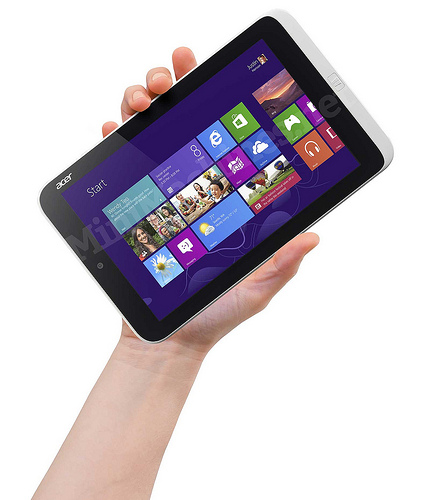
Acer Iconia W3 First 8-Inch Windows 8 Tablet $379

The Acer Iconia W3 is the First 8-Inch Windows 8 Tablet
It is selling for $379

At a fast glance, it may resemble an iPad mini. It weighs 1.10 pounds. You can easily hold it in one hand. It's 0.45 inches thick and the 8.1" screen has a resolution of 1280 x 800. This tablet is rated for approximately 8 hrs of battery life because it's powered by a dual-core Intel Atom processor.

Will this device feel like a netbook when you use it with an external keyboard? Remember that most netbooks have an average display size that is 10" so the 8.1" display on the Iconia W3 will feel a bit smaller than a netbook. The flip side is that the external keyboard that you use with this type of device will probably have full-size keys. But, the keyboard sold by Acer does not include a built-in mouse pointer.

Rumors have it that most other major PC manufacturers will be releasing smaller Windows 8 tablets. Microsoft is rumored to be releasing a smaller Surface tablet. Will the screen be 7" or 8"? I suspect HP, Dell, Lenovo, Asus, and others will do something similar this summer.

I'm still waiting to see if the battery life claims of the new Intel Haswell Core processors will be true. 50% longer battery life on a Core i7 tablet sure would be nice.

Monday, May 20, 2013

8" tablets running Windows 8 are coming soon

These days, some may argue that the 8" tablet is the "perfect" size. It fits easily into a white coat pocket if you're a medical student or doctor. You can usually hold it in one hand. It's fairly light. If you own an iPad mini, you're probably using that more than your regular iPad because it's smaller, but not too small.

We can expect to see some Windows 8 tablets on 8" form factors soon. The Iconia W3 Windows 8 tablet from Acer might be one of the first ones to hit the market. This is an 8.1" tablet that will run Windows 8 Pro on an Atom processor. The screen resolution is 1,280 x 768 (or maybe 1,280 x 800?) and you can expect all-day battery life at approximately 8 hrs.

How many 8" tablets running Windows 8 will we see this summer?

Wednesday, April 17, 2013

Dell Latitude 10 Enhanced Security Soft-Touch Case

I am currently testing the Dell Latitude 10 Enhanced Security Windows 8 Tablet PC. To carry the tablet around, I am using the Dell Latitude 10 Enhanced Security Soft-Touch Case. Here is a short video that demonstrates this case:

Monday, April 15, 2013

Lenovo ThinkPad Tablet 2 - reviewed by @DrJosephKim

I'm @DrJosephKim, editor of Mobile Health Computing. For the past few weeks, I have had the chance to test and review the Lenovo ThinkPad Tablet 2. The first version of the ThinkPad Tablet was a heavy, bulky Android tablet that had business features that were not found on most Android tablets including: a full-size USB port, a full-size SD card slot, a mini-HDMI port, and a built-in holder for an N-Trig digitizer pen. That's what made the first ThinkPad Tablet heavy and bulky.

Well, Lenovo has come out with a much thinner and lighter device with the ThinkPad Tablet 2. Plus, this device runs Windows 8 Pro and has the standard Intel Atom dual-core processor, 2 GB of RAM, and a 64 GB SSD for storage. The Intel dual-core Atom processor gives it up to 10 hours of battery life, so in real-world working situations where you're browsing the web and using Wi-Fi, you can easily expect approximately 9 hrs of battery life depending on your brightness settings. The battery is sealed inside, so you won't be replacing it on the field.

Here is a short little video I made highlighting the Lenovo ThinkPad Tablet 2:


There are a few features that distinguish this tablet PC from some of the other Windows 8 tablet PCs:

Weight:
The ThinkPad Tablet 2 is probably one of the lightest Windows 8 tablets on the market weighing only 1.25 lbs. In comparison, the iPad 4 weighs 1.44 lbs. At 9.8 mm thick, the ThinkPad Tablet 2 is almost as thin as the iPad 4 which is 9.4 mm thick.

Built-in pen holder:
I really appreciate the fact that the ThinkPad Tablet 2 features a built-in slot for the Wacom-based digitizer pen. The pen is useful for precise writing, tapping, or drawing. You can hover the pen over the screen and the mouse will follow your pen tip. Health care professionals will appreciate how they can use the pen when signing notes, scribbling, or drawing around key images. The precision of an active stylus compared to a capacitive stylus is writing with a thick paint brush vs. a ballpoint pen.

Micro-USB charging:
The ThinkPad Tablet 2 uses a proprietary charger but it can also charge via micro-USB, but the battery charges only when the device is off or in sleep mode. Let me repeat that: the battery will only charge when the device is either off or in sleep mode. So, the micro-USB charging is a nice option, but it's not too practical if you need to charge while you're working.

Ports:
The Tablet PC has a covered full-size USB port and a microSD card slot. The bottom of the tablet has the proprietary docking/charging port along with a micro-HDMI port. If you get the WWAN option, then you can enter a SIM card as well. For the most part, these ports are all fairly standard features found on most Windows 8 tablet PCs.

Bluetooth keyboard option:
Unlike many other Windows 8 tablets, the ThinkPad Tablet 2 has an optional Bluetooth keyboard that is designed specifically for this tablet. The keyboard has an optical pointer stick which resembles the traditional ThinkPad TrackPoint pointer stick, but it is designed as an optical mouse. They keyboard is a bit heavy and bulky compared to most Bluetooth keyboards, but it provides an excellent typing experience and the built-in mouse pointer is an essential feature (in my opinion).

So in summary, the Lenovo ThinkPad Tablet 2 is a great Windows 8 tablet PC that uses a low-power Intel Atom dual-core processor. In terms of general usability, it performs very well and does a very nice job balancing all-day battery life with performance. If you need something more powerful, you'll need to get a PC powered by an Intel Core i3, i5, or i7 processor and you'll be sacrificing battery life.


Friday, April 5, 2013

Micro-USB charging Windows 8 tablet PCs

Several Windows 8 slate tablet PCs come with a backup charging port that is a micro-USB connector. A few examples include the Lenovo ThinkPad Tablet 2 and the Dell Latitude 10.

Does this mean that you can leave your standard AC adapter at home? Not exactly. When I plug in a micro USB charger to the ThinkPad Tablet 2 or Latitude 10, you'll see that Windows says "plugged in, not charging" when the display is on. Turn the screen or device off and the battery will charge slowly.

The micro-USB charging only works when the tablet is off or in sleep mode, so ask yourself: will you need to charge your Windows 8 tablet when you have it on? If so, make sure you have a standard AC adapter.

Now, let's get technical:

USB provides 5 volts (5V). USB chargers range from less than 0.5 amps (500 mAh) to 2 amps (2A). Most laptops give their USB ports 0.5 A of power.

Standalone USB chargers vary in amperage. For example, the iPad charger is a 5V, 2A charger. That calculates to be a 10 Watt charger (5V x 2A = 10 W).

An iPhone charger is a 5V, 1A charger. That calculates to be a 5 Watt charger (5V x 1A = 5W). That's why it's such a tiny little charger.

Most tablet PCs require more than 5 volts to operate. The Dell Latitude 10 has a removable battery and you'll see that the battery is rated at 7.4 volts. So, there's no way a USB charger rated at 5V can keep the tablet on and also charge your battery.

Fortunately, most of the Intel Atom powered Windows 8 tablets have very long battery life (approx 10 hrs), so you can go on battery power during the day and charge them at night when they're off. The battery on the Dell Latitude 10 is removable and you can even get an extended battery that will give you 20 hrs of battery life. The HP ElitePad 900 comes with an optional Expansion Jacket that can house a removable battery, so you can also get 20 hrs of battery life with that configuration.

Monday, March 25, 2013

Windows Blue - the next Windows

It seems like we just got Windows 8 a few months ago. Folks at Microsoft are already working on the next version of Windows called Windows Blue. I guess Windows 9 isn't coming.

I admit that it took me a while to get used to Windows 8 because it feels like there are two operating systems living on a single device. When do you choose one operating system vs. the other? I generally default to the traditional desktop, but I find myself using the Windows 8 apps more. I can't even call these "metro style apps" since the term metro isn't being used or isn't recognized by Microsoft.

Windows Blue is going to be an improvement over Windows 8 and will also be optimized for even better battery life. So, all-day computing will be a reality for those who are always on and computing.

Remember Windows Vista? It launched in 2007. Then, Windows 7 launched in 2009.
Windows 8 launched in 2012.

I predict that we'll see Windows Blue launch in 2014.

Operating system upgrades are a huge headache for IT departments, but we're living in an era where the technology is changing so rapidly that you'll be left behind in a hurry if you can't keep up.

Friday, March 22, 2013

I am reviewing the Lenovo ThinkPad Tablet 2

Over the next few weeks, I'll be reviewing the Lenovo ThinkPad Tablet 2. I had a chance to play with one at the 2013 HIMSS conference and now I have a review unit from Lenovo that I can test for the next few weeks.

The ThinkPad Tablet 2 is a Windows 8 tablet PC that also comes with an optional Bluetooth keyboard. Unlike other Bluetooth keyboards, this one also includes an optical mouse pointer called an optical trackpoint. You won't find anything like it on any other keyboard. It's not like the traditional ThinkPad trackpoint because this one doesn't move. It's small and it's optical. I'll explain more about my experiences with that later.

Have you had a chance to take Windows 8 for a test drive? The newer tablet PCs powered by Intel Atom processors are much faster compared to first-generation Atom devices. Also, the super long-battery life of these devices is a welcome feature. The ThinkPad Tablet 2 is rated for 10 hours of battery life.

Stay tuned as I jot down some observations and then I will provide a comprehensive review over the next couple of weeks.


Tuesday, March 19, 2013

Windows 8 apps for medical professionals

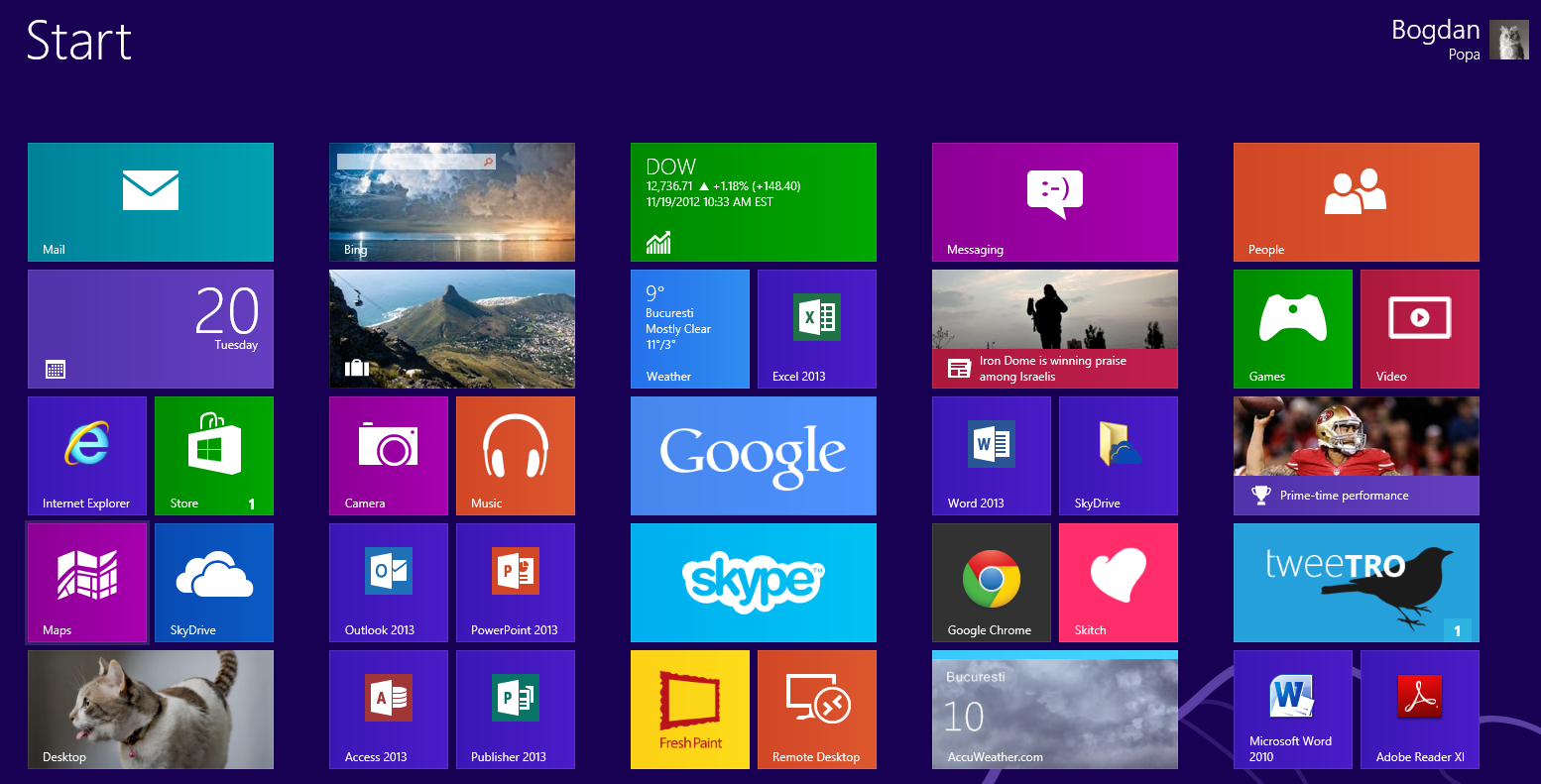
Have you had a chance to play around with Windows 8? It can be a bit confusing when you talk about Windows 8 because Windows 8 combines two operating systems into one. You get an enterprise desktop operating system that is nearly identical to Windows 7. Plus, you get a touch-friendly mobile ecosystem that supports familiar touch-friendly apps that you'll find on other tablets like iPads and Android tablets.

Right now, you won't find many medical apps for the Windows 8 mobile app ecosystem.

Right now, the apps that are most relevant for medical professionals include:
  • Greenway Technologies' PrimeMobile (if you happen to use their EHR)
  • UpToDate
  • Micromedex Drug Information
You won't find Epocrates, Medscape, or Doximity. Then again, do you really need these to be native apps if you can simply open a browser and go directly to these websites?

We're starting to see more apps appearing in the Windows 8 app store (Called the Windows Store on Windows 8). Last week, the official Twitter app appeared for Windows 8. Top free apps on the Windows app store include Skype, Google, Dropbox, Kindle, and eBay. No surprises there since these are all very popular apps across all the mobile ecosystems. Don't get confused by apps that use the word "Facebook" in them since they may not be official Facebook apps. I hope that Microsoft will do more to monitor the names/logos used on some of these non-official apps.

In many ways, the Windows app store reminds me of what the Android app store resembled many years ago. The Android store was filled quickly and eventually was renamed Google Play. We saw many Android apps flood the market from other countries, particularly Asian countries like Korea and Taiwan. Will we see the same thing in the Windows 8 app store?