Showing posts with label Samsung. Show all posts

Thursday, June 20, 2013

Feeling schizophrenic? Samsung ATIV Q comes with both Windows 8 and Android

Schizophrenia is not the same as a dual identify disorder (or multiple personality disorder). However, I like the word, so that's why I threw it in there. The Samsung ATIV Q will make you feel like you have two devices built-into one. It runs both Windows 8 or Android. So, if you love certain Android apps, you can run them on this large device.

The ATIV Q uses an interesting hinge to convert the device from a slate tablet to a laptop. Will this type of hinge design catch on and gain popularity in the convertible tablet PC space? The Acer Aspire R7 uses a similar hinge design. With this design, you sacrifice the space you'd normally have to rest your wrists and for a trackpad pointer.

The ATIV Q is a 13.3" device that comes with a keyboard with a built-in mouse pointer. The device also houses the Samsung S Pen, an active digitizer stylus pen. It also has a screen resolution that is much higher that what you will normally find in 13.3" ultrabooks. The 3,200 x 1,800 screen on the ATIV Q has a higher resolution than the 2,560-by-1,600 Retina Display found on the 13.3" MacBook Pro. Do you really need that much resolution? Maybe you do if you're a radiologist. Then again, this device is not an FDA-approved "medical device" that can be used for diagnostic purposes, but maybe radiologists will be eager to see how CT scans, X-rays, MRIs, and ultrasound images appear on the ATIV Q.

Since it's powered by the new Intel 4th Gen Core processor (Haswell), the device is very fast and has robust battery life. Samsung rates it for 9 hours. The big question now is, what's it going to cost? 

Samsung ATIV Tab 3 is a slim 8" Windows 8 tablet that is only 8 mm thick

Samsung just announced the Samsung ATIV Tab 3. This is an 8" tablet running Windows 8 and the device is only 8 mm thick. The iPad mini is 7.2 mm thick, so the ATIV Tab 3 is very close. The ATIV also houses a Samsung S Pen - an active digitizer stylus pen for precise inking on the screen. Traditional Tablet PC users may welcome the stylus pen option when running Windows applications.

Sounds like the Samsung ATIV Tab 3 will sell for $699 and come bundled with a keyboard case and Microsoft Office. Samsung claims 8.5 hrs of battery life on this small device.

Will this replace your iPad mini? Given that the ATIV Tab 3 will run Windows 8, that means that you'll be able to run your Windows applications on this small little pocket-sized device. That's definitely an appealing factor.

I wish this device came with an Intel Haswell (4th Gen Core) processor instead of a dual-core Atom processor. I also don't understand why these detachable keyboards lack a built-in pointer. Samsung also announced a hybrid tablet/laptop called the ATIV Q and this device runs both Windows 8 and Android. Plus, it has a keyboard that slides out and that keyboard has a built-in pointer. Shouldn't a built-in pointer be a standard feature?

Monday, April 29, 2013

Samsung Galaxy Note 8: is pen-based computing coming back?

The Samsung Galaxy Note 8 is an Android tablet that includes the Samsung S-Pen, an active digitizer that uses Wacom technology. This little tablet is almost like an iPad mini with a pen.

Is pen-based computing making a comeback? In Asia, pen-based devices are extremely popular because of the way Asians write characters. For example, in English, we may write "hello." That's easy when you have an on-screen keyboard.

In Korean, it would be: 안녕하세요
In Chinese, it would be: 你好
In Japanese, it would be: こんにちは

OK, I think you get the picture. So, how about in health care? It's easier to jot notes when you're standing by a patient's bedside. It also feels more natural and it's easier to maintain eye contact when you're jotting notes with a pen.

For now, pen-based computing is an essential form of data entry. However, as we rely heavier on voice recognition, the pen and our finger tips will become obsolete. We're just not there yet.


Friday, March 15, 2013

Tablet or phablet?

These days, the line separating phone and tablet is getting very blurry. At what point do you call a device a tablet? Recent mobile devices having screens larger than 5" have brought on this new term called a "phablet." It's not quite a phone, but it's also not quite a tablet.

I don't think a 5" device would fit too comfortably in pant pockets. But, it may be fine in a purse or a white coat pocket. Putting one on your belt could be awkward if you're a fairly smaller person. The recently announced Samsung Galaxy S 4 is a 5" smartphone that some may call a phablet. It's similar in size to the Galaxy Note 2 that supports an active S-pen stylus.

I still remember the days of the OQO model 02 which was a 5" PC that ran Windows XP, Vista, or 7. It was a full PC. It was heavy, bulky, and had short battery life, but it was the perfect device for people who needed a full PC in their pocket.

Like many people, I find myself carrying multiple devices. When I travel for business, I carry an ultrabook so that I can do some quick typing and maintain a high level of productivity. I also carry a small tablet for quick reading, scribbling notes, and email/web browsing on-the-go. And then, I have my phone in my pocket. Perhaps that's all going to change soon. Maybe we'll find ourselves only carrying a single device that's capable of everything. The mobile device will dock into a workstation that will allow us to be very productive. We'll be depending more on cloud computing solutions so that the device and the operating system will become less relevant (except for the need for greater security within the OS).

Tuesday, March 5, 2013

Windows 8 tablets on display at HIMSS

Here at the HIMSS conference, you'll find a wide assortment of Windows 8 tablet PCs on display at several different booths. So, if you haven't had a chance to play around with Windows 8, here's your opportunity. You can swing by the vendor-specific booths like HP, Dell, Lenovo, Fujitsu, Samsung, and others. Or, you can visit the Microsoft or Intel booths that both have several Windows 8 tablets on display.

Have you tried Windows 8 yet? The experience is different when you're using a touch-screen device.

I'v personally been impressed by the form factors, the build quality, and the long battery life seen on many of these Windows 8 tablets. Plus, several of them are coming out with different options such as: 1) removable keyboards; 2) cases; 3) battery options; 3) and other accessories.

Windows 8 is a new operating system that combines an enterprise OS with a mobile OS in a single device. In some cases, you can run applications side-by-side. The Windows 8 user interface is different, so you'll need to spend a little bit of time swiping up, down, left, and right to see what those finger swipes will do when you're running an application. Give it a few minutes and you'll quickly get the hang of it. Pinch-to-zoom seems to have achieved universal adoption. Soon, we'll see more swipe gestures getting incorporated into all types of mobile operating systems.

At the HP booth, you'll see the ElitePad 900 on display. A few of the HP folks may be carrying their ElitePad in an expansion sleeve that has an extra battery and expansion ports. At the Lenovo booth, you'll see the ThinkPad Tablet 2 sitting on a dock or on a removable keyboard. At the Dell booth, you'll see that the Latitude 10 now comes in several configurations including one a security edition that has a built-in Smart Card and fingerprint reader. Fujitsu and Samsung are showing off their convertible Windows 8 tablets that pop off a keyboard dock. So, as you consider your clinical workflow and how you use mobile computers in the clinical setting, you'll be able to find a device that will meet your needs.

Sunday, February 24, 2013

Samsung Galaxy Note 8 with S-Pen

At Mobile World Congress 2013, Samsung announced the new Galaxy Note 8. Unlike many other Android slate tablets, Samsung has added an active digitizer pen called the S-Pen that uses Wacom technology. You can hover the pen off the display and the tablet will respond. If you've used older Windows Tablet PCs, you'll be familiar with the Wacom pen.

The Galaxy Note 8 joins the Galaxy Note II which is a 5.5" phablet (phone/tablet) and the Galaxy Note 10.1 which is a 10.1" Android slate tablet. The entire family of these Galaxy Note devices use the active digitizer S-Pen. The other Samsung Galaxy products like the Galaxy Tab, the Galaxy S, and other Galaxy mobile devices do NOT use the S-Pen.

I believe the international version of the Galaxy Note 8 will also function as a phone. But, who would want to hold an 8" tablet up to the ear?

I'm curious to see how Samsung will price the Galaxy Note 8. The smaller 5.5" Galaxy Note II is around $299 on most US wireless carriers. Will the Galaxy Note 8 be available as a Wi-Fi only version here in the United States? Or, will it only be available through wireless carriers?


Thursday, January 10, 2013

Exciting new tablets and ultrabooks at CES

This week, my friends are in Las Vegas attending the Consumer Electronics Show (CES). This year, I'm following the show from a distance.

Major computer manufacturers are announcing new tablets and ultrabooks. Here are a few of the ones that caught my attention:

Panasonic Toughpad (similar to their Toughbook line of rugged products)

  • The Toughpad FZ-A1 is the only Android tablet with hardware encryption.
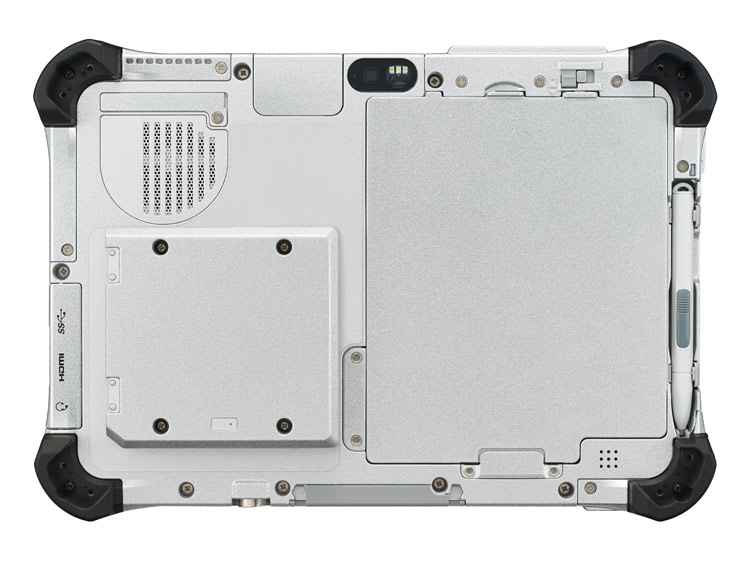
  • The Toughpad FZ-G1 is the thinnest and lightest fully-rugged 10.1" Windows 8 tablet. 

Asus
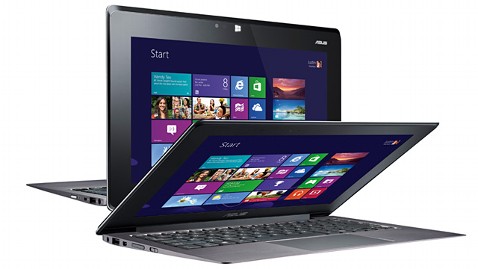
  • The Asus Taichi is a Windows 8 tablet / laptop hybrid that has an LCD screen on the front and back of the display lid. In other words, you can always access one of the screens whether the device is open or closed.  

HP
  • Last month, HP announced the EliteBook Revolve, an enterprise-grade convertible laptop/tablet that runs Windows 8. Although the form factor isn't anything new, the enterprise-grade security that's built into the EliteBook series is an important feature for those working in health care.

Lenovo
  • The Lenovo IdeaPad Yoga that originally came as a 13" model now comes as an 11" model running Windows RT.  Unlike other laptops, you can fold the display all the way back so that you convert the laptop into a tablet. Of course, the keyboard and touch pad becomes inactive when you're using the device in tablet mode. The Yoga 11 comes with Windows RT and the Yoga 13 comes with Windows 8.

Dell
  • Dell will be offering an "Essentials" version of the Latitude 10 slate tablet for only $499. This device will still run Windows 8, but it won't have the standard removable battery option that's found on the standard Latitude 10. The Essentials version also won't support an active digitizer pen. 

Samsung was also demonstrating a flexible, unbreakable screen that may get used on smartphones and tablets. Wouldn't it be nice to have a truly unbreakable screen? Corning was featuring its Gorilla Glass 3 - a thinner, tougher glass. 

Tuesday, September 6, 2011

The ideal slate tablet for a doctor or medical student: accounting for the white coat pocket

There's no doubt that the Apple iPad is a very popular slate tablet among medical professionals. Close behind, the wide variety of Android-powered slates are gaining momentum quickly. Part of the reason is that the Android tablets come in different sizes (7" and 10") whereas the iPad only comes as a 10" slate. That's fine if you want a large device, but if you're looking for something will easily slip into the pocket of your white coat, then a 7" tablet could be a better fit for your needs.

I've had the pleasure to test both the HTC EVO View 4G from Sprint and the Samsung Galaxy Tab 7.0 (not to be confused with the 10" model called the Samsung Galaxy Tab 10.1). Samsung also has a model called the Galaxy Tab 8.9 (I'm not sure why they're making so many different models). The bottom line is that these 7" tablets will fit very easily in your white coat pocket.

So, for busy medical students and physicians who are looking for a slate that is highly portable, a 7" tablet powered by Android could be a good way to go. Personally, I like having both an Android device (my smartphone) and an iOS device like the iPad. This lets me test a variety of apps on either OS. I admit that I don't use my iPad as often as I once did, but that's because I sit in front of a computer all day.

You'll probably find me using a 7" slate tablet pretty soon. I really like the HTC EVO View 4G from Sprint, so I may just end up getting one to supplement my HTC ThunderBolt 4G smartphone. Then again, Samsung and LG have some new slate tablets that will be arriving this fall, so maybe I'll wait.

Are you looking for a portable tablet that you can easily carry in your white coat pocket? Try taking your coat to a Sprint store and see how these 7" devices feel. Now, if Apple came out with a 7" device, then we may have to re-evaluate this whole issue.

Wednesday, August 24, 2011

Testing medical apps on the Samsung Galaxy Tab 10.1

For the past few days, I've been spending a lot of time with the Samsung Galaxy Tab 10.1. This is a super-slim slate tablet running Android 3.1 (Honeycomb) and it's delightfully fast and responsive because it's powered by a 1 GHz dual-core processor. The tablet I'm testing was provided by Sprint and it's the Wi-Fi version.

Given that I have an iPad and several other slate tablets, I'm using reference points that are probably familiar to most of you. If you're familiar with the Android OS, then you'll find that the Galaxy Tab is very easy to use, even though it uses Android 3.1 where all the navigation is done via on-screen buttons. The only hardware buttons you'll find on the Galaxy Tab are the power and volume buttons. There's no back, no home, no menu, no search. All of that navigation is now done on the screen.

The Galaxy Tab 10.1 has a nice wide screen and the resolution is 1280x800. App developers are still in the process of creating apps for these larger screens, so you won't find too many Android apps that will leverage the large screens on these tablets. Most of the medical and health apps are still designed for smartphones and they won't run in portrait mode.

Let's look at a few examples of free Android medical apps running on the Galaxy Tab 10.1:

Epocrates  
This app works in either portrait or landscape mode. Nice! The user experience is essentially identical to the experience on a smartphone. This app hasn't been optimized for a large screen yet.

QuantiaMD
The main page only works in portrait mode. You'll view content in landscape mode. This is the same on a smartphone. The QuantiaMD app on a Galaxy Tab also leverages the large screen and displays a running list of discussions on the left column. This is a nice feature. I'd like to see the main page in landscape mode. I'm sure that will be coming soon. I invite you to join QuantiaMD. For a limited time, you will receive $10 for joining and confirming your clinician status on QuantiaMD.

Medscape
This app mainly works in portrait mode. Plus, some of the content is formatted for a smaller screen, so it's not optimized for a large tablet yet. The current version is v1.05 and I'm sure they'll soon release an update that will allow you to use this app in both landscape and portrait mode.

Doximity
Sorry, but it doesn't look like Doximity is available for Android 3.1. You can find Doximity on your Android smartphone running 2.2 or 2.3, but it won't show up in the Android Market on my Galaxy Tab 10.1.

MedpageToday
This app works in either portrait or landscape mode. Nice! The user experience is essentially identical to the experience on a smartphone. This app hasn't been optimized for a large screen yet. I actually don't use the MedpageToday app very much because I'm always online. I prefer to visit the site using a mobile browser.

Skyscape
This app works in either portrait or landscape mode. However, it currently shows up as a really small screen on the Galaxy Tab 10.1. I'm sure that Skyscape will have an update to fix this soon.

MPR (Monthly Prescribing Reference)
This app works in either portrait or landscape mode. Nice!

There are certainly many other medical apps that I could mention, but these are the ones I picked for this review. Eventually, I predict that just about every Android app will work in either landscape or portrait mode. This is inevitable given that the same OS is powering smartphones and tablets.

As I continue to test the Samsung Galaxy Tab 10.1, I'll post additional thoughts, photos, and videos of my user experience, so stay tuned. I want to thank Sprint for giving me the opportunity to test the Galaxy Tab 10.1.

Monday, August 22, 2011

Comparing the Samsung Galaxy Tab 10.1 vs. 7.0


Samsung originally entered the U.S. Android tablet market with the Galaxy Tab 7.0 running Google Android. This 7" tablet is considerably smaller than the Apple iPad, so it appealed to folks who wanted something small and pocketable in a white coat pocket. The small form factor wasn't appealing to those who wanted to larger tablet that also facilitated on-screen touch typing in landscape mode.

Now, Samsung has the Galaxy Tab 10.1 and this is a very nice tablet. I've been testing both units for the past week and here are some initial thoughts:

The Galaxy Tab 10.1 is very thin and fast. Compared to the original Galaxy Tab 7.0, you're getting numerous enhancements and upgrades by choosing the 10.1.
  • The 10.1 is much thinner than the 7.0. Here are the 10.1 specs (10.10”x6.90”x0.34”) vs. the 7.0 specs (7.48 x 4.74 x 0.47 inches)
  • The 10.1 is much faster than the 7.0, thanks to a dual-core processor.
  • The 7.0 is still a nice, basic tablet for those who wish to buy a cost-effective alternative.
  • The 10.1 runs Android 3.1 while the 7.0 still runs Android 2.2.
Right now, you can get the Wi-Fi Galaxy Tab 10.1 from Sprint. If you want to get a 4G model, then you can either wait or get one from Verizon.

Thursday, August 18, 2011

How many of these tablets can you identify?

Here's a photo that includes all the tablet computers that I had in my office last week. How many can you recognize?

Let's start with the left column:
  • Samsung Q1 Ultra UMPC (Windows)
  • Samsung Galaxy Tab 7.0 (Android)
  • HTC EVO View 4G (Android )
  • HP Slate 500 (Windows)
Right column:
  • Samsung Galaxy Tab 10.1 (Android)
  • Apple iPad (iOS)
  • HP TouchPad (webOS)
Did you get all those? I only own 3 of these devices. I'm currently testing all the others. Which 3 do I own?

Thursday, August 11, 2011

I'm reviewing the Sprint HTC EVO View 4G and Samsung Galaxy Tabs (7.0 and 10.1)

Thanks to my media contact at Sprint, I now have the opportunity to review these 3 Sprint tablets over the next few weeks:
  • HTC EVO View 4G (with the HTC Scribe™ digital pen)
  • Samsung Galaxy Tab 7.0
  • Samsung Galaxy Tab 10.1
Stay tuned as I open the boxes and review these 3 tablets running Google Android. The Samsung Galaxy Tab 10.1 is running Android 3.0 (Honeycomb) while the others are running Android 2.3 (Gingerbread). My HTC ThunderBolt smartphone is still running Android 2.2 (Froyo), so that's going to be my baseline comparison.

Tuesday, December 14, 2010

10" Android slate tablet from Motorola

Images are appearing all over the Internet. Motorola has a 10" Android slate tablet that will be coming to the Verizon network. It's too bad it's not here for prime time holiday shopping. Unlike the Samsung Galaxy Tab which has a smaller 7" screen, the Motorola tablet will have a 10" screen similar to the one found on the Apple iPad. So, if you had an iPad and a Motorola tablet in a case, they'd look fairly similar from a distance.

There are various pros and cons to a 7" screen vs. a 10" screen. I think we'll end up seeing slate tablets in so many different shapes and sizes. At some point, we'll see a 12" screen model and maybe even something bigger, but 7" and 10" screens are here to stay.

Thursday, November 18, 2010

Samsung Galaxy Tab on every major US wireless carrier

It looks like the Samsung Galaxy Tab (7" Android slate tablet) will be available on every major US wireless carrier.  You won't need a MiFi to get online either. The following image is from Engadget where they cover the "Samsung Galaxy Tab price wars: US carriers face off."

Thursday, November 11, 2010

Samsung Galaxy Tab is $399.99 on Sprint

The Samsung Galaxy Tab (7" Android slate) is appearing on almost every major wireless provider in the United States. Sprint is offering its customers a special three-day pre-sale of the Galaxy Tab for $399.99. That sounds like a good deal to me! You can read about this on Engadget.

Thursday, October 21, 2010

Samsung Galaxy Tab $599.99 on Verizon

Wow, I didn't expect the Samsung Galaxy Tab to cost $599.99. It's official. If you want to buy this slate tablet from Verizon, get ready to pay $600.

BASKING RIDGE, NJ, and DALLAS, TX — Verizon Wireless and Samsung Telecommunications America (Samsung Mobile) today announced the highly anticipated Samsung Galaxy Tab™ will be available Nov. 11 for $599.99. Running on Android™ 2.2, the Samsung Galaxy Tab features a brilliant 7-inch touch screen; robust HTML Web browsing experience with full support for Adobe® Flash® 10.1 for video and mobile gaming; and a 1GHz Cortex A8 Hummingbird Application processor.

Verizon Wireless customers can add a monthly access plan beginning at $20 a month for 1 GB on their Samsung Galaxy Tab. For additional features and specifications on the Samsung Galaxy Tab, visit www.verizonwireless.com/galaxytab.

Sunday, October 10, 2010

Samsung Galaxy Tab for $399 on T-Mobile? (Android slate tablet)

According to several reports, it appears like Samsung's Galaxy Tab (slate tablet running Android) will be available on T-Mobile for $399. This is a 3G slate that can also function as a phone (but I doubt people will carry this everywhere and use it like a regular phone). I'm guessing that the Galaxy Tab is also coming to over networks other than T-Mobile. Let's wait to see!

Friday, September 24, 2010

2010 is the year of the tablet

Last year, industry experts were predicting that 2010 was going to be the year of the tablet. They weren't necessarily speaking about tablet PCs running Windows. We all knew that Apple was going to launch a slate tablet this year. Many speculated that it was going to be called the iSlate or the iTablet. Some thought it was going to be called the iPad.

The iPad has generated a tremendous amount of buzz around the digital tablet and it has caused a number of manufacturers to jump into the slate tablet market. HP will be coming out with a slate running webOS. Dell the Streak running Android. Samsung has the Galaxy Tab runnning Android. BlackBerry has the BlackPad coming soon.

By the end of the year, we'll be surrounded by slate tablets ranging from iPads to others running Android, webOS, and BlackBerry. I have to naturally assume that Microsoft will be releasing slates running Windows Phone 7 (maybe they'll need to rename their OS).

In any case, I still wonder about the traditional tablet PC running Windows. Will these tablet PCs ever regain traction? I think we can all confidently say that ultra-mobile PCs (such as the Samsung Q1 running Windows) are dead. What will be next?

Wednesday, September 22, 2010

Samsung Galaxy Tab - All The Great Features

Here's an official promo video of the Samsung Galaxy Tab (running Android). You'll see that they even feature this device in the health care setting. After you watch this video, you'll really want one!


Samsung Galaxy Tab is loaded with superb cool features, and is going to give the iPad a real tough fight. The widgets interface is specifically neat!
The video shows other features, all titled under the "It's Go Time" slogan.
For more check out http://galaxytab.samsungmobile.com

Features presented:
- Widgets (probably the highlight feature of Android so far)
- Google maps navigation
- Music & Videos portal
- Emails
- 4 e-books apps (very cool)
- 32GB SD memory slot (yes! finally a freedom from storage tyranny)
- Stream to any monitor (yet another neat capability)
- 7 Hours battery life
- Front webcam for video chat
- Adobe Flash support for games and apps (well, surely that you won't have on the iPad).

Verizon wireless have just announced it will be their first tablet computer.

Tuesday, September 7, 2010

The Samsung Galaxy Tab will be replacing my Samsung Q1 Ultra UMPC

I've been using my Samsung Q1 Ultra Ultra-Mobile PC (UMPC) for a variety of things over the past few years. It's time to replace this mobile computer with the Samsung Galaxy Tab. Why?

Although I like my Q1 Ultra, the device is slow, heavy, and it doesn't have all-day battery life. The Q1 Ultra is a full PC running Windows 7 (or Vista, or XP) and that's just not the right operating system for a mobile device.

Both the Q1 Ultra and the Galaxy Tab have 7" screens. I'd rather use a super-thin tablet that runs Android over a thick, clunky Windows 7 slate. Then again, maybe I should wait to see what the HP Slate looks like. That device will be running webOS. Will webOS be a better operating system for such a mobile device?

I'm also wondering if Apple will release a smaller version of the iPad in a 7", widescreen model. When it comes to the slate tablet form factor, Samsung has the right idea by creating something with a 7" screen. The iPad is nice, but a 9.7" screen makes it a bit too large for me. Then again, maybe 7" is too similar to a smartphone like the Motorola Droid X that has a 4.3" screen.