Showing posts with label active digitizer. Show all posts

Thursday, June 20, 2013

Samsung ATIV Tab 3 is a slim 8" Windows 8 tablet that is only 8 mm thick

Samsung just announced the Samsung ATIV Tab 3. This is an 8" tablet running Windows 8 and the device is only 8 mm thick. The iPad mini is 7.2 mm thick, so the ATIV Tab 3 is very close. The ATIV also houses a Samsung S Pen - an active digitizer stylus pen for precise inking on the screen. Traditional Tablet PC users may welcome the stylus pen option when running Windows applications.

Sounds like the Samsung ATIV Tab 3 will sell for $699 and come bundled with a keyboard case and Microsoft Office. Samsung claims 8.5 hrs of battery life on this small device.

Will this replace your iPad mini? Given that the ATIV Tab 3 will run Windows 8, that means that you'll be able to run your Windows applications on this small little pocket-sized device. That's definitely an appealing factor.

I wish this device came with an Intel Haswell (4th Gen Core) processor instead of a dual-core Atom processor. I also don't understand why these detachable keyboards lack a built-in pointer. Samsung also announced a hybrid tablet/laptop called the ATIV Q and this device runs both Windows 8 and Android. Plus, it has a keyboard that slides out and that keyboard has a built-in pointer. Shouldn't a built-in pointer be a standard feature?

Wednesday, March 20, 2013

A stylus pen isn't just a stylus pen

Stylus pens have really evolved over the past few decades. I still remember the days of the plastic toothpick stylus pens that were in Palm Pilot PDAs. Then, we saw Windows Tablet PCs using Wacom technology and it was really cool to see the pointer moving on the screen as you hovered your pen above the display without physically touching the glass. For a while, Wacom dominated the tablet PC industry because their active digitizer stylus pens didn't require an internal battery. Plus, you had buttons on the pen that would activate the Right Click on a mouse. Or, you could flip the pen around and use the eraser like a real eraser. These Wacom pens were compatible across any device, so you could use Fujitsu pens on a Lenovo tablet and vice versa. I must have a drawer full of Wacom pens that are different sizes and colors.

Wacom continues to make a variety of stylus pens and tablets for artists and enterprise professionals. Their technology is still used in devices like the new Lenovo ThinkPad Tablet 2. The Samsung Galaxy Note series uses an S-Pen that is based on the Wacom technology.

Over the past few years, we also saw some activity from N-Trig, but these pens were not quite as smooth as the Wacom pens. Plus, the pens needed a really thin AAAA battery (yes, 4 As). I saw this pen used in the first Lenovo ThinkPad Tablet running Android. HP also used this pen on their HP Slate 500 and HP Slate 2. Fujitsu uses N-Trig pens on the Stylistic Q702.

Given the popularity of touch-only devices like the iPad, we're seeing a rise of capacitive stylus pens that are either dedicated stylus pens or you're finding a rubberized "eraser" on the end of a standard ink pen. These capacitive stylus pens are somewhat awkward and not very precise. Plus, if you rest your palm on the screen, you may encounter some strange "vectoring" on the display. So far, the Adonit Jot Pro pen has given me the highest level of precision on an iPad screen.

Sunday, February 24, 2013

Samsung Galaxy Note 8 with S-Pen

At Mobile World Congress 2013, Samsung announced the new Galaxy Note 8. Unlike many other Android slate tablets, Samsung has added an active digitizer pen called the S-Pen that uses Wacom technology. You can hover the pen off the display and the tablet will respond. If you've used older Windows Tablet PCs, you'll be familiar with the Wacom pen.

The Galaxy Note 8 joins the Galaxy Note II which is a 5.5" phablet (phone/tablet) and the Galaxy Note 10.1 which is a 10.1" Android slate tablet. The entire family of these Galaxy Note devices use the active digitizer S-Pen. The other Samsung Galaxy products like the Galaxy Tab, the Galaxy S, and other Galaxy mobile devices do NOT use the S-Pen.

I believe the international version of the Galaxy Note 8 will also function as a phone. But, who would want to hold an 8" tablet up to the ear?

I'm curious to see how Samsung will price the Galaxy Note 8. The smaller 5.5" Galaxy Note II is around $299 on most US wireless carriers. Will the Galaxy Note 8 be available as a Wi-Fi only version here in the United States? Or, will it only be available through wireless carriers?


Tuesday, February 7, 2012

Ice Cream Sandwich (Android 4.0) for ThinkPad Tablet in Q2

It sounds like Lenovo will be releasing an upgrade to the Android OS for its ThinkPad Tablet. The release will be coming out in the second quarter of 2012. I'd really like to see an enhancement to the pen-based Notes Mobile app on the ThinkPad Tablet. I really like using the pen to scribble notes during a meeting. It seems much less intrusive than typing on the screen. However, the Notes Mobile app on the ThinkPad Tablet is still very basic and primitive, especially when you compare it to applications like Microsoft Office OneNote for Windows.

I'm still waiting to see if Evernote will be updating its Android app to support pen-based tablets like the Lenovo ThinkPad, the HTC Jetstream, and the Motorola DROID Xyboard 10.1. My prediction is that pen-based input will eventually become a standard input method on all tablets. Apple will eventually release an iPad that will work with an active digitizer stylus pen.

For now, I'm going to continue testing an app called Quill. This $1 app was developed on a ThinkPad Tablet and seems to be much better than the built-in Notes Mobile app. You can export your notes on Quill to Evernote, so this may be the best workaround option for now.

Tuesday, December 13, 2011

Android tablets with pen-based input (N-Trig DuoSense)

There are currently only a few Android tablets that allow you to write on the screen using an active digitizer pen made by N-Trig (Dual-mode pen and capacitive multi-touch interface).  These tablets are also capable of capacitive multi-touch, so it's nice to have the ability to switch between handwriting recognition input with a pen vs. tapping with your finger.

The DuoSense® battery-powered Digital Pencil is a wireless electronic stylus that enables direct on-screen digital input. Utilizing inherent pen capabilities, the Digital Pencil complements DuoSense true multi-touch functionality for a more interactive and creative approach to computing that cannot be achieved by touch alone.

If you're looking for a 10" tablet that uses a pen, here are your current options:

  • Lenovo ThinkPad Tablet (running Android) - with Wi-Fi or with optional Gobi 3G
  • HTC Jetstream from AT&T (The first 4G LTE tablet from AT&T)
  • Motorola Xyboard (10" model only) from Verizon on the 4G LTE network

If you'd prefer a smaller 7" tablet that uses a pen, then you can get the same HTC tablet either with 4G on Sprint, or Wi-Fi only:

  • HTC EVO View 4G on Sprint (4G LTE network)
  • HTC Flyer (Wi-Fi only)

Surprisingly, Samsung, Asus, or Acer do not have an Android tablet that uses this type of active pen-based input. Also, Apple doesn't have an iPad that uses a digital pen that's coupled with true handwriting recognition software.

Over the next week or so, I'll be testing the Lenovo ThinkPad Tablet, so stay tuned as I take that device for a spin. I have a MiFi and I can tether using my smartphone, so I really don't need a 4G tablet. A Wi-Fi tablet is sufficient for me.

Wednesday, September 7, 2011

Medical students can take notes during class using a tablet if they...

Medical students can take notes using a tablet if they use a tablet that accepts pen-based input. Traditionally, Windows tablet PC used Wacom technology and Penabled digitizer pens that allowed you to draw and write directly on the screen of your tablet. Your "inking" could also get converted into text if your handwriting was somewhat legible.

Today, we live in an era of capacitive touch-based computing and many people have said "bye bye digitizer pen (or stylus if you prefer)." Those of us who lived in the era of traditional tablet PCs often miss our pens and we feel drawn to tablets that have pen-input technology.

Today, we're left with a few options if you want a touch-based tablet that also allows you to take notes using a pen. N-trig has filled the void with its DuoSense digitizer that lets you switch from capacitive touch to pen-based input. If you want the best of both worlds, you can choose between tablets like the Lenovo ThinkPad (running Android), the HTC EVO View 4G from Sprint (running Android), or the HTC Flyer (running Android).

Wednesday, June 1, 2011

Will the next iPad use a stylus pen?

The current iPad only has a capacitive touch screen, so it really doesn't accommodate a stylus pen that uses input technology developed by Wacom or N-Trig. Some of the other slate tablets developed by HP, Fujitsu, Motion Computing, HTC, and others are employing both a capacitive multi-touch screen along with an N-Trig digitizer that allows you to draw and write on the screen with high precision. The current HP Slate 500 is an example of a device that allows input via touch plus N-trig digitizer. The HTC Flyer is another example.

Will the next Apple iPad incorporate similar technology? Is the demand for "inking" growing among tablet PC users, or is touch input and navigation sufficient? I'm a big fan of digitizers and inking because I've been a tablet PC user for many years. Some of the first tablet PCs were using digitizer technology made by Wacom and Wacom continues to power tablet PCs made by HP, Lenovo, Fujitsu, and others.

Will the next iPad include an active digitizer?

Thursday, December 23, 2010

HP Slate 500 vs. HP PalmPad

We know that the HP Slate 500 is running Windows 7. It's a full slate tablet PC.

The rumored HP PalmPad will run HP webOS, so it should have much longer battery life as it competes against the Apple iPad and Android slates like the Samsung Galaxy Tab. Will the PalmPad include an active digitizer for pen-based computing? Will webOS be the only operating system option? (wouldn't it be nice if we could load Android on the device? I'm sure someone will find a way to do that).

I'm so accustomed to using an active digitizer pen for inking and writing notes. Given that the current iPad only accommodates capacitive touch, it's very difficult to accurately use a stylus pen to draw/write/ink on the screen. That's where the HP Slate 500 has a significant advantage. I'm eager to know if the upcoming PalmPad will also include an active digitizer.

The HP Slate 500 runs $799. How much will the HP PalmPad run? $499, $599, or $699? (surely it won't be $799). 

Sunday, February 21, 2010

I really wish the iPad came with a digital pen (stylus)

I wish the iPad came with a pen. It would be the perfect gadget for jotting notes during a meeting. I would love to trade my Samsung Q1 Ultra for an iPad if the iPad screen included an active Wacom-enabled (penabled) digitizer that allows one to use a stylus pen and "write" on the screen. I've been a huge fan of "inking" and that really began with the old Apple Newton Messagepad series.

So, will Apple eventually release an iPad that includes a stylus pen? At that point, it would really be a tablet and it wouldn't be a pad anymore. Maybe Apple plans to use the name iTablet in the future for a new device that will incorporate a robust operating system, an active digitizer, and all the other missing features that are not currently found on the iPad (like a USB port, an SD slot, a webcam, a kickstand, a removable battery, a video port, and more...)

Monday, February 8, 2010

5 reasons why Apple didn't name the iPad the iTalbet or iSlate

I think I may know why Apple didn't name the iPad the iTablet or the iSlate.  Let me share 5 reasons (these are just my opinion):
  1. To dedicated tablet PC users, the term "tablet" implies that you should have the ability to use a stylus pen to write on the screen. This is also commonly called "inking" and we often rely on a Wacom-based active digitizer to write, draw, scribble, and erase. Unlike typical tablet computers, the iPad does not have an active digitizer and there is no stylus pen. 
  2. The term "slate" is often used to refer to a tablet PC that lacks a physical keyboard. Hence, the term "slate" could be misleading since people will automatically associate it with a Tablet PC, and this leads to point #1 above (even though HP will be releasing a slate that lacks an active digitizer).
  3. The word "tablet" has too many syllables. Notice how Apple likes to use simple words? We have the iPod. Not the iMP3player. Not the iMultimediaplayer. It's simply the iPod. Hence, the term iPad is short and simple. It fits the Apple culture.
  4. The term "slate" is already being used by HP to describe a small, handheld tablet multimedia computer. Apple wouldn't want to confuse its new iPad with a new produce released by HP, would it? My guess is that they were planning on naming it the iSlate until they discovered that HP was coming out with the "Slate." 
  5. The term "iPad" will subliminally also cross-promote the iPod because the two words are so similar.  In fact, when people talk about the iPad, everyone naturally thinks about the iPod. If Apple had used either iTablet or iSlate, people would not think about the iPod when they hear those terms. When consumers hear "iPad," they immediately think about the iPod. This type of cross-promotion is ingenious!
So, there you have it. What do you think? Agree or disagree?  I still think iNewton would have brought back many loyal users.

Tuesday, January 5, 2010

Will all future tablet PCs include multi-touch screens?

I think that all future touch-screen smartphones will include capacitive multi-touch screens. Will the same be true for tablet PCs? After all, I primarily use my Wacom digitizer when I'm using my tablet PC. Although it's capable of touch-based input, I don't use that very often since I'm a pen-based computing guy.

Will all future tablet PCs include a dual-input (some call this a dual digitizer) screen that will allow users to navigate using a pen as well as fingers? Are multi-touch features here to stay for tablet PCs? I'm still not entirely sure. Why? You see, capacitive multi-touch makes a lot of sense for smartphones that have small screens. I'm still not entirely convinced that they make sense for professional tablet PCs (I can definitely see their appeal for consumer-based tablet PCs).

Maybe the consumer market will drive tablet PC manufacturers to include multi-touch screens on all future tablets. Maybe the health care sector will only use tablets that include Wacom-based active digitizers that also include passive touch screens. After all, do you think you can use a capacitive touch screen if you're wearing hospital gloves? You can if you have a passive touch screen. 

Thursday, November 5, 2009

Nice new Fujitsu Tablet PCs with multi-touch screens


There are some nice new Fujitsu Tablet PCs that feature "on-screen gesture manipulation." That's probably one of the most descriptive ways to say "multi-touch." After all, there's still some confusion regarding the phrase "multi-touch," but I think it's becoming less ambiguous now.

I like how Fujitsu clarifies this further by describing the feature as:
  • Dual digitizer (pen input and capacitive multi-touch screen)
The LifeBook T4310 looks like a great value, but the T4410 is a bit lighter. They both feature modular bays for optical drives and extra batteries. That results in a more versatile machine, but it also adds to the bulk of the machine. I like how they both use the same types of batteries.

I'm a big fan of Fujitsu. I used to have a LifeBook P1610 (now they sell the P1630 for a ridiculously high price). Speaking of Fujitsu, how many people bought the tiny little LifeBook U810 or U820? My prediction is that the next version (U830) will feature a capacitive multi-touch screen. I wonder when that will get released.

Multi-touch gestures for tablet computers are built into Windows 7. Have you played with these gestures? I have an older Thinkpad X200 tablet PC that lacks the capacitive multi-touch screen, so I'm unable to use those gestures. However, I still have a dual digitizer with a Wacom-based penabled screen along with a passive touch screen (not capacitive).

Thursday, September 17, 2009

Fujitsu's "Dual Digitizer" tablet PC display

The phrase "multi-touch" can be confusing when you're talking about tablet PCs. Windows 7 has some new features that will only work on tablets that allow you to control certain functions by placing two (or more) fingers directly on the screen. This is being called "multi-touch" or "multitouch" by many companies, but Fujitsu is calling this feature a "dual digitizer" function.
The tablet PC world is getting very complex and I hope we soon settle on all this terminology.

Here's how Fujitsu describes the screen option on the new LifeBook T5010 Tablet PC:
  • 13.3" WXGA display with Dual Digitizer (pen input plus touch screen)
Now, this is going to get really confusing fairly soon. Touch screen is starting to mean many things.
  • Passive touch? (can use any inanimate object, like a plastic pen)
  • Capacitive touch? (fingertips, no plastic pens) - allows for multi-touch gestures
  • Active digitizer? (Wacom or Penabled pens only)
You've probably seen some of these multi-touch features on the Apple iPhone or iPod touch. You can zoom  out by spreading two fingers on the screen. You can zoom in by pinching your fingers together. etc.

Monday, September 7, 2009

How do you define "multi-touch" on a tablet PC?


The term "multi-touch" monitor has different meanings to different people. At one time, multi-touch was used to refer to a tablet PC screen that could receive input in multiple ways: 1) a Wacom active digitizer that required a special stylus pen (allows you to hover over the screen); or 2) passive touch with a finger, plastic tip, or just about anything else.

Now, "multi-touch" seems to be used more for capacitive touch screens that allow a user to place several fingers on the screen and allow finger gestures to translate into commands. We see this type of technology on the Apple iPhone, the Palm Pre, and others. The HP TouchSmart tx2z tablet PC series also advertises that its screen is a "multitouch" screen:
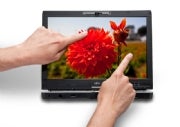
This tablet PC is also "multitouch" : you can use more than one finger (e.g., index and thumb) at the same time.
Windows 7 is supposed to incorporate some of this type of multi-touch technology on tablets that have capacitive touch screens. With these types of screens, a plain plastic stylus won't work.

So, how do you define "multi-touch"? It's starting to get confusing out there.

Saturday, August 22, 2009

Thoughts on the Apple tablet (giant iPod touch)


The upcoming giant iPod touch (Apple tablet) may be running the iPod touch OS (operating system). I doubt that it will run the full version of OS-X. The iPod touch OS may not be ideal for something as large as this upcoming tablet unless it's purely meant to be a multimedia device. I'm a pen-based computing guy, so I don't think the iPod touch OS alone will be sufficient for me. I need something more robust that allows me to run work-based productivity software. Maybe Apple is "beta testing" the tablet concept with this first generation model. I won't be surprised if subsequent models run a more robust OS that will allow for some type of pen-based computing.

Speaking of pen-based computing, this may be difficult if the upcoming tablet has the same type of screen that's currently found on existing iPods and iPhones. Although there are some stylus pens available for capacitive touch screens, the capacitive touch screen isn't the most popular type for pen-based computers. So, will the 2nd or 3rd generation models employ some type of dual-input screen? (capacitive and Wacom-based active digitizer?) Maybe by then, Apple will release a full Mac OS-X -based tablet computer.

Wednesday, July 15, 2009

Lenovo ThinkPad X200 Tablet Review


The Lenovo Thinkpad X200 Tablet PC is not a new machine. However, the folks over at MobileTechReview have recently given it a nice review. The editors gave it 5 stars (out of 5 stars). I guess you can't get any better than that.

What's hot: Great build quality. Long battery life.

What's not: Screen looks grainy on our touch screen model. No internal optical drive.

Here are some of the highlights from their review:
  • Compared to the AMD-powered HP TouchSmart tx2 tablet, the ThinkPad X200t runs significantly cooler and the fan runs very quietly.
  • Compared to the Dell Latitude XT2, the ThinkPad is faster with the Intel SL processor option (the Dell ships only with the slower SU line running at 1.4 and 1.6GHz).
  • The 12.1-inch LED backlit screen looks grainy compared to the one found on the Toshiba Portege M750 (also with touch screen), but when the brightness is turned to max, the Lenovo’s screen has more contrast than most recent tablets.
  • The notebook’s battery lasted 7 hours while working on MS Office documents, surfing the web, taking notes and drawing pictures with Wi-Fi turned on and screen turned to max under the“Balanced” power setting.
  • Among 12-inch Tablet notebooks, the ThinkPad X200t stands out with its build quality and good software.
I love my Thinkpad X200 Tablet PC. It's the best laptop/tablet I've ever owned (and I've had my share of computers over the years). I have the multi-touch screen that includes an active digitizer (Wacom penabled digitizer pen) that allows me to "float" the pen over the screen to move the cursor. I also have the touch-based screen that allows me to use my finger to tap on the screen and use the on-screen mouse feature on Vista and Windows 7. Some people seem to really hate the on-screen mouse pointer, but I personally really like it.

Friday, May 1, 2009

Windows 7 on Thinkpad X200 Tablet


Anyone running Microsoft Windows 7 on the Lenovo Thinkpad X200 Tablet PC? I've had such a positive experience running Windows 7 on my slow Samsung Q1 Ultra, that I'm very tempted to install Windows 7 on my Thinkpad. However, my machine isn't your "typical" Thinkpad tablet. It has Intel Turbo Memory and also has a multi-touch screen (active digitizer plus passive touch). Intel Turbo Memory was a new feature in Vista, but I wonder if it will be incorporated into Windows 7 (I'm sure the information is out there, but I'm too busy typing this up).

I think that over the weekend I may install a blank hard drive and see what happens if I install Windows 7. Somehow, I doubt that everything will work if I do that, but I'm tempted to try.

** revised on 6/30/09 - I've been running Windows 7 on my X200 Tablet as my main operating system and I'm loving it. Things are so much faster and more efficient. The inking experience is superb and the handwriting recognition is great. I'm so pleased by the quick boot time and the overall stability of this OS. See my other posts on this topic by searching for "Windows 7 Thinkpad"