Showing posts with label WWAN. Show all posts

Thursday, December 10, 2009

Tips when you're computing in the car


Never drive while you're computing in a car. If I'm computing in a car, I'm not driving. Because I do some work-related traveling in the car, I find myself pulling out my laptop, tablet, or ultra-mobile PC to stay productive while I'm on the road. Here are some tips I've learned over the years:
  • Never expose your computer or computer bag when you're parked. You're inviting theft.
  • Carry a DC charger (or preferably an AC/DC charger) that has an attachment for a cigarette lighter adapter. This way, you can stay charged up while you're in the car.
  • Use an active laptop cooling pad that has a built-in fan.
  • Carry an extra battery.
  • Tether using your smartphone to get online. Or, use the built-in WWAN. Broadband cards are a nice option as well.
  • Carry a USB-powered keyboard light if you think you'll be riding at night.
  • Plan to use maximum screen brightness when you're riding during the day. This will eat up your battery life, so make sure you have plenty of battery or DC power.
  • Get on Traffic.com and check your local traffic.
  • Get on Weather.com and check your local weather.
  • Offer to navigate if necessary. If your computer has a GPS, then you can easily navigate using your PC.
Finally, make sure you don't distract the driver in any way while you're computing.

Wednesday, November 4, 2009

I was tempted to buy a netbook today


I saw what appeared to be a killer deal today: A GPS-equipped Dell netbook that includes turn-by-turn navigation features for $499. (I passed on the TV tuner because I never have time to watch television)

Now, let's step back for a minute. How do you use a netbook in your car? Who needs a netbook when you can simply buy a standalone GPS navigator like a TomTom, Garmin, or Magellan for less than $499?

But then again, who needs a standalone GPS unit when you can simply get a GPS-enabled smartphone and install turn-by-turn navigation software made by TomTom, Garmin, and several other major companies?

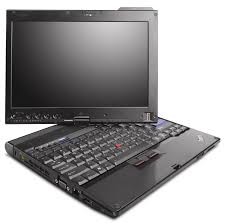
Fortunately, I did not purchase this netbook. I have enough computers (including some that have built-in GPS functionality) and I really don't need another gadget right now. My HTC Touch Pro2 works just fine as a GPS navigator. My OQO model 02 and my Samsung Q1 Ultra (Ultra-Mobile PC or UMPC) are great gadgets that are capable of GPS navigation if I pair a Bluetooth GPS. My Lenovo Thinkpad X200 tablet PC has a built-in GPS because of the built-in WWAN radio.

So why was I tempted to buy this Dell netbook? Because you simply don't see too many netbooks advertised as a GPS navigator with turn-by-turn navigation software. As netbooks continue to evolve, perhaps a built-in GPS will become a standard feature. Wi-Fi and Bluetooth and fairly standard features. Built-in WWAN is getting to be a standard feature, and this often means that you'll get a built-in GPS antenna.

Sorry Dell, maybe next time. $499 is just too much. $299 is a different story. Of course, if others are looking for a netbook that includes either a built-in GPS or a built-in TV tuner, then you should take a look at the Dell Mini 10 and 10v (starting at $299, but going up to $499 for the nicer models).

Wednesday, October 28, 2009

Installing Windows 7 on my Thinkpad X200 Tablet PC


I don't think my Lenovo Thinkpad X200 Tablet PC is ready for the RTM version of Windows 7. I'm running ThinkVantage System Update 4.0 and it's not identifying all the proper drivers that I need. Specifically, I'm still lacking drivers for:
  • Fingerprint scanner (drivers for Vista did not work)
  • WWAN module (drivers for Vista seemed to work here)
  • Serial port (probably the SD slot, but not entirely sure yet)
I'll play around to see what else I can find, but I was really hoping that ThinkVantage System Update 4.0 was going to identify all the drivers and utilities I need to run Windows 7 on my Thinkpad.

For now, I've put my old hard drive back in my Thinkpad. I'm typing this while running Windows 7 RC (build 7100). I'm hoping that by the weekend, I'll be using the RTM version.

Saturday, June 13, 2009

Running Windows 7 on my Thinkpad X200 Tablet PC


I've been running Windows 7 RC (32 bit) on my Lenovo Thinkpad X200 Tablet PC for a while now. I did a clean install on a blank hard drive. Then, I ran ThinkVantage System Update 3.14 to download drivers and it loaded drivers that were marked as XP/Vista. Currently, most of the drivers seem to work with Windows 7, but there are a few exceptions.
  • Intel Turbo Memory seems to be working.
  • Bluetooth and Wi-Fi are working.
  • The built-in AT&T WWAN is working.
  • Built-in camera is working.
  • Multi-touch screen working (active digitizer plus passive touch-screen).
  • Fingerprint reader is working.
  • ThinkVantage Active Protection is working.
  • Modem - not tested. Who still uses a phone modem these days?
Allow me to continue my testing and I will post regular updates.