Showing posts with label lenovo. Show all posts

Thursday, May 22, 2014

Surface Pro 3 vs. ThinkPad Tablet 10

By now, you've heard of the new Microsoft Surface Pro 3 that's replacing the current Surface Pro 2. The Surface Pro 3 is larger, thinner, and lighter than the Pro 2. It even has a redesigned hinge that makes the tablet much more functional and 9 hrs of battery life sounds very compelling given that this device is powered by an Intel Haswell processor. However, the switch away from Wacom and to an N-Trig pen has me wondering if the new tablet will suffer from digitizer and inking issues. I'm sure that N-Trig has come a long way since their earlier generation pens and technology, but I do not like the fact that the pen requires batteries (especially since AAAA batteries don't last very long and can be a bit more difficult to find).

Although the Surface Pro 3 is improved in so many ways, the main drawbacks for me are: the N-Trig pen and the larger size. If they had stayed with Wacom, then I think it would have been a true winner. But, I don't know that they would have been able to keep the device so think and light if they had stayed with Wacom digitizer technology. The larger size is great if you need a laptop, but if you plan to carry this device around all day and use it while you're standing, then a 10" screen is sufficient and a 12" screen is too much.

One of the other newly announced Windows 8 tablet PCs is the Lenovo ThinkPad Tablet 10. This is the successor to the thin, light ThinkPad Tablet 2. This time, Lenovo has created what they're calling an "Ultrabook Keyboard" that will deliver a true laptop-like experience when you're typing. One of the major drawbacks of this keyboard: the tablet sits at a single, fixed angle. At least the angle is steeper (and more functional) than the keyboard angle that we saw with its successor: the ThinkPad Tablet 2 and its Bluetooth keyboard. Lenovo has decided to stay with a 3rd generation, low-power Intel Atom processor that delivers plenty of processing capabilities while keeping the device thin and light. Lenovo has stayed with a Wacom pen for this new ThinkPad.

There's no doubt that the ThinkPad Tablet 10 has major improvements over the ThinkPad Tablet 2. However, the major drawbacks for me include: the keyboard is not backlit and the tablet only sits on the keyboard at a fixed angle.

Both the Surface Pro 3 and the ThinkPad Tablet 10 offer major upgrades from previous versions. Let's see what types of "real world" reviews start showing up over the next few months. By then, I'm sure that Dell, HP, Asus, and others will have some new models as well.


Monday, April 15, 2013

Lenovo ThinkPad Tablet 2 - reviewed by @DrJosephKim

I'm @DrJosephKim, editor of Mobile Health Computing. For the past few weeks, I have had the chance to test and review the Lenovo ThinkPad Tablet 2. The first version of the ThinkPad Tablet was a heavy, bulky Android tablet that had business features that were not found on most Android tablets including: a full-size USB port, a full-size SD card slot, a mini-HDMI port, and a built-in holder for an N-Trig digitizer pen. That's what made the first ThinkPad Tablet heavy and bulky.

Well, Lenovo has come out with a much thinner and lighter device with the ThinkPad Tablet 2. Plus, this device runs Windows 8 Pro and has the standard Intel Atom dual-core processor, 2 GB of RAM, and a 64 GB SSD for storage. The Intel dual-core Atom processor gives it up to 10 hours of battery life, so in real-world working situations where you're browsing the web and using Wi-Fi, you can easily expect approximately 9 hrs of battery life depending on your brightness settings. The battery is sealed inside, so you won't be replacing it on the field.

Here is a short little video I made highlighting the Lenovo ThinkPad Tablet 2:


There are a few features that distinguish this tablet PC from some of the other Windows 8 tablet PCs:

Weight:
The ThinkPad Tablet 2 is probably one of the lightest Windows 8 tablets on the market weighing only 1.25 lbs. In comparison, the iPad 4 weighs 1.44 lbs. At 9.8 mm thick, the ThinkPad Tablet 2 is almost as thin as the iPad 4 which is 9.4 mm thick.

Built-in pen holder:
I really appreciate the fact that the ThinkPad Tablet 2 features a built-in slot for the Wacom-based digitizer pen. The pen is useful for precise writing, tapping, or drawing. You can hover the pen over the screen and the mouse will follow your pen tip. Health care professionals will appreciate how they can use the pen when signing notes, scribbling, or drawing around key images. The precision of an active stylus compared to a capacitive stylus is writing with a thick paint brush vs. a ballpoint pen.

Micro-USB charging:
The ThinkPad Tablet 2 uses a proprietary charger but it can also charge via micro-USB, but the battery charges only when the device is off or in sleep mode. Let me repeat that: the battery will only charge when the device is either off or in sleep mode. So, the micro-USB charging is a nice option, but it's not too practical if you need to charge while you're working.

Ports:
The Tablet PC has a covered full-size USB port and a microSD card slot. The bottom of the tablet has the proprietary docking/charging port along with a micro-HDMI port. If you get the WWAN option, then you can enter a SIM card as well. For the most part, these ports are all fairly standard features found on most Windows 8 tablet PCs.

Bluetooth keyboard option:
Unlike many other Windows 8 tablets, the ThinkPad Tablet 2 has an optional Bluetooth keyboard that is designed specifically for this tablet. The keyboard has an optical pointer stick which resembles the traditional ThinkPad TrackPoint pointer stick, but it is designed as an optical mouse. They keyboard is a bit heavy and bulky compared to most Bluetooth keyboards, but it provides an excellent typing experience and the built-in mouse pointer is an essential feature (in my opinion).

So in summary, the Lenovo ThinkPad Tablet 2 is a great Windows 8 tablet PC that uses a low-power Intel Atom dual-core processor. In terms of general usability, it performs very well and does a very nice job balancing all-day battery life with performance. If you need something more powerful, you'll need to get a PC powered by an Intel Core i3, i5, or i7 processor and you'll be sacrificing battery life.


Tuesday, April 9, 2013

Impressive battery life with Windows 8 tablets by HP, Dell, and Lenovo

I'm currently on a cross-country flight to speak at the HIMSS Southern California Chapter Annual Healthcare IT Conference on the topic of Social Media in Healthcare: Promoting Patient Empowerment and Engagement, Healthcare Value, and Patient Centered Care."

I decided to travel really light, so I packed an HP ElitePad 900 Windows 8 slate tablet PC (and left the Expansion Jacket and extra battery at home). The tablet weighs only 1.5 lbs.

I'm typing this as I'm working on the airplane, using Wi-Fi (Gogo Internet) and a Bluetooth keyboard. Based on my battery usage pattern on this 6-hr flight, it looks like I'll easily get 9 hours of battery life with the brightness setting on the low side.

When it comes to battery life on PCs, critics often say that published battery life figures often don't reflect real-world usage. I've found that newer Windows 8 tablets like the HP ElitePad, the Dell Latitude 10, and the Lenovo ThinkPad Tablet 2 all have very impressive battery life because they are powered by a second-generation Intel Atom dual-core processor that does a nice job balancing performance with battery life. I have been testing these 3 tablet PCs and I'll be writing more about my experiences using them.

The Microsoft Surface Pro uses a faster Intel processor, but you end up sacrificing battery life. I suspect that I'd probably only get 3-4 hrs of battery life with the Surface Pro, and that's just not enough for my usage patterns.

Friday, April 5, 2013

Micro-USB charging Windows 8 tablet PCs

Several Windows 8 slate tablet PCs come with a backup charging port that is a micro-USB connector. A few examples include the Lenovo ThinkPad Tablet 2 and the Dell Latitude 10.

Does this mean that you can leave your standard AC adapter at home? Not exactly. When I plug in a micro USB charger to the ThinkPad Tablet 2 or Latitude 10, you'll see that Windows says "plugged in, not charging" when the display is on. Turn the screen or device off and the battery will charge slowly.

The micro-USB charging only works when the tablet is off or in sleep mode, so ask yourself: will you need to charge your Windows 8 tablet when you have it on? If so, make sure you have a standard AC adapter.

Now, let's get technical:

USB provides 5 volts (5V). USB chargers range from less than 0.5 amps (500 mAh) to 2 amps (2A). Most laptops give their USB ports 0.5 A of power.

Standalone USB chargers vary in amperage. For example, the iPad charger is a 5V, 2A charger. That calculates to be a 10 Watt charger (5V x 2A = 10 W).

An iPhone charger is a 5V, 1A charger. That calculates to be a 5 Watt charger (5V x 1A = 5W). That's why it's such a tiny little charger.

Most tablet PCs require more than 5 volts to operate. The Dell Latitude 10 has a removable battery and you'll see that the battery is rated at 7.4 volts. So, there's no way a USB charger rated at 5V can keep the tablet on and also charge your battery.

Fortunately, most of the Intel Atom powered Windows 8 tablets have very long battery life (approx 10 hrs), so you can go on battery power during the day and charge them at night when they're off. The battery on the Dell Latitude 10 is removable and you can even get an extended battery that will give you 20 hrs of battery life. The HP ElitePad 900 comes with an optional Expansion Jacket that can house a removable battery, so you can also get 20 hrs of battery life with that configuration.

Friday, March 22, 2013

I am reviewing the Lenovo ThinkPad Tablet 2

Over the next few weeks, I'll be reviewing the Lenovo ThinkPad Tablet 2. I had a chance to play with one at the 2013 HIMSS conference and now I have a review unit from Lenovo that I can test for the next few weeks.

The ThinkPad Tablet 2 is a Windows 8 tablet PC that also comes with an optional Bluetooth keyboard. Unlike other Bluetooth keyboards, this one also includes an optical mouse pointer called an optical trackpoint. You won't find anything like it on any other keyboard. It's not like the traditional ThinkPad trackpoint because this one doesn't move. It's small and it's optical. I'll explain more about my experiences with that later.

Have you had a chance to take Windows 8 for a test drive? The newer tablet PCs powered by Intel Atom processors are much faster compared to first-generation Atom devices. Also, the super long-battery life of these devices is a welcome feature. The ThinkPad Tablet 2 is rated for 10 hours of battery life.

Stay tuned as I jot down some observations and then I will provide a comprehensive review over the next couple of weeks.


Tuesday, March 5, 2013

Windows 8 tablets on display at HIMSS

Here at the HIMSS conference, you'll find a wide assortment of Windows 8 tablet PCs on display at several different booths. So, if you haven't had a chance to play around with Windows 8, here's your opportunity. You can swing by the vendor-specific booths like HP, Dell, Lenovo, Fujitsu, Samsung, and others. Or, you can visit the Microsoft or Intel booths that both have several Windows 8 tablets on display.

Have you tried Windows 8 yet? The experience is different when you're using a touch-screen device.

I'v personally been impressed by the form factors, the build quality, and the long battery life seen on many of these Windows 8 tablets. Plus, several of them are coming out with different options such as: 1) removable keyboards; 2) cases; 3) battery options; 3) and other accessories.

Windows 8 is a new operating system that combines an enterprise OS with a mobile OS in a single device. In some cases, you can run applications side-by-side. The Windows 8 user interface is different, so you'll need to spend a little bit of time swiping up, down, left, and right to see what those finger swipes will do when you're running an application. Give it a few minutes and you'll quickly get the hang of it. Pinch-to-zoom seems to have achieved universal adoption. Soon, we'll see more swipe gestures getting incorporated into all types of mobile operating systems.

At the HP booth, you'll see the ElitePad 900 on display. A few of the HP folks may be carrying their ElitePad in an expansion sleeve that has an extra battery and expansion ports. At the Lenovo booth, you'll see the ThinkPad Tablet 2 sitting on a dock or on a removable keyboard. At the Dell booth, you'll see that the Latitude 10 now comes in several configurations including one a security edition that has a built-in Smart Card and fingerprint reader. Fujitsu and Samsung are showing off their convertible Windows 8 tablets that pop off a keyboard dock. So, as you consider your clinical workflow and how you use mobile computers in the clinical setting, you'll be able to find a device that will meet your needs.

Thursday, January 10, 2013

Exciting new tablets and ultrabooks at CES

This week, my friends are in Las Vegas attending the Consumer Electronics Show (CES). This year, I'm following the show from a distance.

Major computer manufacturers are announcing new tablets and ultrabooks. Here are a few of the ones that caught my attention:

Panasonic Toughpad (similar to their Toughbook line of rugged products)

  • The Toughpad FZ-A1 is the only Android tablet with hardware encryption.
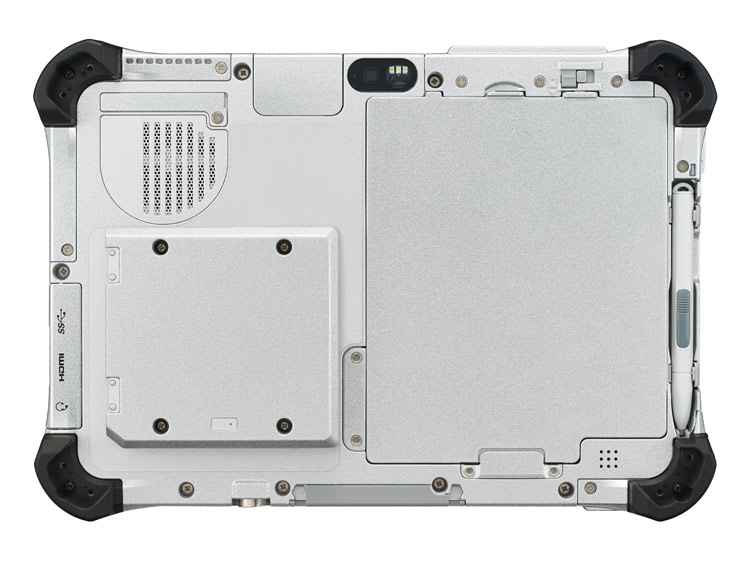
  • The Toughpad FZ-G1 is the thinnest and lightest fully-rugged 10.1" Windows 8 tablet. 

Asus
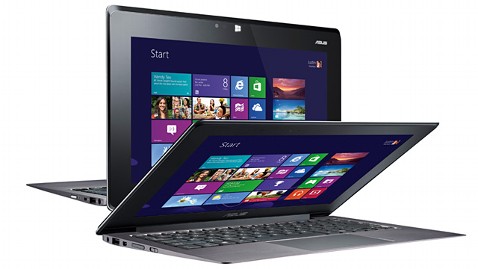
  • The Asus Taichi is a Windows 8 tablet / laptop hybrid that has an LCD screen on the front and back of the display lid. In other words, you can always access one of the screens whether the device is open or closed.  

HP
  • Last month, HP announced the EliteBook Revolve, an enterprise-grade convertible laptop/tablet that runs Windows 8. Although the form factor isn't anything new, the enterprise-grade security that's built into the EliteBook series is an important feature for those working in health care.

Lenovo
  • The Lenovo IdeaPad Yoga that originally came as a 13" model now comes as an 11" model running Windows RT.  Unlike other laptops, you can fold the display all the way back so that you convert the laptop into a tablet. Of course, the keyboard and touch pad becomes inactive when you're using the device in tablet mode. The Yoga 11 comes with Windows RT and the Yoga 13 comes with Windows 8.

Dell
  • Dell will be offering an "Essentials" version of the Latitude 10 slate tablet for only $499. This device will still run Windows 8, but it won't have the standard removable battery option that's found on the standard Latitude 10. The Essentials version also won't support an active digitizer pen. 

Samsung was also demonstrating a flexible, unbreakable screen that may get used on smartphones and tablets. Wouldn't it be nice to have a truly unbreakable screen? Corning was featuring its Gorilla Glass 3 - a thinner, tougher glass. 

Tuesday, October 9, 2012

Lenovo ThinkPad Edge Twist

The Lenovo ThinkPad Edge Twist is what you may expect if you took an ultrabook and made it a convertible tablet PC. Traditional ThinkPad Tablet PCs like the X200 series have been heavier and bulkier than many other convertible tablet PCs. Then again, ThinkPads are built to withstand heavy use (and abuse), so most business executives don't think twice about the added weight and bulk. Now, people have an option for a thinner, lighter ThinkPad convertible Tablet PC that's going to run Windows 8 and have long battery life. Plus, it's starting at $849 - the first time we're seeing a ThinkPad Tablet PC starting below $1,000. This device measures 0.79 inch thick, weighs 3.48 pounds, and Lenovo is claiming 7 hours of battery life. If they add a backlit keyboard option, I'll buy one.

Saturday, September 22, 2012

Lenovo ThinkPad 2 will sell for $799

It looks like the Lenovo ThinkPad 2 will sell for $799 starting October 26. In fact, we're going to see a number of Windows 8 tablets released in October. Some will come with keyboard that detach. Others will be dedicated slates. Battery life will be exceptional. I'm eager to try the next generation of Windows tablets to see how they compare to iOS and Android tablets.

Tuesday, August 14, 2012

From ThinkPad Tablet 1 to ThinkPad Tablet 2

I happen to own a Lenovo ThinkPad running Google's Android OS. I was compelled to use this tablet because it included several enterprise-level features that are not normally found on other mobile tablets. I was drawn by features like: a digitizer pen; a full-sized USB port; a full-sized SD card slot; and more. Overall, the tablet's been a fine business device and the OS was recently updated to one of the latest versions of Android (4.0 or Ice Cream Sandwich).

Lenovo is making a major transition by leaving Android and moving to Windows 8 for its next ThinkPad Tablet which has been named the ThinkPad Tablet 2 (quite an original name, isn't it?).

Like the first ThinkPad Tablet, the 2 will have an optional digitizer pen (which is much more accurate than a capacitive pen) and a full-sized USB port.

Measuring less than 10mm, the 10.1" ThinkPad Tablet 2 goes everywhere you go. And, with up to 10 hours battery life, it keeps going for as long as you need it to. Use 3G and 4G support to stay connected to colleagues, family and friends.

You can learn more about the Thinkpad Tablet 2 here. (I predict that this device will sell for roughly $500)

Monday, July 23, 2012

Will an Android 4.1 (Jelly Bean) update come to the ThinkPad Tablet?

Just when I got excited about upgrading my ThinkPad Tablet to Android 4.0 (Ice Cream Sandwich), I find myself now waiting to hear if Lenovo will be releasing an Android 4.1 (Jelly Bean) update. Given that the ThinkPad Tablet is really for an enterprise audience, let's hope that Lenovo will try to keep up with these latest Android updates for their business users.

Android 4.1 (Jelly Bean) offers some performance enhancements over the existing Android 4.0 OS. It also includes some other nice features, but I'm mainly interested in the performance improvements.

Here's a little tip for those of you performing an Android system update on your tablet (regardless of the company that makes your tablet): perform a hard reset (factory reset) after you perform the upgrade. Make sure you've backed up and saved all your important files. Many users have reported significant performance improvements after performing a hard reset after an upgrade. Initially, I didn't perform a hard reset after I upgraded my ThinkPad Tablet and I was having some performance issues. Then, the tablet froze and I was forced to perform a hard reset. Now, it works beautifully (except that there is a slight delay with the screen turning on when I press the power button).


Monday, June 25, 2012

Lenovo Thinkpad update to Ice Cream Sandwich

Lenovo has been rolling out Android 4.0 (Ice Cream Sandwich or ICS) updates for Thinkpad tablet users in the UK and Western Europe, but how about us living in the USA? When will we see our update? Some bloggers have reported June 8 while others have reported June 18. Both of those dates have passed and June is almost over.

I'm mainly interested in seeing how those improvements in functionality and speed will improve this tablet. The end of June is approaching and I hope that we will see that ICS update before the end of the second quarter (Q2).

Tuesday, May 8, 2012

Ice Cream Sandwich coming to the Lenovo ThinkPad Android Tablet

Google Android 4.0 is called Ice Cream Sandwich and it's coming to the Lenovo ThinkPad Android Tablet this month. I've been waiting for this upgrade for my ThinkPad because it's currently running Android 3.1 Honeycomb and I'm sure there's a better, more refined operating system that will make this tablet work more efficiently. I chose to get the Lenovo ThinkPad Android Tablet because it's one of the few Android tablets that also comes with the option of an active pen for inking and writing. These pens are much more accurate compared to spongy capacitive stylus pens.

Android 4.0 Ice Cream Sandwich is currently available on a number of other Android tablets like the Asus Transformer Prime.

Wednesday, March 14, 2012

Lenovo ThinkCentre M90z & M70z All-In-One Desktop PC Recall

Approximately 1 year ago, we had a contest here on mobilehealthcomputing.com and we were giving away a Lenovo ThinkCentre M90z. In fact, the contest ran on a number of blogs.

Lenovo has issued a recall for certain ThinkCentre M90z & M70z All-In-One Desktops. Lenovo is voluntarily recalling 160,000 ThinkCentre M70z and ThinkCentre M90z all-in-one (AIO) desktop PCs worldwide sold between May 2010 and January 2012. Lenovo has determined that due to a failure of the power supply in the affected all-in-one PCs, the system can overheat posing a fire hazard. Lenovo has received two customer reports worldwide of fire that resulted in damage to the PC.

To see if your machine has been affected, visit this link and follow the instructions.

Thursday, February 16, 2012

ThinkPad Tablet: Turn off Wi-Fi when display is off to save battery life

I've been using the Lenovo ThinkPad tablet for a few months now. This device is an Android slate tablet that is similar to the iPad but includes several distinct features such as the following:

1. Optional active digitizer stylus pen for more accurate writing and drawing (similar to the type of pen that you'll find on Windows-based Tablet PCs)
2. Handwriting recognition software that will convert your scribbles into formatted text (remember the old Apple Newton MessagePad?)
3. Full-size USB port (so you can read those files from your USB flash drive)
4. Full-size SD card slot (full size SD, not just limited to microSD)
5. A mini HDMI port

This device is a nice tablet, but it's certainly bulkier and heavier than many other tablets on the market. Despite the larger size, the battery life just doesn't impress me on the ThinkPad Tablet. One of the main reasons why the battery life is limited is because the Wi-Fi remains on even when the display is turned off. There is an option that allows you to turn off the Wi-Fi when the display is off. Here are the instructions (from Page 38 of the User Manual):

Configuring the wireless network disconnect policy

To get longer battery life, manage your wireless connections more reasonably by configuring the wireless network disconnect policy.

Tuesday, February 7, 2012

Ice Cream Sandwich (Android 4.0) for ThinkPad Tablet in Q2

It sounds like Lenovo will be releasing an upgrade to the Android OS for its ThinkPad Tablet. The release will be coming out in the second quarter of 2012. I'd really like to see an enhancement to the pen-based Notes Mobile app on the ThinkPad Tablet. I really like using the pen to scribble notes during a meeting. It seems much less intrusive than typing on the screen. However, the Notes Mobile app on the ThinkPad Tablet is still very basic and primitive, especially when you compare it to applications like Microsoft Office OneNote for Windows.

I'm still waiting to see if Evernote will be updating its Android app to support pen-based tablets like the Lenovo ThinkPad, the HTC Jetstream, and the Motorola DROID Xyboard 10.1. My prediction is that pen-based input will eventually become a standard input method on all tablets. Apple will eventually release an iPad that will work with an active digitizer stylus pen.

For now, I'm going to continue testing an app called Quill. This $1 app was developed on a ThinkPad Tablet and seems to be much better than the built-in Notes Mobile app. You can export your notes on Quill to Evernote, so this may be the best workaround option for now.

Thursday, December 15, 2011

I'm testing the Lenovo ThinkPad Tablet (Android)

I've owned a number of ThinkPad laptops and convertible tablet PCs running Windows. I'm now testing the Lenovo ThinkPad Tablet running Google Android as its operating system. I've only had this tablet for a few hours, so these are my initial impressions so far.

This is a business tablet and so it's built with features that are important to business users.

The ThinkPad runs Android 3 (Honeycomb) which is optimized for tablets and includes touch-based navigation for all the buttons. The ThinkPad also has hardware buttons.

Unlike most Android tablets, the ThinkPad Tablet also has the ability to work with an active digitizer pen. That was one of the most appealing features to me since I'm so accustomed to pen-based computing. You have to buy the Stylus pen separately and it uses the N-Trig Duo Sense so that you can use the pen and switch to touch-based input.

Here are a few other distinguishing features:
  • Full-size USB port (you won't find this on any other Android tablet)
  • SD card slot (instead of a micro SD card slot)
  • Mini HDMI slot
  • An optional keyboard folio case that includes a built-in pointer mouse (you won't find this on most tablets)
I'm still getting used to the idea of using a mouse an an Android tablet. If you're new to tablet computing, the ThinkPad Tablet could be an easier way to transition to the world of touch-based computing. I'll continue to review this device and will write more as I take this for a spin.

Wednesday, September 7, 2011

Medical students can take notes during class using a tablet if they...

Medical students can take notes using a tablet if they use a tablet that accepts pen-based input. Traditionally, Windows tablet PC used Wacom technology and Penabled digitizer pens that allowed you to draw and write directly on the screen of your tablet. Your "inking" could also get converted into text if your handwriting was somewhat legible.

Today, we live in an era of capacitive touch-based computing and many people have said "bye bye digitizer pen (or stylus if you prefer)." Those of us who lived in the era of traditional tablet PCs often miss our pens and we feel drawn to tablets that have pen-input technology.

Today, we're left with a few options if you want a touch-based tablet that also allows you to take notes using a pen. N-trig has filled the void with its DuoSense digitizer that lets you switch from capacitive touch to pen-based input. If you want the best of both worlds, you can choose between tablets like the Lenovo ThinkPad (running Android), the HTC EVO View 4G from Sprint (running Android), or the HTC Flyer (running Android).

Thursday, August 25, 2011

Lenovo ThinkPad slate tablet (Android OS) is now on sale

The Lenovo ThinkPad tablet is now on sale. Don't get this one confused with the ThinkPad X220 tablets that are convertible laptops.

The ThinkPad tablet runs Android and it's a slate. However, you're limited to the Wi-Fi versions for now. The tablets that include 3G radios will be coming in October. Even though theThinkPad tablets run Google's Android OS, this tablet isn't just like all the other Android tablets out there. This one is really built for business users who require enterprise-level services. Sounds like it could be a good fit for the health care industry. This photo is from GottaBeMobile.

The ThinkPad tablet includes a digitzer pen and has a built-in pen storage compartment in the tablet. It also includes multiple connectivity ports: Native USB 2.0 and micro-USB ports, full-size SD card slot and mini-HDMI output. You won't find these features on most Android tablets (or the Apple iPad for that matter).

Lenovo has made a nice tablet here, but I wonder why it won't be available with a 4G antenna this fall. After all, the Samsung Galaxy Tab 10.1 and the Motorola Xoom are available with 4G.

Sunday, April 17, 2011

Here's another chance to win a Lenovo M90z

Here's another chance of winning a free Lenovo M90z all-in-one PC. This particular contest is running on PhysicianMom.com.