Many hospitals are upgrading from Windows XP to Windows 7 this year given that Microsoft support for Windows XP is ending in April. Instead of upgrading to the latest version of Windows (which is Windows 8.1), hospitals and many corporations are making the switch to Windows 7.
Major PC manufacturers such as HP, Dell, and Lenovo are still selling brand new PCs running Windows 7. It's not clear to me how long this will continue, so if you need to get some new PCs, you may not want to wait.

Showing posts with label windows 7. Show all posts
Showing posts with label windows 7. Show all posts
Saturday, January 25, 2014


Monday, March 25, 2013
Windows Blue - the next Windows

I admit that it took me a while to get used to Windows 8 because it feels like there are two operating systems living on a single device. When do you choose one operating system vs. the other? I generally default to the traditional desktop, but I find myself using the Windows 8 apps more. I can't even call these "metro style apps" since the term metro isn't being used or isn't recognized by Microsoft.
Windows Blue is going to be an improvement over Windows 8 and will also be optimized for even better battery life. So, all-day computing will be a reality for those who are always on and computing.
Remember Windows Vista? It launched in 2007. Then, Windows 7 launched in 2009.
Windows 8 launched in 2012.
I predict that we'll see Windows Blue launch in 2014.
Operating system upgrades are a huge headache for IT departments, but we're living in an era where the technology is changing so rapidly that you'll be left behind in a hurry if you can't keep up.
Thursday, February 14, 2013
Upgrading to Windows 8 on two tablet PCs
I've been testing Windows 8 on a few different tablet PCs. Specifically, I installed Windows 8 on the HP Slate 500 and the HP EliteBook 2760p Convertible Tablet PC.
In the case of the Slate 500: this device is really built to support Windows 7. HP does not provide Windows 8 drivers on their website. After installing Windows 8 on the Slate 500, I found that some key features didn't work. For example, the N-Trig pen does not work properly under Windows 8. There are some beta drivers that you can find on the N-Trig website, but these drivers don't support all the functions of the pen. I hunted around for a while and updated a few drivers, but I finally concluded that the HP Slate 500 is better off running Windows 7.
On the EliteBook 2760p Convertible Tablet PC, Windows 8 offers some really nice features and upgrades over Windows 7. In tablet mode, the touch experience is much better than Windows 7. The 2760p is a convertible tablet PC that supports both capacitive touch and an active digitizer pen. I didn't have any problems using touch or the pen. In touch mode, the on-screen keyboard is much easier to use. Overall performance feels great and Windows 8 runs very smoothly on the 2760p. Battery life on Windows 8 is supposed to be better, but I didn't spend too much time measuring that improvement.
Before upgrading to Windows 8, Microsoft recommends that you run the Windows 8 Upgrade Assistant. It scans your current PC to see if it is ready for Windows 8 and then provides a compatibility report and optional steps for you to buy, download, and install Windows 8.
In the case of the Slate 500: this device is really built to support Windows 7. HP does not provide Windows 8 drivers on their website. After installing Windows 8 on the Slate 500, I found that some key features didn't work. For example, the N-Trig pen does not work properly under Windows 8. There are some beta drivers that you can find on the N-Trig website, but these drivers don't support all the functions of the pen. I hunted around for a while and updated a few drivers, but I finally concluded that the HP Slate 500 is better off running Windows 7.
On the EliteBook 2760p Convertible Tablet PC, Windows 8 offers some really nice features and upgrades over Windows 7. In tablet mode, the touch experience is much better than Windows 7. The 2760p is a convertible tablet PC that supports both capacitive touch and an active digitizer pen. I didn't have any problems using touch or the pen. In touch mode, the on-screen keyboard is much easier to use. Overall performance feels great and Windows 8 runs very smoothly on the 2760p. Battery life on Windows 8 is supposed to be better, but I didn't spend too much time measuring that improvement.
Before upgrading to Windows 8, Microsoft recommends that you run the Windows 8 Upgrade Assistant. It scans your current PC to see if it is ready for Windows 8 and then provides a compatibility report and optional steps for you to buy, download, and install Windows 8.
Sunday, February 3, 2013
Migration from Windows XP to Windows 7 or 8
Support for Windows XP will be ending soon. Are you ready to migrate to Windows 7 or 8?
Here is a free, on-demand webinar on the topic of Migration from Windows XP to Windows 7 or 8. This webinar is presented by UBM Channel.
If your organization has been holding onto its XP OS for fear of a badly managed migration or serious downtime, it’s time to look at the consequences if you don’t. With support for XP set to expire, there are dangerous waters ahead, but those can be safely navigated if you have the right plan in place.
View the webinar here.
Here is a free, on-demand webinar on the topic of Migration from Windows XP to Windows 7 or 8. This webinar is presented by UBM Channel.
If your organization has been holding onto its XP OS for fear of a badly managed migration or serious downtime, it’s time to look at the consequences if you don’t. With support for XP set to expire, there are dangerous waters ahead, but those can be safely navigated if you have the right plan in place.
View the webinar here.
Thursday, April 12, 2012
HP Folio 13 ultrabook review
 Over the past few weeks, I've had the chance to review the HP Folio 13 ultrabook. I've also been using the ASUS ZENBOOK which is a really nice ultrabook, but it lacks a backlit keyboard and its battery life is mediocre. HP has done a really nice job coming out with a business-class ultrabook that is an excellent choice for health care professionals who need a slim and light Windows-based PC.
Thin, Light, but Sturdy
1. Like most ultrabooks, the HP Folio 13 is very thin and light. It's not the thinnest or the lightest, but it feels very solid and sturdy. If you're tired of carrying your heavy, clunky laptop around, this ultrabook will be a refreshing change.
 Backlit Keyboard
2. The backlit keyboard is an essential feature for those who work in dark places, e.g.: a radiology suite, a call room, an airplane, etc. The keyboard is well built and is very comfortable to use, even in the dark. The keyboard has little flex, even though the overall device is very thin.
Long Battery Life
3. The HP Folio 13 has very long battery life compared to other ultrabooks. PC Mag tested it to have roughly 7.5 hrs and PC World tested it to have 6 hrs 45 min. Engadget estimates you'll get roughly 8 hrs of battery life if you use the power saver setting.
PC Mag gave the HP Folio 13 the "Editor's Choice" rating in Jan. CNET rates it "Excellent." The HP Folio 13 is certainly an enterprise-level product and it
Here is the only drawback that I would mention to the medical community: this laptop (like just about every other ultrabook or Mac out there) lacks a built-in VGA port. It has a full-size HDMI port, so you'll need to carry an HDMI-to-VGA adapter if your hospital or institution still relies on the old VGA port for monitors and projectors.
Sunday, March 4, 2012
OneNote Mobile vs. Evernote
I've been using OneNote as my main note-taking app on my Windows-based Tablet PCs. I also have Evernote so that I can sync certain notes across all my mobile devices including my Android smartphone, my iPad, my Android tablet, and my Windows-based PCs.
Microsoft has announced that OneNote Mobile is here. Of course, to sync your notes on your mobile device with your PC, you need to have OneNote 2010 (and I'm still running Microsoft Office 2007 on most of my PCs at home and in the office). For now, I'm not planning on going out and purchasing OneNote 2010 for multiple machines if I can continue to use Evernote.
I plan to continue this ongoing test between OneNote vs. Evernote given that I'm syncing notes across a variety of different platforms include iOS, Android, and Windows 7.
OneNote and Evernote are great pen-based note-taking apps for those who still like to write and draw traditional notes on a digital device. If you don't use a pen, you'll find that these apps are still very handy if you want to sync many different notes across a variety of devices. You can also use a cloud-based app like Google Docs if you don't need pen-based input.
Microsoft has announced that OneNote Mobile is here. Of course, to sync your notes on your mobile device with your PC, you need to have OneNote 2010 (and I'm still running Microsoft Office 2007 on most of my PCs at home and in the office). For now, I'm not planning on going out and purchasing OneNote 2010 for multiple machines if I can continue to use Evernote.
I plan to continue this ongoing test between OneNote vs. Evernote given that I'm syncing notes across a variety of different platforms include iOS, Android, and Windows 7.
OneNote and Evernote are great pen-based note-taking apps for those who still like to write and draw traditional notes on a digital device. If you don't use a pen, you'll find that these apps are still very handy if you want to sync many different notes across a variety of devices. You can also use a cloud-based app like Google Docs if you don't need pen-based input.
Tuesday, November 8, 2011
Dell Latitude ST Tablet PC
 The Dell Latitude ST Tablet PC is a new slate tablet from Dell. This device may look like an Apple iPad, but it runs Windows 7 and includes both a capacitive touch-screen along with an active digitizer (for pen-based computing). In short, this device is very similar to other enterprise-level slate Tablet PCs running Windows 7. These include the HP Slate 500, the HP Slate 2, the Motion CL900, the Fujitsu Q550, and others.
All of these smaller slate tablets run Atom processors that are highly power-efficient, but they may feel slow and sluggish compared to modern processors found on standard laptops. Hence, I think these small slates running Windows 7 may fill a certain market need, but they're not designed for robust computing. I've been using the HP Slate 500 for about a year and I find that it's a great digital assistant during my busy workday, but I would not use it as my only computer when I'm busy multitasking to accomplish my work.
The Dell Latitude ST Tablet PC includes a "garage" for the pen, a feature that isn't found in every slate tablet., but a similar feature can be found on the Motion CL900. I use my pen regularly, so I hope to see this type of internal pen holder on all future slate tablets.
For now, I will wait until Windows 8 comes out and continue using my existing hardware.
Monday, November 7, 2011
HP Slate 2 Tablet PC

The Slate 2 uses an Intel® Atom™ Z670 (1.50 GHz, 512 KB L2 cache, 667 MHz FSB)
The previous Slate 500 used an Intel® Atom™ Processor Z540 (1.86 GHz, 512 KB L2 cache, 533 MHz FSB)
The optional HP Slate Bluetooth® Keyboard and Case accessory is a new sleek, stylish executive-class carrying solution that bundles the HP Slate 2, a rechargeable Bluetooth keyboard, HP Slate Digital Pen, and ID, business, or credit cards inside a single case.
Tuesday, October 25, 2011
Happy birthday Windows XP! You're 10 years old!
 If you're still using a PC running Windows XP, give that PC a birthday hug! It's 10 years old! (OK, the PC may not be 10 years old, but the operating system is). It's hard to imagine using any piece of computing equipment for 10 years. These days, computers are lucky if they last 3 years before getting replaced with an updated system.
 Most of my computers are running Windows 7. I have one running Vista and a few that have dual-boot options so that I can run XP. However, none of my main machines are running XP at this point.
Computers running XP were sold in retail settings through 2010.
I bet your hospital still has many computers running Windows XP.
Thursday, September 8, 2011
I'm testing the HP EliteBook 2760p convertible tablet PC
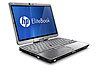 I admit that I don't understand how HP numbers their products. I've been following the EliteBook 2700p series for several years and here are the model numbers:
- 2710p
- 2730p
- 2740p
- 2760p
Now, on to the 2760p. This convertible tablet PC runs Windows 7 and is very similar to the 2740p. The form factor is roughly the same and the 2760p attaches to the same revised ultra-slim base that came with the 2740p. Fortunately, all of the 2700p series use the same standard and slice batteries.
Wednesday, August 17, 2011
HP Slate 500 (Windows 7) vs. HP TouchPad (webOS)
The HP TouchPad runs HP (formerly Palm) webOS.

These slate tablets certainly have other features that set them apart and here is a photo showing them side-by-side so that you can compare the thickness of each device. The TouchPad is 0.54" thick (left) while the Slate 500 is 0.58" thick (right).
Other key differences:
- Screen sizes: the Slate 500 has an 8.9" screen while the TouchPad has a 9.7" screen.
- Digitizer: The Slate 500 supports an active pen digitizer that is powered by N-Trig. Plus, it supports capacitive multi-touch gestures. The TouchPad has no pen.
- Expansion: The Slate 500 has an SD card slot. No expansion slots on the TouchPad.
- Power: The Slate 500 requires a proprietary power plug. The TouchPad is powered by a standard micro-USB port.
- Battery life: The Slate 500 will go roughly 4-5 hrs on battery life. The TouchPad will go for 8 hrs.

Here, you'll see that the TouchPad is on the left and the Slate 500 is on the right. If you're mainly using your tablet in portrait mode, then the Slate 500 will have the tendency to cut off portions of most web pages. You'll need to scroll horizontally to view those sections.
I use my Slate 500 all the time. I mainly use it as my digital notepad and I scribble (literally) on it all the time. I also have an iPad at home, but I seem to be using it less these days. Maybe that's part of the reason why I didn't find myself using the TouchPad all the time. I already have a Slate 500 that I can use for web browsing, email, etc.
In short, these two HP devices are completely different gadgets, even though they're both made by HP. Both have a place in the professional setting. The Slate 500 is a mini PC that can run enterprise-level applications in Windows 7. Is this what you really need? If you're looking for a nice basic tablet that has strong battery life, then you'll want the TouchPad over the Slate 500. It'll be interesting to see what kinds of apps get developed for webOS. Will HP open this operating system up to other hardware manufacturers? Will companies like HTC, Samsung, and LG also create mobile devices running webOS?
Tuesday, May 24, 2011
Blazing performance after upgrading to an SSD

- Windows Startup Performance
- File Copy Performance
- Opening Applications
- Multitasking Performance
I also saw a moderate improvement in battery life, but this wasn't nearly as significant as the other performance improvements.
If you're looking for ways to improve your laptop's performance, consider switching to an SSD before you upgrade your RAM. You'll notice a difference, especially if you're running Windows 7. If you're going to purchase an SSD, make sure to get one made by a reputable manufacturer like Intel, Samsung, Kingston, Crucial, Transcend, etc.
Tuesday, April 26, 2011
Reviewing the HP Slate 500 tablet PC

I'll be posting some of my initial thoughts and comments over the next few days, so stay tuned if you're interested in this topic.
Make sure you don't confuse the HP Slate 500 to the new HP TouchPad running HP webOS (formerly Palm webOS).
- The HP Slate 500 runs Windows 7.
- The HP TouchPad runs the same operating system found on the Palm Pre.
Monday, April 11, 2011
Growing number of slate tablet PCs running Windows 7
 Over the past few weeks, I've been thinking about the ways I use my computers and I've concluded that I need to travel with a device running Windows. The iPad simply doesn't do enough for me and I don't think an Android slate would cut it either. I'm a business traveler and I need to run my Windows-based applications. Remote desktop only goes so far.
 If you're thinking about getting a slate tablet PC running Windows 7, there are a growing number of options we're going to see later this year. Right now, you can purchase the HP Slate 500 for $799.
Soon, you'll have the option to purchase the Motion CL900 for under $1,000 and Fujitsu will be releasing the STYLISTIC Q550.
There are other slate tablet PCs that have larger screens. Plus, you can still get convertible tablets like the ThinkPad, the HP 2740p, or the Fujitsu LifeBook.
Thursday, March 10, 2011
32 vs. 64 bit Windows

Will 1 GB of RAM make any difference in performance? Given that a 32-bit OS can only work with 3 GB of RAM, what happens if you take that same system and install a 64-bit OS and boost the RAM?
If these systems were faster, then the 64-bit OS with more RAM would easily outperform the 32-bit OS. However, my first test machine is a laptop that has an Intel Core 2 Duo CPU L9400 running @ 1.86 GHz. Let's see how it does, so stay tuned.
Tuesday, March 1, 2011
Fujitsu STYLISTIC Q550 (Secure Slate PC for Business Class)
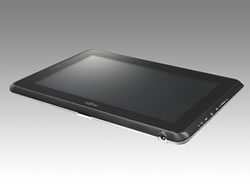
The STYLISTIC Q550 runs on Microsoft Windows® 7 and is compatible with Windows®' multi-touch capabilities. Users can control applications and input text by touching the screen simply with just a touch of their fingers or by the attached stylus.
The STYLISTIC Q550 is equipped with a next-generation Intel® ATOM™ CPU that is highly-compatible with Microsoft Windows® 7 operating system, energy efficient, and features superior performance. By making full use of Fujitsu's proprietary power supply control functionality, the new series provides effortless operations using a large-capacity battery that can power the slate PC's 10.1 inch screen while still lasting approximately 10 hours.
Friday, February 11, 2011
LogMeIn Ignition on my Apple iPad: an Essential App

With LogMeIn Ignition, I can have full access to my remote PC. People are getting very familiar with the concept of a virtual desktop or remote access. Applications like GoToMyPC and LogMeIn have made it very easy for anyone to access a remote PC.
With LogMeIn Ignition on the iPad, you'll see a tiny on-screen mouse (which reminds me of the on-screen mouse that we used to see on passive touch-screen Windows 7 PCs). This little mouse has right and left buttons, but you can also select those buttons by using the menu bar below the main screen.
Pinch-to-zoom also works really well so that you can zoom right into key areas like the scroll bar or different parts of the menu.
Here's a tip: widen the scroll bars on your desktop PC so that you can easily tap those scroll bars when you're using remote access. On Windows 7, you can do this by going to the Control Panel -> Personalization -> Windows Color -> Advanced appearance settings...
The app costs $29.99. For me, it's an essential app. If you need a solution that provides remote access to your Mac or your PC, then take a look at LogMeIn Ignition.
Description
Directly control your Mac or PC, all your programs and all your files – like that important presentation for your boss or that application that only exists on your work computer – with a simple touch.
Monday, February 7, 2011
Anyone want to purchase an OQO model 02?

Quick specs:
- OQO model 02
- 1 GB of RAM
- 60 GB hard drive
- Docking station with DVD-RW
- Batteries (standard and extended)
- AC and DC chargers
- Case
Friday, January 14, 2011
ExoPC Slate
 The ExoPC Slate is a powerful Windows 7 computer with a multi-touch interface that allows you to browse the web, play games, watch TV and movies, listen to music, read the news, read books and magazines, organize your photos, download apps, view RSS feeds, access real-time weather, create and edit spreadsheets, author documents, and much more!
 Here are some specs:
- 11.6 in HD LCD BrightView touchscreen with fingerprint-resistant coating (1366 x 768)
- Intel Atom Pineview-M N450 1.66 GHz, L2 cache 512 KB
- 64 GB SSD
- 2.09 lbs (0.94 kg)
- Battery life: 4 hrs
$699.00
You can learn more about the ExoPC Slate here.
Monday, November 29, 2010
Check to see if your new PC is running 32-bit or 64-bit software
If you got a new PC recently, check to see if it's running 32-bit or 64-bit Windows 7. This is especially important if you plan to use any older software (such as older electronic health record or EHR solutions) or older peripherals such as printers and scanners. I currently run 32-bit Windows 7 on all my machines because I'd rather have maximum compatibility with all older software and peripherals.
Recently, I worked with several physicians to help them reinstall Windows 7 on their newer PCs. The ones they had purchased had 64-bit software, so they had to reinstall the 32-bit OS. These days, most new PCs aren't coming with software disks, so the re-installation of an OS can be tricky.
Those of you who are still running XP may want to seriously think about switching to Windows 7. Support for Windows XP (with Service Pack 3) will be ending in 2014. Do you think you'll still have your current PCs in 2014?
Recently, I worked with several physicians to help them reinstall Windows 7 on their newer PCs. The ones they had purchased had 64-bit software, so they had to reinstall the 32-bit OS. These days, most new PCs aren't coming with software disks, so the re-installation of an OS can be tricky.
Those of you who are still running XP may want to seriously think about switching to Windows 7. Support for Windows XP (with Service Pack 3) will be ending in 2014. Do you think you'll still have your current PCs in 2014?
Subscribe to:
Posts (Atom)