Showing posts with label x200. Show all posts

Thursday, March 11, 2010

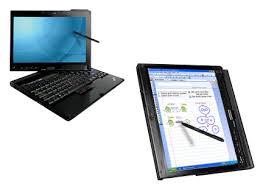
Lenovo ThinkPad X201 vs. X200 Tablet PC

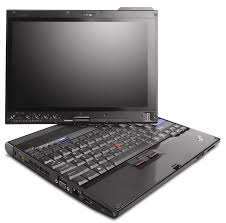
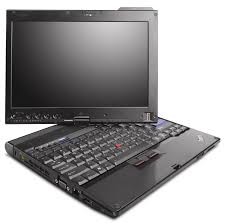
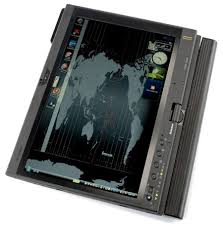
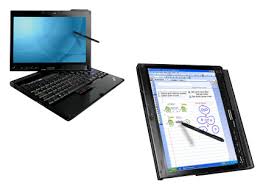
I currently use a Lenovo ThinkPad X200 Tablet PC. It's not old, but it's also not the new ThinkPad X201 Tablet. What are the differences between the X200 and the newer X201 Tablet PCs?

First, the new X201 uses the  Intel® Core™ i7 processor while the older X200 uses the Add up to Intel® Core™2 Duo processor. The i7 is currently the "best" Intel processor on the market.

The new X201 tablet also features a multitouch touchpad (in addition to the TrackPoint pointing device).

I'm waiting for Lenovo to install a keyboard light on their tablet PCs. The include an LED light for their laptops, so why don't they add the LED light feature for their convertible tablets? That's on the top of my wish list right now.

Wednesday, February 24, 2010

Lenovo updates the ThinkPad Tablet X201T

You won't find the ThinkPad X201T Tablet on the Lenovo website yet, but you'll see it soon. The updated ThinkPad X201 Tablet PC will have a trackpad in addition to the pointer stick. It will also feature the Intel low voltage Core i7 CPU. You'll have the option of a capacitive touch screen (for multi-touch gestures). There are times when I wish my ThinkPad tablet had a capacitive touch screen, but then again, there are times when I'm glad I can tap on the screen with something passive. There's simply no way to keep up with the latest technology.

Sunday, February 7, 2010

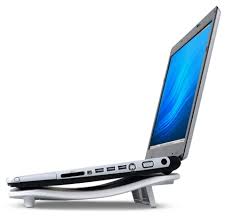
Vantec Lapcool 3 for my ThinkPad X200 Tablet PC

My main laptop/tablet when I'm traveling is the Lenovo ThinkPad X200 tablet PC. This convertible tablet is a great machine for traveling because it's thin and light. It also doesn't generate too much heat, so it's relatively "cool" even if you're not using a cooling pad. However, given that I have a standard hard drive in my ThinkPad, I want to keep the temperatures as low as reasonably possible.

I've been testing various laptop cooling pads and for a thin and light laptop like the X200, the Vantec Lapcool 3 is a really nice cooling pad. I've also tested the Vantec Lapcool 2, the Belkin F5L001, the Targus Lap Chill Mat, and a few others.

Here's why I really like the Vantec Lapcool 3 for my ThinkPad X200 tablet PC:
  1. Compared to the others, this one is very thin and light.
  2. It's powered by a USB cable (most of the others are as well). 
  3. It blows air out the back, so you can have it sit flat on a desk and it still runs very effectively. Others require that you have some free space under the cooling pad.
  4. It's relatively inexpensive ($22 on Amazon).
  5. It's ultra-quiet. Others can be quite loud, even if they are designed with a single fan. 
So, would I recommend the Vantec Lapcool 3 for everyone? No. If you have a larger laptop or one that generates a significant amount of heat, then you should probably use a different cooling pad. 

Tuesday, January 19, 2010

Re-installing Windows 7 on my Thinkpad X200 Tablet

I recently got a new hard drive so I'm now reinstalling Windows 7 on my Lenovo ThinkPad X200 tablet PC. I could have cloned my old hard drive, but I generally prefer the clean installation method. It gives me a chance to do a bit of housekeeping.

Thanks to a fast Internet connection, I was up and running in a very short amount of time. I used my Windows 7 DVD to install the OS, then I used a combination of the Lenovo System Update and the Microsoft Windows Update to install all the necessary drivers and system software.

If you're still running XP or Vista on a tablet PC, then you really should try Windows 7. I've found that this OS offers some great features for the tablet form factor. If you really need XP or Vista, then simply create a second partition and test drive Windows 7 on that second partition. If you're running out of space on your hard drive, then do what I did: upgrade to a larger HD.

Sunday, December 27, 2009

My current ThinkPad X200 Tablet specs

I currently have a Lenovo ThinkPad X200 Tablet PC and I use this as my main PC when I'm at home or when I'm out of the office. I've had this computer for almost a year and it's been a great device. Here are my current specs:
  • SL9400(1.86GHz), 
  • 4GB RAM, 
  • 320GB 7200rpm HD, 
  • 12.1in 1280x800 LCD Touchscreen (includes an active Wacom digitizer plus a passive touch-screen panel)
  • Intel X4500HD, 
  • Intel 802.11agn wireless, 
  • Bluetooth, 
  • Modem (who still uses these?)
  • 1Gb Ethernet, 
  • HSDPA wireless WAN plus GPS (through AT&T)
  • Secure chip, 
  • X200 UltraBase+CDRW/DVDRW, 
  • FPR (the fingerprint reader is a great security feature on this device)
  • Camera, (great for Skype)
  • Intel Turbo Memory, 
  • 8c Li-Ion and 4c Li-Ion batteries
  • Windows 7 
I upgraded the hard drive and switched the operating system to Windows 7. Those are the only upgrades/updates I performed on this device. Lenovo used to call this screen a "multi-touch" screen, but that phrase was too confusing. My tablet has what I'll call "dual modes": 1) an active Wacom-based digitizer; and 2) a passive touch-screen. I don't have true multi-touch capabilities on this computer.

My Windows Experience Index is a 3.4 (on a scale of 1.0 to 7.9 and the lowest score on this machine is due to the Gaming Graphics. The Processor gets a 5.2, the Memory/RAM gets 5.8, and the Hard Drive gets 5.9. As I prepare for 2010, I don't have any plans of replacing this ThinkPad and I hope to use this for a few years until there's something really compelling that prompts me to upgrade. ThinkPads are built to last and I know that this machine will someday become a fancy tablet toy for my kids.

Wednesday, December 2, 2009

Newer ThinkPad X200 Tablet PC with improved battery life


Lenovo refreshed the ThinkPad X200 tablet PC with a multi-touch screen earlier this year. That was in anticipation of Windows 7 since Vista or XP did not have any multi-touch functionality. In that refreshed line of X200 tablets, Lenovo apparently made some additional changes so that the new tablet has improved battery life compared to the original ThinkPad X200 tablet PC. The newer ThinkPad even has a faster processor! I'm surprised that Lenovo didn't rename the newer Thinkpad something like the X200s or X201 tablet PC.

Wednesday, October 28, 2009

Installing Windows 7 on my Thinkpad X200 Tablet PC


I don't think my Lenovo Thinkpad X200 Tablet PC is ready for the RTM version of Windows 7. I'm running ThinkVantage System Update 4.0 and it's not identifying all the proper drivers that I need. Specifically, I'm still lacking drivers for:
  • Fingerprint scanner (drivers for Vista did not work)
  • WWAN module (drivers for Vista seemed to work here)
  • Serial port (probably the SD slot, but not entirely sure yet)
I'll play around to see what else I can find, but I was really hoping that ThinkVantage System Update 4.0 was going to identify all the drivers and utilities I need to run Windows 7 on my Thinkpad.

For now, I've put my old hard drive back in my Thinkpad. I'm typing this while running Windows 7 RC (build 7100). I'm hoping that by the weekend, I'll be using the RTM version.

Tuesday, September 22, 2009

How many computers do you have at home?


I was sitting next to a man on the airplane today. As I was working on my Lenovo Thinkpad X200 tablet PC (convertible notebook) running Windows 7, he said, "I have 5 computers at home." He told me about his 3 laptops, his desktop, and his netbook.

We started talking about Windows 7, netbooks, iPods, and other fun pieces of technology. I didn't tell him how many computers I have an my home, but it made me wonder: how many computers do most people have these days? As prices stay low and people upgrade to newer, faster machines, what do they do with their old ones? Recycle them? Donate them? Store them in the basement? Convert them to servers or digital picture frames?

By the way, I mentioned that Windows 7 will come in a family pack.

Saturday, August 8, 2009

Students and netbooks: the price factor


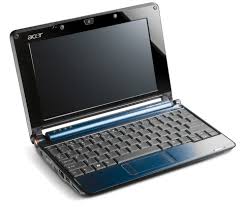
I was shopping today and I was thinking about the fact that many students are getting ready to go back to school. Some have already started! If you're looking for a new laptop/notebook for school, would you be inclined to purchase a netbook for $300-400? Some of these netbooks are really nice and they are starting to blur the line between netbook vs. notebook. If you have an 11" screen and a large keyboard, then are you a netbook or simply an ultra-mobile notebook?

Over the next few years, I anticipate that we're going to see many netbooks on campus and in the airports. Apple will have to come out with a device to compete against netbooks that are priced just for that student budget. Most medical students don't have the luxury to spend a lot of notebooks. Maybe you're school requires that you purchase the Lenovo Thinkpad X200 Tablet PC. That's not a cheap computer. However, if you have the flexibility to choose anything, then maybe it makes sense to get an inexpensive netbook and then to get a nicer machine after you graduate.

Friday, July 24, 2009

Thinkpad brightness on Windows 7 - still problematic

OK, so the other day I thought that I had "fixed" the LCD brightness issue on my Thinkpad X200 Tablet PC running Windows 7. Well, I was wrong. Keeping the Windows Mobility Center open seems to have helped, but it did not "fix" the problem. I wonder if the auto-dimming is causing some level of incompatibility. I'll have to continue my testing. In the meanwhile, I'm so much happier running Windows 7 over Vista that I'm willing to live with some inconsistent backlight issues on my Thinkpad.

Thursday, July 23, 2009

Windows 7 and Thinkpad Display Brightness Control Fixed


I've been running Windows 7 on my Thinkpad X200 Tablet PC for a while now. Things have been great, but the LCD display brightness control doesn't always work when I resume from Sleep (standby) or Hibernate. If I reboot, then I regain brightness control. Since screen brightness affects battery life, this is a very important thing to control on any mobile device.

Well, I've found a fix for this. Open Windows Mobility Center and keep it open all the time. When I resume from Sleep, Windows Mobility Control remains open in the background and I'm able to control my screen brightness. I'm not entirely sure why this works, but it's a temporary fix until Lenovo issues correct drivers and system utilities for Windows 7. I've been told that this screen brightness control issue is a common problem on other Thinkpad models running Windows 7. So, here's my contribution to those of you running Windows 7 on your Lenovo Thinkpads.

Monday, July 6, 2009

Always On USB


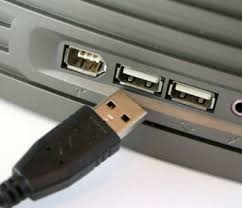
I often travel with my Lenovo Thinkpad X200 Tablet and a few USB cables to power my peripherals (like my smarphone and iPod). So the "Always On USB" feature on my Thinkpad comes in very handy. I get to charge my devices at night by keeping them plugged in to my laptop. I can also charge them when I'm on the plan and when my laptop is in "sleep" mode.

If your laptop capable of "always on USB," it's a great feature when you're traveling.

Thursday, June 25, 2009

Back to Windows 7 on my Thinkpad X200 Tablet


I'm back to mainly using Windows 7 on my Lenovo Thinkpad X200 tablet PC. I simply uninstalled some of the ThinkVantage utilities that were causing some trouble, and now I'm good to go. I'm able to use all the buttons, ports, and I can even use my multi-touch screen (to clarify, this means that I can touch the screen using my finger for passive touch input, or I can use the Penabled Wacom digitizer pen for active input).

I've decided to abandon Windows Vista. I'm no longer running Vista on any of my main machines. Instead, I'm either running Windows XP or Windows 7.

Wednesday, June 17, 2009

Windows 7 RC on Thinkpad X200 Tablet: Screen Brightness


I wonder if I caused myself more problems by installing some of these ThinkVantage utilities on my X200 Tablet running Windows 7 RC. I can't seem to adjust my screen brightness. Maybe I would have been not installing any of these utilities. Even when I go into the power settings to change the screen brightness, nothing happens. Additionally, if I use Fn + Home/End to increase/decrease screen brightness, the on-screen message appears indicating that my screen brightness should be changing, but nothing actually happens. I plan to continue playing around with things. At the end of the day, I may simply restart by doing another clean installation of Windows 7. Maybe I need to wait until Lenovo releases utilities that are compatible for Windows 7.

The Thinkpad X200 Tablet PC is really a great device. Even the folks at TestFreaks give the ThinkPad X200 a score of 9.4 out of 10. That's hard to beat.

Friday, May 15, 2009

Is it a Good Time to Buy?

Is it a good time to buy a computer? Prices are constantly changing and laptops are getting cheaper all the time.

My answer is: YES

Why? Because hardware manufacturers are actually lowering the prices on computers to help stimulate the economy (and so they PCs don't sit in warehouse shelves forever). For this reason, it's actually a really good time to buy a computer for a great price. On top of that, manufacturers are competing against super-low-priced netbooks that are running only $200-300!

Let's take Lenovo as one example. They already have their "value line" of laptops and traditionally the Thinkpad line has been considered the elite business-class notebooks. Even Lenovo is creating a Thinkpad X200 series that has a lower-cost Celeron processor in it.

Hope you find a great deal if you're looking for a PC. If you're looking for an Apple/ Mac, then leverage the fact that they're trying to clear out their old models of MacBooks (including the MacBook Air and the MacBook Pro).

Tuesday, April 21, 2009

Top 10 Search Engine Keywords in the Last 30 Days

Top 10 search engine keywords that are bringing people to this site:
  1. ultra mobile health
  2. dell xt2 vs lenovo x200
  3. ultramobile health
  4. apple tablet + medical
  5. dell xt2 vs x200
  6. medical umpcs
  7. ultra-mobile pcs
  8. umpc for healthcare
  9. umpc joe kim
  10. xt2 vs x200
So will we see an Apple Tablet? Since I use a Lenovo Thinkpad X200 Tablet, I suppose I'm quite biased in my posts. Thank goodness this is only a blog! Bias is allowed.