Showing posts with label electronic health record. Show all posts

Monday, August 8, 2011

Partners HealthCare Clinicians Go Mobile With CACHÉ-based Electronic Health Records

Secure Access to Latest Patient Information Any Time, Anywhere

CAMBRIDGE, Mass.--(BUSINESS WIRE)--InterSystems Corporation today announced that Partners HealthCare Systems is now providing clinicians throughout its integrated delivery network (IDN) with mobile access to its electronic health record (EHR). The InterSystems CACHÉ high-performance object database is the foundation platform for Partners HealthCare’s EHR and for hundreds of clinical applications used by thousands of clinicians throughout the IDN.

Boston-based Partners HealthCare is an IDN that includes major teaching and community hospitals with more than 5,000 practicing physicians attending to four million outpatient visits and 160,000 admissions annually. InterSystems is a global provider of advanced integration, database, and business intelligence technologies for breakthrough applications.

Thursday, June 16, 2011

Mobile Technology Meets Healthcare: Risks and Remedies

Mobile Technology Meets Healthcare: Risks and Remedies
a complimentary one-hour Web seminar:
Date: Tuesday, June 28, 2011
Time: 12 p.m. Eastern / 9 a.m. Pacific
Duration: 1 Hour

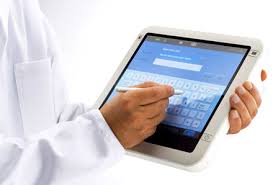
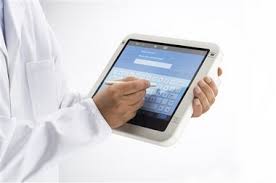
The use of laptops and smart phones is big in healthcare, but the newer tablet devices, including iPads, and competing BlackBerry and Android-based tablets, are taking mobility in healthcare to a whole new and exciting level. Doctors are using them for go-anywhere EHR access and data entry, allowing them instant access to patient information. While the ease of accessing this information wherever can be appreciated, it does present new risks to Protected Health Information (PHI) and challenges the organizations responsible for safeguarding PHI to think harder about addressing important issues of increased mobility, including visual privacy – the protection of sensitive data while it is displayed on screen.

Friday, March 4, 2011

GE Healthcare Expands Mobile Access to Electronic Medical Records #HIMSS11

Company’s Focus on mHealth Demonstrated at HIMSS11 Conference; Offers Free iPad® to New Centricity Advance Customers

ORLANDO – Feb 23, 2011 – General Electric, an industry leader in the adoption of mobile technology, demonstrated the extension of its healthcare IT portfolio to mobile devices and tablet computing at this week’s Health Information Management and Systems Society (HIMSS) Conference in Orlando. The company featured remote access to its portfolio of electronic medical records (EMRs) for physician practices, including Centricity* Advance and Centricity Practice Solution, on the Apple® iPad and iPhone®.

Tuesday, February 22, 2011

Practice Fusion's iPad solution launching at #HIMSS11

I am attending HIMSS and it's exciting to see that Practice Fusion is announcing an iPad solution for their free EHR. Here are some details (the following is from an email sent by Practice Fusion):
You're invited to come by the Practice Fusion booth #4585 at HIMSS 2011 in Orlando to be one of the first to demo their Electronic Health Record (EHR) solution for the iPad. Practice Fusion, the free, web-based EHR is the fastest growing EHR system in the US has teamed with LogMeIn to create an affordable, secure and easy way for medical professionals to stay connected on the go.

Swing by or schedule a time to visit the Practice Fusion booth (#4585) at HIMSS to meet our Chief Medical Officer, Robert Rowley, MD and hear the latest on:

* Practice Fusion's iPad solution and our larger mobile roadmap
* Why healthcare is one of the top three industries adopting the iPad for business
* Our company's triple digit growth since HIMSS 2010
* How our unique free business model works for healthcare

HIMSS11 coverage is sponsored by HP and Practice Fusion. HP’s extensive portfolio of products, solutions, services and relationships can help your healthcare organization achieve quality business practices and provide quality patient care. Practice Fusion's free EHR is the fastest growing Electronic Health Records (EHR) system in the US.

Monday, November 29, 2010

Check to see if your new PC is running 32-bit or 64-bit software

If you got a new PC recently, check to see if it's running 32-bit or 64-bit Windows 7. This is especially important if you plan to use any older software (such as older electronic health record or EHR solutions) or older peripherals such as printers and scanners. I currently run 32-bit Windows 7 on all my machines because I'd rather have maximum compatibility with all older software and peripherals.

Recently, I worked with several physicians to help them reinstall Windows 7 on their newer PCs. The ones they had purchased had 64-bit software, so they had to reinstall the 32-bit OS. These days, most new PCs aren't coming with software disks, so the re-installation of an OS can be tricky.

Those of you who are still running XP may want to seriously think about switching to Windows 7. Support for Windows XP (with Service Pack 3) will be ending in 2014. Do you think you'll still have your current PCs in 2014?

Monday, October 11, 2010

New iPad App Eases Access to Electronic Medical Records

This is a guest post by Angelita Williams.

CNET recently reported on the release of a new iPad app that will make accessing EMRs a quick and efficient process. The software company ClearPractice has been working directly with Apple to develop the app, called Nimble. Nimble is reportedly the first EMR app to run natively on iOS.

Nimble includes all the components of ClearPractice's Electronic Medical Records solution into an iPad application. Because the application connects using WiFi or 3G networks directly to ClearPractice's cloud, no information is stored on the device, allowing Nimble to be fully compliant with HIPAA regulations. ClearPractice's software-as-service (SaaS) EMR program, on which Nimble is based, is the most advanced EMR software of its kind, in that it is completely web-based.

Thursday, September 9, 2010

Specialty Practice and ASC Efficienty Gains with iPad #mHealth

Today is the last day of the 2nd International mHealth Networking Conference. As a physician champion for the HCPLive Network, I'm excited to blog about some of the highlights from this meeting. You can also follow updates about the mHealth Networking Conference on HCPLive.com.

I attended a session titled, "Specialty Practice and ASC Efficienty Gains with iPad and Other Devices." The presenter was Josh Way, CIO of Coastal Orthopedics & Sports Medicine/Pain Management. He spoke about the way his specialty group is leveraging mobile devices in their practice and ambulatory surgery center. They're actively using devices like the iPhone and iPad to improve efficiencies in the workplace.

Wednesday, June 9, 2010

Practice Fusion and Dell to Provide Doctors Affordable Electronic Medical Record (EMR) Package

Earlier this week, Practice Fusion announced:

Practice Fusion and Dell to Provide Doctors Affordable Electronic Medical Record (EMR) Package

So, what types of packages are we talking about here?
  • If you're in a solo practice: a Dell Latitude XT2 tablet PC plus a Vostro 230 desktop.
  • If you're in a 2 provider practice: 2 Vostro 13" laptops and 2 Vostro 230 desktops
  • If you're in a 4 provider practice, 4 Vostro 13" laptops and 3 Vostro 230 desktops
I'd say skip the Vostro laptop and go straight for the Latitude XT2 tablet PC. The XT2 tablet is one of the nicest tablet PCs out there. It's not cheap, but once you get comfortable with pen-based computing, you'll be glad that you have a tablet. Of course, given that Practice Fusion is a free Electronic Health Record (EHR) solution, you'll save thousands of dollars right there!

Click here to view the Practice Fusion EHR + Dell computer packages.

Tuesday, May 25, 2010

Will doctors embrace the slate tablet as EHRs penetrate the marketplace?

We all know that electronic health records or EHRs are actively penetrating the market because of the HITECH Act. Will doctors embrace the slate tablet? Or will they stick with the old keyboard and mouse?

We're seeing more slate devices like the Apple iPad, Amazon Kindle, and even some Android and webOS powered slates gaining popularity this year. How will this trend influence busy practitioners who need to enter information and look up data at the point of care? Whether you're in a hospital or in a private office, you want to access data quickly and you want to minimize the steps and clicks to perform essential tasks within your EHR.

What I'm finding is that more and more medical students are residents are eagerly adopting new technology like the iPad and they are also relying more heavily on their smartphones to look up medical information. In the past, many of us used standalone PDAs that were not constantly connected to the Internet. Now, you can carry the entire web in your coat pocket. By using a slightly larger device that has a big screen, you can quickly access vital information on the Internet and also navigate through your EHR on a mobile device like the iPad.

So, will doctors soon embrace slate tablets? The nice thing about a slate is that you can use them while you're standing. No need to find a desk or table. You can also draw and mark things quickly and efficiently on a slate computer. My hope is that we'll soon see more thin and light slates that also offer pen-based input.

Monday, March 1, 2010

Gadgets and mobile computers at #HIMSS10

I'll be at HIMSS10 this week and I'm really looking forward to seeing some of the new gadgets and mobile computers that will get announced this week. Thanks again to HP for sponsoring me as a blogger and I hope to provide "meaningful" coverage as we discuss the "meaningful use" of electronic health records (EHRs).

Special thanks to HP for sponsoring me to attend and blog here at HIMSS10.

Sunday, January 31, 2010

10 ways doctors could use an Apple iPad in the office or clinic

So the current (first generation) Apple iPad probably won't run a robust electronic health record (EHR). However, it may run some iPhone/iPod touch EHR/EMR apps. I think most physicians will prefer to use a standard tablet PC instead of the iPad. However, given that a large percentage of physicians are not using the tablet in the outpatient office setting, perhaps they could leverage the iPad in the following ways:
  1. Use the iPad to teach patients. Leverage multimedia resources such as patient videos, animations, diagrams, charts, etc. to teach patients about specific diseases and conditions.
  2. Allow patients to use the iPad to learn about health/wellness as they're waiting for the doctor. Could you imagine what it would be like to walk into a doctor's office and to find an iPad on the chair? The screen could say: "pick me up and learn how to improve your health." Then, it could go through an interactive educational module with the patient while he/she waits for the physician to enter the room. Patients could also read the latest medical/health news on the iPad.
  3. Use the iPad to take notes. Who needs a clipboard? Even if you're not using an electronic health record (EHR) or electronic medical record (EMR) in your office, you can still use the iPad to take some notes.
  4. Allow patients to retrieve their personal health record or PHR information from the Internet. You probably don't want to hand them your tablet PC that contains your EHR/EMR data, but maybe you'll be OK handing them an iPad that's connected to the Internet via Wi-Fi. 
  5. Let patients check their e-mail and browse the web while they're waiting. They're probably already doing that with their smartphones. Provide them a device that's bigger and easier to use.
  6. Mount the iPad on the wall and use it for some of the things described above. This way, it won't fall or walk away. Plus, you could use it as a digital photo frame.
  7. Play some soothing music in the exam room. Have anxious patients? Play some relaxing tunes. Treating depressed patients? Play some music that will cheer them up.
  8. Allow patients to use the iPad calendar to schedule their next appointment.
  9. Games. Do you treat children? Let them play some games on the iPad. They will love visits to the doctor's office! They'll be asking their parents, "Can we please go to the doctor's office today? Please?"
  10. As a physical exam tool. You could use the iPad to conduct mini mental exams and other diagnostic evaluations. Need them to remember 3 objects? Provide them with visual aids. Performing a psychometric evaluation? Skip the paper and go straight to the iPad.
There are obviously many other ways you could use an iPad in the office.  Once Apple drops the prices on these devices, we can expect to see many physician offices leveraging the iPad in creative and educational ways to improve patient health and to also enhance the clinical workflow.

Saturday, January 30, 2010

McKesson and HP to Help Speed Electronic Health Record Adoption

McKesson and HP to Help Physician Practices Speed Electronic Health Record Adoption for Better, Safer Patient Care
Practice-ready offering combines software, hardware and localized sales/support

ATLANTA, Jan. 26, 2010 – McKesson and HP today announced they are collaborating to accelerate and simplify electronic health record (EHR) adoption at independent physician practices across the country. The companies will offer physicians McKesson’s EHR/practice management systems bundled with HP office hardware preconfigured for easy installation. A national network of EHR-certified, value-added resellers will provide the bundled McKesson and HP solutions with training, implementation and support services for physicians in their local communities.
The new program from McKesson and HP is designed to offer many advantages to physician practices, including increased productivity, more focus on patient care, and the benefit of McKesson’s experience with more than 100,000 practice management system deployments. As the source for solutions that improve practice performance, McKesson’s offering includes clinical and EHR software as well as business management and revenue management solutions. The company also provides connectivity solutions for health information exchange and medical-surgical equipment and supplies.

Tuesday, January 26, 2010

More info about the HP Slate tablet

Thanks to Engadget for pointing us to this video. HP has provided us with some more information about the HP Slate and I'm eager to hold this device in my hand. I had the opportunity to review an HP Tablet PC (HP EliteBook 2730p) last year and I really hope that I'll have the chance to review the Slate when it becomes available. Otherwise, I may have to go out there and buy one.  Will the HP Slate be a better tablet for the health care industry since it will run Windows? This Slate could run any Windows-based Electronic Health Record (EHR) system. Plus, since it's so small and light, doctors would carry it everywhere.  Let's hope the price doesn't make this prohibitive. Let's also hope we see some Gorilla Glass on this!

Monday, January 25, 2010

How the iPad (Apple Tablet) could revolutionize health care

Some iPhone fanatics would argue that the Apple iPhone has revolutionized the health care system. I think there's some truth to that if you look at how physicians have used the iPhone in the outpatient (clinic, office) setting as well as in the inpatient (hospital, surgical) setting. There are so many health care professionals who have gotten familiar with the iPhone interface and many medical students are going through their clinical rotations using the iPhone.

So, how could the upcoming Apple tablet (iPad, iSlate, iTablet, etc.) revolutionize health care? I think it could do so in two major ways:

First: Consumers will become more empowered to manage their health. They will have the ability to use something like the iPad (or even their iPhone) to enter information into an electronic personal health record (PHR). They may use the iSlate as they're waiting in the doctor's office (forget clip boards) and once they fill out the vital patient forms, they may sit and view a few educational videos about health and wellness. Overall, the iPad could be a powerful consumer tool that can improve health, wellness, and disease management.

Second: Physicians and other health care professionals who are already familiar with the iPhone will have the ability to leverage a tablet in both the inpatient and outpatient settings. The iPad will become ubiquitous in the health care industry. You'll see them in hospitals, physician offices, etc. Doctors who are "on call" will use their iPad do access electronic health records (EHRs) and to place orders using computerized physician order entry (CPOE) systems. Some of this can be done with an iPhone, but the small screen size really limits your ability to work on such a device. The iSlate will overcome the screen size limitation and allow health care professionals to be much more productive when they're mobile.

So, do you believe that the iPad will revolutionize health care? I suppose it will ultimately depend on what this thing looks like.

Saturday, December 19, 2009

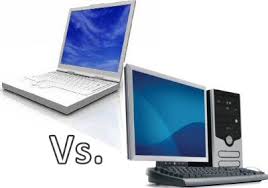
Should you get a desktop or a laptop?


In the past, it made a lot of sense to get a desktop computer. You get much more processing power, storage space, RAM, etc. for much less money. Now, as laptops become more affordable and power-efficient, it's becoming a difficult decision for consumers who do not need the "latest and greatest" in computing horsepower.

For instance, if you work in a medical office and you need a simple computer to run your EHR (electronic health record), then you don't need premium graphics or a super-fast processor. Any modern computer will probably suffice since many EHR solutions are built to run on relatively modest computers. This means that a modern laptop that may cost $400-600 will be more than sufficient. I'm not talking about tiny netbooks. If you're shopping for your office and you're spending more than $800 for a standard business laptop, then you might be paying too much. Of course, if you choose to get a tablet PC, then you can expect to spend much more for these. 

Many office personnel don't use a tablet, so they're generally fine with either a desktop or a laptop. Who needs a desktop these days? Why not get a portable device that has its own built-in uninterruptible power supply ( UPS )? Why not get a laptop so that you have the flexibility to carry the computer to a different location? Why not get a laptop so that you can save on electricity costs? Why not get a laptop so that you can easily take work home? (then again, maybe you should not get a laptop).

So at the end of the day, if you're shopping for a computer for work purposes, it probably makes much more sense to get a laptop. Make sure to lock it down so that it doesn't easily wander off.

Sunday, November 22, 2009

Google Chrome OS: the Best and Worst Features


PC World has a nice post about the 5 best and 5 worst features of the upcoming Google Chrome OS. On that list, my favorite "best" is that we should see extremely fast boot times on devices running Chrome OS. 3 seconds! That's almost faster than resuming from standby.

The biggest "worst" feature in my opinion is that we don't know how well Chrome OS will work if you're offline. In the future, it may be difficult to imagine working offline since we'll always be connected. However, that future is still far away. We're still living in days where many people don't have constant access to the Internet when they're working.

So, how would I rate my level of enthusiasm for Google's Chrome OS? For health care professionals looking for a lean OS for their netbooks and ultra-mobile PCs, this OS should be a good alternative to Windows XP if you're primarily performing web-based tasks. Since many Electronic Health Record (EHR) systems offer an ASP (application service provider) option, you need to have Internet access if you want to use your EHR out of the office. If you don't use an ASP model, you'll need a VPN when you're out of the office. In either case, netbooks and other small PCs will gain popularity as clinicians recognize the need to have access to a computer when they're out of the office or hospital. They'll want something small, light, and efficient. Will Google's Chrome OS fill that gap?

To read the full story on PC World, click here.

Wednesday, November 18, 2009

Free EMR options (Electronic Medical Record)


There are a growing number of Electronic Medical Record or EMR options for the medical office. How about the free options out there? Open source? Freeware?

Well, I've written about this topic quite extensively on my other site (http://www.medicineandtechnology.com), so if you're interested, I encourage you to browse the blog posts tagged with "free EMR." You'll find those here.

What is the best free EMR solution?

Monday, October 5, 2009

Windows 7 coming out this month

This month, I should be getting my pre-ordered copy of Windows 7. I've been running the Release Candidate (RC) version of Windows 7 on many of my computers and I'm looking forward to having a permanent operating system so that I don't have to reinstall all my applications, copy my files, etc.

I don't have any computers running Vista anymore. Moving forward, I'll simply run either Windows 7 or XP on all my computers. I wonder how long XP will survive. It's certainly had the longest lifespan in the history of Microsoft's operating systems. I wouldn't be surprised if many computers are still running XP in 5 years.

Over the short term, most hospitals and physician offices using electronic health record (EHR) solutions on PCs running XP will probably stick with XP. If you're starting from scratch and you're about to implement your first EHR, then I would suggest that you run Windows 7.

Thursday, August 6, 2009

Tablet PC use will increase among physicians in 2010


With all the recent talk about health IT in Obama's stimulus plan, do you think that more doctors will be using tablet PCs with their electronic health record (EHR) solutions? Yes!

CrunchGear has a story that evaluates the Tablet PC industry. Is 2010 the year of the tablet? Nah.

Well, that may be true if you're thinking about the consumer market. However, the healthcare segment will definitely see an increase in tablet PC usage. Already, medical students in certain medical schools are required to have a Lenovo Thinkpad X200 Tablet PC during medical school. Physicians will be required to have a level of computing proficiency as they use EHRs and e-prescribing on a routine basis. Let's not forget about CPOE (Computerized Physician Order Entry).

So, will we see an increase in tablet PC use among physicians in 2010? You bet! As long as EHR vendors continue to deploy systems that leverage pen-based data entry and they package their solutions with leading tablet PC manufacturers, then we'll definitely see some significant traction among healthcare professionals.

Friday, July 31, 2009

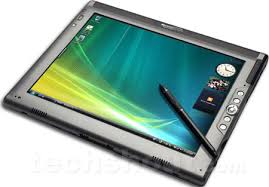
Slate vs. Convertible Tablet PC in the medical world


If you work in the hospital or a medical office, do you prefer to use a slate tablet PC or a convertible tablet PC? Maybe you don't even use a tablet.

I find that as people realize the efficiency of pen-based computing, they end up using the pen more than the keyboard. As a result, it may be better to train physicians to use tablets so they can quickly navigate and enter information using the pen. One nice thing about a dedicated slate tablet is that it is generally thinner and lighter. Convertible tablets have traditionally been at least 0.5 pounds heavier than a slate. However, there are fewer slate tablets to choose from. The leading manufacturers for full-size slate tablets still seem to be Fujitsu and Motion Computing. TabletKiosk is also out there selling slate tablets. HP used to make some slate tablets, but I haven't seen anything new from them. Lenovo never made any dedicated slates. The X-series tablets have all been convertibles.

Are we going to see more slate tablets emerging in the near future? Or is the tablet PC industry truly dying? My hope is that the increasing uptake of electronic health records (EHRs) will revive the tablet PC industry. However, EHR vendors really need to properly leverage the power of pen-based computing and push that message across to those who decide to adopt an EHR.