Showing posts with label asus. Show all posts

Saturday, April 6, 2013

Google Nexus 7 not starting, screen black, flickering - loose battery connection

I have a Google Nexus 7 and the tablet did not start today. When I had it plugged in, the screen would be on, but it would be black. Then, I would see it flicker while it was still black. When I unplugged it, the screen would go off. In fact, the Nexus 7 did not turn on at all when it was unplugged. I tried holding the power button, but I was always stuck with either a black screen or a black screen that was flickering.

So, I decided to pull the back off the Nexus 7. Then, I saw the problem: it was a loose battery connector. In fact, the battery has some wiggle room and it must have pulled the connector loose. I inserted the battery connector, and the Nexus 7 started up without any problems.

If you have a Nexus 7 that isn't starting up or is stuck on a black screen, maybe the battery connector is loose. The back comes off fairly easily. Take a quick look before you send it in for warranty support from Asus.

Sunday, February 17, 2013

ASUS Transformer Book

Do you call it a convertible tablet or a convertible ultrabook? ASUS is calling the Transformer Book a detachable notebook.

The ASUS Transformer Book is a Windows 8 convertible tablet/notebook that's powered with an Intel Core i7 processor. This means that it's much faster than any of the Atom-based processors, but it also consumes more battery power as well. So, that's the trade-off that you must consider. The Transformer Book also has a larger 13.3" screen which means that the overall device is going to be larger and heavier compared to many other Windows 8 tablets. Battery power on this device is 38Whr (Pad), 23Whr (Keyboard Dock).

The ASUS Transformer Book is also one of the few detachable tablet/laptop combinations that includes a backlit keyboard. I'm sure more future models from all the other major manufacturers will include backlit keyboards as fairly standard features. Right now, the 2011-2014 time period seems to be when we're making the major transition to follow after the Apple MacBook Air and include backlit keyboards on even ultralight and ultraslim PCs.

One of the major reasons why my HP Folio 13 ultrabook is still my main laptop is because it has a backlit keyboard. Once you've experienced it, you can't live without it. If I could remove the screen on my Folio 13 and carry that around like a tablet, that sure would be nice.

Here's a short video that describes the ASUS Transformer Book:

Thursday, January 10, 2013

Exciting new tablets and ultrabooks at CES

This week, my friends are in Las Vegas attending the Consumer Electronics Show (CES). This year, I'm following the show from a distance.

Major computer manufacturers are announcing new tablets and ultrabooks. Here are a few of the ones that caught my attention:

Panasonic Toughpad (similar to their Toughbook line of rugged products)

  • The Toughpad FZ-A1 is the only Android tablet with hardware encryption.
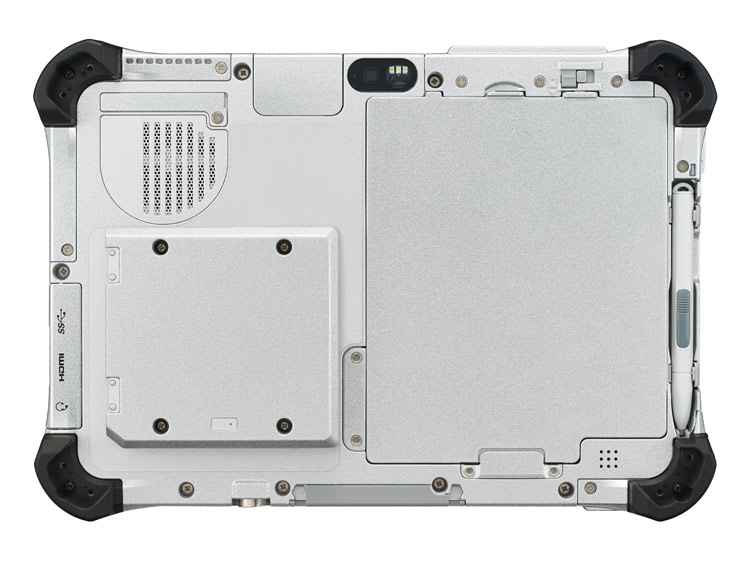
  • The Toughpad FZ-G1 is the thinnest and lightest fully-rugged 10.1" Windows 8 tablet. 

Asus
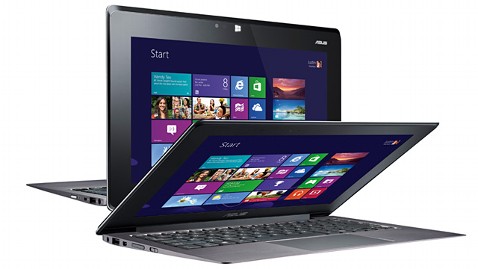
  • The Asus Taichi is a Windows 8 tablet / laptop hybrid that has an LCD screen on the front and back of the display lid. In other words, you can always access one of the screens whether the device is open or closed.  

HP
  • Last month, HP announced the EliteBook Revolve, an enterprise-grade convertible laptop/tablet that runs Windows 8. Although the form factor isn't anything new, the enterprise-grade security that's built into the EliteBook series is an important feature for those working in health care.

Lenovo
  • The Lenovo IdeaPad Yoga that originally came as a 13" model now comes as an 11" model running Windows RT.  Unlike other laptops, you can fold the display all the way back so that you convert the laptop into a tablet. Of course, the keyboard and touch pad becomes inactive when you're using the device in tablet mode. The Yoga 11 comes with Windows RT and the Yoga 13 comes with Windows 8.

Dell
  • Dell will be offering an "Essentials" version of the Latitude 10 slate tablet for only $499. This device will still run Windows 8, but it won't have the standard removable battery option that's found on the standard Latitude 10. The Essentials version also won't support an active digitizer pen. 

Samsung was also demonstrating a flexible, unbreakable screen that may get used on smartphones and tablets. Wouldn't it be nice to have a truly unbreakable screen? Corning was featuring its Gorilla Glass 3 - a thinner, tougher glass. 

Friday, August 3, 2012

ASUS Tablet 810 (Windows 8)

The ASUS Tablet 810 is a new Windows 8 tablet PC that will be coming out soon. Like ASUS Transformer tablets, the Tablet 810 will attach to a keyboard "dock" that has a built-in battery. The tablet will also be available with a Wacom pen for accurate "inking."

Here are some other details:
  • 11.6" panel with Super IPS+ technology for superior visuals
  • Unique battery-boosting mobile dock that features a keyboard, touchpad and USB port for increased productivity
  • Responsive Wacom digitizer stylus offers a more natural writing experience
  • 8MP rear camera for crystal clear photos and videos
  • Superior audio experience with ASUS SonicMaster technology
  • Built-in NFC sensor to easily communicate with other NFC-enabled devices
I'm willing to bet that we're going to see many other new tablets coming out this fall. They're all going to be thin and light, but I how many will attach to a keyboard+battery?

Tuesday, July 24, 2012

Touchpad Blocker is an essential app for ASUS Zenbook owners

I have an ASUS Zenbook and I really like this super-slim ultrabook. It's not my main computer because the super-sensitive touchpad causes me a ton of grief when I'm doing a lot of typing.

Here comes Touchpad Blocker to the rescue! They describe it as: "Software to prevent cursor from jumping when you are typing on notebook keyboard." I think they were thinking of ASUS Zenbook owners when they developed it.

After installing the free Touchpad Blocker app, I am having far fewer problems with the sensitive touchpad. You can adjust the sensitivity level of the ELAN touchpad, but it's still too sensitive for me. I've already disabled the multi-finger pinch-to-zoom option. I don't want to disable the other features of the touchpad.

I'm still testing Touchpad Blocker, but I think this app is here to stay on this particular laptop. On my other laptops, I don't run into sensitive touchpad issues.

Friday, April 13, 2012

ASUS Zenbook UX31 ultrabook review

Over the past few weeks, I've been using the ASUS Zenbook UX31 ultrabook. This has to be one of the thinnest laptops I've ever used.

From a distance,  ASUS Zenbook UX31 looks like a MacBook Air, but this is a Windows PC running Windows 7 and it lacks a backlit keyboard. The MacBook Air actually went through an interesting transition for a period where Apple eliminated the backlit keyboard in the second generation, then brought it back in the third generation of the MacBook Air.

I personally think that a backlit keyboard is an essential feature for health care professionals and business executives. You're likely to find yourself working in a place where the lighting is low (radiology suite, an airplane at night, etc.), and it really enhances your productivity when you can see the keyboard.

The ASUS Zenbook UX31 also uses a proprietary power supply that is unlike most standard power supplies. This means that it will be more difficult to find an external battery pack or a universal power adapter to power your ASUS Zenbook. The battery life on the Zenbook is rated as 5 hrs and 58 min by Laptop Magazine and 6 hrs and 9 min by PC Mag.  When PC Mag reviewed the ASUS Zenbook UX31 last November, they have it the "Editor's Choice" recognition. Then, in Jan of 2012, they gave the "Editor's Choice" to the HP Folio 13 ultrabook.

Overall, the ASUS Zenbook UX31 is an excellent choice for someone who cares deeply about the aesthetics of a laptop. It's super slim and light. Most people will think it's a MacBook Air (which is a compliment to Apple).

Be aware that this notebook does not have a VGA port. So, if you frequently give presentations, you'll need to carry an adapter. Plus, the HDMI port is actually a mini-HDMI port on the Zenbook, so you'll need a different type of adapter if you plan to attach to a standard HDMI cable.

If the ASUS Zenbook had a backlit keyboard and longer battery life, that would really make it a top-notch ultrabook. I hope to see those features in their next model.

Monday, February 6, 2012

Eee Pad Transformer Prime TF201

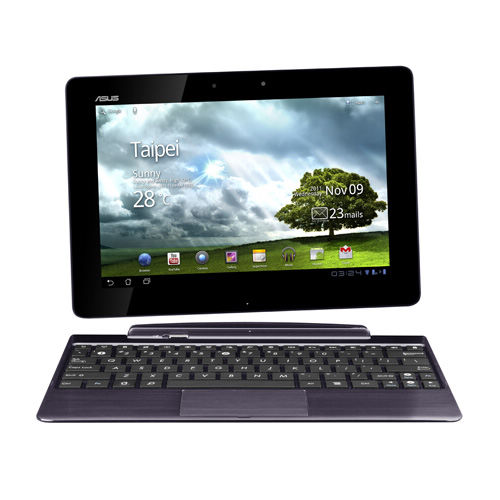
If you're looking for a really slim and powerful Android slate tablet, the Eee Pad Transformer Prime TF201 looks to be a nice option. I believe this is the first Android tablet running a quad-core processor.

The Eee Pad Transformer Prime TF201 also comes with an optional TF201 Mobile Dock that is a keyboard + extra battery that gives you a total of 18 hours of battery life.

Monday, June 6, 2011

ASUS Eee Pad Transformer TF101

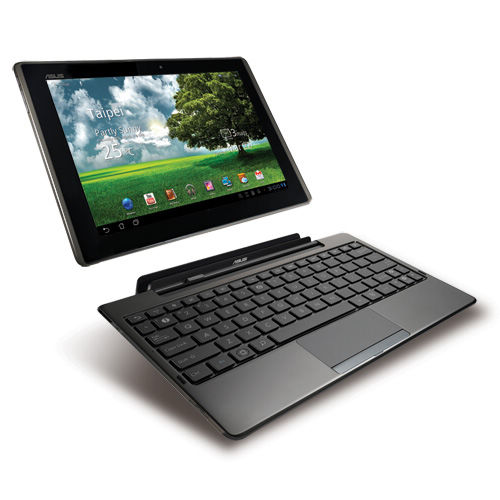
Eee Pad Transformer TF101
  • NVIDIA® Tegra™ 2 1.0GHz dual-core CPU for excellent multitasking & 1080p video playback
  • Android 3.0 Honeycomb O.S. with Adobe® Flash® 10.2 support*2
  • Full QWERTY keyboard, touchpad input with Polaris® Office® for mobile productivity
  • 16*1 hours long battery life for all day computing with docking station
  • Brilliant IPS panel with ultra-wide 178⁰ viewing angle made from scratch resistant and super tough glass
  • One year of Unlimited ASUS WebStorage, two USB ports, SD and Micro SD card readers for easy sharing & storage expendability
  • 3D stereo with max bass response with SRS premium sound

Thursday, June 2, 2011

ASUS announces the Padfone: Smartphone plus Tablet combination

Is it a smartphone? Is it a tablet? It's a Padfone. ASUS is coming out with the Padfone. This combination device is a smartphone that docks inside of a tablet. Sound familiar to the Motorola ATRIX? Well, the Padfone isn't a netbook or a laptop. It's a touch-screen tablet. Essentially, you're enlarging the screen size on your Android smartphone by going with the Padfone. You can learn more about the Padfone here.

Tuesday, June 1, 2010

ASUS Eee Pad coming soon

If you're attending Computex Taipei, you'll know that ASUS announced the Eee Pad EP121, a slate tablet PC running Windows 7. Unlike the Apple iPad, this slate device is a full PC and it reminds me of the HP Slate. However, the ASUS Eee Pad also docks into a keyboard and it becomes a fully functional notebook. That reminds me of the Lenovo IdeaPad U1 hybrid notebook.

Is the hybrid form factor the way of the future? Will all slates include a detachable keyboard docking station that doubles as a notebook base? Will future slates be designed to function more like a full PC vs. a mobile multimedia/reader device?

Wednesday, April 7, 2010

viliv S10 Blade

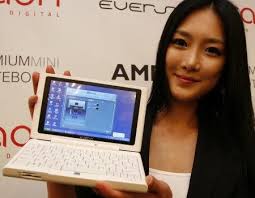
The viliv S10 Blade is a convertible touch-screen tablet running Windows 7. Equipped with an Intel Atom processor, this Korean convertible tablet PC could be a nice option for those who want a small, thin tablet PC/netbook that has a physical keyboard.

Of course, you could also get the ASUS Eee PC T101MT. This little convertible tablet PC/netbook is another nice option.

Saturday, November 14, 2009

Video of the new Asus Eee T91MT (multi-touch tablet netbook)

Here's a little video of the new Asus Eee T91MT (multi-touch tablet netbook):

Monday, November 9, 2009

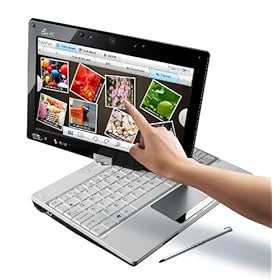
Asus Eee PC T91MT now on Amazon


The Asus Eee PC T91MT (T91MT-PU17-WT) is now on Amazon. This isn't just your average "Eee netbook." The T91MT is a convertible netbook / tablet PC. The "MT" stands for multi-touch. It reminds me of the Fujitsu LifeBook P1600 series (1610, 1620, 1630), but the price is substantially different. Now, you can have multi-touch and Windows 7 on a netbook for under $550.

If I were to buy a netbook today, this would be at the top of my list because I'm a tablet PC user and I've always been a fan of pen computing. I believe that future health care professionals will rely heavily on touch and pen computing. I hope that more netbook manufacturers will follow Asus and release multi-touch convertible tablet netbooks in the near future.

Sunday, May 3, 2009

Do I Miss My Netbook?


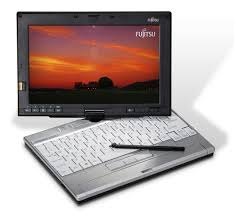
Well, if you're a purist, then you probably wouldn't call it a netbook. I used to have a Fujitsu Lifebook p1610 that had a 9" screen and a tiny keyboard. In today's terminology, it may be considered a convertible tablet netbook. It's ultraportable and tiny, so most people would probably call it a netbook now that Asus has a convertible tablet netbook with their Eee PC T91.

So, let me get back to my original question. Do I miss my p1610? No

Why not? Well, to be honest, the keyboard and screen were too small for me to be meaningfully productive. I'm much happier with my Lenovo Thinkpad X200 Tablet. With a larger screen and a full-size keyboard, I can be so much more productive. It's a bit bulkier than my p1610, but I'll trade that anyday for the functionality that I gain.

Sunday, April 19, 2009

Netbooks at Best Buy


I was walking through Best Buy today and I noticed that they now have many more netbooks on display. They had the Asus Eee, the HP Mini, the Dell Mini 9, and a few others. However, they had very few tablet PCs. In fact, the only convertible tablet PC was an HP tablet TX2Z that features a capacitive multi-touch display (which means that you can use two fingers on the screen and perform gestures). The phrase "multi-touch" has gotten confusing in the tablet PC industry. My Lenovo Thinkpad X200 tablet is considered to have a multi-touch screen because I can use my active digitizer pen or my finger as an input device. However, I can't use two fingers on the screen because it is a passive screen (not a capacitive touch screen like the iPhone or BlackBerry Storm).