Showing posts with label q1 ultra. Show all posts

Thursday, February 18, 2010

Which computer(s) should I take to #HIMSS10?

I'll be walking all over the place while I'm at HIMSS10 so I don't want to carry a really heavy bag. I'm debating between my Samsung Q1 Ultra UMPC + keyboard, or my Lenovo ThinkPad X200 tablet PC. I often travel with both, but I doubt I'll take both for HIMSS. I'll also have my smartphone and my iPod touch.

I can effectively blog while I'm at HIMSS on almost any machine that has a decent keyboard. The problem with the Q1 Ultra is that it's so slow that I won't be very productive when I'm trying to get some work done at night. I love my ThinkPad, but it's significantly heavier than my Q1 Ultra UMPC (Ultra-Mobile PC). Does anyone still use the phrase UMPC anymore? 

Stay tuned to find out which computers and gadgets I ultimately end up taking to HIMSS10!

Sunday, January 10, 2010

Tablets and netbooks are secondary devices

For many individuals, gadgets like tablet PCs and netbooks are secondary devices. We may rely on a "heavy duty" desktop at home or in the office. We may even have a robust laptop/notebook that we use as our main machine. Then, we may carry a netbook, an ultra-mobile PC, or a small tablet as a secondary device.

For me, my Samsung Q1 Ultra UMPC is my office "note pad." I try to avoid using paper whenever I can. So, I'm using Microsoft OneNote to take my notes during meetings. I'm constantly connected and I'm able to quickly look things up on a web browser. For these types of secondary devices, we really don't need to run a full operating system. Instead, a slimmed-down version or even a simple Linux OS is often quite sufficient. I think Lenovo has the right idea with their Skylight 10" mobile computer. Some are calling this a netbook, but this is somewhere between a netbook and a smartphone. It will be interesting to see how these secondary devices evolve as users recognize that they need for a robust solution at home and in the office and they don't need such a robust solution for a secondary device.

Wednesday, December 23, 2009

Sony Vaio P or Fujitsu LifeBook UH900?

The Sony Vaio P is a tiny little computer. The Fujitsu LifeBook UH900 is also a tiny little computer. So which one is better?

If you're a fan of tablet computers and touch screens, then the UH900 is the obvious winner. However, neither device is "perfect" in my opinion. If you're a busy health care professional and you're looking for a tiny little computer that you can put in your purse or glove compartment, then either of these will suffice.


Unfortunately, these novel computers are not priced like netbooks. However, let's hope that prices will come down as more competition arises. I'm not sure that I'd buy a clamshell computer if I want something really small. I currently have both an OQO model 02 and a Samsung Q1 Ultra, so I've experienced the mini tablet, the slider QWERTY, and everything in the middle.

Sunday, November 29, 2009

Babies, sleep, and handheld computers


What's the link? Well, I have a new baby at home. The last time I had a new baby at home, I was severely sleep-deprived. However, I still wanted to do a bit of computing (sorry, I can't help myself) and I was able to do this with different handheld computers.

Now that smartphones are becoming more powerful, I may be able to use my HTC Touch Pro2 running Opera Mobile 10 (beta) to do most of my computing. However, I also have the option of using my OQO model 02 or my Samsung Q1 Ultra. Both of these are handheld devices and I use a wrist strap so that if I accidentally drop it, it doesn't hit the floor.

Continue to follow this blog and you may see me holding a baby and doing some handheld computing...

Tuesday, November 17, 2009

Google Chrome OS launching soon


The Google Chrome Operating System (OS) is launching quite soon. I'm excited to see this new, lean operating system that should work quite well on ultra-mobile PCs (UMPCs) and netbooks. I plan to try Chrome OS on my Samsung Q1 Ultra (mini tablet) to see how it compares with Ubuntu, XP, and Windows 7.

If Chrome OS improves speed, efficiency, and battery life on my UMPC, then it will be a winning OS for me. After all, the Q1 Ultra has a slow processor and this device isn't meant to be used for any type of heavy computing.

Friday, November 6, 2009

Archos 9 PCtablet


The Archos 9 is the tablet PC I would buy as a peripheral computer. Actually, it's a PCtablet, not a tablet PC. Archos calls it a netbook, so now I'm really confused.

I would not get this as my main workhorse computer, but as my super note pad and multimedia player. This thing is really thin and light! I like the fact that the screen is 8.9" and it has some nice functional buttons on the sides. If I had to buy a tiny peripheral tablet today, this would be the one on the top of my list.

The Archos 9 doesn't have a cooling fan, so I wonder how warm it gets. How much heat is generated by the 1.8" spinning hard drive and the Intel ATOM Z510 1.1 GHz processor? I currently use a Samsung Q1 Ultra as my super note pad and I'm running Windows 7. I wouldn't mind trading my Q1 Ultra for the Archos 9 so that I can have a larger screen and a thinner device.

If the Archos 9 ends up being a success, then I'm sure the next version will have:
  • More RAM (1 GB just isn't enough these days)
  • A capacitive screen with multi-touch
  • Internal GPS
  • A cooling fan? (maybe it's really not necessary)
  • SSD instead of a spinning 1.8" hard drive
  • Built-in WWAN
  • Longer battery life (although a 5 hr rating is quite impressive for such a thin device)
Let's see what the reviews look like. I wish I could walk into a local Best Buy and play with this device. $499 seems like a reasonable price for this type of tablet. I'm tempted, but I think I'll wait for the next generation and I hope they will include some of the features on my "wish list" above.

Tuesday, October 27, 2009

Installing Windows 7 on my Samsung UMPC


I spent some time last night installing Windows 7 on my Samsung Q1 Ultra which is an ultra-mobile PC (UMPC). This tiny little tablet computer came with Windows Vista or XP Tablet. I've mainly been running XP but I've also been using Windows 7 RC (release candidate - build 7100) on this machine. Now, I'm in the process of reloading all my applications so that I can test the RTM (release to manufacturing) version of Windows 7.

I'm eager to see how Windows 7 performs on this device. Win7 RC worked fairly well. It was certainly much better compared to Vista. I'm hoping that Windows 7 with all its tablet-friendly features will motivate more physicians to start leveraging the tablet computer for its touch screen. I still see so many health care professionals using convertible tablets as laptops. Pick up the pen and use the screen, not the keyboard!

Monday, August 3, 2009

Why I use a universal power supply


Over the weekend, I took a mini family vacation. I took my convertible tablet/laptop, but I also took my ultra-mobile PC (UMPC) to entertain kids in the car. Since I use a universal power supply, I only needed one power charger with two different power tips. One tip for the Lenovo Thinkpad X200 tablet and one tip for the Samsung Q1 Ultra UMPC. Why carry two power adapters if you can get away with one?

Also, my power adapter allows me to use the charger in the car. It comes with a cigarette charging adapter so I can keep the UMPC powered during long car rides. The airplane adapter used to be very handy during long flights, but now that many airlines have turned the power off, those are practically useless.

So who makes these types of universal power adapters?
  • Kensington
  • Targus
  • iGo
You may also notice that some of these power adapters overlap manufacturers. By that, I mean that both iGo and Kensington may use the same charger and tips (branded as each respective company). Or, Kensington and Targus may use the same charger and tips for a particular charger.

Monday, July 20, 2009

Should mobile PCs have a thumb keyboard?


As more healthcare professionals use smartphones (BlackBerry, Treo, etc.) that have a thumb keyboard, they're getting fairly proficient at thumb typing. You don't need to have a T-Mobile Sidekick to know how to use a thumb keyboard.

Does it make sense to include thumb keyboards on more mobile devices such as ultra-mobile PCs (UMPC)? The OQO model 02 had a thumb keyboard. The Sony Vaio UX series also had a thumb keyboard. Samsung added a thumb keyboard to the Q1 Ultra UMPC series when the original Q1 did not have a thumb keyboard.

Does it make sense to have a thumb keyboard on smaller slate tablet PCs? If we follow the Samsung model, we see this:
  • Original Q1 (slate only, no thumb keyboard)
  • Q1 Ultra (slate plus thumb keyboard)
  • Q1 EX (slate only, no thumb keyboard)
Does this reveal that the thumb keyboard on an ultra-mobile slate tablet PC was a flop? What about sliders? The OQO and Sony UX both included a thumb keyboard. Even the Nokia N810 MID has a thumb keyboard. However, the Viliv S5 does not. Does that make sense?

Wednesday, July 1, 2009

What's the best feature of Windows 7?


To me, the best feature of Windows 7 is the rapid boot time. On my Lenovo Thinkpad X200 Tablet PC (which originally came with Windows Vista), I get to the log-in screen in 50 seconds from a cold boot! Then it only takes another 10 seconds for the desktop to appear. These are amazing boot-up times! Win7 has many other nice features, but I think this is an amazing improvement. Like Vista, the resuming from sleep is instantaneous. Resuming from hibernate takes only 25 seconds!

Here are the specs on my Thinkpad X200 Tablet PC:
  • Intel Core 2 Duo CPU L9400 running @1.86GHz
  • Processor score of 5.2 on the Windows Experience Index
  • 4 GB of RAM
  • 32-bit Windows 7 Ultimate
  • Hard drive spinning at 5400 RPM (imagine what would happen if you had an SSD!)
So, I repeated this experiment on an older machine. I took an HP dv1550 laptop that is a few years old. This machine originally came with Windows XP. Here are the specs:
  • Intel Pentium M processor running @1.60GHz
  • Processor score of 3.0 on the Windows Experience Index
  • 2 GB of RAM
  • 32-bit Windows 7 Ultimate
  • Hard drive spinning at 4200 RPM
The cold boot time was 1 min 10 sec (before I saw the desktop). I am very impressed at how well Win7 runs on older machines.

I finally ran this experiment on my Samsung Q1 Ultra UMPC (ultra-mobile PC). This guy has a really slow processor (800 MHz). Here are the specs:
  • Intel processor running @800MHz (roughly 1/2 the speed of the old HP above)
  • Processor score of 1.5 on the Windows Experience Index
  • 2 GB of RAM (yes, I upgraded the RAM to 2 GB)
  • 32-bit Windows 7 Ultimate
  • Hard drive spinning at 4200 RPM
Cold boot to desktop was 55 seconds! I've also installed it on a few older desktops and the cold startup times all seem to be very similar - roughly around 60 seconds. Way to go Microsoft!

Friday, June 5, 2009

Viliv X70EX UMPC


James Kendrick at jkOnTheRun has been reviewing the Viliv X70EX UMPC (ultra-mobile PC) and it looks like a really interesting device. It's a small tablet PC that could also be considered a mobile internet device or MID. Since it runs both XP and Linux, I guess it could be considered both a UMPC or MID. It looks thin and reminds me of my Samsung Q1 Ultra UMPC. I have the thinner version, not the "Premium" version of the Samsung Q1 Ultra. I mainly use it as a note pad during corporate meetings, but I also use it as a mobile internet device and multimedia player. If the Viliv X70 is priced well, it may put some heat against netbooks. My gut tells me that it will be overpriced (like the Samsung Q1 series) and it will have a hard time surviving in the U.S. market. Image source: jkOnTheRun

Friday, May 1, 2009

Windows 7 on Thinkpad X200 Tablet


Anyone running Microsoft Windows 7 on the Lenovo Thinkpad X200 Tablet PC? I've had such a positive experience running Windows 7 on my slow Samsung Q1 Ultra, that I'm very tempted to install Windows 7 on my Thinkpad. However, my machine isn't your "typical" Thinkpad tablet. It has Intel Turbo Memory and also has a multi-touch screen (active digitizer plus passive touch). Intel Turbo Memory was a new feature in Vista, but I wonder if it will be incorporated into Windows 7 (I'm sure the information is out there, but I'm too busy typing this up).

I think that over the weekend I may install a blank hard drive and see what happens if I install Windows 7. Somehow, I doubt that everything will work if I do that, but I'm tempted to try.

** revised on 6/30/09 - I've been running Windows 7 on my X200 Tablet as my main operating system and I'm loving it. Things are so much faster and more efficient. The inking experience is superb and the handwriting recognition is great. I'm so pleased by the quick boot time and the overall stability of this OS. See my other posts on this topic by searching for "Windows 7 Thinkpad"

Sunday, April 26, 2009

Windows 7 Build 7100 Running Fine


So far, so good. I've been running Windows 7 build 7100 (yes, this is the Release Candidate version) on my Samsung Q1 Ultra and it feels just like build 7077. In fact, I don't know what they fixed between build 7077 and 7100. I'm guessing that they are minor tweaks and adjustments. I'm still toying with the idea of installing Windows 7 on my OQO. My OQO used to have Vista Business, but then I replaced it with XP. If OQO releases drivers for Windows 7, then I think I'll make the switch at that point.

Saturday, April 25, 2009

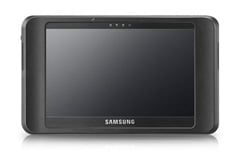
The Samsung Q1EX-71G UMPC


The Samsung Q1 was one of the first tablet-design ultra-mobile PC (UMPC) that was part of the Microsoft Origami campaign. Then, Samsung came out with the Q1 Ultra UMPC (to confuse people with the naming convention). The Q1 Ultra was also called the Q1U and had a BlackBerry-style keyboard on the front of the device. The buttons were so small that most people couldn't use it, so then they started asking, "what's the point of this the tiny keyboard?" To maximize battery life, Samsung used a very slow processor in the Q1 Ultra.

Since the Q1 Ultra was so slow, Samsung created the Q1 Ultra Premium (once again, the naming convention was to confuse consumers and healthcare professionals who use tablet computers). This model was called the Q1UP. Are you keeping up? We have the Q1, the Q1U, and now the Q1UP. Keep in mind that these are all considered ultra-mobile PCs (or UMPCs), so the "U" for "ultra" gets redundant if you're calling it the Q1 Ultra Ultra-mobile PC.

The Q1UP looked almost identical to the Q1 Ultra, but it was thicker and the tiny keyboard buttons were a bit larger and were placed in a slanted position. This device was overpriced and still underpowered.

The latest Samsung Q1model is the Q1EX-71G (or Q1EX for short). This model is a simple slate with no buttons or keys on the front. So in some ways, Samsung has almost made a complete circle with their Q1 line of ultra-mobile PCs. Now, if this naming convention isn't confusing, then what is?

Testing Windows 7 RC (build 7100)


Someone provided me with a copy of Windows 7 Release Candidate (build 7100), so I decided that I'd try it out on my Samsung Q1 Ultra (UMPC) tablet. Build 7077 worked really well, so I'm sure that build 7100 will be fine. I've got the whole weekend to reinstall all the applications! Fun, fun fun...

The later builds of Windows 7 are much faster on my slow Q1 Ultra. I've been pleasantly surprised to find that this runs as efficiently as XP if I disable all the eye candy. It's definitely faster than Vista!

I've also been thinking about installing Windows 7 on my OQO model 02. I hope OQO releases drivers for Windows 7 before they close their shop. I'm currently running XP on my OQO and it's working fine, so I'm not in a rush to make changes on it yet.

Will Windows 7 be the next dominant operating system for heatlhcare professionals? Since you can run XP within Windows 7 (in a virtual environment), I think people will be fine using Windows 7.

Sunday, April 12, 2009

Windows 7 Build 7077 on the Samsung Q1 Ultra UMPC


This is my next project: Windows 7 Build 7077 on my Samsung Q1 Ultra UMPC. This build 7077 is rumored to become the RC or Release Candidate version of Windows 7. The last time I installed Windows 7 on my Q1 Ultra, I was not impressed by the results. However, now that Microsoft has had a chance to fix some bugs, clean the code, and make some improvements, I'm willing to give it another try.

The future of medicine relys advances in technology such as mobile computers, UMPCs, gadgets, and other devices. It's exciting to see how the world of medicine is changing because of technology.

Windows 7 Build 7048 on Samsung Q1 Ultra UMPC

I decided to give Microsoft Windows 7 another try on my little Samsung Q1 Ultra UMPC. This is the older model that is thinner but also slower. The 800 MHz processor just isn't fast enough to run Vista effectively. I have to admit that Build 7048 is much better on the Q1 Ultra. I had tested some earlier builds and they just didn't work well at all.

There is another Build of Windows 7: Build 7077. I haven't had the chance to get my hands on that version yet, but that will be my next project (maybe I'll get to it next weekend). Rumors are that this build will become the RC of Windows 7. In the meanwhile, I will play around with Build 7047 this week and write about my findings. I've been running XP on my Q1 Ultra, but this week I plan to use Windows 7. My excitement for Windows 7 has been renewed. I'm not being overly optimistic (yet), but I am hopeful that this OS may replace XP on my Q1 Ultra.

Windows 7 Build 7077 Runs Well on the Samsung Q1 Ultra UMPC


I'm happy to report that Windows 7 (build 7077) actually runs quite well on the Samsung Q1 Ultra UMPC (or Q1U, for those who like to differentiate them from the original Samsung Q1). I had tested a few of the earlier builds on my device and they did not work well at all. Somehow, the engineers at Microsoft have refined Windows 7 so that it actually runs fairly well on a slow machine that has an 800 MHz processor. I've been pleasantly surprised by Windows 7, so I've removed the Vista partition on my device and I've replaced it with Windows 7. I still have XP as a backup, but over the next few weeks I'll be mainly using Windows 7 to see how well it works on my mini tablet device.

Thursday, March 5, 2009

Samsung Isn't Giving Up on the UMPC


Samsung has a long history in the UMPC market. It was one of the first UMPCs that came out when the "origami project" was unveiled. Now, it is preparing to come out with the Q1EX (or NP-Q1EX). Who can keep up with this crazy naming convention?

Since I'm a Samsung Q1 Ultra UMPC user, I am probably quite biased. My tiny tablet has been a good, functional machine, but it's not a multi-tasking power PC. It has a very slow processor, but in exchange, I get long battery life. It's a compromise, but one that I'm willing to make. In the healthcare field, doctors need to carry these things around everywhere, so portability, durability, and weight are critical factors.

I'm curious to see what people will think about this new Samsung UMPC. The Q1EX lacks any buttons, knows, or keys on the front. They went with a very simple and basic tablet. It almost feels like they went backwards, but maybe they are depending on all the great features that will be included on Windows 7. Multi-touch?Capacitive touch? Doubtful.