Showing posts with label pen computing. Show all posts

Monday, April 29, 2013

Samsung Galaxy Note 8: is pen-based computing coming back?

The Samsung Galaxy Note 8 is an Android tablet that includes the Samsung S-Pen, an active digitizer that uses Wacom technology. This little tablet is almost like an iPad mini with a pen.

Is pen-based computing making a comeback? In Asia, pen-based devices are extremely popular because of the way Asians write characters. For example, in English, we may write "hello." That's easy when you have an on-screen keyboard.

In Korean, it would be: 안녕하세요
In Chinese, it would be: 你好
In Japanese, it would be: こんにちは

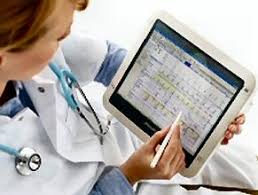
OK, I think you get the picture. So, how about in health care? It's easier to jot notes when you're standing by a patient's bedside. It also feels more natural and it's easier to maintain eye contact when you're jotting notes with a pen.

For now, pen-based computing is an essential form of data entry. However, as we rely heavier on voice recognition, the pen and our finger tips will become obsolete. We're just not there yet.


Wednesday, March 20, 2013

A stylus pen isn't just a stylus pen

Stylus pens have really evolved over the past few decades. I still remember the days of the plastic toothpick stylus pens that were in Palm Pilot PDAs. Then, we saw Windows Tablet PCs using Wacom technology and it was really cool to see the pointer moving on the screen as you hovered your pen above the display without physically touching the glass. For a while, Wacom dominated the tablet PC industry because their active digitizer stylus pens didn't require an internal battery. Plus, you had buttons on the pen that would activate the Right Click on a mouse. Or, you could flip the pen around and use the eraser like a real eraser. These Wacom pens were compatible across any device, so you could use Fujitsu pens on a Lenovo tablet and vice versa. I must have a drawer full of Wacom pens that are different sizes and colors.

Wacom continues to make a variety of stylus pens and tablets for artists and enterprise professionals. Their technology is still used in devices like the new Lenovo ThinkPad Tablet 2. The Samsung Galaxy Note series uses an S-Pen that is based on the Wacom technology.

Over the past few years, we also saw some activity from N-Trig, but these pens were not quite as smooth as the Wacom pens. Plus, the pens needed a really thin AAAA battery (yes, 4 As). I saw this pen used in the first Lenovo ThinkPad Tablet running Android. HP also used this pen on their HP Slate 500 and HP Slate 2. Fujitsu uses N-Trig pens on the Stylistic Q702.

Given the popularity of touch-only devices like the iPad, we're seeing a rise of capacitive stylus pens that are either dedicated stylus pens or you're finding a rubberized "eraser" on the end of a standard ink pen. These capacitive stylus pens are somewhat awkward and not very precise. Plus, if you rest your palm on the screen, you may encounter some strange "vectoring" on the display. So far, the Adonit Jot Pro pen has given me the highest level of precision on an iPad screen.

Sunday, February 10, 2013

Microsoft Surface Pro

You can order Microsoft Surface Pro directly from Microsoft. I'm still trying to understand why Microsoft decided to venture into the hardware side of the Windows business this year with Surface Pro.

Surface Pro starts at $899 (for the 64 GB version). The 128 GB version is $999. Surface Pro is a Windows 8 tablet PC and you can attach either a Touch Cover or a Type Cover. You can also use the Surface Pen for accurate writing and drawing. The pen costs $29.

If you're thinking about ordering one, don't miss the following:
  • 64 GB (approximately 29 GB available for user content) 
  • 128 GB (approximately 89 GB available for user content) 
In other words, the 64 GB version hardly has very little usable space. If you plan to use this device like a standard PC, you'll definitely want the 128 GB version.

Also, you can expect roughly 5 hours of battery life.

Wednesday, September 26, 2012

The importance of pen-based computing in medicine

There used to be a time when many people thought that pen-based computing on tablet PCs was going to become the standard way of computing in medicine. After all, doctors are busy running around so they need something portable. They want to jot notes when they're speaking with patients. Plus, handwriting recognition software transformed that illegible chicken scratch into legible words.

Now, devices like the Apple iPad have gained favor by doctors who want something light, easy-to-use, and with very long battery life. Of course, most doctors aren't "writing" on their iPads using a digital pen since the capacitive screen only supports a limited line of pens that lack fine accuracy. Plus, you can't rest your hand on the screen while you're writing on the iPad.

As we anticipate a new breed of tablet PCs this fall powered by Windows 8, I find myself wondering how these devices will get adopted by physicians. After all, doctors already love their iPads, so will they be drawn to a new tablet? Or, will these Windows 8 tablets meet an unmet need among doctors who would rather use a device that allows them to have full access to their fully functional EHRs and CPOE systems? Will physicians prefer to "write" on their tablets as they sit or stand by the patient's bedside? Or, will they continue to prefer to tap tap tap on the screens of their iPads?

Perhaps once we rely entirely on voice-navigation and speech recognition for data entry, that's when the digital pen will become obsolete.

Monday, August 15, 2011

My initial impressions using the HTC EVO View 4G from Sprint

I've been testing the HTC EVO View 4G from Sprint for several days now. This is a 7" Android slate tablet that also has the ability to accept input using the HTC Scribe pen. This is not your Wacom-based active digitizer. Rather, the HTC Scribe Digital Pen uses the same type of technology found on devices like the HP Slate 500 (N-trig DuoSense). So, the pen uses a AAAA battery and has functional buttons so that you can draw, erase, etc. This is a great little tablet for health care professionals who are accustomed to pen-based input.

The HTC EVO View 4G fits nicely in a white coat pocket. I was showing this to a hospital CMIO who said, "I'm going to get one." Although the Apple iPad is a very nice device, it really doesn't fit into a standard white coat pocket. The 7" HTC EVO View 4G fits very easily. Plus, the Android OS is familiar to anyone who already has an Android smartphone.

My initial impressions:

  • Very nice tablet running Android 
  • Small and light: fits easily into a white coat pocket
  • The pen-based input works well (HTC Scribe Technology), but it is not as smooth and accurate as Wacom-based tablets
  • Great to have cameras on the front and back
  • 4G data speeds (WiMAX) speeds from Sprint are excellent
I'll be posting additional thoughts as I spend more time with this device. 

Friday, March 12, 2010

The patient encounter: tablet PC screen vs. keyboard

In the outpatient setting, we see clipboards all the time. New patients are often handed a clipboard that contains several pages of forms. When the nurse or medical assistant comes in to the exam room, he/she often holds a clipboard (or your chart) to record your information and data. Then, when the physician, nurse practitioner, or physician assistant comes into the room, he/she is probably also holding your chart or clipboard.

Now, here come the important questions:
  • Does the doctor sit or stand while he/she talks to the patient?  Patients seem to prefer it when the doctor is sitting.
  • If there's a computer in the room, does the doctor spend most of the time looking at the computer screen or the patient?
  • If there's a keyboard attached to the computer, is the doctor typing away or looking at the patient?
  • If the doctor is using a tablet (in slate mode), then he/she won't be typing. That doctor will be tapping on the screen with a stylus pen. When interacting directly with a patient, is that better or worse than typing on a keyboard?
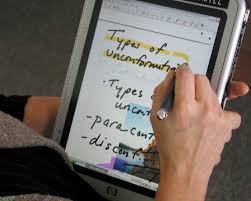
The beauty of the convertible tablet PC is that it can be used when you're sitting or standing. You can't really do that with a desktop, but you can if you have a tablet that you can hold in your hand. Once you get comfortable with pen-based computing, you'll quickly realize that it's much more efficient to tap directly on the screen.

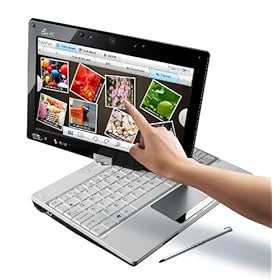
Also, if you're using a tablet PC, you can talk to the patient while you're standing. Then, you can also sit on a stool and continue the conversation while you scribble notes or tap on the screen of your tablet PC in slate mode.  Then, if you need to do a fair bit of typing, you could quickly convert your slate tablet into a laptop.

As tablets become more versatile, more health care providers will turn to tablets for the outpatient and inpatient settings. We're going to see more rugged tablets. We're also going to see lighter models that can easily convert from slate to notebook modes.

Sunday, February 21, 2010

I really wish the iPad came with a digital pen (stylus)

I wish the iPad came with a pen. It would be the perfect gadget for jotting notes during a meeting. I would love to trade my Samsung Q1 Ultra for an iPad if the iPad screen included an active Wacom-enabled (penabled) digitizer that allows one to use a stylus pen and "write" on the screen. I've been a huge fan of "inking" and that really began with the old Apple Newton Messagepad series.

So, will Apple eventually release an iPad that includes a stylus pen? At that point, it would really be a tablet and it wouldn't be a pad anymore. Maybe Apple plans to use the name iTablet in the future for a new device that will incorporate a robust operating system, an active digitizer, and all the other missing features that are not currently found on the iPad (like a USB port, an SD slot, a webcam, a kickstand, a removable battery, a video port, and more...)

Monday, November 9, 2009

Asus Eee PC T91MT now on Amazon


The Asus Eee PC T91MT (T91MT-PU17-WT) is now on Amazon. This isn't just your average "Eee netbook." The T91MT is a convertible netbook / tablet PC. The "MT" stands for multi-touch. It reminds me of the Fujitsu LifeBook P1600 series (1610, 1620, 1630), but the price is substantially different. Now, you can have multi-touch and Windows 7 on a netbook for under $550.

If I were to buy a netbook today, this would be at the top of my list because I'm a tablet PC user and I've always been a fan of pen computing. I believe that future health care professionals will rely heavily on touch and pen computing. I hope that more netbook manufacturers will follow Asus and release multi-touch convertible tablet netbooks in the near future.

Thursday, September 17, 2009

Fujitsu's "Dual Digitizer" tablet PC display

The phrase "multi-touch" can be confusing when you're talking about tablet PCs. Windows 7 has some new features that will only work on tablets that allow you to control certain functions by placing two (or more) fingers directly on the screen. This is being called "multi-touch" or "multitouch" by many companies, but Fujitsu is calling this feature a "dual digitizer" function.
The tablet PC world is getting very complex and I hope we soon settle on all this terminology.

Here's how Fujitsu describes the screen option on the new LifeBook T5010 Tablet PC:
  • 13.3" WXGA display with Dual Digitizer (pen input plus touch screen)
Now, this is going to get really confusing fairly soon. Touch screen is starting to mean many things.
  • Passive touch? (can use any inanimate object, like a plastic pen)
  • Capacitive touch? (fingertips, no plastic pens) - allows for multi-touch gestures
  • Active digitizer? (Wacom or Penabled pens only)
You've probably seen some of these multi-touch features on the Apple iPhone or iPod touch. You can zoom  out by spreading two fingers on the screen. You can zoom in by pinching your fingers together. etc.

Saturday, August 22, 2009

Thoughts on the Apple tablet (giant iPod touch)


The upcoming giant iPod touch (Apple tablet) may be running the iPod touch OS (operating system). I doubt that it will run the full version of OS-X. The iPod touch OS may not be ideal for something as large as this upcoming tablet unless it's purely meant to be a multimedia device. I'm a pen-based computing guy, so I don't think the iPod touch OS alone will be sufficient for me. I need something more robust that allows me to run work-based productivity software. Maybe Apple is "beta testing" the tablet concept with this first generation model. I won't be surprised if subsequent models run a more robust OS that will allow for some type of pen-based computing.

Speaking of pen-based computing, this may be difficult if the upcoming tablet has the same type of screen that's currently found on existing iPods and iPhones. Although there are some stylus pens available for capacitive touch screens, the capacitive touch screen isn't the most popular type for pen-based computers. So, will the 2nd or 3rd generation models employ some type of dual-input screen? (capacitive and Wacom-based active digitizer?) Maybe by then, Apple will release a full Mac OS-X -based tablet computer.

Friday, July 31, 2009

Slate vs. Convertible Tablet PC in the medical world


If you work in the hospital or a medical office, do you prefer to use a slate tablet PC or a convertible tablet PC? Maybe you don't even use a tablet.

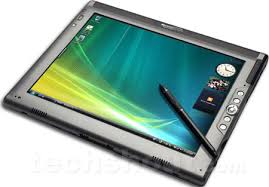
I find that as people realize the efficiency of pen-based computing, they end up using the pen more than the keyboard. As a result, it may be better to train physicians to use tablets so they can quickly navigate and enter information using the pen. One nice thing about a dedicated slate tablet is that it is generally thinner and lighter. Convertible tablets have traditionally been at least 0.5 pounds heavier than a slate. However, there are fewer slate tablets to choose from. The leading manufacturers for full-size slate tablets still seem to be Fujitsu and Motion Computing. TabletKiosk is also out there selling slate tablets. HP used to make some slate tablets, but I haven't seen anything new from them. Lenovo never made any dedicated slates. The X-series tablets have all been convertibles.

Are we going to see more slate tablets emerging in the near future? Or is the tablet PC industry truly dying? My hope is that the increasing uptake of electronic health records (EHRs) will revive the tablet PC industry. However, EHR vendors really need to properly leverage the power of pen-based computing and push that message across to those who decide to adopt an EHR.

Monday, May 11, 2009

How Many Doctors Use a Tablet PC Like a Tablet?


I've seen so many promotional campaigns that show physicians using tablet PCs like a tablet. They are actually writing on the screen and using a pen to click and input their data. However, is this reality? How many doctors actually hold a tablet in their hand? Most seem to still use them as a laptop so they can type on the keyboard. They are really missing out on productivity gains!

I realize that there are some physicians who use a tablet as a tablet. However, this group is small and needs to expand. What needs to happen to cause physicians to break out of their mold and embrace pen-based computing?

Friday, May 1, 2009

I Love Pen Flicks

If you use a Tablet PC and you have Windows Vista, then you may have played with a feature called "pen flicks." It's a great way to navigate between pages and "flip" your way around sites. It almost makes you think that you're flipping through an electronic book. My hat goes off to those developers who came up with pen flicks. Bravo!

Wednesday, April 22, 2009

Netbooks Selling Poorly


Netbooks are cheap. Some look really cheap. They even look like toys and you wonder what's under the flimsy-looking plastic. You would almost think that these low prices should increase sales. However, netbook sales have not hit their goals for the early part of 2009.

Are netbooks doomed to fail? Are they just a fad that will pass away? Will students and healthcare professionals recognize the value they provide in the world of healthcare, or will we turn back to high-priced tablets and become a pen-based industry? Personally, I'm a big fan of tablets and pen-based input. I hope that netbooks don't die away, but perhaps we'll see a convergence of netbooks, ultra-mobile PCs, and tablets.