Showing posts with label medical tablet. Show all posts

Friday, June 18, 2010

Tablets will cannibalize netbooks, outselling netbooks starting in 2012.

Here's an interesting line from Sarah Rotman Epps's blog. (she's an analyst at Forrester Research, Inc.)
  • Tablets will cannibalize netbooks, outselling netbooks starting in 2012.
Do you agree?

According to their data:
  • Over the next five years, PC unit sales across all form factors will increase by 52%.
  • US consumers will buy more PCs in 2015 than they do in 2010.
  • Growth will come from new form factors like tablets, but laptop sales will increase steadily also.
  • In 2015, 23% of all PCs sold to consumers in the US will be tablets.
Sarah serves Consumer Product Strategy professionals with research on consumer PC hardware and software products and services at Forrester Research, Inc.

It should be interesting to follow computer selling trends over the next few years. As people (including physicians) get comfortable with mobile devices, these mobile gadgets will become ubiquitous.  In fact, we will become so dependent on them, that we'll have them everywhere. Right now, people have grown so dependent on their smartphones that if they leave their homes without their smartphone, they feel naked. Will that also happen with larger mobile devices like slate tablets like the Apple iPad?

Tuesday, May 25, 2010

Will doctors embrace the slate tablet as EHRs penetrate the marketplace?

We all know that electronic health records or EHRs are actively penetrating the market because of the HITECH Act. Will doctors embrace the slate tablet? Or will they stick with the old keyboard and mouse?

We're seeing more slate devices like the Apple iPad, Amazon Kindle, and even some Android and webOS powered slates gaining popularity this year. How will this trend influence busy practitioners who need to enter information and look up data at the point of care? Whether you're in a hospital or in a private office, you want to access data quickly and you want to minimize the steps and clicks to perform essential tasks within your EHR.

What I'm finding is that more and more medical students are residents are eagerly adopting new technology like the iPad and they are also relying more heavily on their smartphones to look up medical information. In the past, many of us used standalone PDAs that were not constantly connected to the Internet. Now, you can carry the entire web in your coat pocket. By using a slightly larger device that has a big screen, you can quickly access vital information on the Internet and also navigate through your EHR on a mobile device like the iPad.

So, will doctors soon embrace slate tablets? The nice thing about a slate is that you can use them while you're standing. No need to find a desk or table. You can also draw and mark things quickly and efficiently on a slate computer. My hope is that we'll soon see more thin and light slates that also offer pen-based input.

Friday, March 12, 2010

The patient encounter: tablet PC screen vs. keyboard

In the outpatient setting, we see clipboards all the time. New patients are often handed a clipboard that contains several pages of forms. When the nurse or medical assistant comes in to the exam room, he/she often holds a clipboard (or your chart) to record your information and data. Then, when the physician, nurse practitioner, or physician assistant comes into the room, he/she is probably also holding your chart or clipboard.

Now, here come the important questions:
  • Does the doctor sit or stand while he/she talks to the patient?  Patients seem to prefer it when the doctor is sitting.
  • If there's a computer in the room, does the doctor spend most of the time looking at the computer screen or the patient?
  • If there's a keyboard attached to the computer, is the doctor typing away or looking at the patient?
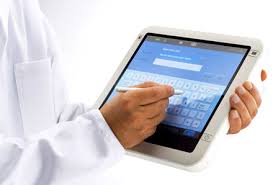
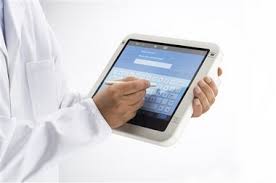
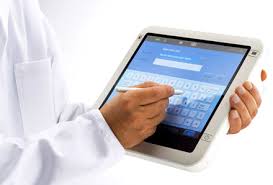
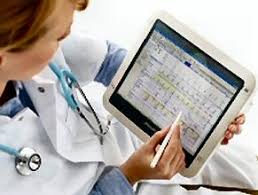
  • If the doctor is using a tablet (in slate mode), then he/she won't be typing. That doctor will be tapping on the screen with a stylus pen. When interacting directly with a patient, is that better or worse than typing on a keyboard?
The beauty of the convertible tablet PC is that it can be used when you're sitting or standing. You can't really do that with a desktop, but you can if you have a tablet that you can hold in your hand. Once you get comfortable with pen-based computing, you'll quickly realize that it's much more efficient to tap directly on the screen.

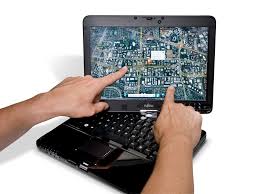
Also, if you're using a tablet PC, you can talk to the patient while you're standing. Then, you can also sit on a stool and continue the conversation while you scribble notes or tap on the screen of your tablet PC in slate mode.  Then, if you need to do a fair bit of typing, you could quickly convert your slate tablet into a laptop.

As tablets become more versatile, more health care providers will turn to tablets for the outpatient and inpatient settings. We're going to see more rugged tablets. We're also going to see lighter models that can easily convert from slate to notebook modes.

Wednesday, March 10, 2010

The evolving tablet PC for the health care industry

When some of the first tablet PCs came out, they were heavy and expensive. Some are still heavy and expensive, but the tablet PC market has certainly shrunk. Slate tablet PCs are rare and we see the vast majority of people using laptops or convertible tablets. Several U.S. medical schools require medical students to use a Lenovo ThinkPad X200 tablet PC. Sorry, but if you're an Apple fan, you'll need to use a PC if you're in one of those schools.

So, how has the tablet PC evolved in the health care industry?
  • One of the major changes occurred when we lost the Apple Newton MessagePad.  Doctors (early adopters of technology) who used the Newton were devastated. What do we use now?
  • Some physicians tried using slate tablets, but at the time, many electronic health record (EHR) software solutions were not really optimized for tablets and pen-based input. 
  • Some manufacturers created slate-style tablet PCs that detached from a keyboard base. Remember the HP TC1000 and TC1100?
  • Then, physicians turned to convertible tablets, but most physicians simply used these as laptops because they were more comfortable with the keyboard and mouse.
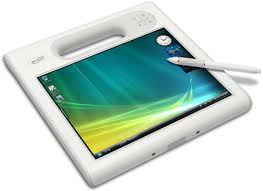
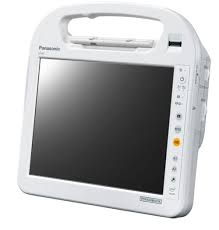
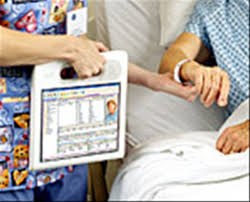
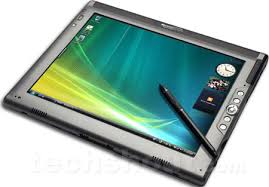
  • Then, nurses and other clinicians started using Mobile Clinical Assistants in the hospital setting. These devices were versatile, thanks to their built-in RFID and barcode scanners. The Motion C5 and Panasonic H1 became quite popular, despite their high price tags.
  • Many PC manufacturers gave up on the slate tablet industry. It was simply too niche. 
  • Additional PC manufacturers gave up on the convertible tablet industry.
  • The concept of the ultra-mobile PCs flopped.  The origami campaign was dead.
  • Then, netbooks started gaining popularity and Asus created a convertible tablet netbook.
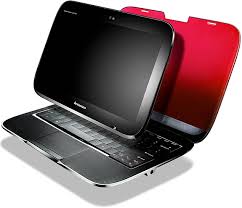
  • Lenovo introduced a hybrid tablet/notebook with the IdeaPad U1 hybrid.
  • HP teased the world with the HP Slate.
  • Now, Apple (and others like HP and Lenovo) may be revolutionizing the slate industry by introducing slate-style devices like the iPad. If health care professionals start becoming more comfortable with a slate form factor, will this translate over to pen-based computing? Will we be more inclined to navigate directly on the screen of a device instead of using a mouse and keyboard?
I believe that tablets will gain tremendous traction in the healthcare industry. Once physicians realize that they can be much more productive by navigating directly on the screen, they will be inclined to switch to touch/pen-based computing.

Friday, March 5, 2010

Motion C5 vs. Panasonic H1


If you're looking for a Mobile Clinical Assistant (MCA), you're probably looking at either the Motion Computing C5 or the Panasonic Toughbook H1. There are other options, but the C5 and H1 are the most popular devices (and if you look at the market segment, you'll see that the C5 is currently dominating the MCA market).

So, what makes them similar? What makes them different? In order to qualify as an MCA, Intel has outlined the specifications that must be met. So, all MCAs will have very similar key capabilities.

Let me highlight 2 differences (although this will change by the latter part of this year):
  • The Panasonic Toughbook H1 is thicker, it has a "grip" option on the back that allows you to hold it more securely, and it offers a dual-battery design that lets you swap batteries without powering down the device. However, it lacks Gorilla Glass and its Atom processor is slow compared to the Motion C5 Core 2 Duo processor. The Atom processor and the dual battery design allows this machine to be used all day (which is more important if you're outdoors, but in a hospital setting you almost always have access to charging stations). Panasonic has a long history of building rugged Toughbook computers.
  • The Motion C5 is thinner and is currently designed with a single battery (but I was told this will be changing). It comes with Gorilla Glass and a faster Core 2 Duo processor. The faster processor could lead to shorter battery life, but in a hospital setting you generally have easy access to charging stations. Motion Computing specializes only in slate computers and they've been in this business for many years.
  • Both are Wacom Penabled. Neither offer a capacitive multi-touch screen option at this time.
Both of these slate tablets are expensive and they're designed for niche markets. I doubt that other major hardware manufacturers will be making similar MCAs anytime soon since these types of devices are highly specialized and expensive.

Tuesday, February 2, 2010

Rumors about the Google Tablet

Now that Apple has officially released its iPad, the rumors surrounding the first generation Apple tablet will get replaced by new rumors regarding the Google tablet. It appears that HTC is working with Google to create a tablet that will likely run Chrome OS (or maybe it will dual-boot into Android as well). In any case, I suspect that we'll see a real winner since HTC has a long history of making excellent smartphones and other mobile devices. The current Google Nexus One Android smartphone is made by HTC and branded as a Google smartphone. How will the Google tablet compare to the iPad?

Monday, January 25, 2010

How the iPad (Apple Tablet) could revolutionize health care

Some iPhone fanatics would argue that the Apple iPhone has revolutionized the health care system. I think there's some truth to that if you look at how physicians have used the iPhone in the outpatient (clinic, office) setting as well as in the inpatient (hospital, surgical) setting. There are so many health care professionals who have gotten familiar with the iPhone interface and many medical students are going through their clinical rotations using the iPhone.

So, how could the upcoming Apple tablet (iPad, iSlate, iTablet, etc.) revolutionize health care? I think it could do so in two major ways:

First: Consumers will become more empowered to manage their health. They will have the ability to use something like the iPad (or even their iPhone) to enter information into an electronic personal health record (PHR). They may use the iSlate as they're waiting in the doctor's office (forget clip boards) and once they fill out the vital patient forms, they may sit and view a few educational videos about health and wellness. Overall, the iPad could be a powerful consumer tool that can improve health, wellness, and disease management.

Second: Physicians and other health care professionals who are already familiar with the iPhone will have the ability to leverage a tablet in both the inpatient and outpatient settings. The iPad will become ubiquitous in the health care industry. You'll see them in hospitals, physician offices, etc. Doctors who are "on call" will use their iPad do access electronic health records (EHRs) and to place orders using computerized physician order entry (CPOE) systems. Some of this can be done with an iPhone, but the small screen size really limits your ability to work on such a device. The iSlate will overcome the screen size limitation and allow health care professionals to be much more productive when they're mobile.

So, do you believe that the iPad will revolutionize health care? I suppose it will ultimately depend on what this thing looks like.

Saturday, January 23, 2010

Will we see more Gorilla Glass used in health care computers?

Have you heard of Gorilla Glass?
Corning Gorilla glass is an environmentally friendly alkali-aluminosilicate thin sheet glass designed specifically to function as a protective window for portable display devices. What really sets Gorilla glass apart from the competition is that it’s both strong and damage resistant.
I'm sure we'll be seeing more use of Gorilla Glass in the health care setting. After all, smartphones and mobile computers get dropped quite frequently in the clinical setting. Just ask a medical student, "Have you ever dropped your smartphone or PDA in the hospital?"

Last October, we heard this: Motion’s C5 and F5 are the First Rugged Tablet PCs to Feature Corning’s Durable Gorilla™ Glass. It's great to see that Motion Computing will be using Gorilla Glass in the C5 MCA (Mobile Clinical Assistant). Wouldn't it be nice to see Gorilla Glass used in all the medical tablets and notebooks?

Monday, January 11, 2010

Mobile computers in the hospital

The last time you were in a hospital, did you notice many mobile computers? You may have seen some LCD monitors mounted on a rolling cart. Maybe you saw some nurses carrying little tablet-shaped mobile clinical assistants (MCAs) like the Motion C5. As hospitals become more digital, they will incorporate more computers into patient rooms, the walls, the waiting rooms, the common areas, and even the operating rooms. We'll have computers everywhere and they'll rely on wireless technology like Wi-Fi to communicate. Doctors will use them to enter orders (CPOE). Others will check labs and other test results on computes. Patient will also get to view some of their own health record information on tablets and other types of mobile devices. Plus, you can expect that doctors, nurses, pharmacists, and social workers will all carry some type of mobile computer. The world of mobile computing will continue to explode in the health care industry as medical professionals recognize their need to stay connected and have access to vital information.

Tuesday, January 5, 2010

Will all future tablet PCs include multi-touch screens?

I think that all future touch-screen smartphones will include capacitive multi-touch screens. Will the same be true for tablet PCs? After all, I primarily use my Wacom digitizer when I'm using my tablet PC. Although it's capable of touch-based input, I don't use that very often since I'm a pen-based computing guy.

Will all future tablet PCs include a dual-input (some call this a dual digitizer) screen that will allow users to navigate using a pen as well as fingers? Are multi-touch features here to stay for tablet PCs? I'm still not entirely sure. Why? You see, capacitive multi-touch makes a lot of sense for smartphones that have small screens. I'm still not entirely convinced that they make sense for professional tablet PCs (I can definitely see their appeal for consumer-based tablet PCs).

Maybe the consumer market will drive tablet PC manufacturers to include multi-touch screens on all future tablets. Maybe the health care sector will only use tablets that include Wacom-based active digitizers that also include passive touch screens. After all, do you think you can use a capacitive touch screen if you're wearing hospital gloves? You can if you have a passive touch screen. 

Thursday, December 31, 2009

Shopping for a Mobile Clinical Assistant (MCA)

You're not going to find a Mobile Clinical Assistant (MCA) at Best Buy or Staples, so how do you go shopping for one of these? If you'd like to integrate the use of an MCA into your outpatient practice (even though most are primarily designed for the inpatient setting or emergency room), then you may wish to speak with your hospital IT department to see what types of MCAs they're currently using.

Maybe they use the Motion Computing C5. At roughly $2,500 - $3,500, this is not a cheap device. You could also get the MediSlate i1040XT for roughly $2,800. You could shop for the Panasonic Toughbook H1 and pay around $3,500 for this MCA. Amazon even sells this one.

If it were up to me, I'd struggle between the Motion Computing C5 and the Panasonic Toughbook H1. The current prices are still too high, but my hope is that in 2010 we'll start to see the prices fall on these MCAs. Wouldn't it be wild if Apple got into the MCA space and developed some type of slate tablet for the hospital setting?

Tuesday, December 15, 2009

How do you protect your tablet PC in the hospital?


Most clinicians don't use a case when they're carrying their tablet PC around the hospital, clinic, or medical office. They're not all using rugged tablets either, so a single drop onto a hard floor could break the device (and I'm sure this happens quite frequently). I'm sure the hospital IT department sees many tablet PCs that have broken LCD screens, cracked cases, etc.

So what's the practical solution? Use a case/cover? Purchase a rugged device (which tends to be much more expensive)? I'm waiting for a company to develop a nice silicon-type sleeve that will cover a convertible tablet PC and allow you to use it in either in tablet mode or laptop mode. This type of cover won't provide a great deal of protection, but it's certainly better than no protection.

Also, I'm envisioning that most (if not all) future tablet PCs will use Gorilla Glass (or something very similar). We should see a reduction in broken LCD screens. I also anticipate that rugged tablets will become less expensive and we'll see more of these used in the health care sector. After all, some protection against liquid spills and splashes is always nice when you're at the bedside.

Monday, November 16, 2009

Will the growth in health IT revive the tablet PC industry?


I use a tablet PC. Many other physicians also use a tablet PC in the office or hospital with their electronic medical/health record (EMR or EHR). However, there are many who use a convertible tablet and primarily use it as a laptop/notebook.

Will the growth in health IT revive the tablet PC industry as more physicians start using EMRs that leverage pen-based data entry? I think it would be fantastic to see a growth in small tablets (or ultra-mobile PCs) in the health care industry. There are many doctors who love technology and gadgets. As more embrace touch-screen smartphones like the Apple iPhone, they will recognize the power of multi-touch gestures and other features that are commonly found in tablet PCs.

As we see more health care providers make the switch from paper records to electronic records, let's hope to see a reviving effect in the tablet PC marketplace.

Thursday, August 13, 2009

Would you use a "mini notebook" over a netbook or notebook?


First, perhaps we have to define the term "mini notebook." I am not referring to netbooks. I'm not referring to tablet-style ultra-mobile PCs (UMPC). In my book, the category "mini notebook" is a very unique category because we see a few devices out there that don't really fall into the UMPC or netbook categories. Some may say that they're a netbook or UMPC, but I'd probably disagree.

Let me pick on two examples:
  1. Sony Vaio P. This is a very slim mini notebook. It lacks a touch screen. The screen is 8" and it weighs 1.4 pounds. Some may call it a netbook, but Sony prefers not to call it a netbook. I call this device a mini notebook. It's smaller than a netbook. It could be a UMPC (since it is ultra-mobile), but that could be debatable.
  2. Fujitsu U820. Fujitsu calls this device a "mini-notebook." It has a passive touch screen that is 5.6" and the device weighs 1.32 pounds. This device can be converted from a notebook to a tablet. So, it's actually a mini convertible tablet PC. Fujitsu shouldn't call it a mini notebook.
Are these mini notebooks practical devices? Or are they glorified toys (very expensive toys) for gadget lovers like me? They're still far too expensive to compete against netbooks. Will they survive? At some point, devices can be too small to be very useful.

As smartphones become more powerful and as they blur the line between smartphone and MID (mobile internet device), we will certainly see an evolution of mobile computing practices. What if someday, your smartphone is your entire PC? You dock it at work, use a full-size keyboard with two monitors, and then you remove it from the dock to take it home with you. Can you imagine holding that much computing power in your pocket?

Friday, July 31, 2009

Slate vs. Convertible Tablet PC in the medical world


If you work in the hospital or a medical office, do you prefer to use a slate tablet PC or a convertible tablet PC? Maybe you don't even use a tablet.

I find that as people realize the efficiency of pen-based computing, they end up using the pen more than the keyboard. As a result, it may be better to train physicians to use tablets so they can quickly navigate and enter information using the pen. One nice thing about a dedicated slate tablet is that it is generally thinner and lighter. Convertible tablets have traditionally been at least 0.5 pounds heavier than a slate. However, there are fewer slate tablets to choose from. The leading manufacturers for full-size slate tablets still seem to be Fujitsu and Motion Computing. TabletKiosk is also out there selling slate tablets. HP used to make some slate tablets, but I haven't seen anything new from them. Lenovo never made any dedicated slates. The X-series tablets have all been convertibles.

Are we going to see more slate tablets emerging in the near future? Or is the tablet PC industry truly dying? My hope is that the increasing uptake of electronic health records (EHRs) will revive the tablet PC industry. However, EHR vendors really need to properly leverage the power of pen-based computing and push that message across to those who decide to adopt an EHR.

Monday, May 11, 2009

How Many Doctors Use a Tablet PC Like a Tablet?


I've seen so many promotional campaigns that show physicians using tablet PCs like a tablet. They are actually writing on the screen and using a pen to click and input their data. However, is this reality? How many doctors actually hold a tablet in their hand? Most seem to still use them as a laptop so they can type on the keyboard. They are really missing out on productivity gains!

I realize that there are some physicians who use a tablet as a tablet. However, this group is small and needs to expand. What needs to happen to cause physicians to break out of their mold and embrace pen-based computing?

Friday, May 1, 2009

Windows 7 on Thinkpad X200 Tablet


Anyone running Microsoft Windows 7 on the Lenovo Thinkpad X200 Tablet PC? I've had such a positive experience running Windows 7 on my slow Samsung Q1 Ultra, that I'm very tempted to install Windows 7 on my Thinkpad. However, my machine isn't your "typical" Thinkpad tablet. It has Intel Turbo Memory and also has a multi-touch screen (active digitizer plus passive touch). Intel Turbo Memory was a new feature in Vista, but I wonder if it will be incorporated into Windows 7 (I'm sure the information is out there, but I'm too busy typing this up).

I think that over the weekend I may install a blank hard drive and see what happens if I install Windows 7. Somehow, I doubt that everything will work if I do that, but I'm tempted to try.

** revised on 6/30/09 - I've been running Windows 7 on my X200 Tablet as my main operating system and I'm loving it. Things are so much faster and more efficient. The inking experience is superb and the handwriting recognition is great. I'm so pleased by the quick boot time and the overall stability of this OS. See my other posts on this topic by searching for "Windows 7 Thinkpad"

Wednesday, April 22, 2009

Netbooks Selling Poorly


Netbooks are cheap. Some look really cheap. They even look like toys and you wonder what's under the flimsy-looking plastic. You would almost think that these low prices should increase sales. However, netbook sales have not hit their goals for the early part of 2009.

Are netbooks doomed to fail? Are they just a fad that will pass away? Will students and healthcare professionals recognize the value they provide in the world of healthcare, or will we turn back to high-priced tablets and become a pen-based industry? Personally, I'm a big fan of tablets and pen-based input. I hope that netbooks don't die away, but perhaps we'll see a convergence of netbooks, ultra-mobile PCs, and tablets.

Tuesday, April 14, 2009

Tablet PCs on CSI

I don't usually watch television at home. I'm too busy blogging. However, when I'm at the gym, I'll turn on the television and watch shows like CSI (Crime Scene Investigation). Here's what draws me to the show: they use tablet PCs and other cool gadgets in the lab. You don't see many slate tablets out there among consumers. Slates are primarily used in the vertical market. However, I use a convertible Lenovo Thinkpad X200 tablet and I love it. I'm a huge fan of tablets and I think that they are underutilized in both healthcare and education. They are much more interactive than standard computers and I think we're going to see them make a comeback someday. They're gaining some traction within the medical community, but once again, this is a vertical market. Will the release of an Apple Tablet put fire back into the tablet market?