Wednesday, September 30, 2009

Charge your laptop wirelessly

The Dell Latitude Z may be one of the first laptop computers that uses inductive charging technology. You can place the laptop on a special charging surface (charging stand) and the battery will get charged. Since this technology is so new and novel, you'll pay a premium if you want it (if you're an early adopter, then you probably can't resist the idea of having the first inductive charging notebook computer, right?)

When you can get a very reasonable laptop for $400-600, does it really make sense to pay over $2,000?

Tuesday, September 29, 2009

Use multiple monitors with DisplayLink technology

I love using multiple monitors. Thanks to DisplayLink technology, it's easier than ever to use more monitors - especially when using a mobile computer like a laptop, tablet, ultra-mobile PC (UMPC), and others.

I've often wondered when desktops and laptops will start coming with two video ports. You can get desktops that are built for gaming and those will often have two DVI ports (or maybe two VGA ports if it's an older machine). However, if you're not a gamer and you don't need that level of horsepower, why spend the money?

DisplayLink is starting to appear in monitors and docking stations, so it's becoming easier than ever to use multiple monitors. If you like to multi-task and you like to open many different windows, then you may want to look into DisplayLink technology.

Monday, September 28, 2009

The Ubuntu CD saves the day!

So, the other day I happen to be somewhere and the only working laptop suddenly had a problem with Windows XP. It simply stopped working. People tried System Restore, etc. They simply needed a machine that could access the Internet for some clients and they were starting to panic.

I happen to have an old Ubuntu CD for version 8.04 and I offered to start the computer up using that CD. I didn't install Ubuntu - I simply started the computer using this disk and we were up and running very quickly with Firefox. You don't have to be a Linux pro to use Ubuntu. The interface is so simple that anyone can pick it up very quickly.

The lesson for the day is simple: keep a Ubuntu CD around in case you ever need to start up your broken PC.

Cheaper MacBooks this fall?


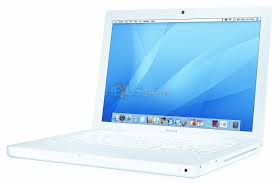
Will the plastic MacBook get refreshed to be faster, slimmer, and less expensive this fall? Some people seem to think that might be happening. If the white plastic MacBook falls below $999, then I could see how this would be attractive for students (they may dream of a MacBook Pro, but the reality is their limited budget and bank accounts).

I also have to think that Apple will eventually come out with a smaller version of the white plastic MacBook and call it a netbook. They may not want to admit that there is a growing number of customers purchasing high-quality netbooks, but the reality is that netbooks are here to stay.

Friday, September 25, 2009

Universal Notebook Docking Stations

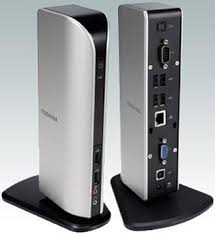
There are several Universal Docking Stations that you can now get from several major manufacturers. The Toshiba Dynadock was one of the first to feature a single USB connecting docking station that also had a built-in graphics card. Through this docking station, you could effectively use 3 monitors simultaneously. Here's how:
  1. The LCD panel on your laptop is monitor #1
  2. A second monitor plugged into your laptop's VGA port
  3. A third monitor plugged into the docking station's VGA/DVI port
Now, Kensington has released  the Universal Notebook Docking Station with VGA/DVI (and I believe that Targus and several others may have similar docking stations out there).

If you like to use multiple monitors via the "extended desktop" configuration, then adding a 3rd may not be a bad idea. One of the most cost effective ways of doing this is through one of these docking stations that has VGA/DVI built-in.

Thursday, September 24, 2009

Amazingly low prices on laptops and netbooks

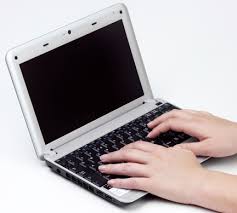
The other day, I was giving some laptop buying advice to a colleague. The person could not believe how low prices have gotten! Some people still think that you have to pay $2000 for a laptop. When I explained that netbooks are in the $300-400 range, the person was astonished. Of course, you can get a standard laptop with a much larger screen for $400-500, so why settle for less, right?

It still amazes me when I think about how affordable laptops have become. Soon, households will have more environmentally-friendly laptops and fewer power-hungry desktop computers. I plan to purchase at least one laptop this holiday season for a family member. Let's see what kind of deals show up on Black Friday!

Wednesday, September 23, 2009

Computing on the plane

I've used just about all my mobile computers on the plane:
  • Laptop (all sorts of screen sizes)
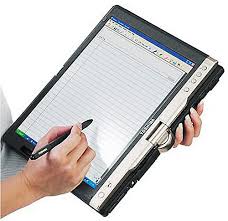
  • Convertible tablet PC
  • Ultra-mobile PC (Samsung Q1 Ultra)
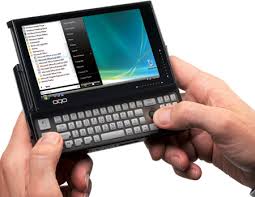
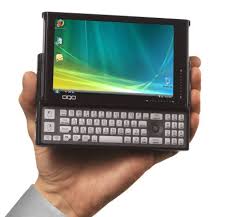
  • OQO handheld computer
  • Smartphone
  • iPod touch (do you consider this a mobile computer?)
My conclusion is that laptop manufacturers should make a business computer that's just for the frequent flier.
  • This device would have a really wide, but very short screen. This way, when the person in front of you reclines back, you're still able to see your screen and type away. 
  • Speaking of the screen, it should have a security screen so that your neighbors can't see what's on your screen (you can buy these filters, but why not build it into your notebook?)
  • It should have a full keyboard so that you can type easily. 
  • It should have a built-in cup holder so that you can drink and work at the same time. 
  • It also needs a spill-proof keyboard.  (crumb proof would also be nice)
  • It should have an illuminating keyboard. (it's so hard to find laptops that have this - unless you get a Mac)
  • Battery life should exceed 8 hours. (and yes, it should be a user-changeable battery Apple!)

Tuesday, September 22, 2009

How many computers do you have at home?


I was sitting next to a man on the airplane today. As I was working on my Lenovo Thinkpad X200 tablet PC (convertible notebook) running Windows 7, he said, "I have 5 computers at home." He told me about his 3 laptops, his desktop, and his netbook.

We started talking about Windows 7, netbooks, iPods, and other fun pieces of technology. I didn't tell him how many computers I have an my home, but it made me wonder: how many computers do most people have these days? As prices stay low and people upgrade to newer, faster machines, what do they do with their old ones? Recycle them? Donate them? Store them in the basement? Convert them to servers or digital picture frames?

By the way, I mentioned that Windows 7 will come in a family pack.

Monday, September 21, 2009

Benefits of using different web browsers simultaneously

There are many reasons why you may want to simultaneously use different web browsers. Here's one key benefit:
  • You can log in to different sites simultaneously using different user names. For instance, I can be logged in to Yahoo mail on Firefox as user1, and also logged in to Yahoo mail on Internet Explorer as user2. This is great if you have multiple accounts to various websites and you want to check things simultaneously. (talk about some serious multi-tasking!)
  • Group your icons in your Taskbar. Assuming that you're using Windows XP, Vista, or 7, your taskbar may automatically group similar taskbar buttons. You can change this setting, but you may like it this way. If you have a tendency to open multiple web pages in separate windows, then it often helps to use different browsers to group them. For instance, all your news pages might be open on Chrome. Client-related sites may be on Firefox. etc. This way, you can quickly glance down and find your "group" very efficiently.
So which web browsers do I currently use? Mainly Firefox, Chrome, and Internet Explorer. I also have Safari and Opera, but I don't use them very often to browse the Internet. Speaking of Chrome, did you notice the upgrade to version 3?

Saturday, September 19, 2009

Tumi made accessories for the OQO


Did you know that Tumi made a case for the OQO model 01? (they never made one for the model 02). Tumi makes many different computer cases, but I'm not aware of any case that's made just for a single type of device like the OQO. Then again, they do make an iPod case. However, when's the last time you saw Tumi make a case for a single type of computer?

Friday, September 18, 2009

Windows 7 for only $30 (students only)

If you're a hungry medical student (or college student), then you can get Windows 7 for $30! That's quite a bargain, considering that the rest of us will be paying over $119 for the new Microsoft operating system. To learn more about this deal, visit: http://www.win741.com/

Should you upgrade to Windows 7 if you're currently using Vista? YES!!!

Thursday, September 17, 2009

Fujitsu's "Dual Digitizer" tablet PC display

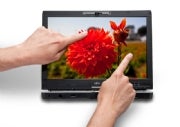
The phrase "multi-touch" can be confusing when you're talking about tablet PCs. Windows 7 has some new features that will only work on tablets that allow you to control certain functions by placing two (or more) fingers directly on the screen. This is being called "multi-touch" or "multitouch" by many companies, but Fujitsu is calling this feature a "dual digitizer" function.
The tablet PC world is getting very complex and I hope we soon settle on all this terminology.

Here's how Fujitsu describes the screen option on the new LifeBook T5010 Tablet PC:
  • 13.3" WXGA display with Dual Digitizer (pen input plus touch screen)
Now, this is going to get really confusing fairly soon. Touch screen is starting to mean many things.
  • Passive touch? (can use any inanimate object, like a plastic pen)
  • Capacitive touch? (fingertips, no plastic pens) - allows for multi-touch gestures
  • Active digitizer? (Wacom or Penabled pens only)
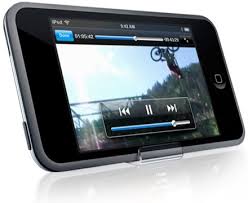
You've probably seen some of these multi-touch features on the Apple iPhone or iPod touch. You can zoom  out by spreading two fingers on the screen. You can zoom in by pinching your fingers together. etc.

Wednesday, September 16, 2009

Apple Tablet in Feb 2010?

The rumors continue to circulate online. Will we see an Apple tablet (macTablet? iTablet?) next Feb? Will it have a small screen or a large screen? The folks at Brighthand are saying 9.6" screen. Will this just be a giant iPod touch (hopefully with a built-in camera this time) or a functional computer running Mac OS X?

At this point, there are probably more questions than answers. I'm sure engineers at Apple are playing with all sorts of prototypes ranging from small to large devices. At the end of all of this, maybe they will offer the tablet in different versions:
  • iTablet nano
  • iTablet mini
  • iTablet classic
  • iTablet Pro
  • iTablet Newton? 
It's hard to believe that we're already talking about 2010. Where did 2009 go?

Tuesday, September 15, 2009

How cool is your mobile computer?

By cool, I mean temperature? If you're using a cooling fan, then I bet your hard drive temperature isn't going above 95-98 degrees (Fahrenheit). Without an external cooling pad, you may see this temperature exceed 150 degrees and your hard drive may start having problems over time. Some laptops spontaneously shut down if things start to overheat.

The old Pentium 4 processors found in older laptops were known to cause a significant amount of heat. As a result, notebooks that used this processor had really loud fans that were spinning all the time. Newer laptops use cooler processors, so not a large source of heat becomes the hard drive. As prices on SSDs continue to fall, this will probably replace spinning hard drives on mobile computers.

To monitor the temperatures on your mobile computer, I use SpeedFan. This is a free utility and there are many others out there that are free. HD Tune is another one.

What's your favorite web browser?

There are so many web browsers to choose from these days. On my computers, I have the following installed:
  • Internet Explorer
  • Firefox
  • Chrome
  • Safari
  • Opera
I mainly use Firefox and Chrome. Firefox continues to be my favorite browser because I'm so dependent on the Add-ons that are not readily available for the others. Chrome is a great backup browser that's quick and efficient. There are times when I'll open IE, but I rarely use Safari or Opera (even though I have them installed). Remember the old days of Netscape and the AOL browser? I wonder if anyone still uses those.

Most people still use IE, but the others are quickly gaining popularity (especially as more people move to Mac OS X from Windows). What about you? Do you have a favorite?

Sunday, September 13, 2009

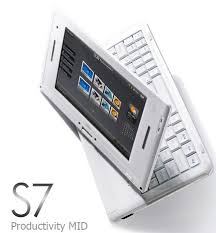
The Viliv S7 reminds me of my Fujitsu P1610

The Viliv S7 is a really tiny convertible tablet and it reminds me of a convertible tablet I once owned: the Fujitsu LifeBook P1610. Fujitsu now has the P1630 and it's a really nice (tiny) convertible tablet that has a decent keyboard.

So, Viliv is a small company that is starting to create some novel computers that are really small. The S7 has a 7" touch screen and it's a bit smaller than the Fujitsu P series, so I can't speak for its keyboard. When the keyboard gets too small, it becomes too difficult to use. For example, the Sony Vaio P series is probably too small for most people. Of course, Sony was targeting women with the Vaio P and I suppose that makes sense since most women have smaller fingers compared to men. This is especially true if you're talking about Asian women.

Viliv is a Korean company and I think it has potential if they create products that are high in quality. Earlier this year, they launched the S5 and the X70.

Saturday, September 12, 2009

Keeping my laptop cool

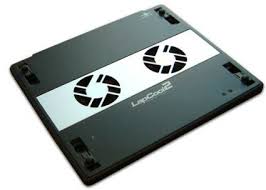
I'm using the phrase laptop rather loosely here. I use a convertible tablet on my lap, so I'll refer to it as a laptop. I currently use a Vantec LapCool 2 but I've tried other laptop coolers as well. Some blow air up while others blow air down. Some are designed to be used on a desk while others are meant to be used on your lap.

Over the years, I've found that many people don't use a laptop cooler. They don't realize how high temperatures can impact the lifespan of computers. Hard drives have spinning parts that will degrade over time when exposed to high heats. Other components are also susceptible to failure when they overheat. There was a time when I didn't use a laptop cooler regularly. Now, I do everything I can to keep the temperatures as low as possible.

As more mobile computers use solid state hard drives or SSDs, we will see some reductions in heat because we won't have spinning parts anymore. Plus, low-voltage processors are keeping things a bit cooler as well.

Friday, September 11, 2009

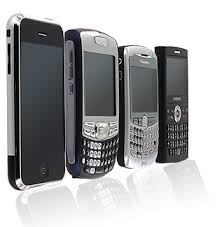
Is a smartphone a pocket computer?

How do you define the word "computer?" Here's how Webster defines it: a programmable usually electronic device that can store, retrieve, and process data.

Today, so many devices and gadgets qualify as a computer if you choose to follow the Webster dictionary. Of course, most of us expect that personal computers will run an operating system such as Linux, Mac OS X, and Microsoft Windows.

We now have specific terms for simpler devices that don't run a complete OS. The line between a mobile internet device or MID and smartphone is getting blurred all the time. At what point will a smartphone replace all these ultra-mobile PCs (UMPCs) and micro PCs that are emerging? I often wonder about the role of these pocket-sized computers that run Windows XP, Vista, or 7. Does that really make sense? Or is Google Android sufficient?

For some people, the smartphone has become their pocket computer. They check e-mail, use Microsoft Word, Excel, and PowerPoint, and they browse the Internet. You've seen those commercials on television where people are using their smartphone to stay productive outside of the office. Is that realistic? Are people actually doing that? How productive can you be on such a small device?

Thursday, September 10, 2009

No Apple tablet announced


I was quite disappointed by the fact that Apple did not announce a tablet. I was also not impressed by the updated iPod touch. They seemed to make some nice changes to the iPod nano, but all the other iPods really didn't get much of an update.

So, will we see an Apple tablet this fall? I have some serious doubts that we'll see anything impressive. Sorry, but a giant iPod touch simply won't impress me.

Wednesday, September 9, 2009

Netbook or smartbook?


If you thought a netbook was a cheap laptop, think again. Smartbooks are now appearing that are in the price range of $100-200. These devices are running similar processors that are found in smartphones.

Imagine taking a smartphone and putting a large screen and a really big keyboard on it. Now you have a smartbook.
  • A netbook is designed to run a full Windows (or Linux) operating system. It's a complete PC that's packaged in a tiny body and it's not meant for serious computing or gaming.
  • On the other hand, a smartbook is built to run a really simple operating system such as Linux or even Google Android - which runs on smartphones.
At the end of the day, I think smartbooks are going to flop. That's just my opinion.

New Apple iPods and Tablet?


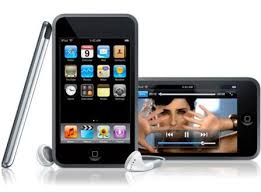
We're expecting that Apple will announce some new iPod touch models this week (3rd generation iPod touch). I currently have a 2nd generation iPod touch and I wonder if things are going to get confusing again as people try to differentiate among the various generations. According to multiple rumors, this new iPod touch will have a built-in camera, so that should make it easy to tell it apart from the older models.

The big question in my mind is this: will Apple unveil a tablet this year? Or will we have to wait until 2010 (or potentially later)? If Apple reveals a tablet, how big will it be (rumors are very inconsistent here). Plus, what operating system will be on this device? (maybe it will have both the iPod touch OS and Mac OS X).

Tuesday, September 8, 2009

Windows 7 running smoothly on my OQO


Soon, no one will know about the OQO. Even now, only the "serious" technology fans know that the OQO was a mini computer that fit inside your pocket. I only know a handful of physicians who actually purchased an OQO, but when they found that the hardware couldn't adequately support speech recognition software like Dragon very well, they quickly moved on to faster machines.

As for me, I still have my OQO model 02. Windows 7 has been running impressively well on this slow machine that only has 1 GB of RAM. I'm impressed that Microsoft was able to streamline and optimize this new operating system so that it runs well on old (and slow) machines.

Monday, September 7, 2009

How do you define "multi-touch" on a tablet PC?


The term "multi-touch" monitor has different meanings to different people. At one time, multi-touch was used to refer to a tablet PC screen that could receive input in multiple ways: 1) a Wacom active digitizer that required a special stylus pen (allows you to hover over the screen); or 2) passive touch with a finger, plastic tip, or just about anything else.

Now, "multi-touch" seems to be used more for capacitive touch screens that allow a user to place several fingers on the screen and allow finger gestures to translate into commands. We see this type of technology on the Apple iPhone, the Palm Pre, and others. The HP TouchSmart tx2z tablet PC series also advertises that its screen is a "multitouch" screen:
This tablet PC is also "multitouch" : you can use more than one finger (e.g., index and thumb) at the same time.
Windows 7 is supposed to incorporate some of this type of multi-touch technology on tablets that have capacitive touch screens. With these types of screens, a plain plastic stylus won't work.

So, how do you define "multi-touch"? It's starting to get confusing out there.

Sunday, September 6, 2009

Is your PC really infected? Don't get tricked!


I've recently noticed that many people are starting to get tricked by web pages that resemble their desktop. They see a window that pops open that says "your PC is infected" and then it appears that something is scanning their computer. The web page that is open looks like your desktop and doesn't look like a standard web page. Before you know it, you're downloading software (that may even be dangerous) and you're either infecting your computer or buying something that you really don't need.

The next time you see something that makes you think that your computer might be infected with a virus or some type of spyware, stop and look at the windows very carefully. You'll probably notice that the screen is actually a web page, not your desktop.

Make sure that you're running reliable (and updated) anti-virus software on your computer. You can get some free options through AVG, Avast, and Avira (among others). Free software continues to remain popular among medical students and residents.

Saturday, September 5, 2009

Computers at the beach


OK, so I take my computer with me so that I can keep up with my blogs. A few months ago, I took my computer when we went camping with the family. Over the long weekend, we'll be at the beach. I plan to take my computer so that I can be productive while the kids are playing in the sand. I've taken my OQO model 02 before and I think I'll do the same thing this time. That thing is so tiny that it hardly weighs anything. I use my smartphone to tether and get online when I'm not within any Wi-Fi signals. I haven't seen too many Wi-Fi hot spots at most beaches.

I hope everyone has a lovely long weekend!

Friday, September 4, 2009

Windows 7 on the OQO model 02


I have an OQO model 02. It's probably one of the smallest computers in the world. Although this device came with Windows Vista, I made the decision to run XP because Vista was simply too slow on this tiny PC.

The other day, I decided that it was time to try Windows 7 on my OQO. So far, it's been working fine. I'm eager to see how Win 7 compares to XP on this tiny little thing that only has 1 GB of RAM. I've seen how Win 7 runs on older machines that have slow processors. The 1.5 GHz OQO processor will clock down to 400 MHz to save battery life and to minimize heat, so let's see how it does with Windows 7.

Thursday, September 3, 2009

Sony VAIO X netbook


Wow, this looks like it's going to be a really think netbook. The Sony Vaio X is only 1/2" thick. It's probably so think that it will break when you lift it up. Something tells me this netbook won't be in the $200-300 range. Take a look at the photos on Engadget.

Windows 7 Launch Party! #win7meetup


OK, maybe. Well, then again - probably not. I'll be having my own little party as I install Windows 7 next month, but I don't think we'll be inviting the neighbors.

Host a Windows 7 Launch Party and you may even get a free copy of Windows 7! Wait, how do you have a party if you don't have the software? Seems a bit backwards to me. I've already placed my order on Amazon. I'm already running Windows 7 (RC), so I guess I've already spoiled the party.

If you're on Twitter, use the hashtag #win7meetup if you're talking about this. Anyone care to join me? If you're serious about looking for a house party, then make sure to visit: http://houseparty.com/windows7

Wednesday, September 2, 2009

Battery life to increase on Windows 7


I've been testing Windows 7 on several mobile computers, but I'm using the release candidate (RC) version and not the final version. According to some circulating reports, battery life is supposed to increase on laptops/tablets running Windows 7. Based on what I've seen and experienced, I think we'll see an increase compared to Vista. Will Windows 7 really improve battery life compared to XP? I'm not so sure.

It's quite disappointing, but we have not seen significant improvements in mobile battery technology over the past decade. You would think that by now, we'd have devices that have much longer battery life. How will this change over the next 5 to 10 years? We're seeing more efficient processors and better screen technology. When will we see batteries that triple our current run times?

Tuesday, September 1, 2009

The Microsoft Ultimate Steal is back!


The Microsoft Ultimate Steal is back! If you're a student with a valid .edu e-mail address, you can purchase Microsoft Office 2007 Ultimate edition for only $59.95!

Find out more here:
http://www.microsoft.com/student/discounts/theultimatesteal-us/default.aspx

I've found that free office suites such as Open Office work really well, so you don't need to have Microsoft Office. However, if you want an incredible deal, then you won't want to pass this up.