Ubuntu 9.10 is now available

Friday, October 30, 2009


You can now get Ubuntu 9.10. Ubuntu is a free Linux operating system that will run on almost any computer. If you're looking for a relatively simple and free operating system, then you should try Ubuntu. You can even install Ubuntu within Windows and create a dual-boot system with ease.

So what makes Ubuntu so popular? It's because you can get so many free applications for it. Of course, there are many other benefits associated with Ubuntu:
  • stable OS
  • nice interface
  • easy to use
  • free
  • and much more
If you haven't tried Ubuntu yet, you should give it a try. You have nothing to lose.

Broadband providers

Thursday, October 29, 2009


How do you define "broadband" as it relates to an Internet connection? If you look on Wikipedia, you'll see that "broadband internet" is "a high data rate Internet access—typically contrasted with dial-up access using a 56k modem." So, almost everything we see is now considered broadband since very few people actually still use 56k modems. Back in my AOL days, I used to have a 56k modem. I still remember all those dial-up Internet Service Providers (ISPs) like NetZero, Earthlink, Juno, CompuServe, and others. Remember those?

Now, we don't even have a phone line in our house. We use fiber optic FIOS and if that ever goes down, I pull out my smartphone. I use my smartphone to tether and get broadband internet connections when I'm traveling or when I'm not in Wi-Fi range. If I'm in a Wi-Fi hot spot, then I'll usually turn on the Wi-Fi antenna. But, if I'm not in a hot spot, then I'll pull out my smartphone and get online.

My colleagues in the UK use service providers like Orange and Vodafone. Some even use T-Mobile (but not to be confused with T-Mobile USA). Over the past few months, I've had the opportunity to learn about Internet and mobile phone providers in Europe. If you're ever looking for an unlocked GSM phone that isn't available in North America, look at these international mobile phone providers.

Windows 7 drivers for theThinkpad X200 Tablet PC


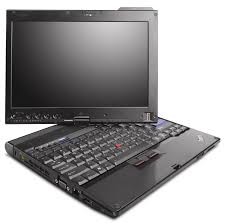
I now have all the proper drivers for my Lenovo Thinkpad X200 tablet PC running Windows 7. My Device Manager show no errors. My fingerprint scanner works perfectly. The SD reader works. The built-in WWAN also works. This computer originally came with Windows Vista, but I've been running Windows 7 for the past few months and things had been fine. I find that Windows 7 is much faster compared to Vista on this particular machine.

I'm disappointed that ThinkVantage System Update 4.0 didn't load all the necessary drivers for this machine. Well, maybe the next version of System Update will get fixed. In the meanwhile, "thank you" Lenovo for releasing all the drivers for Windows 7. Now, let's see if I can get the internal GPS to work.

GoToMyPC saves the day!


Who needs a VPN (virtual private network) when you can simply use GoToMyPC? This service (along with others that are like it such as LogMeIn) provides a very easy way to set up remote desktop access to your computer at work. You don't need to worry about any firewall settings. No routers to configure. You simply install GoToMyPC and then you leave that computer on. Simple!

I admit that I haven't tried many other remote access programs out there. I've used the "remote desktop" that comes with Windows XP, Vista, and Windows 7.

Personally, I hardly ever need remote access since I have so many mobile computers and I keep all my files on the cloud (I'm a huge fan of cloud computing) with back ups on my local drives.

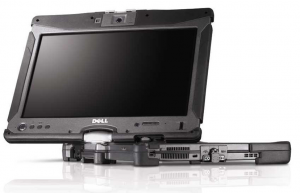
Dell Latitude XT2 XFR (rugged Tablet PC)


The Dell Latitude XT2 XFR is a great looking rugged Tablet PC. Sometimes I wonder if health care professional should be using rugged tablet computers in the hospital and clinical office settings. How often do you drop a computer? How often does something splash on your device?

Can you justify spending over $3,500 for a tablet PC when you can get a netbook for $300?

Installing Windows 7 on my Thinkpad X200 Tablet PC

Wednesday, October 28, 2009


I don't think my Lenovo Thinkpad X200 Tablet PC is ready for the RTM version of Windows 7. I'm running ThinkVantage System Update 4.0 and it's not identifying all the proper drivers that I need. Specifically, I'm still lacking drivers for:
  • Fingerprint scanner (drivers for Vista did not work)
  • WWAN module (drivers for Vista seemed to work here)
  • Serial port (probably the SD slot, but not entirely sure yet)
I'll play around to see what else I can find, but I was really hoping that ThinkVantage System Update 4.0 was going to identify all the drivers and utilities I need to run Windows 7 on my Thinkpad.

For now, I've put my old hard drive back in my Thinkpad. I'm typing this while running Windows 7 RC (build 7100). I'm hoping that by the weekend, I'll be using the RTM version.

Latitude XT2 XFR (rugged Tablet PC) on video

Take a look at this video featuring the Latitude XT2 XFR:

Have you tried Windows 7?

Tuesday, October 27, 2009


So, have you tried Windows 7? Maybe you're not an early adopter and you didn't test Windows 7 RC (build 7100). Well, now you have the opportunity to install and use the final release of Windows 7. I'm already wondering when Microsoft will be releasing its first service pack for Windows 7.

What are your initial impressions? If you were already satisfied with Vista, then you probably won't be impressed by Windows 7. If you hated Vista, then I think you'll find Windows 7 to be a refreshing change.

Installing Windows 7 on my Samsung UMPC


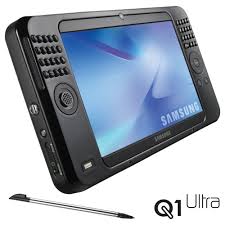
I spent some time last night installing Windows 7 on my Samsung Q1 Ultra which is an ultra-mobile PC (UMPC). This tiny little tablet computer came with Windows Vista or XP Tablet. I've mainly been running XP but I've also been using Windows 7 RC (release candidate - build 7100) on this machine. Now, I'm in the process of reloading all my applications so that I can test the RTM (release to manufacturing) version of Windows 7.

I'm eager to see how Windows 7 performs on this device. Win7 RC worked fairly well. It was certainly much better compared to Vista. I'm hoping that Windows 7 with all its tablet-friendly features will motivate more physicians to start leveraging the tablet computer for its touch screen. I still see so many health care professionals using convertible tablets as laptops. Pick up the pen and use the screen, not the keyboard!

Received my Windows 7 upgrade DVD today

Monday, October 26, 2009


I received my Windows 7 upgrade DVD today. I had pre-ordered these when they were really inexpensive. I'll have to find some time this weekend to perform the upgrade.

Are you planning on upgrading to Windows 7? If you're still using an older PC that has Windows XP, I suggest that you consider purchasing a new system instead of spending over $100 for an operating system upgrade.

If you're running Windows Vista (on a computer that came with Vista), then I think you'll be quite happy with the upgrade to Windows 7.

What makes a computer a "business" laptop?

Sunday, October 25, 2009

Most major PC manufacturers have a line of computers that they will label as "business" machines. What makes a notebook a business notebook? Special hardware? Software? Both of the above?

I've found that it's really a combination of both unique hardware and software features that make a computer a "business" machine. Compared to consumer products, business products may go through more use, misuse, and abuse (spill-resistant keyboards, shock-mounted hard drives, etc.). Business products also need to have the highest type of security protection (disk encryption, fingerprint readers, etc.). Business machines don't need all the "bloatware" that's commonly found on new PCs. Business computers are also often built to look less "flashy" than your average consumer-centric machines.

At the end of the day, you may still find all the features you need on a computer that's really meant for consumers. You can always install a new operating system on any machine. You can always increase some of the security features by using 3rd part software. You can remove the bloatware. However, it's not easy to add a fingerprint reader to a laptop, so if you need the highest level of data protection, then I suggest that you get a machine that includes a built-in fingerprint reader. Also, some mobile computers have special hard drive protection that is built into the BIOS. You can't add that with any 3rd party software.

Free Windows 7 upgrades for PCs purchased after June 26, 2009

Friday, October 23, 2009

If you purchased a new PC fairly recently (after June 26, 2009), then you probably qualify for a free upgrade to Windows 7. There are a few exceptions, so to learn more, read this story on PC Magazine.

I'm waiting for my pre-ordered copies of Windows 7 to arrive. In the meanwhile, I'll continue to use Windows 7 RC on my computers.

Read unlimited free e-books on the Nook by going to B&N

Thursday, October 22, 2009

The Nook is one of the latest digital readers and it uses a novel concept: you can take the Nook into a Barnes and Noble and connect to the Wi-Fi network in the store. Once you're connected, you can read e-books for free while you're in the store. Brilliant!

Many people go to the book store to read books. Now, if you have a Nook, you can still go to the book store to read your book. Just sit in the cafe, drink your cup of tea or coffee, eat a snack, and read on the Nook.

What's mobile health?

Wednesday, October 21, 2009


What's mobile health? How do you define "mobile health?"
  • Some may think of mobile health clinics (a van, bus, trailer, cruise ship, etc.)
  • Others may think about doctors who make house calls.
  • Some think about mobile computers used in health care.
  • Others may think about doctors who treat all their patients from a car.
  • Some may think of mobile health
The purpose of this website is to explore how mobile computers can be used in the health care industry. I'm passionate about gadgets and technology and I feel that mobile clinical assistants (MCAs) and tablet computers will play a huge role in the future of health care. I also believe that smartphones and other mobile devices will be used by more health care providers.

So how do you define mobile health? Do you use mobile computers?

The Nook is coming

Tuesday, October 20, 2009


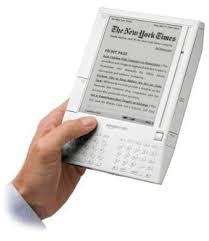
Barnes and Noble is coming out with an e-book reader called the Nook. The Amazon Kindle will be facing some serious competition out there! Now, we have Sony, Amazon, Barnes and Noble, and several other companies releasing e-book readers. I'm thinking that Borders will be next.

The Nook looks quite similar to the Kindle. Let's see how they compare when they get released into the hands of consumers, students, and health care professionals. Can you imagine going through medical school with one of these?

Plan to upgrade your older PC in 2010

Older PCs can still be very functional, but if you want to keep up with the latest software that's out there, then you should expect to upgrade your PC next year. Why? Major applications will demand more RAM and processing power to run effectively. Let's take Microsoft Office as one example. If you ran Office XP or 2003, then you probably noticed a huge difference in performance if you upgraded to Office 2007. Unless you have at least 1 GB or RAM, you can expect Outlook 2007 to be significantly slower compared to Outlook 2003.

Microsoft is getting ready to release Office 2010 and you'll need a modern PC if you want to run these applications efficiently. So, instead of paying for a Windows 7 upgrade if you currently use XP, consider replacing your older PC with a new system that comes with Windows 7.

The QUE is coming from Plastic Logic

Monday, October 19, 2009


Look out Amazon Kindle! The QUE is an exciting e-book reader that will get announced in January. I wish I could attend CES in 2010, but I won't be attending. Maybe I'll get a chance in 2011.

The QUE is made by Plastic Logic.

Barnes and Noble has an e-book reader coming. That one will be called the Nook.

The line between an e-book reader and a tablet PC

Saturday, October 17, 2009

Right now, a digital e-book reader (like the Amazon Kindle or the Sony Digital Reader) has a very focused purpose: books

In the near future, I believe they will evolve dramatically. They will incorporate color screens, have Wi-Fi (some already have this), a web browser, multimedia capabilities, e-mail, and much more. Wait, did I just describe a tablet PC?

As the prices of mobile computers continue to drop, it will only make sense to make these digital e-readers more powerful. They don't need to have all the capabilities of a full-featured tablet PC, but they will have enough so that you can get online, get some work done, and use it for entertainment.

My prediction is that the upcoming Apple tablet will be a device that will catapult the e-book reader audience to fall in love with additional tablet PC features. Eventually, these devices may be called "net-tablets" similar to the way we call mini notebooks a netbook. At some point, the line between a digital e-book reader and a tablet PC will get very blurry and we'll see so many overlapping features that we won't see dedicated readers that have a very focused purpose.

Tips for longer laptop battery life

Thursday, October 15, 2009


I'm often asked, "why does my laptop have such short battery life?"

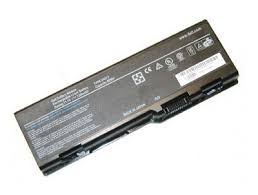
Many people don't realize that notebook battery life ratings are generally estimated as the "maximum" battery life on the lowest power settings. This means:
  • Lowest brightness setting.
  • Lowest processor settings (most CPUs will throttle up or down depending on the burden placed on the CPU).
  • No use of optical drives.
  • No use of any internal communications cards. This includes Wi-Fi, Bluetooth, and internal WWAN cards.
  • No use of USB ports or any other power-consuming ports.
Now, how often do you use your laptop like this?

If you want to improve battery life, make sure you're doing what you can to reduce power consumptions in the areas described above. The easiest way to improve battery life is to decrease brightness and reduce your CPU settings. Turn off your wireless cards if you're not using them.

Computing on the train

Wednesday, October 14, 2009

I'm traveling for work today, so I'm computing on the train. I still remember the old days when we didn't have any Internet access on trains. Now, I simply use my Windows Mobile smartphone to tether my tablet PC and I'm quickly online.

Soon, all the major trains, buses, and airlines will offer Wi-Fi and we will look back in a few years at the "dark ages" when we didn't have Internet access on trains and planes. Can you imagine a future where the Internet is everywhere? 

How do you backup your computers?

Tuesday, October 13, 2009

How do you back up your computer data? Do you use an external hard drive? A remote backup? Maybe you're like countless other physicians out there who don't regularly back up your data. If you're running an electronic health record (EHR or EMR), then I'm certain that you're backing up your patient data. However, how are you backing up other important files and documents? What about your e-mails?

Computer hard drives can fail at any moment. If you're not keeping a close eye on your hard drive, you may not know if your drive is about to fail. Some drives may give you some warning signs, but others may fail at an instant (especially if you drop it). So, what's the best option?

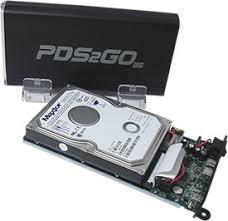
The ideal method is to have a local backup (such as an external hard drive) and a remote backup. External hard drives have dropped in price significantly, so you can get a 500 GB or even a 1 TB drive for a very reasonable price.

Backing up your data is especially important if you use a mobile computer like a notebook or a tablet PC. After all, that computer could just walk away someday and all your data would be gone.

Slim storage

Monday, October 12, 2009

This is an interesting concept for storage: a slim USB data card. Forget about flash drives. We're now talking about a flash card.

The Slim Data Card is as thin as a credit card. If you could store 64 GB of data in your wallet, then the credit card slogan "what's in your wallet?" will have an entirely new meaning.

Image source: Gadgetell

Will the Apple Tablet kill the Amazon Kindle?

The Amazon Kindle has taken e-book readers to a new level. A recent Time.com story compares how the Apple iPod revolutionized the digital music movement and how the Amazon Kindle has done the same thing in the e-book world.

If that's true, then Apple wants a piece of the e-book world and that's probably why they're going to launch a consumer-friendly color tablet that will also be a really great e-book reader. Soon, the Kindle will need to resemble an iPod touch to stay competitive. I'm guessing that Sony is prepping a color Digital Reader in anticipation of the Apple Tablet.

Thanks again to HP for lending me an EliteBook 2730p tablet PC

Sunday, October 11, 2009

I want to thank those at HP who allowed me to borrow an EliteBook 2730p Tablet PC. I enjoyed reviewing this tablet and comparing it to my current Lenovo Thinkpad X200 Tablet PC. As Windows 7 comes out and incorporates multi-touch gestures into its operating system, we will see more tablets appearing with capacitive touch screens that allow for multi-touch gestures. I admit that I'm not too excited about multi-touch features on a tablet PC. I think multi-touch is a great features on smartphones and PDAs, but not on a tablet when I'm mainly using a pen.

I'm eager to see how HP will update and refresh the EliteBook 2730p tablet PC. Will they offer one that has a multi-touch screen? (I'm sure they will) What else will they change on this nice tablet? Perhaps an illuminated keyboard instead of a pop-up LED light that shines down on the keyboard? Maybe a 2.5" hard drive instead of a 1.8" drive?

Invited to a Windows 7 House Party

Saturday, October 10, 2009


On October 22, expect to see many house parties. Microsoft is pushing individuals and groups to have Windows 7 house parties. Have you been invited yet?

I've pre-ordered Windows 7, but recent reports suggest that Windows 7 may not be significantly better than Vista. I'm still running XP on my main PC, so maybe I'll just stick with XP and upgrade to Windows 7 on my mobile devices and tablet PCs.

To locate a Windows 7 house party in your area, visit:  http://houseparty.com/windows7

IMAP vs. POP and synchronizing e-mail on multiple computers

Friday, October 9, 2009

In the past, most people used POP e-mail settings on their desktop e-mail clients such as Microsoft Outlook, Outlook Express, and Windows Mail.

Today, many people still use POP. However, IMAP has significant benefits if you use more than one computer to check your e-mail.

If you want to keep all your e-mails synchronized across multiple computers, then learn how to use IMAP settings because it could make your life much simpler. When you use IMAP, when you delete an e-mail on one computer, it deletes that e-mail on all your computers. So, you can run Outlook on all your computers and keep your e-mails synchronized all the time. Brilliant!

More touch-screen desktops appearing this fall

Thursday, October 8, 2009

Windows 7 features some unique multi-touch capabilities and we will start to see more touch-screen desktop computers appearing this fall. I wonder if all this multi-touch excitement will revive the tablet PC market (probably not, right?).

So the Sony Vaio L is Sony's first touch-screen PC. HP has the TouchSmart PC. A growing number of manufacturers are making desktop PCs that utilize touch-screens that can leverage Windows 7 features. Soon, hospitals and physician offices will be leveraging more touch-screens through a combination of tablet PC use, mobile clinical assistants (MCAs), and even touch-screen desktop PCs.

Gateway EC18T Tablet PC

Wednesday, October 7, 2009

The Gateway EC18T Tablet PC appears to be a really nice looking convertible tablet. I'm not sure that it will have any features that will make it stand out from other convertible tablets out there, so it's too early to get excited. The main feature I'd like to see are illuminated keys on the keyboard for those of us who blog at night. The HP EliteBook 2730p tablet PC has a pop-out LED light that shines down on the keyboard, but that's about the only convertible tablet out there that's friendly for use in dark places (such as radiology suites).

To see some photos of the Gateway EC18T Tablet PC, visit this page on Engadget.

Some of my favorite Windows 7 features

Tuesday, October 6, 2009

Let me highlight a few of my favorite Windows 7 features. Let me start by explaining that I usually work with two monitors side-by-side when I'm in the office. However, when I'm on the road, I only have a single monitor (which is my laptop screen). How can I get two windows perfectly aligned side-by-side?
  • In Windows 7, dragging a window to the right or left edge of your screen resizes the windows so that you can effectively work with two windows side-by-side. (dragging a window to the top edge of the screen maximizes that window)
  • Preview and close your windows using Aero Peek. In Vista, you can preview, but you can't close your windows using Aero Peek. In Windows 7, you can close those windows. If you hover your mouse over the taskbar, you'll see a few preview windows pop up that show you miniature views of your windows. If you move your mouse into one of these windows, you'll see a tiny red "X" appear at the upper right corner of that mini window. You can effectively close your windows using this feature within Aero Peek.
  • When you have multiple applications and windows open, you can rearrange the order of those apps within your taskbar. In the past, the first application you open would be on the far left. Then, the next app would appear to the right of the first one. 
Now, are these features enough to persuade people to upgrade from Vista to Windows 7? Probably not. However, the performance improvement should be the biggest driver for people who are not satisfied with the sluggish performance of Vista.

Windows 7 coming out this month

Monday, October 5, 2009

This month, I should be getting my pre-ordered copy of Windows 7. I've been running the Release Candidate (RC) version of Windows 7 on many of my computers and I'm looking forward to having a permanent operating system so that I don't have to reinstall all my applications, copy my files, etc.

I don't have any computers running Vista anymore. Moving forward, I'll simply run either Windows 7 or XP on all my computers. I wonder how long XP will survive. It's certainly had the longest lifespan in the history of Microsoft's operating systems. I wouldn't be surprised if many computers are still running XP in 5 years.

Over the short term, most hospitals and physician offices using electronic health record (EHR) solutions on PCs running XP will probably stick with XP. If you're starting from scratch and you're about to implement your first EHR, then I would suggest that you run Windows 7.

When is a netbook no longer a netbook?

Saturday, October 3, 2009


One of the latest netbooks to appear on the market is the Lenovo IdeaPad S12. This machine has a 12.1" screen, so is it no longer a netbook? At $500, it's priced really well compared to other 12" ultra-portable laptops out there. Lenovo calls the S12 a "roomy 12" netbook" so they're clearly marketing the S series as netbooks.

At some point, someone will have to come up with some clear definitions on what constitutes a netbook vs. a notebook, etc. Microsoft had come up with some definitions for the term UMPC (ultra-mobile PC) back when they launched the Origami promotion. These were the specs for an UMPC:
  • Windows Vista Home Premium OS
  • Approximately 7" diagonal display (or smaller)
  • Minimum 800 x 480 resolution
  • Approximately 2 pounds
  • Integrated touch panel
  • WiFi- and Bluetooth-enabled
Well, as Windows 7 replaces Vista and XP, it should be interesting to see how mobile computers get defined and labeled.

Ordered a Dell Vostro 1320 today

Friday, October 2, 2009

I didn't order this for myself. I purchased it for a colleague. At $550, the Dell Vostro 1320 is an excellent deal! I'm getting a nice portable laptop that has a 13" screen and a built-in optical drive. I've used many Dell computers and I've generally been happy with them.

Many notebook computers that have 13" screens lack a built-in optical drive. These days, I hardly use a CD or DVD so I don't miss that drive. When I need a drive, I can dock my Thinkpad X200 tablet or I can use a USB-powered optical drive. I'd rather have something small and light and leave that drive at home.

Apple Tablet (or iPad) to be a giant iPod touch

Thursday, October 1, 2009

So, the latest rumors on the Apple Tablet is that this device will simply be a giant iPod touch. Disappointing.

I was hoping to see a robust Apple Tablet running Mac OS X, but instead it looks like we're only going to see a large multimedia tablet that will have a web browser (mobile Safari) and multimedia capabilities. I suppose for those physicians and medical students who want to use a really BIG iPod touch (or iPhone), then the new iPad (or whatever they end up calling it) will be a nice device. Maybe it will be the perfect device for those older docs who don't want to use reading glasses when they're using a digital device.

Become a Fan on Facebook

Join Our Network: Non-Clinical Healthcare Professionals

Blog Widget by LinkWithin

Advertisement

Visit these sites:

 
Advertisement