Monday, November 30, 2009

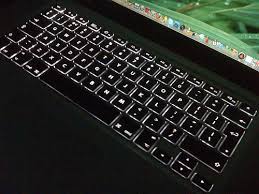
Another reason why I want an illuminated keyboard


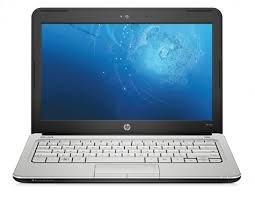
Many of you know that I now have a newborn at home. When I'm on baby duty, I try to do a little bit of computing on my laptop and when you're working in a dark room, you quickly recognize the value of an illuminated keyboard. Those that use a backlight are probably the best (as opposed to an LED shining light down on the keyboard).

If you're a radiologist, you probably know what I'm talking about. You may not do a ton of typing since you're probably dictating your notes, but a backlit keyboard can be a great thing to have. Apple recognizes this and that's why the backlit keyboard on the MacBook Pro is a standard feature. My wife has one of these and she doesn't need a USB-powered LED light. When will PC laptop manufacturers catch on? Only a few have added some type of illumination. I'm waiting until this becomes a relatively standard feature. The problem right now is that we don't have enough people asking for it.

Sunday, November 29, 2009

Babies, sleep, and handheld computers


What's the link? Well, I have a new baby at home. The last time I had a new baby at home, I was severely sleep-deprived. However, I still wanted to do a bit of computing (sorry, I can't help myself) and I was able to do this with different handheld computers.

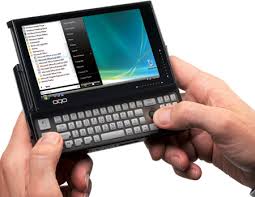
Now that smartphones are becoming more powerful, I may be able to use my HTC Touch Pro2 running Opera Mobile 10 (beta) to do most of my computing. However, I also have the option of using my OQO model 02 or my Samsung Q1 Ultra. Both of these are handheld devices and I use a wrist strap so that if I accidentally drop it, it doesn't hit the floor.

Continue to follow this blog and you may see me holding a baby and doing some handheld computing...

Friday, November 27, 2009

Using the hospital Wi-Fi system


Thank goodness for free hospital Wi-Fi networks! Typing this from the hospital (wife is read to deliver!)

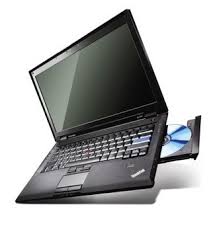
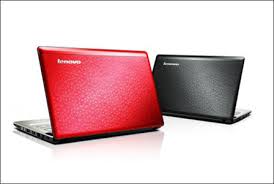
Purchased a Lenovo ThinkPad SL series (as a gift)


I currently use a Lenovo ThinkPad X200 Tablet PC as my main computer when I'm out of the office. Today, I used the Lenovo Black Friday code (USPBLKFRIDAY) to save an additional 10% and I purchased a ThinkPad SL series for someone in my family.

I've had such negative experiences with the Lenovo Outlet that I opted to pay a little bit more to get a brand new machine. This was my major Black Friday purchase for today. I went out earlier, but that was a trip to Home Depot because I needed to get a few things for the house.

Great Lenovo deals (ending soon)


If you didn't wake up early enough to get an incredible deal on a laptop this Black Friday, you may want to consider online shopping. Lenovo is having a pretty good sale on its website. These prices end on Nov 29. Use eCoupon USPBLKFRIDAY to save up to 20% more through November 29. For instance, you can save over $600 on the ThinkPad X200 tablet PC series. The updated X200 tablet PC now offers multi-touch for Windows 7 gestures and features. I suggest that you customize and add a Bluetooth module along with the extended battery.

If you don't need a tablet or you prefer something with a larger screen, then consider the IdeaPad U or Y series. The IdeaPad S series are generally netbooks (although the S12 has a 12" screen, so I'm not sure why it's called a netbook). The IdeaPad series are generally less expensive (compared to ThinkPads) but they still come with great keyboards.

Thursday, November 26, 2009

Happy Thanksgiving!

Enjoy lots of turkey! Happy Thanksgiving? Get ready for those incredible Black Friday sales on laptops/notebooks, tablet PCs, iPods, and much more! I'm very thankful for my family and for the support they provide.

Wednesday, November 25, 2009

Win a Fujitsu T4310 Tablet PC (with multi-touch)


I'm in the spirit of promoting free products right now. If you enjoy drawings and contests, then head over to http://www.fujitsuwin.com to win a Fujitsu T4310 Tablet PC with multi-touch. Windows 7 has some nice multi-touch features that are only available if you have a tablet PC that uses a capacitive touch screen. My Thinkpad X200 tablet PC only has an active digitizer and a passive touch screen, so I'm missing out. However, maybe I'll win a free T4310! I don't think I'd switch since the T4310 doesn't have the one key feature that I'm looking for. That feature is an illuminated keyboard. I do all my blogging at night, so an illuminated keyboard is the one feature I'm waiting to see. The HP EliteBook 2730p has an LED light for the keyboard, but I'd personally prefer a light under the keyboard.

Tuesday, November 24, 2009

Black Friday specials on notebooks


I may buy a notebook this Friday as a gift for someone in the family. This individual is not a "power user," so I don't need to buy the latest and greatest PC that's out there. Which notebook is the right choice? I found one budget notebook that was roughly $200, but this one seems a bit too slow. It's hard to justify purchasing a machine that has a single core processor (unless you're getting a netbook). I'm not planning on buying a netbook for this individual.

I'll continue to scan the deals. Sometimes the best deals occur after Christmas as people return unopened (and even opened) merchandise. I'm willing to purchase an "open box" special if it means I'll save. Some of the best deals I've ever found were open box specials from online retailers like MacMall/PCMall, NewEgg, etc. As a general rule, I won't purchase an open box refurbished item. I don't have problems with refurbished computers, but if it was a returned refurbished item, then I stay away from those.

Hope you find some good deals this week!

Monday, November 23, 2009

Win an HP Mini 311 netbook


Enter to Win an HP Mini 311 — Courtesy of LAPTOP Magazine. Are you willing to fill out a short survey so that you can enter to win a free HP netbook?
Click here for details.

Sunday, November 22, 2009

Google Chrome OS: the Best and Worst Features


PC World has a nice post about the 5 best and 5 worst features of the upcoming Google Chrome OS. On that list, my favorite "best" is that we should see extremely fast boot times on devices running Chrome OS. 3 seconds! That's almost faster than resuming from standby.

The biggest "worst" feature in my opinion is that we don't know how well Chrome OS will work if you're offline. In the future, it may be difficult to imagine working offline since we'll always be connected. However, that future is still far away. We're still living in days where many people don't have constant access to the Internet when they're working.

So, how would I rate my level of enthusiasm for Google's Chrome OS? For health care professionals looking for a lean OS for their netbooks and ultra-mobile PCs, this OS should be a good alternative to Windows XP if you're primarily performing web-based tasks. Since many Electronic Health Record (EHR) systems offer an ASP (application service provider) option, you need to have Internet access if you want to use your EHR out of the office. If you don't use an ASP model, you'll need a VPN when you're out of the office. In either case, netbooks and other small PCs will gain popularity as clinicians recognize the need to have access to a computer when they're out of the office or hospital. They'll want something small, light, and efficient. Will Google's Chrome OS fill that gap?

To read the full story on PC World, click here.

Friday, November 20, 2009

We're never going to see the Apple Tablet


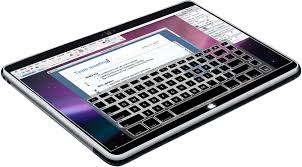
More rumors are emerging about the Apple Tablet. This time, the rumors indicate further delays in the Apple Tablet. Why Apple? Why?

Will it be worth the delay just for an OLED (organic light-emitting diode) screen? Not to me. I'm so disappointed. I was really looking forward to playing with this new device from Apple. I frequent the Apple Store (not a surprise, is it?) and I wanted to have something new to play with the next time I went to the store. Now, I'm stuck playing with the same old gadgets. MacBooks and iPods are getting old.

Thanks for the mention Locum Leaders!


This blog (http://www.mobilehealthcomputing.com) is mentioned in a recent "Locum Link" on LocumLeaders.com titled, "Five Top Healthcare Tech and Gadget Blogs."

Thanks for the mention! To see the story, click here.

Thursday, November 19, 2009

Try the free beta of Microsoft Office 2010


Microsoft announced that the beta version of Microsoft Office 2010 is now freely available to the general public. To get it, visit: http://www.microsoft.com/office/2010

I have a few old computers laying around, so I will gladly test the beta and report my findings. I was quite happy with most of the enhancements Microsoft made in Office 2007. Let's hope that Office 2010 takes things to the next level.

Here are the "Top 10 Benefits of Office 2010 Beta"
  1. Express your ideas more visually
  2. Accomplish more when working together
  3. Enjoy the familiar Office experience from more locations and more devices
  4. Create powerful data insights and visuals
  5. Deliver compelling presentations
  6. Manage large volumes of e-mail with ease
  7. Store and track all your ideas and notes in one place
  8. Get your message out instantly
  9. Get things done faster and easier
  10. Access work across devices and platforms

Video of the Archos 9 tablet

Here's a great little video featuring the Archos 9 tablet PC running Windows 7. Can you believe how thin it is? Let's see how the emerging Apple tablet compares with this device. I'm sure the Apple Tablet will also be very thin (and you probably won't be able to change the internal battery).

Wednesday, November 18, 2009

Free EMR options (Electronic Medical Record)


There are a growing number of Electronic Medical Record or EMR options for the medical office. How about the free options out there? Open source? Freeware?

Well, I've written about this topic quite extensively on my other site (http://www.medicineandtechnology.com), so if you're interested, I encourage you to browse the blog posts tagged with "free EMR." You'll find those here.

What is the best free EMR solution?

Tuesday, November 17, 2009

Google Chrome OS launching soon


The Google Chrome Operating System (OS) is launching quite soon. I'm excited to see this new, lean operating system that should work quite well on ultra-mobile PCs (UMPCs) and netbooks. I plan to try Chrome OS on my Samsung Q1 Ultra (mini tablet) to see how it compares with Ubuntu, XP, and Windows 7.

If Chrome OS improves speed, efficiency, and battery life on my UMPC, then it will be a winning OS for me. After all, the Q1 Ultra has a slow processor and this device isn't meant to be used for any type of heavy computing.

Monday, November 16, 2009

Will the growth in health IT revive the tablet PC industry?


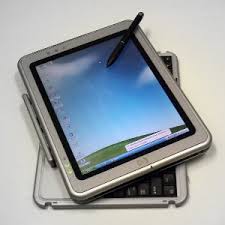
I use a tablet PC. Many other physicians also use a tablet PC in the office or hospital with their electronic medical/health record (EMR or EHR). However, there are many who use a convertible tablet and primarily use it as a laptop/notebook.

Will the growth in health IT revive the tablet PC industry as more physicians start using EMRs that leverage pen-based data entry? I think it would be fantastic to see a growth in small tablets (or ultra-mobile PCs) in the health care industry. There are many doctors who love technology and gadgets. As more embrace touch-screen smartphones like the Apple iPhone, they will recognize the power of multi-touch gestures and other features that are commonly found in tablet PCs.

As we see more health care providers make the switch from paper records to electronic records, let's hope to see a reviving effect in the tablet PC marketplace.

Sunday, November 15, 2009

Free group video conference calls


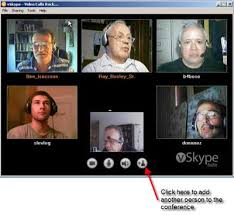
I use Skype quite often for video calling, but you can't do a group video conference call unless you use some type of 3rd party application. I'm eagerly awaiting the day when Skype will offer group video conferencing.

Over the weekend, I had a chance to do some video conference calls using TokBox. This is a free service and I had 6 videos simultaneously showing on my monitor. As the Internet continues to revolutionize the way we communicate, these tools and resources could also dramatically impact the delivery of remote health care (telehealth or telemedicine).

Next time, I plan to try MeBeam and ooVoo for group video conference calling.

Saturday, November 14, 2009

Video of the new Asus Eee T91MT (multi-touch tablet netbook)

Here's a little video of the new Asus Eee T91MT (multi-touch tablet netbook):

Friday, November 13, 2009

Apple Magic Mouse (multi-touch gestures)


If you're familiar with multi-touch gestures on the Mac, then you'll want an Apple Magic Mouse. This is the first multi-touch mouse and it's currently included with every iMac. If you're looking for some holiday gift ideas, this could make a great $69 stocking stuffer. Apple certainly has some of the most talented and creative engineers and designers on staff (yes, some of my MIT college friends work at Apple).

Using Bluetooth wireless technology, this little peripheral requires no wires or cables. You make your gestures on the surface of the mouse, so imagine taking that track pad and turning that into a mouse. Like many mice, this one also features an ambidextrous design. All you creative lefties out there won't be left behind on this one.

Here are some of the gestures you can perform:
• Click: Magic Mouse is an advanced point-and-click mouse that lets you click and double-click anywhere on its Multi-Touch surface.
• Two-button click: Magic Mouse functions as a two-button mouse when you enable Secondary Click in System Preferences. Left-handed users can reassign left and right click, as well.
• 360° scroll: Brush one finger along the Multi-Touch surface to scroll in any direction and to pan a full 360 degrees.
• Screen zoom: Hold down the Control key on your keyboard and scroll with one finger on Magic Mouse to enlarge items on your screen.
• Two-finger swipe: Using two fingers, swipe left and right along the Multi-Touch surface to advance through pages in Safari or browse photos in iPhoto.
Learn more here: http://www.apple.com/magicmouse

Thursday, November 12, 2009

LifeBook T4410 Multitouch Tablet PC Video

Multitouch isn't just for smartphones anymore. Now, Windows 7 incorporates some nice multitouch features into tablet PCs that have capacitive touch screens. Watch this little video of the Fujitsu LifeBook T4410 tablet PC featuring multitouch gestures.

XP yields longer battery life than Windows 7


You may not be surprised to discover that Windows XP results in longer battery life compared to Windows 7 if you're using a netbook. There are many variables when it comes to battery life comparison studies, but if you're going to browse the Internet via Wi-Fi, then you're likely to get longer battery life on a netbook running Windows XP compared to Windows 7. According to this blog post on Laptop Magazine, you will see substantial reductions in battery life if you're running Windows 7 on a netbook.

So, what if you're running a standard notebook? Tablet PC? Ultra-mobile PC? Do the results on a netbook translate to other mobile devices?

Netbooks generally use very low voltage processors (single core) and small screens. Plus, several come with SSD options (although more are now coming with standard 1.8" spinning hard drives). So you have to really examine where your power is being drained.

Other industry studies seem to suggest that Windows 7 may result in longer battery life on standard laptops and other mobile computers. I suppose the bottom line is that you should run the test yourself. Create a dual-boot partition on your hard drive and test different operating systems to see which one gives you the best battery life. I'm sticking with Windows 7 on my tablet since I'm willing to sacrifice battery life for the tablet features.

Wednesday, November 11, 2009

Will you get a netbook this Christmas?


This holiday season (Christmas for me), I plan to do quite a bit of shopping for people in my family. I may be buying a new laptop or even a desktop, but I don't plan on purchasing any netbooks.

How about you? There will be some incredible Black Friday deals coming up fairly soon. New netbook models are appearing in retail stores. Tempting? You'll definitely see more netbooks at the airport this holiday season. Students have been gobbling up netbooks and they'll be using them as they wait for their plan to return home for the holidays.

The Lenovo IdeaPad U150 is one of the newest netbooks to emerge. This one is a bit on the more expensive side, but you'll get a more powerful netbook in this package. I'm still a fan of convertible tablet PCs, so you won't find me purchasing a netbook unless it can convert to a tablet. My current machine (Lenovo Thinkpad X200 tablet) doesn't have the capacitive multi-touch screen, so that's one feature I'd love to have in a netbook. However, you won't see me spending any money this Christmas for a netbook because I simply have too many gadgets right now.

Tuesday, November 10, 2009

Tuesday is Microsoft Updating Day


Microsoft traditionally releases updates on Tuesdays. Specifically, the second Tuesday of every month. This day is often called "Patch Tuesday." Today is no exception. Microsoft released several updates for Windows 7. One of them was a tool to remove malicious software on your PC.

Are you keeping your computers updated? I know many people who are still running systems that lack the latest service packs and important security updates.
  • If you're running Windows XP, you should have Service Pack 3.
  • If you're running Vista, you should have Service Pack 2.
Don't let your computers remain vulnerable to security attacks. Keep them updated on a routine basis. While I'm giving advice, I suppose I should also add:
  • Monitor your hard drives.
  • Run security software.
  • Back up everything on a regular basis.

Archos 9 on video

Interested in the Archos 9 PCtablet (a tablet PC running Windows 7)? Watch this little video to see if this device might help your work flow in the clinic/hospital/office:

Monday, November 9, 2009

Make sure to check your SPAM folder regularly


Depending on your e-mail client, you may be missing some important e-mails because they're getting filtered as SPAM. SPAM filters continue to evolve and different e-mail systems use different tactics. In the past, filters would look for certain keywords. Now, if you're a health care professional and you're sending an e-mail describing certain body parts (sexual parts such as breast, penis, etc.), then your e-mail address could get flagged as a SPAMMER! Well, those were the old days. Some filters still operate like that, but I'd say fewer tend to use that system. Then we have services like the DCC (Distributed Checksum Clearinghouses), SPF (Sender Policy Framework), DomainKeys, and DKIM (DomainKeys Identified Mail). Wow, did you catch all that?

The bottom line is that filtering SPAM is an evolving process. What used to work 3 years ago probably won't work today. No SPAM filter is perfect, so you're probably losing a few important e-mails each week because they're getting stuck as SPAM.

Asus Eee PC T91MT now on Amazon


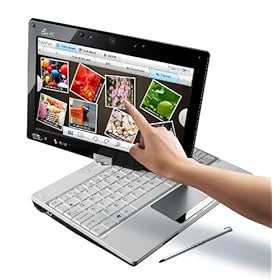
The Asus Eee PC T91MT (T91MT-PU17-WT) is now on Amazon. This isn't just your average "Eee netbook." The T91MT is a convertible netbook / tablet PC. The "MT" stands for multi-touch. It reminds me of the Fujitsu LifeBook P1600 series (1610, 1620, 1630), but the price is substantially different. Now, you can have multi-touch and Windows 7 on a netbook for under $550.

If I were to buy a netbook today, this would be at the top of my list because I'm a tablet PC user and I've always been a fan of pen computing. I believe that future health care professionals will rely heavily on touch and pen computing. I hope that more netbook manufacturers will follow Asus and release multi-touch convertible tablet netbooks in the near future.

Sunday, November 8, 2009

Dell Mini 9 Tablet modification

Hackers love to perform "mods" or modifications to computers. Here's a great video of a modified Dell Mini 9 netbook that's now a touch-screen tablet with an accelerometer!

Friday, November 6, 2009

Archos 9 PCtablet


The Archos 9 is the tablet PC I would buy as a peripheral computer. Actually, it's a PCtablet, not a tablet PC. Archos calls it a netbook, so now I'm really confused.

I would not get this as my main workhorse computer, but as my super note pad and multimedia player. This thing is really thin and light! I like the fact that the screen is 8.9" and it has some nice functional buttons on the sides. If I had to buy a tiny peripheral tablet today, this would be the one on the top of my list.

The Archos 9 doesn't have a cooling fan, so I wonder how warm it gets. How much heat is generated by the 1.8" spinning hard drive and the Intel ATOM Z510 1.1 GHz processor? I currently use a Samsung Q1 Ultra as my super note pad and I'm running Windows 7. I wouldn't mind trading my Q1 Ultra for the Archos 9 so that I can have a larger screen and a thinner device.

If the Archos 9 ends up being a success, then I'm sure the next version will have:
  • More RAM (1 GB just isn't enough these days)
  • A capacitive screen with multi-touch
  • Internal GPS
  • A cooling fan? (maybe it's really not necessary)
  • SSD instead of a spinning 1.8" hard drive
  • Built-in WWAN
  • Longer battery life (although a 5 hr rating is quite impressive for such a thin device)
Let's see what the reviews look like. I wish I could walk into a local Best Buy and play with this device. $499 seems like a reasonable price for this type of tablet. I'm tempted, but I think I'll wait for the next generation and I hope they will include some of the features on my "wish list" above.

Thursday, November 5, 2009

Nice new Fujitsu Tablet PCs with multi-touch screens


There are some nice new Fujitsu Tablet PCs that feature "on-screen gesture manipulation." That's probably one of the most descriptive ways to say "multi-touch." After all, there's still some confusion regarding the phrase "multi-touch," but I think it's becoming less ambiguous now.

I like how Fujitsu clarifies this further by describing the feature as:
  • Dual digitizer (pen input and capacitive multi-touch screen)
The LifeBook T4310 looks like a great value, but the T4410 is a bit lighter. They both feature modular bays for optical drives and extra batteries. That results in a more versatile machine, but it also adds to the bulk of the machine. I like how they both use the same types of batteries.

I'm a big fan of Fujitsu. I used to have a LifeBook P1610 (now they sell the P1630 for a ridiculously high price). Speaking of Fujitsu, how many people bought the tiny little LifeBook U810 or U820? My prediction is that the next version (U830) will feature a capacitive multi-touch screen. I wonder when that will get released.

Multi-touch gestures for tablet computers are built into Windows 7. Have you played with these gestures? I have an older Thinkpad X200 tablet PC that lacks the capacitive multi-touch screen, so I'm unable to use those gestures. However, I still have a dual digitizer with a Wacom-based penabled screen along with a passive touch screen (not capacitive).

Sony Vaio P for $299?


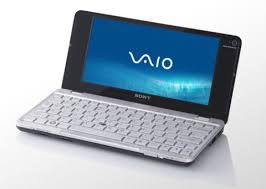
The Sony Vaio P is a tiny little computer. I can't call it a netbook. Sony won't like that. It's generally priced at $849 (less if you get a refurbished model from the Sony Outlet), but it may appear on Verizon Wireless for $299 if you commit to a 2-year contract with a data plan.

What do I think about the Vaio P? I think it's a great little computer if you like tiny font on a small screen and you don't need long battery life. I've had several computers made by Sony and I'd buy another Sony, but I won't pay retail for a Sony. I enjoy playing with gadgets at the retail Sony store, but you won't find me walking out of that place with a bag in my hand.

Wednesday, November 4, 2009

I was tempted to buy a netbook today


I saw what appeared to be a killer deal today: A GPS-equipped Dell netbook that includes turn-by-turn navigation features for $499. (I passed on the TV tuner because I never have time to watch television)

Now, let's step back for a minute. How do you use a netbook in your car? Who needs a netbook when you can simply buy a standalone GPS navigator like a TomTom, Garmin, or Magellan for less than $499?

But then again, who needs a standalone GPS unit when you can simply get a GPS-enabled smartphone and install turn-by-turn navigation software made by TomTom, Garmin, and several other major companies?

Fortunately, I did not purchase this netbook. I have enough computers (including some that have built-in GPS functionality) and I really don't need another gadget right now. My HTC Touch Pro2 works just fine as a GPS navigator. My OQO model 02 and my Samsung Q1 Ultra (Ultra-Mobile PC or UMPC) are great gadgets that are capable of GPS navigation if I pair a Bluetooth GPS. My Lenovo Thinkpad X200 tablet PC has a built-in GPS because of the built-in WWAN radio.

So why was I tempted to buy this Dell netbook? Because you simply don't see too many netbooks advertised as a GPS navigator with turn-by-turn navigation software. As netbooks continue to evolve, perhaps a built-in GPS will become a standard feature. Wi-Fi and Bluetooth and fairly standard features. Built-in WWAN is getting to be a standard feature, and this often means that you'll get a built-in GPS antenna.

Sorry Dell, maybe next time. $499 is just too much. $299 is a different story. Of course, if others are looking for a netbook that includes either a built-in GPS or a built-in TV tuner, then you should take a look at the Dell Mini 10 and 10v (starting at $299, but going up to $499 for the nicer models).

Tuesday, November 3, 2009

Upgrade to AVG 9.0 (free anti-virus software)


If you've been using AVG for anti-virus protection, you're probably running version 8.5. At some point, you'll need to update that to version 9, so why not do that upgrade now? AVG will try to get you to purchase their "Internet Security" package, but if you're simply looking for the free version of AVG, I suggest you go straight to the download page on CNET.

Speaking of CNET, their editors give AVG 9.0 (free version) five out of five stars. You can't beat that type of review for a free product.

So what's new with version 9?
Version 9.0 runs and installs faster, delivers new anti-phishing detection techniques and introduces the AVG LinkScanner to proactively screen the Web pages you haven't even visited yet. For added peace of mind, you also get safety ratings for your Google, Yahoo! and Bing/MSN search results.
I use AVG free and it works just fine for me. I've tried other free anti-virus applications including Avira and Avast. I simply prefer AVG.

Monday, November 2, 2009

Cooling your warm laptop


Some people call them notebooks. Others call them laptops. If you use your computer on your lap, then you're probably going to call it a laptop. My colleagues often complain that their laptop computers feel like they are burning their legs.

Older laptops that had Intel Pentium (P4) processors used to get really hot! Thanks to low-voltage (such as the Intel Centrino) and even ultra-low voltage processors, we're seeing laptops staying cooler. Additionally, the use of solid state drives (SSDs) have further reduced computing temperatures. Heat is the ultimate enemy to computer components. I've seen many hard drives fail due to heat damage. I've also seen motherboards get damaged due to excessive heat.

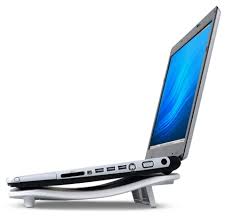
If you use a laptop on your lap, make sure you're using an active cooling pad that has a built-in fan. These comes in all types of sizes and styles. Some cooling pads are meant to be used only on a desk. Others are designed to work on a desk or a person's lap. You may spend anywhere from $15 up to over $50, but it's well worth the investment if you don't want to lose your data.

Sunday, November 1, 2009

Tablet PCs and drug reps


These days, when a pharmaceutical sales representative comes to your visit to provide some "drug detailing," you can expect to see some multimedia. Tablet PCs have revolutionized the way that information is now delivered. You can use a tablet and give an interactive presentation while you're standing up. There's no need to sit down and open your laptop. No need for a "slim jim" or any other type of printed visual aid if you have a color LCD screen on a tablet computer.

Sometimes I wonder if Tablet PCs have lost their "wow" factor. After all, we see computers everywhere now. So if someone comes to your office and pulls out a cool gadget (like an iPod touch or an ultra-mobile PC), the novelty factor seems lost. Maybe the upcoming Apple tablet will rejuvenate some of that lost "wow" factor and perhaps we'll see every pharma drug rep equipped with an Apple Tablet in 2010. Probably not.