Thursday, December 31, 2009

Shopping for a Mobile Clinical Assistant (MCA)

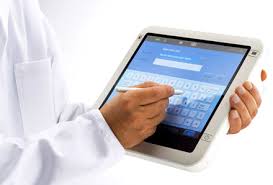
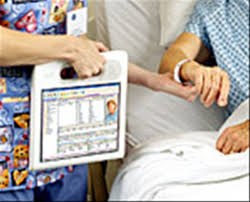
You're not going to find a Mobile Clinical Assistant (MCA) at Best Buy or Staples, so how do you go shopping for one of these? If you'd like to integrate the use of an MCA into your outpatient practice (even though most are primarily designed for the inpatient setting or emergency room), then you may wish to speak with your hospital IT department to see what types of MCAs they're currently using.

Maybe they use the Motion Computing C5. At roughly $2,500 - $3,500, this is not a cheap device. You could also get the MediSlate i1040XT for roughly $2,800. You could shop for the Panasonic Toughbook H1 and pay around $3,500 for this MCA. Amazon even sells this one.

If it were up to me, I'd struggle between the Motion Computing C5 and the Panasonic Toughbook H1. The current prices are still too high, but my hope is that in 2010 we'll start to see the prices fall on these MCAs. Wouldn't it be wild if Apple got into the MCA space and developed some type of slate tablet for the hospital setting?

Wednesday, December 30, 2009

New mobile computers at CES

CES is coming up and we'll see some really great looking mobile computers appear at CES in January. Next week, we'll see a variety of ultra-mobile PCs (UMPCs), mobile internet devices (MIDs), micro PCs, netbooks, and many other mobile devices. Since CES is mainly geared for consumers, we may not see many devices (other than tablet PCs) that can be used in the hospital setting.

Wouldn't it be great to see something like CES that's primarily for health care professionals?

Tuesday, December 29, 2009

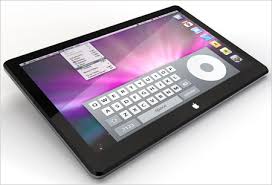
Will the Apple tablet get announced on January 26?

The rumors about the Apple tablet seem to go up and down like a roller coaster. Will Steve Jobs announce the Apple tablet (iSlate maybe?) on January 26 when they address the public? I'm very eager to see the Apple tablet because I want to know if it will have a role in the health care industry. I'm sure the Apple tablet will be geared for the average consumer, but health care professionals are consumers as well and if the right types of apps are installed on a tablet, then it can improve work-flow efficiencies in the clinical setting.

On a similar topic, I'm surprised that Apple hasn't developed a mobile clinical assistant (MCA) for the healthcare industry. I realize that most hospitals and physician offices operate with PCs instead of Macs. However, as Apple's popularity rises among physicians and medical students, I won't be surprised if more doctors choose to equip their medical offices with Macs instead of PCs.

Monday, December 28, 2009

Apple iSlate

It looks like Apple has purchased the domain name iSlate.com

I thought Apple would call their upcoming tablet the iTablet, the MacTablet, the iPad, or the MacPad. I suppose the word "tablet" is too broad - it could refer to pills and drugs. The word "pad" sounds too much like "pod" so that could cause a ton of confusion. The word "slate" is safe. After all, tablet computers are generally classified as a slate or a convertible tablet.

I like the sound of iSlate. Let's see if that's what Apple ends up choosing when they make their announcement. The big question in my mind is: will the Apple Tablet run the iPhone OS or Mac OS X? (I think I already know the answer, but I'm hoping that I Apple will prove me wrong)

It's really a shame that Apple won't be reviving the Newton MessagePad brand. The Newton MessagePad will always be my favorite gadget. It's such a shame that Apple killed the Newton.

Sunday, December 27, 2009

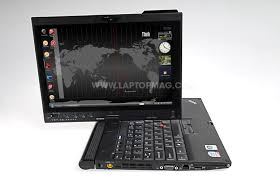
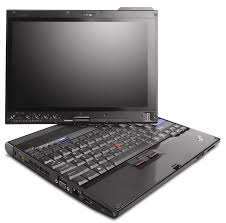
My current ThinkPad X200 Tablet specs

I currently have a Lenovo ThinkPad X200 Tablet PC and I use this as my main PC when I'm at home or when I'm out of the office. I've had this computer for almost a year and it's been a great device. Here are my current specs:
  • SL9400(1.86GHz), 
  • 4GB RAM, 
  • 320GB 7200rpm HD, 
  • 12.1in 1280x800 LCD Touchscreen (includes an active Wacom digitizer plus a passive touch-screen panel)
  • Intel X4500HD, 
  • Intel 802.11agn wireless, 
  • Bluetooth, 
  • Modem (who still uses these?)
  • 1Gb Ethernet, 
  • HSDPA wireless WAN plus GPS (through AT&T)
  • Secure chip, 
  • X200 UltraBase+CDRW/DVDRW, 
  • FPR (the fingerprint reader is a great security feature on this device)
  • Camera, (great for Skype)
  • Intel Turbo Memory, 
  • 8c Li-Ion and 4c Li-Ion batteries
  • Windows 7 
I upgraded the hard drive and switched the operating system to Windows 7. Those are the only upgrades/updates I performed on this device. Lenovo used to call this screen a "multi-touch" screen, but that phrase was too confusing. My tablet has what I'll call "dual modes": 1) an active Wacom-based digitizer; and 2) a passive touch-screen. I don't have true multi-touch capabilities on this computer.

My Windows Experience Index is a 3.4 (on a scale of 1.0 to 7.9 and the lowest score on this machine is due to the Gaming Graphics. The Processor gets a 5.2, the Memory/RAM gets 5.8, and the Hard Drive gets 5.9. As I prepare for 2010, I don't have any plans of replacing this ThinkPad and I hope to use this for a few years until there's something really compelling that prompts me to upgrade. ThinkPads are built to last and I know that this machine will someday become a fancy tablet toy for my kids.

Saturday, December 26, 2009

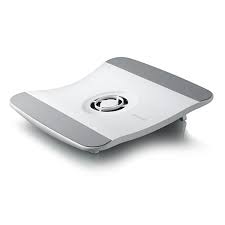
Belkin F5L001 Laptop Cooling Pad (2 different versions)


I'm currently using the Belkin F5L001-BLK Laptop Cooling Pad (Black). The Belkin laptop cooling pad used to be called the F5L025. Then, Belkin renamed it the F5L001 and it comes in black or white. However, if you go online to order an F5L001, you may get an "older" version or a "newer" version. There's really no way to know which version you'll get. I ordered 2 from Amazon and I got 2 different items.

Overall, the Belkin cooling pad is nice, but since it curves, it doesn't fit very easily in a briefcase. So, this is a great cooling pad if you're using it at home or keeping it in the office. If you're looking for a cooling pad that you'll take with you when you're packing your notebook in your briefcase, then I suggest finding a different model (like a flat one that will pack away easily).

Friday, December 25, 2009

Merry Christmas! (enjoy those gadgets!)


To those who know the "reason for the season," Merry Christmas! Perhaps you received some gadgets as Christmas gifts today. Enjoy them, but don't forget that Christmas really isn't really about the gifts under the tree. Today, we celebrate the birth of Jesus Christ who entered the world many years ago.

Thursday, December 24, 2009

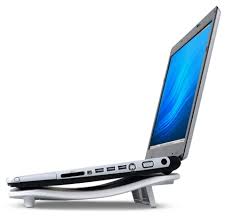
Testing a few laptop cooling pads

Starting tomorrow, I'm on vacation until early January. I'm looking forward to spending some quality time with my family.

One of my little projects will be to test a few different laptop cooling pads, so you can expect blog posts related to that topic. It's interesting to note how these things have evolved over the years. As people recognize how heat can damage their computers, they will be more willing to invest in active cooling devices to protect their hardware. 

Wednesday, December 23, 2009

Sony Vaio P or Fujitsu LifeBook UH900?

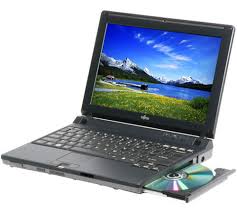
The Sony Vaio P is a tiny little computer. The Fujitsu LifeBook UH900 is also a tiny little computer. So which one is better?

If you're a fan of tablet computers and touch screens, then the UH900 is the obvious winner. However, neither device is "perfect" in my opinion. If you're a busy health care professional and you're looking for a tiny little computer that you can put in your purse or glove compartment, then either of these will suffice.


Unfortunately, these novel computers are not priced like netbooks. However, let's hope that prices will come down as more competition arises. I'm not sure that I'd buy a clamshell computer if I want something really small. I currently have both an OQO model 02 and a Samsung Q1 Ultra, so I've experienced the mini tablet, the slider QWERTY, and everything in the middle.

Installing Windows 7 is a breeze

Installing Windows 7 on a relatively new machine is so simple. I can run the DVD, then once I'm done, I simply run Windows Update to find the rest of the drivers I need. Compared to Windows XP, Windows 7 is so much easier to install (as long as you're dealing with a relatively modern computer).

This holiday season, many of you will probably get a new computer. Before you throw out your old one, you may want to run a little experiment. Try installing Windows 7 and see how your old PC runs. You may be pleasantly surprised. That old machine could be used as a server, a backup PC, and much more. It's also a good idea to have an old PC running Windows XP in case you need to use an old peripheral device (although you can use XP Mode in Windows 7, it may simply be easier to use an old PC).

Tuesday, December 22, 2009

Boost battery life 5 times

I remember when you were lucky to barely get 2 hours of battery life on a laptop. Now, some boast 8 or 9 hour battery lives. We've made tremendous progress, but we're still not living in an era where the vast majority of laptops will last a full work day on a single standard battery. When will we see that change?

We may see a boost in battery life by 5 times if more devices incorporate Pixel Qi (pronounced "chee") screen technology in mobile computers. Technology Review describes Pixel Qi as:
Developing a technology for low-power, low-cost displays that are readable in direct sunlight. The company is moving into mass production, with netbooks targeted as the first application of its 3qi screen. E-readers could be next.
I'm excited to see how computer screen technology continues to evolve. Someday, we really may have power-efficient mobile computers that are capable of incredible run times. Won't that be great? You won't be running around looking for a place to plug in! All-day computing on your tablet PC while you're rounding in the hospital or seeing patients in a busy office. No need to recharge that tablet PC!

Gift idea for gadget lovers: battery extenders

Shopping for a gadget lover? What does every electronic gadget have in common? They require batteries.

A battery extender makes a great gift. What do I mean by "battery extender?" Well, I'm primarily thinking about external battery packs that allow you to extend the life of your gadget if you're on a plane, bus, train, etc. If you don't have access to a power source and you can't plug in to recharge your device, then life can be quite frustrating if you have a gadget but you can't use it.

I have a robust external battery that I carry so that I can charge and power my laptop (actually, it's a convertible Tablet PC), my iPod, my smartphone, my Bluetooth headset, and any other gadget that requires power either via a USB cable or a proprietary power supply. These external batteries come in all sizes and shapes and they've been great.

Sunday, December 20, 2009

$500 is a nice price point for a laptop


I'm shopping for a laptop for a medical office that currently has a series of desktops, laptops, and tablet PCs. I've been asked to look for a business laptop that's in a reasonable price range. I did a quick search and found one for roughly $500. Now, you can get a really decent laptop for less (and I'm not talking about a netbook). $400 is a reasonable low-end starting point for a new system. You'll easily find a refurbished or "outlet" system in the $400-500 range as well.

So, are you planning on shopping for a new computer this holiday season? Keep in mind that you may find a really decent business laptop for less than $500, so if you already missed Black Friday, then simply get online to find a good deal.

Saturday, December 19, 2009

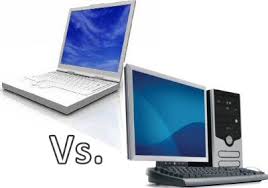
Should you get a desktop or a laptop?


In the past, it made a lot of sense to get a desktop computer. You get much more processing power, storage space, RAM, etc. for much less money. Now, as laptops become more affordable and power-efficient, it's becoming a difficult decision for consumers who do not need the "latest and greatest" in computing horsepower.

For instance, if you work in a medical office and you need a simple computer to run your EHR (electronic health record), then you don't need premium graphics or a super-fast processor. Any modern computer will probably suffice since many EHR solutions are built to run on relatively modest computers. This means that a modern laptop that may cost $400-600 will be more than sufficient. I'm not talking about tiny netbooks. If you're shopping for your office and you're spending more than $800 for a standard business laptop, then you might be paying too much. Of course, if you choose to get a tablet PC, then you can expect to spend much more for these. 

Many office personnel don't use a tablet, so they're generally fine with either a desktop or a laptop. Who needs a desktop these days? Why not get a portable device that has its own built-in uninterruptible power supply ( UPS )? Why not get a laptop so that you have the flexibility to carry the computer to a different location? Why not get a laptop so that you can save on electricity costs? Why not get a laptop so that you can easily take work home? (then again, maybe you should not get a laptop).

So at the end of the day, if you're shopping for a computer for work purposes, it probably makes much more sense to get a laptop. Make sure to lock it down so that it doesn't easily wander off.

Thursday, December 17, 2009

Excited about CES?


Someday, I hope to attend CES (Consumer Electronics Show). I know several people who attend every year and I'm so envious. So many innovative computers and other mobile devices (such as MIDs, UMPCs, micro computers, etc.) get presented every year at CES. Now that I think about it, it's probably better that I'm not there. Otherwise, I'd be buying things left and right when they come out. I'm very much an early adopter, but recently I've tried to slow down so that I'm not spending so much money on technology that quickly becomes obsolete.

So what about you? Are you a gadget freak? Do you own multiple computers and handheld devices? Are you an early adopter? Do people ask you questions related to technology and computers?

Wednesday, December 16, 2009

Perfect gift idea: external USB hard drive


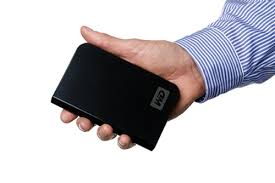
This holiday season, considering getting an external hard drive for someone who uses a computer but does not routinely back up his/her computer. External hard drives have gotten so inexpensive recently and you can find some great deals on the Internet. I would suggest a 2.5" USB hard drive that is at least 320GB for someone who takes many digital pictures and also keeps video camcorder files on his/her computer. A 500GB is even better (and you're only looking at a price difference of approximately $30).

Some of my personal favorites include the following 2.5" USB hard drives:
  • Seagate FreeAgent Go
  • Iomega Prestige
  • Western Digital My Passport
Don't need a portable hard drive? You'll find plenty that are 3.5" for much less. Of course, I would argue that a portable drive is more versatile, but a larger drive is more cost-efficient. Don't forget to also leverage a remote backup service so that your critical information is protected from fire, failure, and theft.

Tuesday, December 15, 2009

How do you protect your tablet PC in the hospital?


Most clinicians don't use a case when they're carrying their tablet PC around the hospital, clinic, or medical office. They're not all using rugged tablets either, so a single drop onto a hard floor could break the device (and I'm sure this happens quite frequently). I'm sure the hospital IT department sees many tablet PCs that have broken LCD screens, cracked cases, etc.

So what's the practical solution? Use a case/cover? Purchase a rugged device (which tends to be much more expensive)? I'm waiting for a company to develop a nice silicon-type sleeve that will cover a convertible tablet PC and allow you to use it in either in tablet mode or laptop mode. This type of cover won't provide a great deal of protection, but it's certainly better than no protection.

Also, I'm envisioning that most (if not all) future tablet PCs will use Gorilla Glass (or something very similar). We should see a reduction in broken LCD screens. I also anticipate that rugged tablets will become less expensive and we'll see more of these used in the health care sector. After all, some protection against liquid spills and splashes is always nice when you're at the bedside.

Monday, December 14, 2009

More details about the Fujitsu UH900


The Fujitsu UH900 looks like a really nice mini computer, doesn't it? Chippy over at UMPC Portal has some nice photos and specs on this expensive device ($1400, yikes!). Who's going to spend that type of money on a secondary device? After all, do you expect to use something like the UH900 as your main computer?

Sometimes I wonder if the term "UMPC" is dead. Everyone is talking about netbooks and they have gained tremendous popularity because of their low price point. Well, to read more about the Fujitsu LifeBook UH900 at UMPC Portal, click here.

Saturday, December 12, 2009

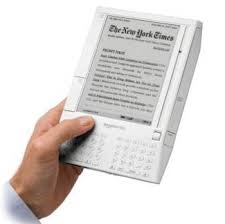
Electronic book readers are becoming very popular


Electronic book (or e-book) readers are becoming very popular this holiday season. The Apple iPod revolutionized the digital music industry. I think we're witnessing a revolution within the digital book industry and we're only seeing the first and second generation models with the Kindle and Nook, so we know that significant changes will occur over the next few years. Of course, Sony has made several revisions to its digital reader, but nothing has been truly revolutionary yet.

Remember the first Apple iPod? How many people do you know who owned one of these devices? I'm talking about the one with the mechanical scroll wheel, a center select button, and 4 buttons around the wheel. It had a grayscale screen and it was expensive. If we look at iPods today, we see significant changes. Who would have thought that the original iPod would have evolved to the current iPod touch?

I'm sure we will see significant changes in e-book readers as well. In fact, my prediction is that we will see some convergence with mobile internet devices, multimedia players like the iPod touch, and e-book readers. As a result, grayscale screens will be a thing of the past. My big question right now is: who's going to release the first e-book reader that has a color screen?

Friday, December 11, 2009

More rumors about the Apple Tablet emerge


Rumors about the upcoming Apple Tablet seem to never end.

Here are some of the latest rumors circulating on the Internet:
  • 10.1" multi-touch screen
  • Release around March/April 2010
  • Roughly $1,000 (yikes!)
  • It will compete against other e-readers like the Nook and Kindle with a 30/70 revenue split (30% to Apple and 70% to publishers)
If this thing is really going to sell for $1k, then I'd have to think that this tablet will run OS X. If it's just an oversized iPod touch, then $1k seems way too ridiculous to me. $1k also is way too high for an e-reader that has a color screen, Internet, and some multi-media functionality.

So what's it going to be Apple? When will we see the real deal instead of all these fake images?

Thursday, December 10, 2009

Tips when you're computing in the car


Never drive while you're computing in a car. If I'm computing in a car, I'm not driving. Because I do some work-related traveling in the car, I find myself pulling out my laptop, tablet, or ultra-mobile PC to stay productive while I'm on the road. Here are some tips I've learned over the years:
  • Never expose your computer or computer bag when you're parked. You're inviting theft.
  • Carry a DC charger (or preferably an AC/DC charger) that has an attachment for a cigarette lighter adapter. This way, you can stay charged up while you're in the car.
  • Use an active laptop cooling pad that has a built-in fan.
  • Carry an extra battery.
  • Tether using your smartphone to get online. Or, use the built-in WWAN. Broadband cards are a nice option as well.
  • Carry a USB-powered keyboard light if you think you'll be riding at night.
  • Plan to use maximum screen brightness when you're riding during the day. This will eat up your battery life, so make sure you have plenty of battery or DC power.
  • Get on Traffic.com and check your local traffic.
  • Get on Weather.com and check your local weather.
  • Offer to navigate if necessary. If your computer has a GPS, then you can easily navigate using your PC.
Finally, make sure you don't distract the driver in any way while you're computing.

Wednesday, December 9, 2009

More thoughts (and reviews) about the Archos 5 Internet Tablet with Android

I've been talking with many people about the Archos 5 Internet Tablet with Android. There are people out there who want a really small computer that has excellent battery life. The OQO model 02 is a great machine, but it's no longer supported since OQO is no longer is business. That device does not have the best battery life, so you're also limited on that level.

The Archos 5 doesn't run Windows or Linux, but Android should be sufficient for most. I'm eager to get my hands on one so that I can test it out and see how this device would be used by health care professionals (such as gadget-loving physicians) who wish to have access to the Internet when they're out of the office.

Here are some reviews that you may wish to consider:

Archos 5 Internet Tablet reviews (Android)


There are a few reviews of the Archos 5 Internet Tablet (not to be confused with the Internet Media Tablet) floating around on the Internet. I don't plan to purchase an Archos 5 Tablet running Android, but if you're thinking about holiday shopping, then this may be a nice toy for someone who already has a smartphone, netbook, laptop, etc.

So, why is the Archos 5 Internet Tablet so great?
  • Runs Google Android (note that the Internet Media Tablet does NOT run Android)
  • Built-in GPS (once again, the Internet Media Tablet does NOT offer GPS)
  • Great battery life
  • Simple, but functional web browser
  • Great multimedia functionality
  • Very thin
  • Nice 4.8" screen
So, looking for a nice little gadget? Consider the Archos 5. However, if you're shopping online, make sure you get the Internet Tablet with Android and not the Internet Media Tablet. I'd encourage you to read the reviews that are out there. You may decide that for the same amount of money, you're better buying a netbook or laptop instead. I can respect that. I don't need another laptop or netbook, but that's me. I also don't need an Archos 5.

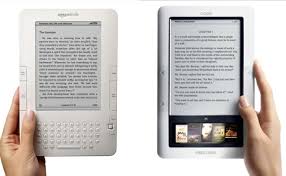
Nook vs. Kindle


I don't plan to buy an e-reader for myself this holiday season, but I think it would make a great holiday gift for a gadget lover. I'm not trying to hint at anything. I have too many gadgets. However, maybe you'd like to get something for your loved one. If you're considering an e-reader, you may be thinking about the Barnes and Noble Nook vs. the Amazon Kindle. So which should you get?

I think the answer really depends on a single factor: Does the user spend time at Barnes and Noble? If so, then go with the Nook. Otherwise, you're fine with the Kindle or the Nook. If you want something really BIG, then get the Kindle DX. The best feature of the Nook is that you can take it into a Barnes and Noble and you can read books on the device while you're sitting in the lounge or coffee shop.

If I were buying an e-reader, I'd get the Nook. I like to browse book covers in color. Plus, the closest Barnes and Noble is only a few minutes away and I'm frequently there with my kids.

Now keep in mind that Apple may be coming out with some type of e-reader/tablet sometime in 2010. Of course, earlier rumors indicated that the Apple Tablet would be released in 2009 but we know that's not going to happen. We can't wait forever because technology changes so rapidly, doesn't it? The minute you buy a gadget, it's on its way to becoming obsolete.

Tuesday, December 8, 2009

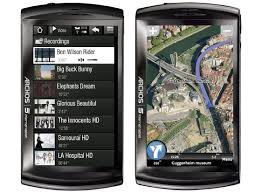
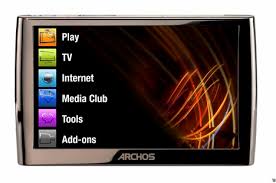
Archos 5 Internet Tablet


I'm excited about the upcoming Archos 9, but the Archos 5 appears to be a great little mobile device that you can easily slip in your pocket. Unlike the OQO model 02, the Archos 5 is very thin.

Archos has confused consumers by using the name "Archos 5" to refer to two different products:
  • an Internet Media Tablet (I'll call this the media tablet)
  • an Internet Tablet (I'll call this the Internet tablet)
Confused? They both have the word "Internet" and "tablet" in their names, so I agree that it's a bit confusing. The media tablet is a fancy media player that also includes a web browser. The Internet tablet includes some of the features found on the media tablet but it also runs Google Android and it has an internal GPS. So, the Internet Tablet is more like a mini computer. Would it be more clear to use the common phrase Mobile Internet Device (MID)? Archos likes to be different.

Now, some may argue that it doesn't make sense to purchase an Internet Tablet if you already use a smartphone. That's a reasonable argument. However, I have a smartphone and I also have an iPod touch. Some may say that the iPod touch is a media tablet. Others may call it an Internet tablet. I suppose if Apple releases a tablet some day, then things could start to get really interesting. However, until we see that happen, we're really talking about devices that are being defined by their screen sizes and storage capacities. Do you have a smartphone that has a 5" screen? Would you want to use a smartphone if it had a 5" screen?

Sunday, December 6, 2009

Typing in the dark on a laptop


I do a lot of typing in the dark. While my wife sleeps, I'm often typing away. How else do you think I keep up with my blogs? The lights are off and I try to type softly.

I use an external UBS-powered LED light for my Thinkpad, but I'm constantly tempted to get a laptop that has an illuminated keyboard. At times I'm very tempted to reach over and grab her MacBook Pro and use that at night. Maybe I need to try a different LED light. In any case, I don't plan to purchase a new laptop anytime soon. I'll continue to type in the dark with my external LED until I find a better solution. Maybe I should invest in an external illuminated keyboard and set up a workstation that includes an LCD screen that comes down from the ceiling. That would be the "ultimate" bed-based workstation for those of us who type in bed.

Friday, December 4, 2009

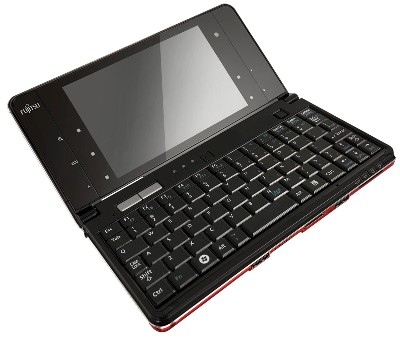
Fujitsu LifeBook UH900 (Smallest Multi-Touch Handheld PC)


I've owned several Fujitsu tablet PCs. They recently announced their smallest multi-touch handheld PC called the LifeBook UH900. Here's a snippet from their recent press release:
Combining amazing engineering with the latest technology, Fujitsu presents the LifeBook UH900, delivering unprecedented mobility with complete PC performance capabilities and multi-touch feature. Featuring a 5.6-inch vivid glare screen and estimated to be the size of a long wallet, the 20.4cm x 10.65cm x 2.38cm ultra lightweight LifeBook UH900 has an unrivalled sleek design which can be easily slotted into a clutch bag or a pocket! With full wireless communications capabilities and also a 3.5G configuration, the LifeBook UH900 charts the epitome of ultraportables with full-featured PC performance.
Reminds me of the Sony Vaio P series, except that this device features a touch screen. I'm sure this one's going to be expensive! I'm guessing that this will be replacing the existing U or U800 series (U810, U820, etc.). I wish that the screen on the UH900 could flip all the way back or swivel like a convertible tablet PC. That was a feature found on the U800 series.

Wednesday, December 2, 2009

Newer ThinkPad X200 Tablet PC with improved battery life


Lenovo refreshed the ThinkPad X200 tablet PC with a multi-touch screen earlier this year. That was in anticipation of Windows 7 since Vista or XP did not have any multi-touch functionality. In that refreshed line of X200 tablets, Lenovo apparently made some additional changes so that the new tablet has improved battery life compared to the original ThinkPad X200 tablet PC. The newer ThinkPad even has a faster processor! I'm surprised that Lenovo didn't rename the newer Thinkpad something like the X200s or X201 tablet PC.

Tuesday, December 1, 2009

SDXC coming to laptops

What's SDXC? It's the next generation memory card specification. With SDXC, we'll see flash memory cards that exceed 32 GB in capacity. We're talking about up to 2 TB! (of course, we probably won't be able to afford those, but 64 GB should be reasonable). Plus, we'll see bus interface speeds up to 104 MB per second in 2009 with a speeds up to 300 MB per second in the future. We won't need hard drives anymore. Those old spinning relics will be for museums only. The following video gives you a glimpse of SDXC.