Wednesday, March 31, 2010

The iPad hits the Apple Store. 9:00 a.m. Saturday

If you're on the Apple mailing list, you probably got this e-mail today:
The Apple Retail Store is the best place to experience iPad. Have one of our Specialists show you all the amazing things it can do. If you buy one, we'll even help you get set up and running.
I won't be at the Apple store this weekend. I have an Easter party to attend this Saturday. Besides, I think I'll wait to purchase the 2nd or 3rd generation iPad. Given all the gadgets I have around the house, it's difficult (impossible) to justify purchasing yet another gadget that offers duplicate capabilities. I'm still hoping to win an iPad through a drawing, but I'm not going to hold my breath given that I've already won a few iPods over the years.

Tuesday, March 30, 2010

Guided tours of the Apple iPad

Even though you haven't had a chance to hold an iPad, you can view these "guided tour" videos on the Apple website. This way, when you go to the Apple store, you'll be fully equipped to test the iPad so that you can determine if you should buy this device.

You're probably already familiar with the "pinch-to-zoom" feature that's found on the iPod touch and iPhone. Additional multi-touch gestures make navigation very easy on the iPad.   Well, I doubt I'll buy one this year, but maybe I'll get an iPad through a drawing or on Christmas.

To view the iPad Guided Tours, visit: http://www.apple.com/ipad/guided-tours/

Monday, March 29, 2010

The iPad as a patient empowerment tool

Patients want to be empowered. Physicians want their patients to improve the self-management of chronic conditions. Will the new Apple iPad bridge some of these gaps and become an effective patient empowerment tool?

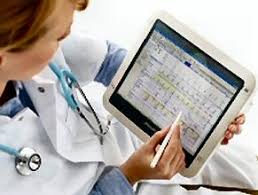
On one hand, the iPad can be used by health care providers to teach patients about diseases and conditions. Imagine if every patient went to a doctor's visit with an iPad. The doctor could help the patient record some notes, access important patient education materials, and could also provide the patient with some digital media that could be used to help that patient manage his/her disease when he/she returns home. Patients frequently forget the majority of the conversation after leaving the doctor's office, so why not leverage digital media technology to capture some of the key points during that encounter with the physician?

When the patient gets home, imagine if he/she were to use the iPad as an entertainment device. Suddenly, the device could beep and remind the patient to take his/her pills. Also, a reminder could pop up to remind the patient to watch the disease management video that highlights some of the lifestyle modifications this patient needs to make over the next few weeks. The patient could record progress on the iPad and take the device to his/her next visit.
  • The large screen on the iPad is ideal for those who have poor vision.
  • The iPad is thin and light. It can be carried almost anywhere.
  • Most doctors will know how to use an iPad. Don't they already use the iPhone?
  • The iPad is easy for many people to use. After all, who's never used an iPod touch or an iPhone?
  • The multimedia capabilities found on the iPad can be used to teach and empower patients.
Some have said that 2010 will be the year of the tablet PC. I think it's going to be the year when mobile slate devices begin to revolutionize health care.

Friday, March 26, 2010

Mobile Health and Computing

Here's a conversation I had the other night with my wife:
  • Wife: What do you mean by "mobile health computing"?
  • Me: I'm talking about the use of mobile computers in health care. I'm blogging about tablet PCs, netbooks, small computers, and lately I've been writing about the Apple iPad.
  • Wife: If you're just blogging about gadgets, why don't you rename your site iStuff? 
  • Me: Well, I think someone's probably already taken the URL iStuff.com. Besides, I'm not just blogging about computers. I'm writing about how mobile computers are changing health care. 
  • Wife: Isn't that what MedicineandTechnology.com is about?  
  • Me: Yes, but  MedicineandTechnology.com covers broader issues, including advances in health care and also health IT. 
  • Wife: You should start a blog about health IT. No one knows what to do with EHRs right now.  All these doctors don't know which EHR system to buy. You should write about that.
  • Me: You want me to start another blog???
I'm paraphrasing, but that conversation made me wonder: when will mobile computing really take off?  Will 2010 be the year of the tablet? Will the Apple iPad generate enough buzz and excitement about the slate form factor? Will small computers infiltrate the health care industry to the point that they become ubiquitous?

Thursday, March 25, 2010

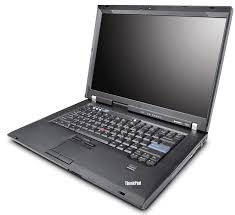
Lenovo ThinkPad discount eCoupon code USPTHINKEDM

I got this in my e-mail and I thought I'd share this Lenovo eCoupon code with my readers:
Offer: To save up to 20% more on select systems please enter your exclusive eCoupon code USPTHINKEDM in your shopping cart at checkout. Offer expires on March 29, 2010. While supplies last. Cannot be combined with other offers. Limit 2 systems per customer. Offer valid for Lenovo in the US only.

Availability: Offers, prices, specifications and availability may change without notice. All offers and orders as a result of this or other Lenovo communication from this channel are valid for U.S. residents only and may only be shipped within the continental United States unless otherwise stated. Lenovo is not responsible for photographic or typographic errors.

Pricing: Does not include tax, shipping and handling, or recycling fees. Reseller prices may vary.
Might be a good time to get a new ThinkPad.

Save $150 on the Fujitsu T2020 tablet PC

I've used several Fujitsu tablet PCs and I personally think they are some of the best tablets made out there. I currently use a Lenovo ThinkPad and I'll probably buy an HP EliteBook next, but those are for different reasons.

So, if you're thinking about getting a thin and light tablet PC, the Fujitsu LifeBook T2020 tablet PC is an excellent choice. You can save $150 on the "Express Buy" models of this tablet. To receive the $150 discount, use coupon code T2XBUYDISC.

I don't think I'll be purchasing a new tablet anytime soon, but I'm itching to get one that has an illuminated keyboard (and the HP EliteBook tablet PC is the only one that currently has this feature). 

Wednesday, March 24, 2010

SanDisk announces a 32 GB microSD card

Wow, can you believe that you can now hold 32 GB of data on a tiny microSD card?  These things are really small and it's incredible to see how computing technology is advancing so rapidly.  What's the limit? How much will we be storing on these tiny little flash memory cards?

If I add one of these cards to my smartphone, I'll have more storage space than my iPod!

Tuesday, March 23, 2010

Will Medicine be the Apple iPad's sweet spot?

According to this story on ZDNet by Dana Blankenhorn, "Medicine is the Apple iPad sweet spot." Will that be the case when the iPad reveals itself in early April? Will doctors line up to buy the iPad and use it in the medical setting? Or, will the iPad be a new gadget for those gadget-loving docs who want the latest and greatest toy? Will the iPad revolutionize clinical workflow in the office or the hospital setting?

The ZDNet survey shows that approximately 50% of voters (who are supposedly physicians) plan to buy an iPad. The rest are either uncertain or they don't have any plans of purchasing one. If the iPad could be integrated into an electronic health record (EHR) system so that the clinical workflow becomes more efficient, then many doctors would line up to buy an iPad. Let's see what this thing can do when it comes out next week on April 3.

Monday, March 22, 2010

Ingenious Med Founder, Steven Liu, Earns Senior Fellow in Hospital Medicine Designation

Ingenious Med Founder, Steven Liu, Earns Senior Fellow in Hospital Medicine Designation

PHILADELPHIA, Pa, March 22, 2010-- The Society of Hospital Medicine (SHM) has announced that
Steven Liu, MD, chairman and founder of healthcare IT company, Ingenious Med, is among the more than 150 hospitalists nationwide who have earned the inaugural designation of Senior Fellow in Hospital Medicine (SFHM).

Who wants to try Google Wave?

Have you tried Google Wave? Google Wave is an online tool for real-time communication and collaboration. A wave can be both a conversation and a document where people can discuss and work together using richly formatted text, photos, videos, maps, and more.

What is a wave?
  • A wave is equal parts conversation and document. People can communicate and work together with richly formatted text, photos, videos, maps, and more.
  • A wave is shared. Any participant can reply anywhere in the message, edit the content and add participants at any point in the process. Then playback lets anyone rewind the wave to see who said what and when.
  • A wave is live. With live transmission as you type, participants on a wave can have faster conversations, see edits and interact with extensions in real-time.
Need an invite to try Google Wave? Contact me if you'd like to receive an invite.

Sunday, March 21, 2010

Details of Microsoft Windows 7 SP1 emerge

SP1 = Service Pack 1

Windows 7 is probably the best operating system developed by Microsoft. When Vista was released, I don't think many people would have said that about Vista. Well, Service Pack 1 or SP1 will be coming out in the distant future and it sounds like it will mainly consist of some minor fixes, tweaks, and enhancements. I don't think we're going to see significant changes to Windows 7.

To learn more about SP 1 for Windows 7, visit the Windows 7 Team Blog.

Saturday, March 20, 2010

Virtualization and Cloud Computing

Have you heard of the term "virtualization software" used in the context of health IT? I'm sure you've heard of cloud computing. Some experts have said that virtualization unlocks cloud computing. Many people still have misconceptions about cloud computing and may even confuse this phrase with virtualization. Grid computing (a form of distributed computing and parallel computing, whereby a 'super and virtual computer' is composed of a cluster of networked, loosely coupled computers acting in concert to perform very large tasks) deals with virtual machines.

Did you unplug today? (March 20th is the National Day of Unplugging)

Did you unplug today? March 20th is the National Day of Unplugging. Perhaps you've heard of the Sabbath Manifesto:
The Sabbath Manifesto is a creative project designed to slow down lives in an increasingly hectic world.
The Ten Principles
1. Avoid Technology
2. Connect With Loved Ones
3. Nurture Your Health
4. Get Outside
5. Avoid Commerce
6. Light Candles
7. Drink Wine
8. Eat Bread
9. Find Silence
10. Give Back

I spent the majority of the day unplugged from my laptop. This morning, I took my family to a local zoo. Then, we had lunch with some relatives, and now I'm getting ready for dinner. Tomorrow, our family will go to church and then we'll spend some time with some friends in the evening.

Friday, March 19, 2010

Internet Explorer 9 will not support Windows XP

It's time to get ready to say goodbye to that Windows XP machine. If you can upgrade to Windows 7, do it. The new Internet Explorer 9 will not support Windows XP. This means that you'll be stuck with IE 8, or you could use Firefox, Safari, Chrome, Opera, or something else.

I still have a few older PCs that are running XP and I don't plan to upgrade the OS just so that I can run Internet Explorer 9. Also, if you have an inexpensive netbook that's running XP, it may not be worth upgrading to Windows 7.

The funny thing is that I rarely use IE. I spend much more time using Firefox or Chrome. I still occasionally use IE, but I could be using Safari or Opera instead.

Care to preview IE 9? Visit: www.IETestDrive.com.

Thursday, March 18, 2010

Working on the train today

I'm traveling for work today, so I'm working on a train. That's mobile computing, isn't it? Some trains have really nice tables and plenty of power outlets.  I remember when airplanes used to have working power outlets on the seats. Now, those green lights are never on.

So,  have you ever computed on a train? It can be a bit bumpy at times, so I often wonder what my laptop hard drive is going through. If you do a lot of computing on the train, you should probably get an SSD (solid state disk) in your mobile computer. SSDs are dropping in price (they're still expensive), but it's a worthwhile investment if you're constantly working on trains.

Become a fan of Mobile Health Computing on Facebook

My newest fan page on Facebook is for this blog: MobileHealthComputing.com.  I hope you'll become a fan on Facebook by clicking here.

See my other Facebook fan pages here:

Wednesday, March 17, 2010

Can you afford a $49,246 laptop?

I received this e-mail from Intel and I thought I'd share it since it really communicates an important message:

Over 12,000 laptops are stolen every week from airports alone. In 2009, the average cost of a missing laptop was $49,246. What if one of those was from your organization? Would your patient data be safe?

Laptop computers are essential to mobile healthcare, but their mobility and convenience put organizations at heightened risk of a data breach. With increasingly stringent HIPAA regulations and stiffer penalties resulting from the HITECH Act, keeping patient data secure is a business necessity. Unauthorized access to patient data or hospital systems resulting from a stolen or lost laptop could cause severe economic and legal consequences — in 2009, the total average cost of a data breach was a sobering $6.75 million. And the rate at which customers "jump ship" after a data breach is significantly higher for healthcare organizations — even higher than for financial organizations.

Attend an upcoming Intel Webinar (co-sponsored by Frost & Sullivan) to learn these key trends and solutions:

* The challenges in protecting healthcare data
* The rules governing the protection of healthcare data and the consequences of noncompliance
* Keeping sensitive healthcare data out of the wrong hands
* Employing new technology that offers rapid lockdown and rapid recovery to keep you in compliance with healthcare data security laws

To sign up for a free webinar discussing healthcare data protection, click here.

Attend the live event and be entered to win an Intel® Anti-Theft enabled mobile device.

Tuesday, March 16, 2010

The MCA will evolve to become a Tricorder

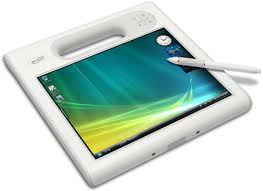
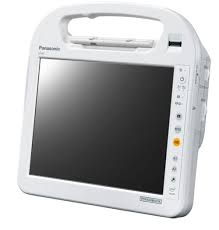
MCA = Mobile Clinical Assistant. If you've used a Motion C5 or a Panasonic Toughbook H1, you know what I'm talking about.

Now, for those of you who are familiar with Star Trek: a tricorder is a handheld device used for scanning an area, interpreting and displaying data from scans to the user, and recording information. The medical tricorder is used by doctors to help diagnose diseases and collect bodily information about a patient.

Current MCAs include bar code scanners, RFID scanners, touch screens, and attachment points for other devices such as EKG leads, spirometry, ultrasound probes, pulse oximetry, etc. (many of these are via USB). Eventually, the MCA will evolve to become a tricorder.

So, who's going to be the first company to name their MCA a tricorder?

How many iPads got sold today?

Bloggers all over the world are trying to measure how many Apple iPads got sold today (via pre-order). Brainstorm Tech on CNN.com is blogging that 120,000 iPads were sold today. Over 50,000 sold in the first two hours. Most are buying the Wi-Fi version instead of the 3G version. People are also buying all storage sizes (16, 32, and 64 GB) iPads.

"Apple has been able to generate over $75 million in revenue in one day on a product that 99.9% of purchasers haven't touched or for that matter, even seen in person," said Victor Castroll, an analyst with Valcent Financial Group. "And, we're still three weeks away. That is amazing."

Monday, March 15, 2010

Motion C5 MCA and the Motion Clinical Workstation (MCW)

Motion® C5 Mobile Clinical Assistant (MCA) and the Motion Clinical Workstation (MCW) are powerful computing solutions designed for clinical environments - brought to you from the leader in mobile point of care. The rugged C5 is proven to enhance clinical workflows by taking technology directly to the point of care, while the MCW addresses the demands of dependability, serviceability, flexibility and performance. Built on Motion's expertise in clinical workflows and mobile computing, Motion's integrated mobile computing solutions meet the needs of fast-paced clinical environments.

As a special offer to HIMSS attendees, purchase up to two Motion Tablet PCs at 30% off MSRP through Friday, April 9, 2010 or while supplies last. To place an order, you will need to purchase through our online store and enter the promo code evehimss10 at checkout. 

To learn more about Motion Tablet PC deployments in the healthcare industry, visit http://motioncomputing.com/about/news/case_studies_healthcare.asp for current case studies and white papers.

Power outage: another reason to use a mobile computer

Several physician offices in our area lost power over the weekend because of heavy winds. A few of them are currently using electronic health records (EHRs). Can you still function if your power goes out? Probably not. However, at least you can still maintain some level of productivity while you wait for the power to come back on.

If you're relying on an Internet connection, you can still access your EHR if you have a 3G wireless card for your mobile computer. Everyone should have some type of backup Internet connection and a 3G wireless card is a very practical option. So, if you're still trying to decide between a desktop/workstation (along with an uninterrupted power supply or UPS) vs. a mobile PC like a tablet or laptop, think about power outages.

Sunday, March 14, 2010

PC World: iPad Pre-Orders: For Idiots Only?

Well, I'm not placing an iPad pre-order, but I wouldn't call my friends and colleagues "idiots" if they want to be the first ones who own an Apple iPad.

PC World has a story titled, "iPad Pre-Orders: For Idiots Only." The word "idiot" is a strong word. I think "dummy" would be better, given that the "For Dummies" book series have done really well.

The Apple iPad still remains a mysterious product in that we haven't had a chance to hold one in our hands. However, we know the specs, we've seen the videos, so what more do you need? If you don't live near an Apple Store, you may never get to try the device before you buy it.

Webinar: Hybrid Mobile Computing for Improved Clinical Workflows

In this free, Motion-hosted webinar attendees will learn how to enable clinicians to benefit from a highly optimized workflow in support of the way they work. Combining the Motion C5 MCA with the Motion Clinical Workstation (MCW) offers a flexible solution for improving clinical productivity, optimizing EMR utilization and enhancing clinician satisfaction by personalizing solutions for individual workflows.

Date and Time: Thursday, March 25, 2010 11:00 am (CDT)

To register for this complimentary webinar, click here.

Saturday, March 13, 2010

Testing Microsoft Office 2010 Beta Professional Plus

Over the weekend, I'm planning on spending a fair bit of time testing Microsoft Office 2010 Beta Professional Plus. I've installed this on a few different computers (ranging from old to new PCs) and I'd like to see how it performs. The round "orb" found in Office 2007 is now gone (so it almost feels like they're going backwards). However, the tabs are still there.

Since the Office 2010 Beta is a free download, you can actually go and try it right now to see if you'll be purchasing an upgrade this fall. The Beta will expire in October 2010, so test it while it's still free!

Healthcare: The Motion C5 MCA (webinar)

Interested in viewing a recorded webinar about mobile computers at the point-of-care?

This one is titled, "Healthcare: The C5 MCA - Proven to Improve Clinician Productivity and Enhance Patient Care"
In this Motion-hosted Webinar, attendees will learn how the Motion C5 Mobile Clinical Assistant (MCA), the industry’s first MCA being used in thousands of healthcare organizations worldwide, is proven in healthcare environments. The C5, now with an integrated smart card reader for enhanced security, is improving clinician productivity, decreasing data input latency, improving documentation accuracy at the point-of-care and enhancing clinician satisfaction. Learn how the Motion C5’s highly mobile, lightweight design and integrated features make it the ideal choice for highly mobile clinicians. Running time: 32 minutes
Click here to view the recorded webinar.

Friday, March 12, 2010

The patient encounter: tablet PC screen vs. keyboard

In the outpatient setting, we see clipboards all the time. New patients are often handed a clipboard that contains several pages of forms. When the nurse or medical assistant comes in to the exam room, he/she often holds a clipboard (or your chart) to record your information and data. Then, when the physician, nurse practitioner, or physician assistant comes into the room, he/she is probably also holding your chart or clipboard.

Now, here come the important questions:
  • Does the doctor sit or stand while he/she talks to the patient?  Patients seem to prefer it when the doctor is sitting.
  • If there's a computer in the room, does the doctor spend most of the time looking at the computer screen or the patient?
  • If there's a keyboard attached to the computer, is the doctor typing away or looking at the patient?
  • If the doctor is using a tablet (in slate mode), then he/she won't be typing. That doctor will be tapping on the screen with a stylus pen. When interacting directly with a patient, is that better or worse than typing on a keyboard?
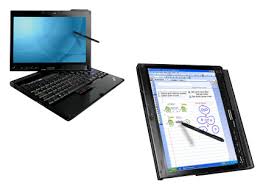
The beauty of the convertible tablet PC is that it can be used when you're sitting or standing. You can't really do that with a desktop, but you can if you have a tablet that you can hold in your hand. Once you get comfortable with pen-based computing, you'll quickly realize that it's much more efficient to tap directly on the screen.

Also, if you're using a tablet PC, you can talk to the patient while you're standing. Then, you can also sit on a stool and continue the conversation while you scribble notes or tap on the screen of your tablet PC in slate mode.  Then, if you need to do a fair bit of typing, you could quickly convert your slate tablet into a laptop.

As tablets become more versatile, more health care providers will turn to tablets for the outpatient and inpatient settings. We're going to see more rugged tablets. We're also going to see lighter models that can easily convert from slate to notebook modes.

Become a Mobile Health Computing fan on Facebook

Given that I have 4 different blogs, I've created Facebook fan pages for each of my blogs. Who has time to blog, tweet, and use Facebook?

Since so many people are getting addicted to Facebook, I figured it was time to create a fan page for this blog (MobileHealthComputing.com) on Facebook. You can see that I'm the first fan (and hopefully I won't be the last).

Click here to become a fan of Mobile Health Computing on Facebook and thanks for your support! Make sure to become a fan of my other pages:

Thursday, March 11, 2010

Data plans for mobile devices

Do you have a mobile device that has an embedded 3G wireless radio? Why pay for a separate data plan when you can tether with a smartphone?

How do you find the best cell phone plan? Maybe you're a medical student or a resident on a really tight budget. Do you go with prepay phones? Where can you find the best deals? Should you shop online for the lowest prices? Maybe you rely on your friends and family to help you with the bill. Some people simply eliminate the landline phone and carry a mobile phone. If you're looking for an online resource where you can compare different cell phone plans, you may want to try Billshrink.

Lenovo ThinkPad X201 vs. X200 Tablet PC

I currently use a Lenovo ThinkPad X200 Tablet PC. It's not old, but it's also not the new ThinkPad X201 Tablet. What are the differences between the X200 and the newer X201 Tablet PCs?

First, the new X201 uses the  Intel® Core™ i7 processor while the older X200 uses the Add up to Intel® Core™2 Duo processor. The i7 is currently the "best" Intel processor on the market.

The new X201 tablet also features a multitouch touchpad (in addition to the TrackPoint pointing device).

I'm waiting for Lenovo to install a keyboard light on their tablet PCs. The include an LED light for their laptops, so why don't they add the LED light feature for their convertible tablets? That's on the top of my wish list right now.

Wednesday, March 10, 2010

The evolving tablet PC for the health care industry

When some of the first tablet PCs came out, they were heavy and expensive. Some are still heavy and expensive, but the tablet PC market has certainly shrunk. Slate tablet PCs are rare and we see the vast majority of people using laptops or convertible tablets. Several U.S. medical schools require medical students to use a Lenovo ThinkPad X200 tablet PC. Sorry, but if you're an Apple fan, you'll need to use a PC if you're in one of those schools.

So, how has the tablet PC evolved in the health care industry?
  • One of the major changes occurred when we lost the Apple Newton MessagePad.  Doctors (early adopters of technology) who used the Newton were devastated. What do we use now?
  • Some physicians tried using slate tablets, but at the time, many electronic health record (EHR) software solutions were not really optimized for tablets and pen-based input. 
  • Some manufacturers created slate-style tablet PCs that detached from a keyboard base. Remember the HP TC1000 and TC1100?
  • Then, physicians turned to convertible tablets, but most physicians simply used these as laptops because they were more comfortable with the keyboard and mouse.
  • Then, nurses and other clinicians started using Mobile Clinical Assistants in the hospital setting. These devices were versatile, thanks to their built-in RFID and barcode scanners. The Motion C5 and Panasonic H1 became quite popular, despite their high price tags.
  • Many PC manufacturers gave up on the slate tablet industry. It was simply too niche. 
  • Additional PC manufacturers gave up on the convertible tablet industry.
  • The concept of the ultra-mobile PCs flopped.  The origami campaign was dead.
  • Then, netbooks started gaining popularity and Asus created a convertible tablet netbook.
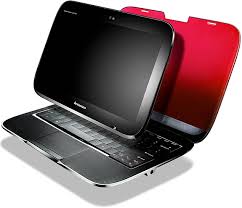
  • Lenovo introduced a hybrid tablet/notebook with the IdeaPad U1 hybrid.
  • HP teased the world with the HP Slate.
  • Now, Apple (and others like HP and Lenovo) may be revolutionizing the slate industry by introducing slate-style devices like the iPad. If health care professionals start becoming more comfortable with a slate form factor, will this translate over to pen-based computing? Will we be more inclined to navigate directly on the screen of a device instead of using a mouse and keyboard?
I believe that tablets will gain tremendous traction in the healthcare industry. Once physicians realize that they can be much more productive by navigating directly on the screen, they will be inclined to switch to touch/pen-based computing.

Android Pad

Now that Apple has the iPad, when will Google release an Android Pad? Such a device would probably be made by HTC (who currently makes the Google Nexus One smartphone). Actually, Archos has a little 5-inch tablet that runs Android and it's called the Archos 5 Internet Media Tablet. They should have simply called it the Android Pad. Several other companies are currently working on Internet tablets that run Android, but those devices haven't been getting much press here in the U.S.

I don't doubt that the iPad will be very popular here. I'm sure as Android gains momentum in the smartphone space, the Android Pad will eventually emerge as direct competition against the iPad.

Samsung digital reader may be coming to Barnes and Noble

According to this story on Engadget, the Samsung E6 e-reader may be coming to Barnes and Noble. Given that it has a touch screen and a stylus pen for "inking," this could be the start of a new revolution of digital notepads that may gain tremendous popularity among those of us who wish to avoid paper at all costs.

The Nook is another e-reader that is built for Barnes and Noble, but the Nook has a small color touch screen section on the bottom (so you can't really take notes on the Nook), but it's another great option for people who don't want to write, but want to read.

Eventually, I think the majority of these e-readers (digital book readers) will come with color touch screens. The Apple iPad will be the first, but others will soon follow.

Tuesday, March 9, 2010

Adobe Flash on the HP Slate

HP continues to tease us with these videos, but I want to test one of these devices. Watch this 5 minute video that shows Adobe Flash on the new upcoming HP Slate. With Flash, you can watch videos, read books, play games, and do so much more.

HIMSS10: Microsoft Surface Table

When I was at HIMSS10, I had the opportunity to sit with Jared Walker from HP and try the Microsoft Surface table. This table uses some incredible technology and I think we'll be seeing many of them used in the health care industry. Click here and watch this video from HIMSS10.

Special thanks to HP for sponsoring me to blog about HIMSS10. 

Monday, March 8, 2010

Apple iPad commercial

Did you watch this Apple iPad commercial?

Should medical schools require an iPad?

We've heard of several medical schools requiring students to use either an Apple iPhone or iPod touch, but what about the iPad? Some schools have been experimenting with digital e-book readers like the Amazon Kindle. Medical textbooks are frequently filled with photos and other color-rich images, so the grayscale Kindle isn't the ideal e-book reader for medical students who wish to carry their textbooks electronically. This is where the Apple iPad could revolutionize the way medical students learn.

Will some medical schools try to educate their students using digital technology? I'm sure it's bound to happen. What I don't know is whether the iPad will improve the way students learn medicine. Since I'm a technology advocate, I could make several compelling arguments to say that interactive learning is much more effective than traditional lectures and didactic education. I could also say that retention could be enhanced with the use of digital quizzes that occur at the point-of-learning. You can't do that with a text book, but you could do that with a digital version. I could argue that multimedia enhances the educational experience compared to static color images. But all these arguments could fail if students are not ready and willing to embrace technology to enhance their education.

The average pre-med college student is probably tech-savvy and digitally connected via a smartphone, several social media accounts, and a laptop computer. If you hand that student an iPad filled with medical textbooks and multimedia resources, will that student learn effectively? I would think so.

Sunday, March 7, 2010

Browsing computers at Best Buy

I spent some time this afternoon browsing computers at Best Buy. You'd think that I'm there all the time, right? Actually, I haven't been into a Best Buy in quite some time. I do most of my shopping online, but today I had a mission. I had to buy something for my wife and I wanted to get something that I could easily return (in case she didn't like it).

While I was in the store, I also glanced at some of the laptops and netbooks. Did you know that they now have an entire section devoted to netbooks? You would not have seen that a few years ago.

Netbooks are becoming very popular because of their low price and portability. I see them everywhere from the airports to local coffee shops. Do you have a netbook?

Saturday, March 6, 2010

Online coupons for gadgets and computers

I love online coupon codes. When's the last time you used a coupon code for an online purchase? How often do you use the Internet to search for coupon codes? I use them all the time, but sometimes you may find codes that are invalid or expired.  I will frequently post coupon or discount codes on my blog for my readers.

Now, if you know where to look, you can find some great deals through these coupon codes. The other day, I was shopping for some accessories and I decided to look for a Dell coupon code. I needed to get a battery for an old Dell Axim Pocket PC (remember those?). After searching on Google and browsing several different sites, I finally found a coupon code that I could use to get free shipping.

I also have a few HP iPaq Pocket PC and smartphones and I was browsing the HP website looking for discounts. After searching on Google, I found some an HP coupon code that had expired. No luck with HP on Google. Then, I dug through some old e-mails and found an Amazon code so I purchased the item through Amazon instead.

Sometimes, you may be shopping for someone else. My family members are always asking me to make purchases for them since they know that I frequently shop on the Internet. My cousin needed something for his Sony Vaio and I couldn't find it on Amazon so I shopped on the Sony site. I could have gone to the Sony store, but why pay for tax and shipping if you can have it shipped for free? I fortunately found a great Sony coupon code that I used right away.

So, the next time you get ready to shop online, make sure to look for some coupon codes. You might get lucky and find something to help you save.

Windows 7 is the fastest selling Microsoft OS

It's no surprise that Windows 7 is the fastest selling Operating System (OS) created by Microsoft. I'm a huge fan of Windows 7 and I think that the folks at Redmond did a great job with this OS. I wasn't a huge fan of Vista, so I was running XP on most of my machines. I still run XP on some of my older PCs, but I run Windows 7 on all my mobile devices and tablets.

According to PC World, Microsoft has sold over 90 million copies of Windows 7.   I still remember beta testing Windows 7 RC on some of my machines.

Get ready to upgrade your old PCs if you plan to stay current on modern software. Microsoft Office 2010 is coming soon and if you've got an old PC, then you may have some trouble using newer applications that require larger amounts of RAM and more processing horsepower. I wonder how the slow netbooks will run some of these new apps.

Friday, March 5, 2010

The Archos 9 tablet PC review

I had the chance to play with an Archos 9 tablet PC at the airport. So, although I didn't spend hours with the device, I spent enough time to form a brief opinion. Here's my short review of this tablet:

The Archos 9 is thin and sleek (0.67 inches thick!). Compared to my current Samsung Q1 Ultra (which has a 7" screen), the Archos 9 (which has an 8.9" screen) has a nicer overall design. I'd gladly trade my Q1 Ultra for an Archos 9.

The device didn't get very warm in my hands and I was impressed by its performance running Windows 7. With a price tag of $549.99, it competes with the upcoming Apple iPad but the difference is that the Archos 9 is a full tablet PC running Windows 7. It also has a webcam so that you can run applications like Skype. Plus, it features a built-in kickstand so that you can tilt the device at various angles. The Archos 9 has a removable battery and a battery life of approximately 5 hours.

The Archos 9 has a passive touch screen (resistive touch) instead of a capacitive multi-touch screen, so keep this in mind when you think about making a purchase. I have to think that future models will come with a capacitive touch screen. If you're an early adapter of technology and gadgets, then I think you'll really like the Archos 9. I'd probably get one, except that I already have too many gadgets right now. 

Motion C5 vs. Panasonic H1


If you're looking for a Mobile Clinical Assistant (MCA), you're probably looking at either the Motion Computing C5 or the Panasonic Toughbook H1. There are other options, but the C5 and H1 are the most popular devices (and if you look at the market segment, you'll see that the C5 is currently dominating the MCA market).

So, what makes them similar? What makes them different? In order to qualify as an MCA, Intel has outlined the specifications that must be met. So, all MCAs will have very similar key capabilities.

Let me highlight 2 differences (although this will change by the latter part of this year):
  • The Panasonic Toughbook H1 is thicker, it has a "grip" option on the back that allows you to hold it more securely, and it offers a dual-battery design that lets you swap batteries without powering down the device. However, it lacks Gorilla Glass and its Atom processor is slow compared to the Motion C5 Core 2 Duo processor. The Atom processor and the dual battery design allows this machine to be used all day (which is more important if you're outdoors, but in a hospital setting you almost always have access to charging stations). Panasonic has a long history of building rugged Toughbook computers.
  • The Motion C5 is thinner and is currently designed with a single battery (but I was told this will be changing). It comes with Gorilla Glass and a faster Core 2 Duo processor. The faster processor could lead to shorter battery life, but in a hospital setting you generally have easy access to charging stations. Motion Computing specializes only in slate computers and they've been in this business for many years.
  • Both are Wacom Penabled. Neither offer a capacitive multi-touch screen option at this time.
Both of these slate tablets are expensive and they're designed for niche markets. I doubt that other major hardware manufacturers will be making similar MCAs anytime soon since these types of devices are highly specialized and expensive.

HP Slate, when will you arrive?

I admit that I’m eager to see the HP Slate. I want to see how this device compares to some of the earlier Ultra-Mobile PCs (UMPCs) such as the Samsung Q1, the Samsung Q1 Ultra, and other slate-style mobile computers.

The other day, I played around with the Archos 9 PCTablet running Windows 7. It's very thin and it looks like a great device, but it uses a passive touch screen instead of a capacitive touch screen that is capable of multi-touch gestures.

So, here are my questions relating to the HP Slate:

•    What type of screen input options will be available? We can expect to see capacitive touch, but what about Wacom-based Penabled input? Will that be an option in future Slate models?
•    Will the HP Slate get very warm?
•    Battery life?
•    Real-world usability in health IT?

Will the HP Slate only be for consumers, or will it also have enterprise applicability?

Thursday, March 4, 2010

Do physicians prefer mobile computers or workstations? #HIMSS10

Here at HIMSS10, I heard several stories where hospitals were trying to determine what type of computing form factor they should adopt as they prepared to transition from paper orders to computerized physician order entry (CPOE). Do physicians prefer mobile computers like laptops and tablet PCs, or do they prefer workstations with large monitors?

You can't answer this question through a series of surveys. However, you could set up a "tech day" where you set up several different clinical stations that simulate the clinical workflow. Station one may have a slate tablet PC. Station two may have a workstation with a 19" monitor. Station three may have a convertible tablet attached to a docking station and large monitor. You can have physicians try each different station and rate their level of comfort at each station.

In general, you'll find that older physicians like the larger monitors. Younger physicians who train with tablet PCs and laptops will prefer mobility. How do you reconcile these differences?

Special thanks to HP for sponsoring me to attend HIMSS10 and blog about my experiences.

I was hoping to see the HP Slate here at #HIMSS10

I was really hoping to catch a glimpse of the HP Slate here at HIMSS10. Unfortunately, the Slate is not currently on the market and I'm eagerly waiting to get this device in my hands.

I strongly believe that devices like the iPad, the Kindle, the Nook, and other slate-like devices will revolutionize people's comfort levels with the slate form factor. At first, people will say, "Wow, the digital slate is a great way to read a book!"  Then, they'll say, "Hmm, I can actually write notes on the screen? Who needs a notebook?"

Before we know it, people will be very comfortable with the idea of carrying around a digital notebook where they can scribble notes, draw, and read. Of course, these devices won't be limited to these functions, but the slate "computer" will slowly become integrated into mainstream consumer and professional workflows. Those working in the health care industry will be ready to embrace slate PCs in both the inpatient and outpatient settings. When you add pen computing capabilities to a device that supports multi-touch navigation, that's the optimal combination for a slate computer.

Special thanks to HP for sponsoring me to attend and blog here at HIMSS10.

Wednesday, March 3, 2010

HP, Fujitsu, Panasonic, Dell, and Motion made a splash here at #HIMSS10. Where was Lenovo and Sony?

As I walked through the HIMSS10 exhibit this week, I visited the HP, Fujitsu, Panasonic, Dell, and Motion Computing booths. I played around with their mobile devices and computers. Strangely enough, I didn't see Lenovo or Sony. Samsung and LG were here, but I didn't see Apple.

At the HP booth, I enjoyed playing with their EliteBook laptops. At the Fujitsu booth, I played with the tiny LifeBook UH900. At the Panasonic booth, I played with the Toughbook C1. At the Motion Computing booth, I played with the C5 MCA.

Next year, I'm sure we'll see more mobile devices displayed at the HIMSS exhibit. My prediction is that we'll see Apple here with the iPad, HP with the Slate, and several other new and innovative slate-style computers.

Special thanks to HP for sponsoring me to attend and blog here at HIMSS10.

HP EliteBook 2740p tablet PC (coming soon)

If I had to buy a new laptop, I'd really like to get one that has illuminated keys since I do a lot of typing at night (in the dark). My wife has a MacBook Pro, so her keyboard lights up. My current Lenovo Thinkpad X200 tablet lacks any type of built-in keyboard illumination.

A few months ago, I had the chance to review the HP EliteBook 2730p tablet PC that also has a built-in LED light at the top of the screen. This light pops out and shines down on the keyboard. It's a great feature if you're typing on the plane or in a dark setting (such as a radiology suite).

HP is preparing to release the EliteBook 2740p and the biggest new feature here is the option for a multi-touch screen. When my ThinkPad dies, I may need to switch to the EliteBook since I'm finding that keyboard illumination is a key feature that I'm not willing to bypass if I can find it in another machine.

Panasonic announces light new Toughbook C1 here at #HIMSS10

Yesterday, I had the opportunity to see the new Panasonic Toughbook C1. It's currently the world's lightest 12.1” convertible tablet PC and I was especially impressed by the dual battery design (that allows for hot-swapping plus 10 hrs of battery life) and the dome hand grip design on the bottom. The unique triple hinge design is very innovative and reduces hinge failure on these types of convertible tablets.

Here's a snippet from the press release:
“One of the main markets for the Toughbook® C1 is healthcare,” said Greg Davidson, healthcare senior business development manager, Panasonic Computer Solutions Company. “We have been working with our healthcare customers to design a convertible tablet that truly addressed their needs. To date, the market has been making do with tablets that fail to offer the light weight, ergonomics and battery life needed by healthcare professionals. We believe the new Toughbook C1 addresses all these issues, while offering the additional benefits of excellent performance and durability.”
I still use a Lenovo ThinkPad X200 tablet and it works for me, but there are many times when I wish it had some additional or different features. The C1 comes with a dual-input screen design (capacitive multi-touch plus Wacom Penabled input) and will also come with a "gloved" touch input screen this fall (not for winter gloves, but surgical gloves).

Special thanks to HP for sponsoring me to attend and blog here at HIMSS10.

Tuesday, March 2, 2010

Tablets and mobile computers at the #HIMSS10 exhibit

If you walk through the HIMSS10 exhibit, you might feel like you're at CES instead of HIMSS. I'm seeing small computers everywhere! Convertible tablets, slate PCs, Mobile Clinical Assistants (MCAs), and even micro PCs that are really tiny. Next year, I predict that we'll see many vendors using the iPad and other new devices like the HP Slate to demo their EHRs.

I personally think that many physicians fail to recognize the value of mobile computers and pen-based input in the ambulatory setting. My prediction is that future exam rooms will be equipped with a Microsoft Surface table and a large touch-screen monitor mounted on the wall. Every doctor and nurse will use some type of mobile computer to record patient biometrics and enter data at the point of care. The addition of clinical decision support will further enhance patient care as providers apply the latest clinical data to practice true evidence-based medicine.

Special thanks to HP for sponsoring me to attend and blog here at HIMSS10.   

Monday, March 1, 2010

Microsoft Surface at #HIMSS10

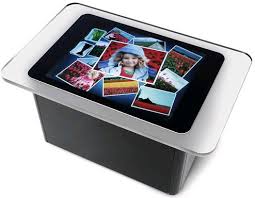
Soon, physicians will be showing patients their recent cardiac test results using Microsoft Surface. This amazing touch-screen table technology has a wide range of applications in the world of health care, patient communication, and health education. It's been great to see the Surface here at HIMSS10.
Microsoft Surface is a revolutionary multi-touch computer that responds to natural hand gestures and real-world objects, helping people interact with digital content in a simple and intuitive way. With a large, horizontal user interface, Surface offers a unique gathering place where multiple users can collaboratively and simultaneously interact with data and each other.
You can see the Microsoft Surface in the HIMSS10 exhibit hall. Make sure you don't miss it!

Special thanks to HP for sponsoring me to attend and blog here at HIMSS10.

Gadgets and mobile computers at #HIMSS10

I'll be at HIMSS10 this week and I'm really looking forward to seeing some of the new gadgets and mobile computers that will get announced this week. Thanks again to HP for sponsoring me as a blogger and I hope to provide "meaningful" coverage as we discuss the "meaningful use" of electronic health records (EHRs).

Special thanks to HP for sponsoring me to attend and blog here at HIMSS10.