Here are the top posts for May:

Sunday, May 31, 2009


Saturday, May 30, 2009
NotebookTip: Reducing Lap Heat

As we prepare for the summer months, I've been thinking about heat issues related to using a notebook computer on one's lap. You may use a third-party cooling pad, but if you don't happen to have one of those "lap cool" type of devices and you're stuck using your computer on your lap, then do this: Take a magazine (or several pieces of paper) and roll it up. Then, place that roll under the bottom of the laptop - towards the back. This way, only the front part of the laptop sits on your lap, and the back of the laptop sits on the rolled magazine. The middle section never touches you!
Of course, it's best to use a lap cooling device, but this tip is intended for people who either leave that device at home (or who don't have one yet).
Friday, May 29, 2009
Working on a Plane

Many of us have used a laptop or notebook on an airplane. Back in the “old days,” I could use my airplane power adapter to keep my notebook charged during my long flights. Now, most airplanes have disabled the in-chair power ports in the coach section of the aircraft. So, I usually travel with two extended batteries for my Lenovo Thinkpad X200 Tablet PC and that easily gives me roughly 15 hours of work time. I obviously don’t need both batteries, but I travel with both since you just never know how long you might be stuck at the airport.
I love traveling with my tablet PC because I can fold the screen back and switch to pen-based computing when the turbulence gets rough (or if the person in front of me reclines and crushes my workspace). On my flight to Chicago, I was able to work for several hours on the plane and I got so much done. It’s amazing how productive you can be when you’re uninterrupted.
I’m waiting for day when Wi-Fi is universally available on all flights. I don’t think that day is too far away.
Thursday, May 28, 2009
Mastering Microsoft Office 2007
Just when you think you’ve mastered Microsoft Office, a new version comes out and you have to learn things all over again! Microsoft Office 2000, XP, and 2003 were all very similar. Office 2007 (for Windows) has an entirely new layout with ribbons, tabs, and new menus. If you’ve never tried Office 2007, you’re in for a big surprise!
So, is Office 2007 really that much easier to use compared to Office 2003? I don’t think so. I consider myself to be quite proficient with the computer (which is why I can type quickly and keep up with all my blog posts). I think I still prefer the layout of the menus and buttons that were found on Office 2003. I think the nicest feature of Office 2007 is found in Outlook with the “preview” function that allows you to preview attachments within the e-mail.
So, is Office 2007 really that much easier to use compared to Office 2003? I don’t think so. I consider myself to be quite proficient with the computer (which is why I can type quickly and keep up with all my blog posts). I think I still prefer the layout of the menus and buttons that were found on Office 2003. I think the nicest feature of Office 2007 is found in Outlook with the “preview” function that allows you to preview attachments within the e-mail.
Correction: Windows 7 Beta vs. RC Expiration
Microsoft sent a correction today regarding Windows 7 beta vs. release candidate (RC):
Since I'm running RC, I can expect to use it without any issues until the end of February next year. Sounds great! Maybe I'll have a new UMPC by then... (I doubt that).
Version: | Starts shutting down every two hours: | Expires: |
| Beta | July 1, 2009 | August 1, 2009 |
| Release Candidate | March 1, 2010 | June 1, 2010 |
Since I'm running RC, I can expect to use it without any issues until the end of February next year. Sounds great! Maybe I'll have a new UMPC by then... (I doubt that).
Wednesday, May 27, 2009
Tip of the Day: Ctrl Button When Clicking
Here's my computing tip of the day: When you click on a hyperlink while pressing the Ctrl button down, that link opens in a new tab.
This is really useful when you want to open multiple links into new tabs and you don't want to "right click" every link.
If you're on a webpage and you want to open multiple links (each into its own separate tab), then hold the Ctrl button down and click on all the links. Release the Ctrl button after you've finished clicking away. Each link will open in a new tab while you have the Ctrl button pressed down.
This is really useful when you want to open multiple links into new tabs and you don't want to "right click" every link.
If you're on a webpage and you want to open multiple links (each into its own separate tab), then hold the Ctrl button down and click on all the links. Release the Ctrl button after you've finished clicking away. Each link will open in a new tab while you have the Ctrl button pressed down.
Vista SP 2 Experience So Far
Don't expect any noticeable changes in performance with Vista SP (Service Pack) 2. Everything on my Lenovo Thinkpad X200 Tablet PC feels the same so far, but I wonder if I was plagued with some bugs that were unbeknown to me.
According to PC World, here's what you can now expect:
According to PC World, here's what you can now expect:
- Blu-ray and improved Bluetooth support:
- Fixes Wi-Fi issues when Vista awakes from sleep mode.
- Improves performance of Vista desktop sidebar gadget, allowing for RSS feeds to perform better.
- Address overall Vista system performance issues. Microsoft says SP2 repairs nearly 700 nagging Vista bugs and security updates.
- Boosts power management efficiency by 10 percent.
- Gives your computer support for VIA Technologies' new 64-bit CPU
- Lets your system support exFAT, which can handle larger files and can also use UTC timestamps so you can synchronize files across different time zones.
Interpreting Speed Tests: Vista vs. Windows 7
PC World is reporting that Windows 7 may not be much faster compared to Vista. I've found that these types of speed tests and other studies must be interpreted very carefully. If you have a super fast PC and you're comparing Vista vs. Windows 7, you may not notice much of a difference. Both will run very smoothly and efficiently because your PC has the horsepower to run either operating system without much effort.
However, if you have an older PC or a slower PC such as an ultra-mobile PC, then you will notice significant performance differences between Vista and Windows 7. I think I've installed XP, Vista, and Windows 7 on over 15 different computers. The biggest speed differences occur when you're using a PC that has a single processor (like an older notebook that has a Centrino processor or an ultra-mobile PC - also called an UMPC). These computers often don't make it through such speed tests and they failed to get mentioned.
Tuesday, May 26, 2009
Vista Service Pack 2 Now Available
Service Pack 2 is now available for Microsoft Windows Vista and also for Windows Server 2008. Service Pack 1 is a prerequisite for installing Service Pack 2. I wish Service Pack 3 could be Windows 7.
Get the 348 MB download file for 32 bit systems by clicking here.
For 64 bit systems, you'll need the 577 MB file here.
Windows 7 Beta Will Expire

Microsoft has been kind enough to send me an e-mail about the Windows 7 beta test. The note indicates that the "Beta expires on August 1, 2009. On June 1, 2009, the PC you’re using to test the Beta will begin shutting down every two hours."
I'm currently running Windows 7 RC on my Samsung ultra-mobile PC (UMPC) because it runs so much better compared to Windows Vista. The RC version will run into 2010, so I won't be annoyed with automatic reboots. I've also been meaning to install Windows 7 RC on my OQO model 02, but now with the recent news about the death of the OQO, I'm not sure if I'll ever see drivers for Windows 7.
Monday, May 25, 2009
Have You Tried Ubuntu 9.04?

Ubuntu is one of the most user-friendly Linux operating systems. If you have an older PC that you don't really need, you may want to install this free operating system and take it for a test spin. Why? I think it's beneficial to gain experience using multiple operating systems. You become a better computer user if you've played around with the different versions of Microsoft Windows (including XP, Vista, and now Windows 7). Plus, if you know how to navigate the Mac OS X, then you're in an even better position to help with troubleshooting and other technical problems.
Ubuntu is free and it also comes with many applications such as a web browser, presentation, document and spreadsheet software, instant messaging, and more. Why not take Linux for a spin? One of the nice things about Ubuntu is that you can install the operating system within Microsoft Windows (this is referred to as the Wubi installer). If you use the Wubi installer, then you'll end up with a dual-boot system.
Sunday, May 24, 2009
Bye Bye OQO

According to the rumors that are circulating among UMPC websites, it sounds like OQO is dead. Will it ever get revived? It had so much potential in the healthcare sector. I remember when NFL Super Bowl photographers used the OQO to upload photos in real-time. So, what should I now do with my OQO model 02? I'm an early adopter and I got the model 02 with high hopes that this would have some tremendous potential in the medical world. I guess I'll just use it like a collector's item and hope that it doesn't die anytime soon.
Saturday, May 23, 2009
HP Mini 1151NR Netbook on Verizon Wireless
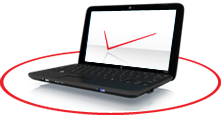
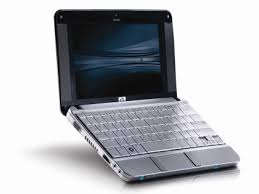
I told you it was coming. Here it is. Verizon Wireless now offers the HP Mini 1151NR. Is this a business-class netbook or purely a consumer model? You can visit the Verizon Wireless store and try one out.
It's hard to believe that netbooks are so affordable. Several years ago, I spent over $2,000 for a tiny Sony Vaio laptop that would now be equivalent to a modern netbook that only costs $300.
Friday, May 22, 2009
What Role will Netbooks Play in Healthcare?
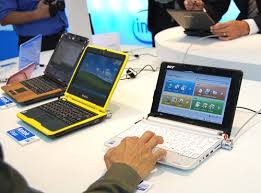
What role do netbooks have in the world of medicine? Do doctors and other healthcare professionals use netbooks? Are they more like toys or do they serve a practical application?
Here are my two cents ($0.02):
- More medical students will purchase and use a netbook so they can have something small and light when they go to the bookstore (or Starbucks) to study. After all, netbooks are inexpensive and medical students don't typically have a ton of cash. These students are more likely to continue using netbooks as they recognize the value of mobile computing. As a result, they will be netbook users during residency and even after they complete their training.
- Because of the recent push to implement electronic health records (EHRs), we will see more EHRs being utilized in the near future. This may also translate to an increased use of computerized physician order entry (CPOE). This means that physicians who are "on call" may need to have access to a computer if they wish to enter orders. Instead of carrying a laptop when they go out to dinner (or to a party or any other social engagement), they may opt to carry a really tiny PC (also called a netbook) like the Sony Vaio P. This thing is so small that it fits into a purse! Netbooks may become the perfect companion of physicians who need to have access to a computer for their CPOE needs.
Image source: TechBot
F11 Works on Chrome 2.0
I don't believe that the F11 (full-screen) key worked on the earlier version of Chrome. However, if you've updated to Chrome 2.0, then you'll be pleased to know that this ultra-sleek browser now goes into full-screen mode when you press the F11 key.
Thursday, May 21, 2009
Tip of the Day: F11
In most web browsers (like Firefox, Opera, and Internet Explorer, but not Chrome - unless you have Chrome 2.0 - or Safari), if you hit the "F11" key, you'll enter a nice "full-screen" mode. Away goes the navigation controls and the Google and Yahoo toolbars. You can view webpages in your entire monitor. Nice! To exit "full-screen" mode, just hit that F11 key again.
So, how do you remember F11? When I was in medical school, I was utterly dependent on mnemonics to remember everything. So, here's my mnemonic to help you remember F11.
The "11" almost looks like a box (it just doesn't have a top or bottom, but it has both sides of the box). Now, your monitor is a box, right? So, the F11= full-screen monitor
See? Now you'll never forget what that F11 key does when you're browsing the web.
Internet Browser of Choice

My Internet browser of choice continues to be Firefox. I've recently been using Twitter almost every night and it's so great to have some add-ons that make Twitter much easier to use. In particular, I have the bit.ly browser sidebar link in my toolbar. I also use the Power Twitter add-on. Xmarks lets me keep all my favorite bookmarks in sync with all my different computers. Grab and Drag is a great add-on if you use a Tablet PC.
Wednesday, May 20, 2009
Dell Latitude 2100

This summer, we'll see some new netbooks pop up. Netbooks are starting to get really popular because they're small, light, and cheap.
Dell recently announced the Latitude 2100 which is the first ruggedised netbook for students. Do students tend to abuse computers? The nice thing about this particular netbook is that you can get one with a touch screen. I'm not sure if it really makes sense to have a touch screen if you can't rotate it around and use it like a tablet. The only time I tap on my Thinkpad screen when it's in laptop mode is when I'm filling out a survey that has a ton of radio buttons or check boxes. Image source: PC World
Tuesday, May 19, 2009
Windows 7 Continues to Impress Me

I've been using Windows 7 for several months now and I'm continually impressed by how well it runs on my Samsung Q1 Ultra UMPC (ultra-mobile PC). My Q1 Ultra has a very slow processor (800 MHz) but I've upgraded the RAM to 2 GB. Even on a machine with a very slow processor, Windows 7 runs very efficiently. I've also installed Windows 7 on several different desktops and it runs very well on systems that have dual-core processors. I've loaded many applications and I have yet to experience a system crash or a BSOD (blue screen of death).
Monday, May 18, 2009
What's Your Favorite Gadget?
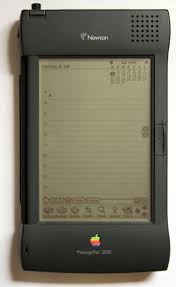
I love gadgets. I blame that on my MIT education. I just fell in love with technology at MIT. That's why I like to write about medicine and technology.
What's your favorite gadget? I'd have to say that my favorite is the Apple Newton Messagepad 2100. Why? Because it was so innovative for its time. It had a processor that was much faster than most processors found in laptop computers. Plus, the handwriting recognition was unbelievable! It used standard AA batteries, so I even traveled to China with my Newton because I knew that I wouldn't have any problems finding AA batteries.
So, what's your favorite gadget? I'm willing to bet that many young people would say the Apple iPhone. Some may even remember the days when Sony came out with the original "Walkman" (yes, I had one of those).
Sunday, May 17, 2009
Saturday, May 16, 2009
Podcast about Hardware for EMRs

Friday, May 15, 2009
Is it a Good Time to Buy?
Is it a good time to buy a computer? Prices are constantly changing and laptops are getting cheaper all the time.
My answer is: YES
Why? Because hardware manufacturers are actually lowering the prices on computers to help stimulate the economy (and so they PCs don't sit in warehouse shelves forever). For this reason, it's actually a really good time to buy a computer for a great price. On top of that, manufacturers are competing against super-low-priced netbooks that are running only $200-300!
Let's take Lenovo as one example. They already have their "value line" of laptops and traditionally the Thinkpad line has been considered the elite business-class notebooks. Even Lenovo is creating a Thinkpad X200 series that has a lower-cost Celeron processor in it.
Hope you find a great deal if you're looking for a PC. If you're looking for an Apple/ Mac, then leverage the fact that they're trying to clear out their old models of MacBooks (including the MacBook Air and the MacBook Pro).
My answer is: YES
Why? Because hardware manufacturers are actually lowering the prices on computers to help stimulate the economy (and so they PCs don't sit in warehouse shelves forever). For this reason, it's actually a really good time to buy a computer for a great price. On top of that, manufacturers are competing against super-low-priced netbooks that are running only $200-300!
Let's take Lenovo as one example. They already have their "value line" of laptops and traditionally the Thinkpad line has been considered the elite business-class notebooks. Even Lenovo is creating a Thinkpad X200 series that has a lower-cost Celeron processor in it.
Hope you find a great deal if you're looking for a PC. If you're looking for an Apple/ Mac, then leverage the fact that they're trying to clear out their old models of MacBooks (including the MacBook Air and the MacBook Pro).
Expect to See a Verizon Netbook
Thursday, May 14, 2009
Thinkpad OK After Water Spill
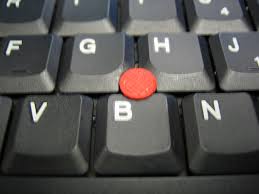
So, I wrote yesterday about how I spilled water on a Lenovo Thinkpad and the "spill-resistant" keyboard leaked a bit of water into the main board. I dried it out and now the computer is working fine. I've had no problems whatsoever. So, would I buy a Thinkpad again? Absolutely! I've had several different models starting with the old Thinkpad 760 EL (I think that was my first Thinkpad).
HP Recalling 70,000 Laptop Batteries
We've seen the stories: laptops exploding and catching on fire. Why? Because of the lithium-ion batteries. Well, HP is recalling 70,000 laptop batteries. A few of the ones I use are on that list, so let's see if I'll be getting a new battery! Want more info? Click here
| HP Pavilion | Compaq Presario | HP | HP Compaq | ||||
|---|---|---|---|---|---|---|---|
|
| G6000 G7000 | 6720s |
Wednesday, May 13, 2009
Even Spill-Proof Keyboards Can Leak
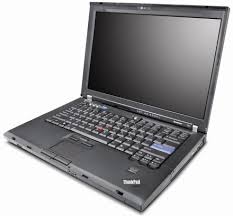
OK, fine. Lenovo calls them "spill-resistant" keyboards on their Thinkpads. I used to think of them as "spill-proof" until I actually spilled some water on one. I quickly learned that although those drain holes in the bottom of the computer look like they should drain all the water, they can only handle so much volume. At some point, the keyboard can leak (or, water can still enter through other means). I removed the keyboard and I'm drying things out on this Thinkpad. Hopefully everything will be back to new when I fire it back up after I let things dry out.
When is a Computer too Small?

I was in D.C. the other day for my friend's wedding and I saw someone at the coffee shop using a Dell netbook. The thing was absolutely tiny and I started wondering, "when is a computer too small?" I know that some people may have had some bad experiences with Dell, but that's not what I'm focusing on. Instead, I wish to ask a fundamental question that gets to the root of form over function. If it's "cool" to use a netbook in public, then you may not care about functionality. On the other hand, if you're really trying to get some work done (like patient notes through your electronic health record or EHR), then you need something where you can be meaningfully productive.
Portability vs. functionality. How do you prioritize? Netbooks seem to be getting smaller every day. When is a computer too small?
Twitter and Mobile Health

Computer World has a story called "Twitter Bible: All Your Need to Know About Twitter."
Do you use Twitter? How do you think Twitter is impacting the world of mobile health computing? Patients and healthcare professionals are using Twitter as a social networking tool but they're also using it to communicate important health information.
The CDC has a Twitter feed.
The FDA has a Twitter feed.
Do you have a Twitter feed?
Tuesday, May 12, 2009
Star Trek and Medical Computers

You may not be surprised to know that I'm a Star Trek fan. I'm not a super-serious fan, but I'm also a bit more than your average fan. Anyways, I love the medical gadgets that appear in science fiction films. I often wonder if we'll see tablet PCs that are thin and light like the ones that appear on Star Trek. Maybe the color touch-screen Amazon Kindle will be the closest thing to the type of small tablet that's seen in science fiction movies.
The medical tricorder is seen in Star Trek as a handheld computer that scans people and immediate provides a diagnosis. We now have handheld ultrasound probes. You can even plug EKG leads to a handheld PDA (running the Palm OS or Windows Mobile). Will we see something like the tricorder in our lifetime?
Monday, May 11, 2009
Now Part of the HCP Live Network

You may have noticed that this blog is now a part of the HCP Live Healthcare Professionals Network. You'll be hearing more about this over the next several weeks as things unfold. I'm very excited to be a part of this network (which includes bloggers like KevinMD). In the meanwhile, I invite you to explore my other blogs that are now a part of this network:
• Medicine and Technology
• Non-Clinical Medical Jobs, Careers, and Opportunities
• Medical Smartphones
• Mobile Health Computing
How Many Doctors Use a Tablet PC Like a Tablet?

I've seen so many promotional campaigns that show physicians using tablet PCs like a tablet. They are actually writing on the screen and using a pen to click and input their data. However, is this reality? How many doctors actually hold a tablet in their hand? Most seem to still use them as a laptop so they can type on the keyboard. They are really missing out on productivity gains!
I realize that there are some physicians who use a tablet as a tablet. However, this group is small and needs to expand. What needs to happen to cause physicians to break out of their mold and embrace pen-based computing?
Sunday, May 10, 2009
Easily Convert a PDF to a Word Doc for Free
Computing tip of the day (these tips are for beginners): Converting a PDF to a Word document.
Fortunately, there are several free utilities that allow you to convert a PDF to a Microsoft Word document for Free. Of course, you can usually do this if you have a full version of Adobe Acrobat. However, I was working with a password-protected PDF that I had to convert to a Word doc. I didn't create the PDF and I don't have the password, so Adobe Acrobat didn't let me convert it.
What did I do? I tried 2 different methods. The first was a free utility found at hellopdf.com. I installed it on my PC. The second method was to upload the document to several sites that converted the file for me. What were the results? Well, this document had some strange formatting. Although I have all the text and images, I'm going to need someone to spend some time cleaning this up.
Saturday, May 9, 2009
Traveling with my UMPC

Whenever I travel with my ultra-mobile PC (UMPC), I'm often using it in the car (when I'm not driving, of course). The UMPC is a great travel tool because you can use it as a GPS, an Internet device, and work on your Microsoft Office documents. I don't travel much, but when I do, I always take my UMPC with me. I have to admit that I've even gotten into the habit of taking my UMPC with me when I go out to the mall. I'm always connected!
Friday, May 8, 2009
Mac OS X on a Dell Mini 9

Thursday, May 7, 2009
Everyone's Talking about the Kindle DX
There are polls everywhere. Engadget has a poll asking people, "would you buy a Kindle DX?" However, based on the responses, you can tell that no one is taking the poll seriously. Will college students like the Kindle DX? (maybe if all their textbooks are free). I've shared my opinion about the Kindle here: The Kindle DX is HUGE!
and: Rethinking the Kindle DX
and: Rethinking the Kindle DX
Wednesday, May 6, 2009
What Do You Think of Windows 7 So Far?
I have Windows 7 running on 4 different computers. Two of them are older, desktops, one is a very slow ultra-mobile PC, and one is a modern PC. I have to say that I'm very impressed by the way that Windows 7 performs. My only question is: will we see more drivers for older hardware?
Top Search Terms for April 2009
Top search terms according to Google Analytics:
- ultra mobile health
- umpc health
- mobile health computing
- windows 7 7100 expiration
- umpc healthcare
- ultramobile health
- dell xt2 vs lenovo x200
- ultra-mobile health
- windows 7 build 7100 expire
- medical umpc
Configuring a Server in a Medical Office

How large is your physician office? Do you have more than 10 computers? I've been asked by several people about the viability of running either XP or Vista on a "server" (I'm going to be using the term server loosely here). What about Windows Home Server? How secure are these operating systems?
XP, Vista, and Windows Home Server has a limit on how many computers can connect with your designated "server." The limit is 10. Only 10 PCs can connect to that shared folder on your server. Will that meet your needs? Also, consider the data security issues associated with running a server.
If you have more than 10 computers, then you'll have to either run Windows Server 2003 (good luck finding that now) or Windows Server 2008. These operating systems are much more expensive, so consider your needs before you immediately jump to Windows Server 2008. These sever operating systems are much more robust in terms of data security.
What many people may not realize is that Windows 7 allows you to connect up to 20 computers to that shared folder. Nice! Will Windows 7 offer the same level of data security as Windows Server 2008?
I think it's time for me to play around with Ubuntu Server Edition.
Tuesday, May 5, 2009
Have You Tried Windows 7?
The Release Candidate version of Windows 7 is now available to the public. Download your copy and get your free key that will last until June 2010. It's much better than Vista and I think you'll be impressed.
Monday, May 4, 2009
Free Antivirus Software
I've been testing AVG FREE for a while now and they recently released a new version: 8.5
There used to be a time when you couldn't get free antivirus software. Now, you can select from several different vendors. AVG is probably one of the most popular. Another one is called Avira and the other popular software product is made by Avast.
Notice how all these names begin with the letter A?
In any case, if you're interested in using free antivirus software, make sure you read things carefully as you click to download and install the software. You can easily click on the wrong link and before you know it, you'll be entering your credit card information to purchase the "deluxe" or "full" version that includes various bells and whistles. A long time ago, I used to use Norton Antivirus. I don't use Norton anymore because it's caused more problems for me and it drains all my system resources. Bottom line: it really slows my system. When you're dealing with slow machines like ultra-mobile PCs, you need to conserve your resources so that your device doesn't freeze up all the time.
There used to be a time when you couldn't get free antivirus software. Now, you can select from several different vendors. AVG is probably one of the most popular. Another one is called Avira and the other popular software product is made by Avast.
Notice how all these names begin with the letter A?
In any case, if you're interested in using free antivirus software, make sure you read things carefully as you click to download and install the software. You can easily click on the wrong link and before you know it, you'll be entering your credit card information to purchase the "deluxe" or "full" version that includes various bells and whistles. A long time ago, I used to use Norton Antivirus. I don't use Norton anymore because it's caused more problems for me and it drains all my system resources. Bottom line: it really slows my system. When you're dealing with slow machines like ultra-mobile PCs, you need to conserve your resources so that your device doesn't freeze up all the time.
Windows 7 Release Candidate
Did you get your announcement from Microsoft? This has been buzzing around various blogs, so this isn't anything new, but it's the official announcement by Microsoft:
- On April 30th, the RC became available to MSDN subscribers and TechNet Plus subscribers.
- On Tuesday, May 5 (PST), the RC will be available to everyone via our Customer Preview Program. As with the Beta, the Windows 7 RC Customer Preview Program is a broad public program that offers the RC free to anyone who wants to download it. It will be available at least through June 30, 2009, with no limits on the number of downloads or product keys available.
Sunday, May 3, 2009
Do I Miss My Netbook?
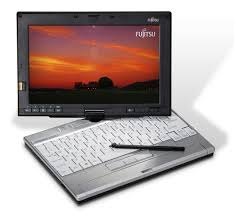
Well, if you're a purist, then you probably wouldn't call it a netbook. I used to have a Fujitsu Lifebook p1610 that had a 9" screen and a tiny keyboard. In today's terminology, it may be considered a convertible tablet netbook. It's ultraportable and tiny, so most people would probably call it a netbook now that Asus has a convertible tablet netbook with their Eee PC T91.
So, let me get back to my original question. Do I miss my p1610? No
Why not? Well, to be honest, the keyboard and screen were too small for me to be meaningfully productive. I'm much happier with my Lenovo Thinkpad X200 Tablet. With a larger screen and a full-size keyboard, I can be so much more productive. It's a bit bulkier than my p1610, but I'll trade that anyday for the functionality that I gain.
Android Netbook
Health and Computers

If you have a medical condition, do you use a computer to help you manage your illness? My father had diabetes and he was always keeping a glucose log on his computer. He would actually print these out and show them to his primary care physician and his endocrinologist.
Mobile computing technology has made it so easy now to synchronize data and carry it around. A colleague of mine has diabetes and wears an insulin pump. She also has a glucose monitor that synchronizes all her sugar values with her ultra-mobile PC (yes, she's a gadget lover like me). When she needs to see her glucose trends, she can easily pull up reports on her tiny mobile computer. No need for paper.
Saturday, May 2, 2009
Swine Flu and Twitter
Many people use Twitter while they're on-the-go. Many use a smartphone, laptop, or other mobile device. I use my convertible tablet PC (Lenovo Thinkpad X200 Tablet) when I'm at home, but I'll also take my OQO model 02 if I'm heading out to the mall or coffee shop. Mobile computing technology has made it so easy for us to stay connected. SARS threatened the world in 2002-2003. Looking back, those years seem like the "Dark Ages" of computing. Think about the types of hardware we had! You were lucky to find a Pentium 4 processor on a mobile device. I hope that we'll get to leverage moden computing technology to combat this possible swine flu pandemic.
Friday, May 1, 2009
I Love Pen Flicks
If you use a Tablet PC and you have Windows Vista, then you may have played with a feature called "pen flicks." It's a great way to navigate between pages and "flip" your way around sites. It almost makes you think that you're flipping through an electronic book. My hat goes off to those developers who came up with pen flicks. Bravo!
Follow Friday on Twitter
Windows 7 on Thinkpad X200 Tablet

Anyone running Microsoft Windows 7 on the Lenovo Thinkpad X200 Tablet PC? I've had such a positive experience running Windows 7 on my slow Samsung Q1 Ultra, that I'm very tempted to install Windows 7 on my Thinkpad. However, my machine isn't your "typical" Thinkpad tablet. It has Intel Turbo Memory and also has a multi-touch screen (active digitizer plus passive touch). Intel Turbo Memory was a new feature in Vista, but I wonder if it will be incorporated into Windows 7 (I'm sure the information is out there, but I'm too busy typing this up).
I think that over the weekend I may install a blank hard drive and see what happens if I install Windows 7. Somehow, I doubt that everything will work if I do that, but I'm tempted to try.
** revised on 6/30/09 - I've been running Windows 7 on my X200 Tablet as my main operating system and I'm loving it. Things are so much faster and more efficient. The inking experience is superb and the handwriting recognition is great. I'm so pleased by the quick boot time and the overall stability of this OS. See my other posts on this topic by searching for "Windows 7 Thinkpad"
Have You Seen the RTX3371 ?
Tunstall has received FDA clearance for this cool home-monitoring device that has built-in GSM/GPRS mobile technology. Take a look! Tunstall Gets FDA Clearance for Wireless Telehealth Monitor With Built-in GSM/GPRS
Windows 7 Release Date
Rumors have it that Windows 7 will be out this October. Can't wait! I've been running build 7100 (also known as the Release Candidate) and it's been a great operating system. In fact, it may be the most efficient OS release from Microsoft. I'm comparing it to Ubuntu 9.04 on some of my systems and I'll report what I find.
Subscribe to:
Posts (Atom)