Friday, July 31, 2009

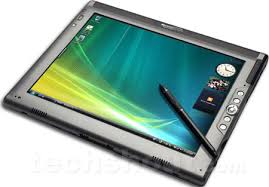
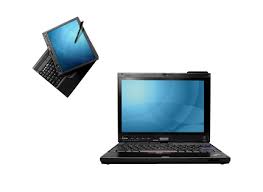
Slate vs. Convertible Tablet PC in the medical world


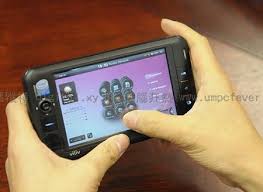
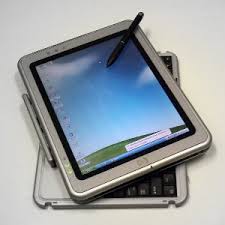
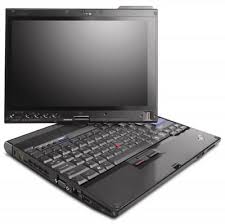
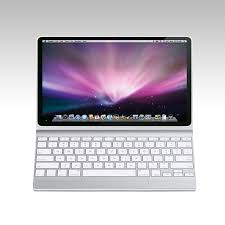
If you work in the hospital or a medical office, do you prefer to use a slate tablet PC or a convertible tablet PC? Maybe you don't even use a tablet.

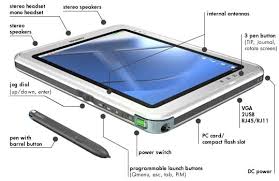
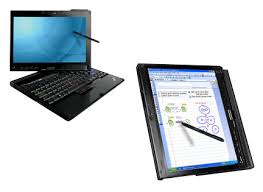
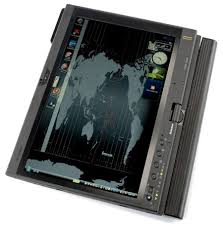
I find that as people realize the efficiency of pen-based computing, they end up using the pen more than the keyboard. As a result, it may be better to train physicians to use tablets so they can quickly navigate and enter information using the pen. One nice thing about a dedicated slate tablet is that it is generally thinner and lighter. Convertible tablets have traditionally been at least 0.5 pounds heavier than a slate. However, there are fewer slate tablets to choose from. The leading manufacturers for full-size slate tablets still seem to be Fujitsu and Motion Computing. TabletKiosk is also out there selling slate tablets. HP used to make some slate tablets, but I haven't seen anything new from them. Lenovo never made any dedicated slates. The X-series tablets have all been convertibles.

Are we going to see more slate tablets emerging in the near future? Or is the tablet PC industry truly dying? My hope is that the increasing uptake of electronic health records (EHRs) will revive the tablet PC industry. However, EHR vendors really need to properly leverage the power of pen-based computing and push that message across to those who decide to adopt an EHR.

Thursday, July 30, 2009

BIOS update improved my Thinkpad X200 Tablet


I've been running Microsoft Windows 7 on my Lenovo Thinkpad X200 tablet PC and I've had some strange issues related to backlight adjustments and my Wi-Fi connections. Well, the latest BIOS update seems to have fixed some of those issues. Maybe it's just my imagination, but I think that things are better now. So, I'm eager to see how things continue as I use Windows 7 on this device. October doesn't seem too far away when I think about having a real OS that I won't have to wipe clean.

You may be wondering why I focus so much on the Thinkpad X200 tablet. It's because several medical schools use this machine as the "school-issued computer." In other words, medical students are required to purchase this machine. So, I hope some of these tips may translate to medical students who are forced to use this device (even if they're Apple lovers).

Wednesday, July 29, 2009

Barnes and Noble eReader


There was a period in my life when I used to spend all my time at a Barnes and Noble bookstore. I used to read, study, browse the web, and even tutor students at the bookstore. Now, B&N is feeling the heat because the Amazon Kindle has taken off and the future is e-book or e-reader technology. B&N is planning on working with Plastic Logic to create an e-book, but in the meanwhile, they're working on getting a head start. They've announced free eReader software for the Apple iPhone/iPod touch, BlackBerry, the PC, and the Mac. Where's Windows Mobile in all this? What about webOS on the Palm Pre or Google Android?

Well, I suppose if they can get many subscribers to start using this eReader software, then it'll be much easier to switch to the e-book made by Plastic Logic.

PC Magazine has reviewed the Barnes and Noble eReader software.

Bottom line:
Barnes & Noble joins the e-book fray but, unlike Amazon, doesn't make you buy an expensive reader. The Windows software is serviceable and the iPhone version outstanding, but the Mac version could stand beefing up.
Pros:
  • Huge library of titles.
  • Cross-platform support.
  • Excellent iPhone reader.
Cons:
  • Books can't be purchased within app.
  • Bare-bones Mac version.
Do you see yourself migrating to an eReader of some type? I already do all my reading on my Thinkpad X200 tablet. Since it's a convertible tablet, I can swivel the screen and hold the machine in my hand when I'm on the plane. It's a great way to read PDFs.

Tuesday, July 28, 2009

Dreaming about my next computer


I had a strange dream yesterday. Perhaps it was triggered because of the recent rumors regarding the Apple Tablet (or giant iPod touch). Who knows? In any case, I was dreaming about a super-slim tablet (about as thin as the Amazon Kindle) that has a color screen and multi-touch display. The thing was very light, and very fast. It was so slim that I thought it was a slate, but then the tablet opened up to reveal a full-size keyboard. The entire thing was thinner than the MacBook Air and I just couldn't believe it! And then I woke up. Oh well, for now I'll have to settle for my Lenovo Thinkpad X200 tablet PC which isn't super thin but it probably has most of those other features.

Monday, July 27, 2009

How much do you pay for a PC?


I was looking through some old records and I noticed that just a few years ago, I spent a lot of money for a new computer! Now, you can get netbooks for less than $300. At one time, I bought a tiny Sony Vaio laptop that was over $2,000!

A desktop that I had purchased back in 2004 was over $700 and that was even from an outlet store! Just last year, I purchased several desktops for a physician office for less than $300 each.

It really is incredible to look at the evolution of computer prices.

Apple Tablet or Giant iPod?


There have been rumors about an Apple Tablet for quite some time (I'm not referring to the Newton Messagepad), but now we seem to be hearing rumors about a giant iPod running the same operating system as the current iPod touch. People are calling the iPod touch the "iTouch" and I wonder if Apple will take that term and create a giant iPod touch (maybe they'll still call it the iTablet). Or the iPod touch G (G = Giant).

Sunday, July 26, 2009

Apple Tablet on Verizon Wireless?


There have been so many rumors about the Apple Tablet that I don't know what to believe anymore. However, the most recent rumor from PC World suggests that there may be an Apple Tablet on Verizon Wireless. Maybe it'll just be an iPhone that's not called an iPhone. Maybe it will actually be a larger device that has a bigger screen and an operating system that resembles the Newton Messagepad. Who knows, right?

Top posts on Mobile Health Computing

Here are the top 5 posts on Mobile Health Computing.com
  1. Viliv S5 reviewed by PC Magazine

  2. Free Wi-Fi while camping

  3. Windows 7 RC on Thinkpad X200 Tablet: Screen Brightness

  4. Lenovo IdeaPad S12 reviewed by PC Magazine

  5. Why use a tablet PC in the medical world?

Saturday, July 25, 2009

Windows 7 Released To Manufacturing (RTM)


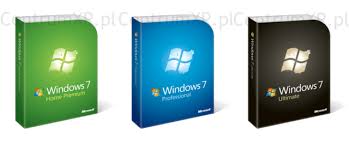
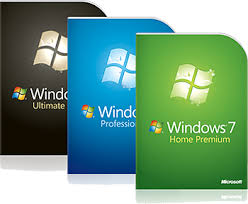
According to multiple sources, Windows 7 has been Released To Manufacturing (RTM) as scheduled. This means that I probably will see my Windows 7 upgrade sometime in October. I've essentially stopped running Vista on all my machines and I'm now running Windows 7 RC. I also have XP on a few of my older machines, but I wonder how long that will last. Since Windows 7 runs fairly well on older machines, I may simply end up switching all my XP machines to Windows 7 (assuming that I can find some good deals on the family pack).

Friday, July 24, 2009

Touch screen Sony Vaio


I have a Sony Vaio laptop. However, it doesn't have a touch screen. They've had a history of making some great mobile computers, but we have yet to see a true tablet PC from Sony. I'm not counting the Vaio UX series when I'm talking about touch screen.

Well, there are circulating rumors that Sony will come out with a Vaio that has a touch screen. Windows 7 integrates some nice "touch" features, so whether this touch screen is built into a desktop or a laptop, it will be a nice feature. There's a part of me that wonders if all future computers will have some type of touch screen. Perhaps computers in the future will primarily rely on voice recognition and touch. No keyboard, no mouse. Can you imagine that?

Thinkpad brightness on Windows 7 - still problematic

OK, so the other day I thought that I had "fixed" the LCD brightness issue on my Thinkpad X200 Tablet PC running Windows 7. Well, I was wrong. Keeping the Windows Mobility Center open seems to have helped, but it did not "fix" the problem. I wonder if the auto-dimming is causing some level of incompatibility. I'll have to continue my testing. In the meanwhile, I'm so much happier running Windows 7 over Vista that I'm willing to live with some inconsistent backlight issues on my Thinkpad.

Thursday, July 23, 2009

US Airways to offer Wi-Fi


It's about time, isn't it? US Airways has announced that it will offer Wi-Fi services on its Airbus A321 aircraft starting in 2010. Thanks to their partnership with Aircell, they will offer Wi-Fi through Gogo® Inflight Internet.

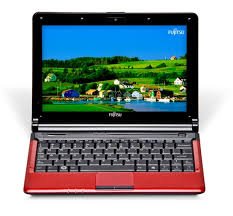
It's a good time to buy the Fujitsu M2010


The Fujitsu M2010 is a netbook. Fujitsu calls it a mini-notebook, but we all know it's a netbook. It's a good time to buy it because you can save $50 by using this coupon code: MINIPCDISK

That code will take the price down from $450 to $400 (OK, $399 if you want to be technical).

Here's what you get with the M2010:
Intel® Atom™ Processor N270
Genuine Windows® XP Home with Microsoft® Works 9.0 and Office Home and Student 60-day Trial1
10.1" WSVGA LED backlit display
Integrated Webcam
1 GB DDR2 533 MHz memory (1 GB x 1)
160 GB, 5400 rpm hard drive2
10/100 LAN
Atheros (802.11b/g) WLAN
Integrated Bluetooth wireless
Main battery: Lithium ion (3-cell, 10.8V, 2400 mAh)
One-year International Limited Warranty
M-code FPCM21971
I've owned several laptops made by Fujitsu and I think they make some great products. I'm willing to say that Fujitsu computers offer Sony (Japanese) quality but at a lower price compared to Sony.

Windows 7 and Thinkpad Display Brightness Control Fixed


I've been running Windows 7 on my Thinkpad X200 Tablet PC for a while now. Things have been great, but the LCD display brightness control doesn't always work when I resume from Sleep (standby) or Hibernate. If I reboot, then I regain brightness control. Since screen brightness affects battery life, this is a very important thing to control on any mobile device.

Well, I've found a fix for this. Open Windows Mobility Center and keep it open all the time. When I resume from Sleep, Windows Mobility Control remains open in the background and I'm able to control my screen brightness. I'm not entirely sure why this works, but it's a temporary fix until Lenovo issues correct drivers and system utilities for Windows 7. I've been told that this screen brightness control issue is a common problem on other Thinkpad models running Windows 7. So, here's my contribution to those of you running Windows 7 on your Lenovo Thinkpads.

Wednesday, July 22, 2009

Thinkpad LCD brightness on Windows 7


Are you running Windows 7 on your Lenovo Thinkpad? Having problems adjusting your LCD brightness after you resume from either Sleep or Hibernate? You're not alone. However, I may have found a solution. I'm going to do a bit more testing and then I'll write about this tomorrow, so stay tuned!

More details emerge about Windows 7


The discounted upgrade prices for Windows 7 are now gone. If you need more than one copy of Windows 7, you may want to see what type of pricing they offer for the family pack. It appears that the Release to Manufacturing or RTM version of Windows 7 (which is the final version) will become available next month. Upgrades for consumers should ship in October.

It's interesting to see that some retailers are actually selling Windows 7 RC (release candidate). Why would you buy the RC when you can download it for free? I'm running Windows 7 RC on my Lenovo Thinkpad X200 Tablet PC.

OpenOffice vs. NeoOffice for Mac


If you own a Mac, are you running Microsoft Office 2008? You have some free options if you don't want to run any Microsoft applications. Two of the most popular alternatives to Microsoft Office are:
  • OpenOffice
  • NeoOffice
So which is better? Which do you like to use? I've loaded both on my wife's MacBook Pro and I'm waiting to see which one she likes better. Which application do you use the most? Microsoft Word, Excel, PowerPoint, or Outlook? For me, I'd have to say that it's Word. It seems like I'm always working on a Word document.

Tuesday, July 21, 2009

Lenovo IdeaPad S12 reviewed by PC Magazine


The Lenovo IdeaPad S12 netbook has recently been reviewed by PC Magazine. Here's the summary: "With the IdeaPad S12, Lenovo produces its best 12-inch netbook yet, but there's a price premium above your average netbook."

Pros:
  • Great looking 12-inch widescreen. 1,280-by-800 resolution.
  • Best keyboard on a netbook.
  • ExpressCard slot is present.
  • Very good battery life.
Cons:
  • Pricey compared with other netbooks. A bit heavier than its peers.
Thinkpads have an industry reputation of having an excellent keyboard. So, if Lenovo designs netbooks with the keyboard in mind, then I'm sure the S12 is an excellent keyboard. It's not often that you see something get rated as the "best keyboard on a netbook." These things are so small to begin with, that you can't expect a really great keyboard. However, the PC Magazine editors found that the S12 has a "superb full-size keyboard." Sounds like a winner!

Monday, July 20, 2009

Should mobile PCs have a thumb keyboard?


As more healthcare professionals use smartphones (BlackBerry, Treo, etc.) that have a thumb keyboard, they're getting fairly proficient at thumb typing. You don't need to have a T-Mobile Sidekick to know how to use a thumb keyboard.

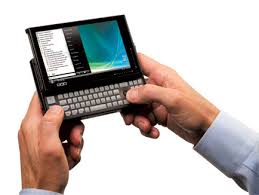
Does it make sense to include thumb keyboards on more mobile devices such as ultra-mobile PCs (UMPC)? The OQO model 02 had a thumb keyboard. The Sony Vaio UX series also had a thumb keyboard. Samsung added a thumb keyboard to the Q1 Ultra UMPC series when the original Q1 did not have a thumb keyboard.

Does it make sense to have a thumb keyboard on smaller slate tablet PCs? If we follow the Samsung model, we see this:
  • Original Q1 (slate only, no thumb keyboard)
  • Q1 Ultra (slate plus thumb keyboard)
  • Q1 EX (slate only, no thumb keyboard)
Does this reveal that the thumb keyboard on an ultra-mobile slate tablet PC was a flop? What about sliders? The OQO and Sony UX both included a thumb keyboard. Even the Nokia N810 MID has a thumb keyboard. However, the Viliv S5 does not. Does that make sense?

Sunday, July 19, 2009

Free Wi-Fi while camping


I'm camping this weekend and I'm typing this while my family's taking a nap. Thanks to some free Wi-Fi here at the campsite, I don't need to bother with tethering to get online. Having such a small computer makes it easy for me to get online, even when I'm on vacation. Am I checking my work e-mail? What do you think?

Saturday, July 18, 2009

Viliv S5 reviewed by PC Magazine


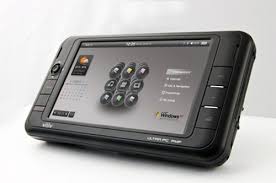
The Viliv S5 Premium has been reviewed by PC Magazine. It's a tiny little PC (also known by some as an ultra-mobile PC or UMPC).

Conclusion = Fair
Bottom Line:
The Viliv S5 Premium is a pocket-sized MID with a touch-only interface and a full blown operating system, but the price is real deal-breaker here.
Pros
  • Fits nicely into a large pocket. Featherweight PC. Good battery life.
Cons
  • Processor not running full speed.
  • Wireless throughput is slow.
  • Choked during 720p HD playback.
  • Haptic keyboard needs predictive text.
  • Resolution too high for text on a 4.8-inch screen.
  • Too expensive for stripped down netbook.
  • Lacks a physical keyboard.
I'm surprised it even got 2 stars and a "fair" rating with that list of cons. The question in my mind is this: Is the ultra-mini PC market simply not practical? Without a doubt, it's not practical for most consumers. But what about for the healthcare industry? At what point does a computer become too small that it loses its value?

There must be a reason why I'm not using my OQO model 02 very much these days. I use my Samsung Q1 Ultra and Thinkpad X200 all the time. However, my model 02 simply isn't getting much use anymore. Is it simply an impractical luxury? Click here for the full review of the Viliv S5 on PC Magazine.

Friday, July 17, 2009

I had a dream about a tablet PC


Yes, I have strange dreams. The other night, I had a dream that I was showing my tablet PC to an old medical school friend. I haven't seen him in many years, but he's been asking me questions about tablet computers on Facebook and he's also a huge fan of technology. In my dream, I was showing him all the handwriting recognition features, the colored ink, the drag and drop, the pen flicks, and more. I love how you can "hover" with the Wacom Penabled pen on the Tablet PC. You can't do that with a touch screen. He was so impressed by all these tablet features that he went out and got one himself! Which one did he get? The same one that I use - the Lenovo Thinkpad X200 Tablet PC.

Thursday, July 16, 2009

Viliv S5 running XP Tablet PC

Here's a video of Microsoft Windows XP Tablet PC running Viliv S5.

Wednesday, July 15, 2009

Lenovo ThinkPad X200 Tablet Review


The Lenovo Thinkpad X200 Tablet PC is not a new machine. However, the folks over at MobileTechReview have recently given it a nice review. The editors gave it 5 stars (out of 5 stars). I guess you can't get any better than that.

What's hot: Great build quality. Long battery life.

What's not: Screen looks grainy on our touch screen model. No internal optical drive.

Here are some of the highlights from their review:
  • Compared to the AMD-powered HP TouchSmart tx2 tablet, the ThinkPad X200t runs significantly cooler and the fan runs very quietly.
  • Compared to the Dell Latitude XT2, the ThinkPad is faster with the Intel SL processor option (the Dell ships only with the slower SU line running at 1.4 and 1.6GHz).
  • The 12.1-inch LED backlit screen looks grainy compared to the one found on the Toshiba Portege M750 (also with touch screen), but when the brightness is turned to max, the Lenovo’s screen has more contrast than most recent tablets.
  • The notebook’s battery lasted 7 hours while working on MS Office documents, surfing the web, taking notes and drawing pictures with Wi-Fi turned on and screen turned to max under the“Balanced” power setting.
  • Among 12-inch Tablet notebooks, the ThinkPad X200t stands out with its build quality and good software.
I love my Thinkpad X200 Tablet PC. It's the best laptop/tablet I've ever owned (and I've had my share of computers over the years). I have the multi-touch screen that includes an active digitizer (Wacom penabled digitizer pen) that allows me to "float" the pen over the screen to move the cursor. I also have the touch-based screen that allows me to use my finger to tap on the screen and use the on-screen mouse feature on Vista and Windows 7. Some people seem to really hate the on-screen mouse pointer, but I personally really like it.

Tuesday, July 14, 2009

Will we see an Apple netbook this fall?


Rumors are circulating once again. Will Apple release a netbook this fall? I'm more interested in a tablet more than a netbook. Maybe the bigger question in everyone's mind is: if Apple releases a netbook, how much will it cost?

Since you can get a really nice netbook for around $400 these days, anything much higher than that is difficult to justify. After all, what are you really getting by paying more? A built-in optical drive? Increased performance? Or just a different brand label?

Monday, July 13, 2009

What's an Exbibyte?


OK, you may be wondering what I'm talking about. What's an Exbibyte? Who cares, right? Forgive me, but I just couldn't help myself. As an MIT graduate, I feel like I should know something about these terms. Allow me to briefly talk about the exbibyte (EB), gigabyte (GB), terabyte (TB), and zettabyte (ZB). I won't even get into megabyte (MB) or kilobyte (KB) in this discussion.

I got onto this topic as I was looking at the maximum file size under different file systems for your computer. When you go to format a hard drive, you can typically choose between FAT 32 and NTFS. Why would you choose one over the other? One of the reasons for me is this: maximum file size.
  • Under FAT 32, the largest file your computer can handle is roughly 4 Gigabytes (abbreviated as GiB or GB).
  • Under NTFS, the largest file is roughly 16 Exbibytes (abbreviated as EB or EiB)
So how big is an exbibyte?
1 exbibyte = 1,073,741,824 gigabytes
Let's look at this another way. A terabyte (TB) is roughly 1,000 gigabytes (GB). We now see hard drives advertised as 1 TB hard drives.
1 exbibyte = 1,048,576 terabytes (or roughly 1 million terabytes)
So, when will we see a 1 EB hard drive?

While we're on this topic, let me also through out another term: zettabyte. Now, does that sound bigger or smaller than an exbibyte?
1 zettabyte = 1 billion terabytes
Where's the limit?

Windows 7 build 7600 may be RTM


Microsoft Windows 7 build 7600 may be the Release to Manufacturing or RTM version of Windows 7. This is the "final" build of Windows 7 that will be hitting the shelves this fall. Expect to hear more this week at the Worldwide Partner Conference. Build 7100 is the Release Candidate and that's what I'm running on several of my machines, including my Lenovo Thinkpad X200 Tablet PC.

Saturday, July 11, 2009

Sony Vaio P

It appears that Sony is refreshing the Vaio P series this fall. What do we expect to see, other than Windows 7? Will they include a backlit keyboard? (I doubt it, even though it could really use it). What about a lower price? If you haven't had a chance to play around with a Vaio P, I urge you to watch this video and then walk into your nearby Sony store. I don't think you'll walk out with one, but you'll be impressed by this little toy.

Friday, July 10, 2009

Windows 7 Family Pack for $137 or more?


According to some circulating rumors, you can get a Windows 7 Family Pack (3 licenses) for $137. Is that a deal? You can currently get the Windows 7 Home Premium upgrade for $49.99 (only until July 11, so you don't have much time left) and I've already ordered 2 copies from Amazon. After July 11, that upgrade will be $119.99.

Thursday, July 9, 2009

Does the Viliv S5 have problems with heat?


The Viliv S5 is such a tiny computer that I wonder if it has any problems with heat. My OQO model 02 has a pretty loud fan that does a decent job at keeping the entire thing relatively cool. Too bad liquid cooling technology hasn't been adopted for these tiny little computers yet.

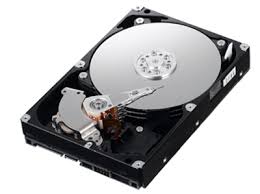
Heat can really damage computers. Don't ever let your computer get too hot. It can ruin your hard drive (which stores all your data) and before you know it, you'll be shopping for a new one. Portable computers have some of the biggest problems with heat. Heat can also quickly ruin lithium ion batteries. That's why I remove the battery when I'm using my OQO via AC power. Most laptops place the battery away from any major heat sources. With these tiny computers or ultra-mobile PCs, you can't avoid placing a battery near a heat source. As a result, these batteries probably end up having shorter lifespans.

Google is creating an operating system for netbooks


Well, it's about time, isn't it? Google is developing a simple but functional operating system for netbooks. Google Chrome OS will be an open-source OS that will be sleek, light, and (hopefully) very fast. The Chrome web browser has been surprisingly useful and I'm hoping that Chrome OS will mirror that. Many people thought that Google was going to take Android and modify that for netbooks. Maybe Chrome OS will be very similar to Android. We know that we'll be living in the world of Cloud Computing.

So, how will such an OS get used? Will it replace Microsoft Windows XP, Vista, or 7? Or, will people use Chrome OS as a dual-boot option? That's how I use Ubuntu. To be honest, with the quick boot time of Windows 7, I'm not sure that I'll need Ubuntu in the future. I'll have to see how Chrome OS fits into the mix.

Wednesday, July 8, 2009

Sony's official netbook: the Vaio W


The Sony Vaio W is being called a netbook, even by Sony. Although they don't call their Vaio P a netbook (I suppose P=Pocket book, so why didn't they go with N=netbook?), the Vaio W is an official netbook. However, instead of being priced below $400, it appears that it will cost roughly $500 for this netbook. Why Sony? Just because it's branded a Sony product? I'm a big fan of Sony products, but I'm not a fan of their high prices.

We can now get really nice netbooks for less than $400. Many of the major computer manufacturers have a netbook. The Sony Vaio P is extremely expensive in comparison. Plus, the P has such a small screen that I wonder how many people have found it to be useful. The Vaio W sports a 10.1" screen and a decent keyboard. Like many other netbooks, the specs are very familiar: a 1.6GHz Atom processor, 160GB HDD, 1GB RAM, Windows XP, Bluetooth, 802.11b/g/n, VGA out, two USB ports, Ethernet, webcam, and MemoryStick / SD card readers.

So, do you have a netbook? If you don't, do you plan on getting one? If so, which one? These are the types of questions I love to ask, because at the end of the day, you have to answer the ultimate question: "why?"

Tuesday, July 7, 2009

Viliv S5 running Windows 7: video

Take a look at this video if you like mobile computers that fit inside your purse or pocket (also called an ultra-mobile PC or UMPC). The Viliv S5 is running Windows 7.

Windows 7: upgrade over Vista or clean install?


I realize that my copy of Windows 7 is only the Release Candidate (RC) version, but I can't imagine that the upgrading feature will improve that much in the final version of Windows 7. If you've been following my blogs, you know that I have a Lenovo Thinkpad X200 Tablet PC. I also have 2 different hard drives, so I decided to do a little experiment. On the first HD, I did a clean install of Windows 7. On the second HD, I loaded Vista, and then upgraded to Windows 7. How can I afford to do all this and maintain my productivity? I can do this at home because I have a few other computers that I can use while I'm running my little experiments.

If you've done many operating system upgrades, you know that you always get better system performance (speed, efficiency, stability, etc.) when you do a clean install. However, if you do a clean install, you have to reinstall all your applications, customize your settings, etc. It can be a real hassle. At the end of the day, you're always better if you do a clean install. An upgrade can cause its share of problems. According to Microsoft, Windows 7 is only considered a "minor upgrade" from Windows Vista. So, you'd think that an upgrade should be relatively straight-forward, no? Perhaps that's the case if you hardly have any applications installed. In my case, I have quite a few and here's what I found:
  • Slower overall system performance on the "upgrade" vs. the clean install. Not a surprise.
  • Slower boot-up times on the the "upgrade" vs. the clean install. It still boots faster than Vista, but it's about 20 seconds slower compared to the clean install.
  • Some funny things happening with the fingerprint reader and touch screen calibration. More to come as I experiment. I realize that many of the drivers may not be ready for this machine. Plus, some of the ThinkVantage utilities are probably not compatible with Win7 at this point.
So, one again: perform a clean install if you can afford to spend the time. Alternatively, you can try the upgrade from Vista and experiment for a few weeks. If you're pleased with the results, you may not know what you're missing. Since ignorance is bliss, don't fix something that's not broken.

7 Ways Every Medical Professional Can Use The Kindle


This is a guest post written by: Thomas Rheinecker

The Kindle is a new device that is changing the face of reading. No longer do you have to carry around every book you own to have the reliable information that they contain at your disposal. Research has been made easier with the rise of the internet, but finding reliable information can be difficult. You still do not always have access to the books that you need online so someone came up with an answer to this problem. That answer is the Kindle.

What Exactly Is The Kindle?

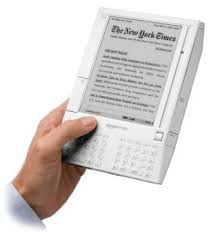
This is the place to start. Many people know what the Kindle is already, but many other have not even heard of it. Basically, the Kindle is an e-book reader. It allows you to download e-books and to read those books right on your Kindle.

It is not just another basic computer screen, however. It has what is called e-ink. While this new e-word may not have much meaning at first, it will once you understand what it means. E-ink refers to the fact that the display seeks to simulate the appearance of genuine printed material. It can be read in circumstances with low light. It also has a great battery life which is always a concern with any electronic device that you are likely to use for extended periods of time. Because it will allow you to read books, you will want it to last long enough for you to put in as much time reading as you wish.

The text is posted on the Kindle screen and is maintained in a static state. While other screens of this sort, such as television or computer screens, have their images refreshed on a regular basis the Kindle screen just maintains this image. This makes it much easier on the eyes.

7 Ways To Use It In The Medical Profession
1. You can download and read reference materials that you have read previously to refresh your memory. It could not get any easier with the Kindle.
2. You can seek out new textbooks to look for answers too. Seeking out symptoms, conditions, and other relevant information is easy.
3. You can view photos on the Kindle if you need to see pictures of various symptoms conditions.
4. Studying medical texts is possible right on the Kindle. You can highlight portions of texts and you can even make notes on the Kindle as you go along.
5. Further and sometimes faster research can be done on its built-in web browser.
6. Multiple books can be read at once so when doing research there is no need to carry around all the books you need when all are present on the one Kindle.
7. You can listen to music while you read. This is an attractive feature for those who do not enjoy reading for extended periods in complete silence.
The 7 ways that every medical professional can use the Kindle are really transferrable to anyone who reads books or who works with any written resources. The potential for this tool is just beginning to be explored and will surely come out in time. Medical professionals never need to worry about not having the right resource book available again and everyone can feel good about that.

Thomas Rheinecker is a freelance author and writes about medical career topics, such as how to choose an online ultrasound school, tips for job advancement, and more.

Monday, July 6, 2009

Always On USB


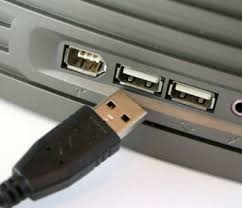
I often travel with my Lenovo Thinkpad X200 Tablet and a few USB cables to power my peripherals (like my smarphone and iPod). So the "Always On USB" feature on my Thinkpad comes in very handy. I get to charge my devices at night by keeping them plugged in to my laptop. I can also charge them when I'm on the plan and when my laptop is in "sleep" mode.
If your laptop capable of "always on USB," it's a great feature when you're traveling.
Sunday, July 5, 2009

Mobile Health Computing: Top posts for last week

Here are the most popular posts from last week on MobileHealthComputing.com
  1. Why use a tablet PC in the medical world?

  2. Archos 9 Windows 7 tablet

  3. Windows 7 RC on Thinkpad X200 Tablet: Screen Brightness

  4. Windows 7 on a USB flash drive

  5. Xmarks - a great free utility

  6. Upgrading from XP to Windows 7

  7. Computing tips: Ctrl + W and Ctrl + D

  8. Pre-Order Windows 7 for $50 and $100

  9. What's the best feature of Windows 7?

  10. Motion J3400 Slate Tablet PC

Windows 7 Family Pack


It appears that there may be a Windows 7 Home Premium family pack. This may allow you to install Windows 7 on up to 3 computers in your home (do you have 3 computers at home?). Right now, you can pre-order a Windows 7 upgrade for $49 (it's $5 less at Costco). So, will this family pack be less than $150? I doubt it. My prediction is that it will be over $199 and probably closer to the range of $250 considering that the upgrade for Win7 Home Premium will be $120 after July 11.

Saturday, July 4, 2009

Archos 9 Windows 7 tablet


Want to see some nice pictures of the Archos 9 Windows 7 tablet? Let me refer you to CNET in the UK where you can see some incredible photos. Click here for those pictures.

The Archos 9 Tablet is very thin and it looks like a promising ultra-mobile PC (UMPC). Maybe the Amazon Kindle will look like this one day (and maybe it will also run Windows 7 and have a color screen). Until then, I will stick with my Samsung Q1 Ultra and my Lenovo Thinkpad X200 tablets.

Here are the specs for the new Archos 9 tablet PC running Windows 7:
  • Processor: Intel Atom Z515 1.2 GHz
  • Video Chipset: Integrated US15W
  • Operating System: Microsoft Windows 7
  • System Memory: 1GB (DDR2 400/533) - hope you can upgrade this easily to 2 GB
  • Display: 8.9” touch screen - 1024 x 600 pixels (passive touch, not an active digitizer)
  • HDD: 60GB or 120GB - SSD should also be an option
  • Communication: Ethernet 10/100
  • WiFi: PCI-E interface, 2 Antennas, Support IEEE 802.11b/g
  • Bluetooth 2.1
  • Optional 3.5G HSUPA - Huawei EM750M 7.2Mbts module
  • Audio: 2 stereo speakers
  • Built-in Microphone
  • Optical Finger Navigation System with Right and Left click buttons
  • 1 USB 2.0 port
  • Audio/headphone output
  • Web cam: Built-in 1.3MP camera
Does it look like it's missing anything? I'd like to see an SD card slot, but that's about it.

Happy 4th of July!


Today is July 4 and it marks Independence Day in the United States. Our country has changed dramatically since 9-11 and I think Independence Day has a revived meaning in this country. As we combat terrorism and fight for freedom, let us continue to pray for our soldiers and their families.

Friday, July 3, 2009

Viliv X70 on video

Interested in this new device? Here's a video of the Viliv X70 ultra-mobile PC (UMPC).


Upgrading to Windows 7 from Vista 64-bit


I'm doing a new experiment on my Lenovo Thinkpad X200 Tablet PC. I'm directly upgrading from Microsoft Windows Vista (64-bit) to Windows 7 (64-bit). You can't go from a 64-bit operating system to a 32-bit OS (and vice versa). Since my machine has 4 GB of RAM, it may make more sense to run a 64-bit OS. However, if you want to maximize compatibility with peripherals, then stay with a 32-bit OS. I doubt I'll notice any significant changes in performance between 32-bit vs. 64-bit for the types of things I do.

I always recommend a clean install over an upgrade like this, but I'm adventurous. When I get the final copy of Windows 7, I'll do a clean install and then I'll have to reload all my applications. Until October arrives, I'm going to continue my Windows 7 experiments.

Viliv S5 - coming very soon


I'd like to get my hands on a Viliv S5. The X70 EX also looks really nice, but the S5 might make a nice replacement for my OQO model 02. It's not easy to find imported electronics like the Viliv S5, but if you're an early adopter and you want to get your hands on this technology, then you should take a look at Dynamism.
  • 3G HSPA (optional)
  • Wake up to XP in 5 sec
  • 6 hour video playback
  • 200 hours Standby Time
  • 4.8" WSVGA display
Sounds pretty good, doesn't it? How does $599 sound? July 16 is the magic day this little item will be available through Dynamism.

Thursday, July 2, 2009

Smartphones and MIDs

MID = mobile internet device. Sounds like a smartphone, doesn't it? Will the term MID dissolve? Or, will smartphones get renamed as MIDs? Read my post on MedicalSmartphones.com titled, "Is a Smartphone an MID?"

Upgrading from XP to Windows 7


If you wish to upgrade from Windows XP to Windows 7, be prepared to back up all your data, wipe out your hard drive, install a clean version of Windows 7, and reinstall all your applications. You can't "upgrade" directly from XP to Win7 and keep all your files/applications/etc. You can do this from Vista (as long as you have Service Pack 1), but not from XP. So, is it worth upgrading to Win7 if you're using XP? If you're using a mobile computer or a tablet PC, I would say "yes." If you're using a desktop, then I would advise that you stick with XP.

If you're running Windows Vista, you'll definitely want to upgrade to Windows 7 - regardless of whether you're using a laptop or desktop. Just my opinions based on my tests and experiments on over 10 different types of computers ranging from older to newer PCs.

If you're on XP and you don't want to reinstall everything, here's one alternative:
  • Upgrade to Vista (you just need a Vista DVD - no key is required (you can leave that field blank when it prompts you for a key) and you can use Vista for 30 days before activating it. Make sure you select the "upgrade" option - otherwise you will have to reinstall all your applications.
  • After you upgrade to Vista, make sure you install Service Pack 1. You can download this file directly from Microsoft.
  • Once you're running Vista, there's no need to activate Vista. Simply insert the Windows 7 upgrade disk and proceed to upgrade the OS to Win7. After you do that, you'll need the activation key for Win7.
I used this method with the RC disk and it worked fine on an old HP laptop. I was able to retain the applications and files that were originally there when it was running XP.

Wednesday, July 1, 2009

Printers and ink cartridges


I've owned many different computer printers over the years. We still have an old laser black-and-white printer made by HP that we got before my wife and I were married. We used that to print some of our pre-wedding materials. I can't believe it's still working. We also have a nice color ink printer made by Epson that we use to print photos. You can get a really decent scanner/printer/fax for less than $150 these days. Several years ago, the same type of machine would have cost over $300. Scanners have come down in price and these types of "all-in-one" devices have gotten very popular.

Companies that make printers often sell printers at a very low price because they make their profits on the ink cartridge. Do you know how much an average ink cartridge roughly costs? There was a time when I used to use refill kits. Instead of buying a replacement ink cartridge, I got ink and simply refilled my old cartridges.

So what type of printer do you use? At work, I even have an old Xerox printer that uses solid ink. Essentially, it melts "wax" and sticks it to the paper. The results is a nice color printout that won't smear if it gets wet. It's cheaper to maintain than a color laser printer, but I'm disappointed that we have not seen other companies replicate the Xerox technology of solid ink color printers.

What's the best feature of Windows 7?


To me, the best feature of Windows 7 is the rapid boot time. On my Lenovo Thinkpad X200 Tablet PC (which originally came with Windows Vista), I get to the log-in screen in 50 seconds from a cold boot! Then it only takes another 10 seconds for the desktop to appear. These are amazing boot-up times! Win7 has many other nice features, but I think this is an amazing improvement. Like Vista, the resuming from sleep is instantaneous. Resuming from hibernate takes only 25 seconds!

Here are the specs on my Thinkpad X200 Tablet PC:
  • Intel Core 2 Duo CPU L9400 running @1.86GHz
  • Processor score of 5.2 on the Windows Experience Index
  • 4 GB of RAM
  • 32-bit Windows 7 Ultimate
  • Hard drive spinning at 5400 RPM (imagine what would happen if you had an SSD!)
So, I repeated this experiment on an older machine. I took an HP dv1550 laptop that is a few years old. This machine originally came with Windows XP. Here are the specs:
  • Intel Pentium M processor running @1.60GHz
  • Processor score of 3.0 on the Windows Experience Index
  • 2 GB of RAM
  • 32-bit Windows 7 Ultimate
  • Hard drive spinning at 4200 RPM
The cold boot time was 1 min 10 sec (before I saw the desktop). I am very impressed at how well Win7 runs on older machines.

I finally ran this experiment on my Samsung Q1 Ultra UMPC (ultra-mobile PC). This guy has a really slow processor (800 MHz). Here are the specs:
  • Intel processor running @800MHz (roughly 1/2 the speed of the old HP above)
  • Processor score of 1.5 on the Windows Experience Index
  • 2 GB of RAM (yes, I upgraded the RAM to 2 GB)
  • 32-bit Windows 7 Ultimate
  • Hard drive spinning at 4200 RPM
Cold boot to desktop was 55 seconds! I've also installed it on a few older desktops and the cold startup times all seem to be very similar - roughly around 60 seconds. Way to go Microsoft!

Windows 7 Tip: Compatibility Mode

Here's a tip if you're playing around with Windows 7. If you want to install an application, you can do so and change the compatibility of that application. To do this, right click on the executable (.exe) file and go to "properties." Then, you'll see a tab titled, "Compatibility." Then, you can select different options ranging from Windows 95 all the way to Windows Vista (and the various service packs associated with each OS). I admit that I haven't played around very much with this "compatibility mode" feature in Windows 7, but it looks very interesting and it may have solved some of the issues I was having with my Lenovo Thinkpad X200 Tablet PC. More to come as I continue my experiments.

Mobile Health Computing: Top Posts for June 2009

Here are the most popular posts for June 2009 on MobileHealthComputing.com
  1. Why use a tablet PC in the medical world?

  2. Sony Vaio UX Used by John Connor in Terminator

  3. Windows 7 on Thinkpad X200 Tablet

  4. Windows 7 RC (build 7100) to Expire June 1, 2010

  5. Reflections on the Sony Vaio UX and the OQO

  6. Will Cloud Computing Improve EHR Data Security?

  7. Windows 7 RC on Thinkpad X200 Tablet: Screen Brightness

  8. The iPod Touch: First vs. Second Generation

  9. Will the Tablet PC Gain Traction?

  10. Nokia RX-51 MID